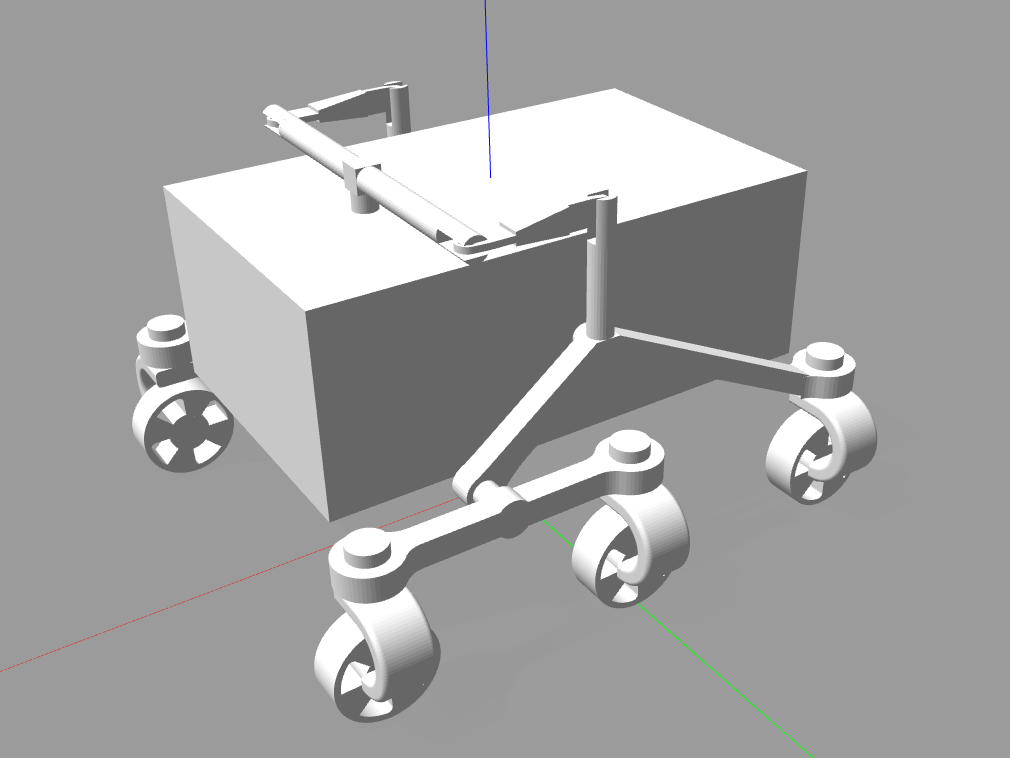
This project demonstrates a simulation of a Rocker Bogie suspension on an exploration Rover in GazeboSim.
- ROS Noetic (1.15.14)
- Gazebo 11(11.10.2)
- Python3 (3.8.10)
- Keyboard-python library (0.13.5)
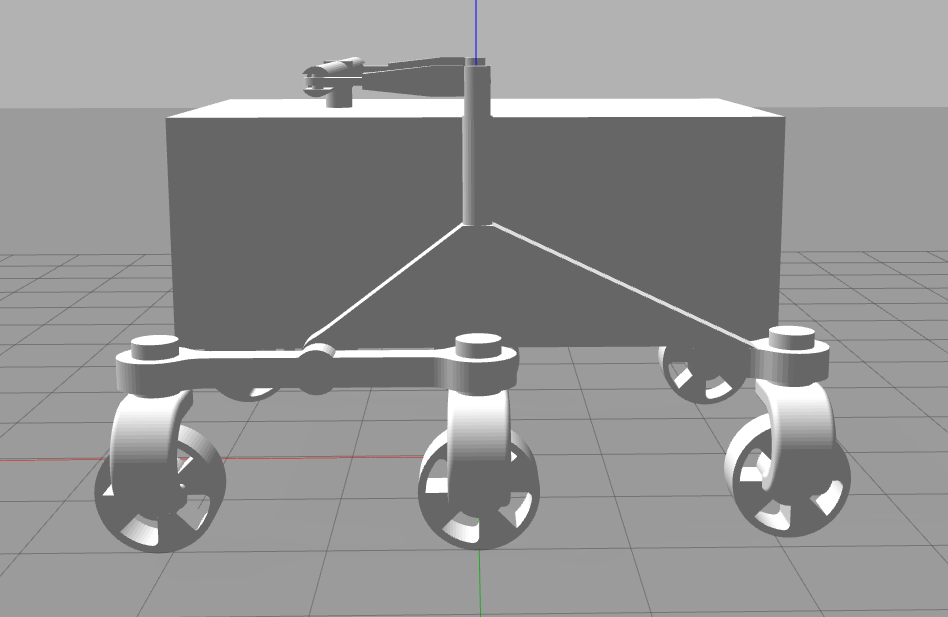
The project simulates a rover that implements a rocker bogie suspension. It is a suspension arrangement commonly used in Exploration Rovers like NASA's Perseverance. The Rover consists of one rocker (refer image) on each side connected to each other by a differential. The differential enables the rockers to turn in the opposite directions to each other. This maximises the surface contact on soft, uneven terrain such as sand and improves traction. The coupling between the rockers ensure that the chassis maintains the average pitch of both rockers. One end of the rocker has a drive wheel while other end has a bogie which has two more drive wheels at its ends.
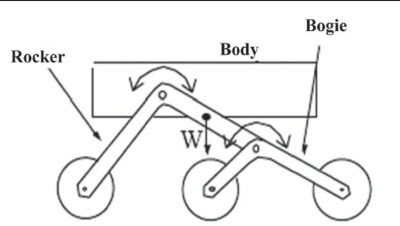
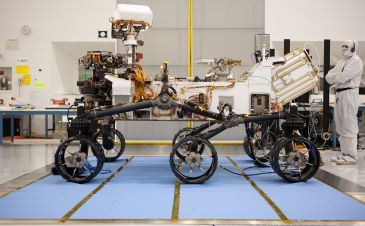
Side of Rocker Bogie Suspension - Simplified diagram (left) and Mars Curiosity Rover (Right)
Gazebo Model Side View (Bottom)
The simulation is performed in Gazebo, an open-sourced Robotics Simulator. The Rover is modelled in Fusion360 and exported as .stl mesh files. A URDF (Unified Robotics Description Format) file is made in which the name, physical properties and orientation of all parts and joints is defined. This file can be visualized in RViz. To further open this in Gazebo, gazebo specific tags are added which define the type of joints and plugin. A plugin is a shared library that can be added to URDF to control certain function. We use 'gazebo_ros_control' plugin to drive our motor joints.
On loading the URDF in a Gazebo environment, we can observe and interact with our model. A python script included in the package reads commands from the keyboard, translates that into commands for the joints so that the rover can be controlled via keyboard. The launching of Gazebo, loading the URDF, loading the plugin and sending values to the motor joint is all managed by ROS, an open-sourced Robotics framework.
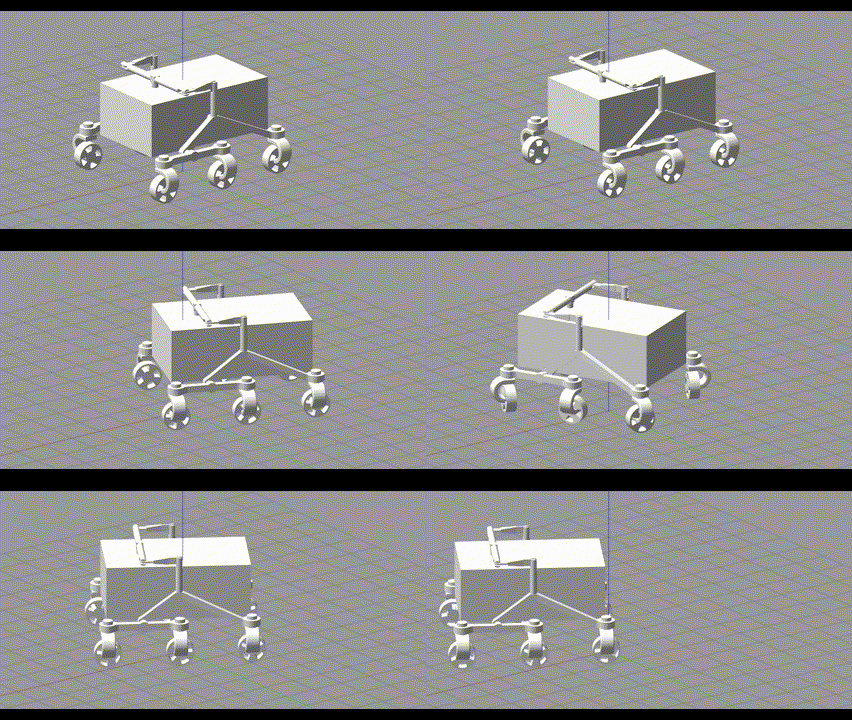
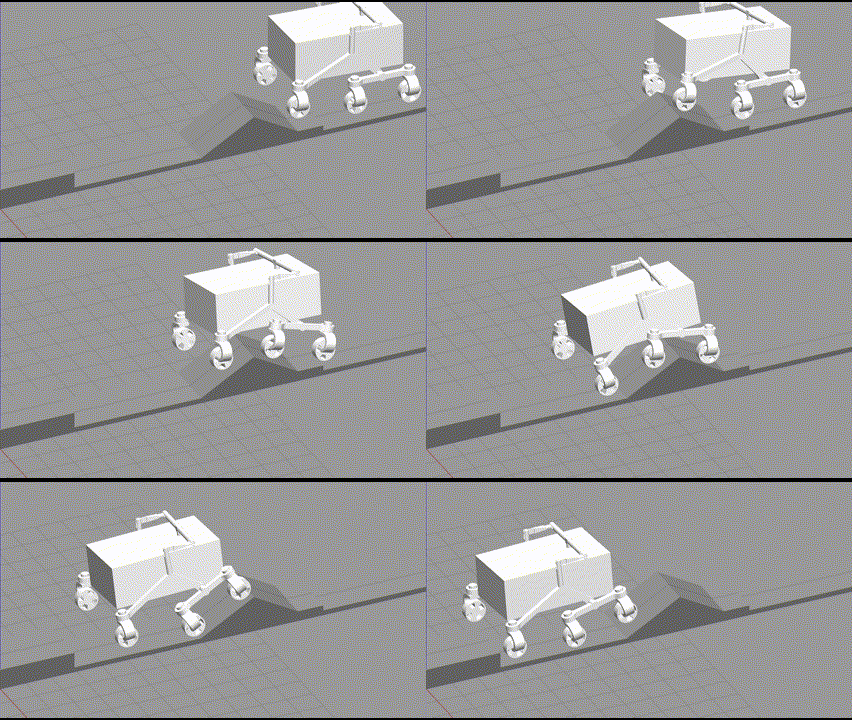
Controlling the Gazebo Rover Model (left) and
Portraying chassis maintaining average pitch of both rockers (Right)
- Install all required softwares and libraries. If using older version, certain functions may be deprecated.
- Create and build ROS workspace (catkin_make). And copy the 'rover_sim' folder to 'src' folder.
- In the rover_one_sdf.sdf file in the 'urdf' folder, find and replace paths for mesh files (<uri> tags) to correct path to meshes folder in the repository. This has to be done because unlike .urdf, the .sdf file uses absolute paths to locate mesh files.
- Build the workspace and source the setup.bash file.
- Launch the 'spawn_robot.launch' file. (roslaunch rover_sim spawn_robot.launch) to launch the simulation.
- Launch the 'get_keys.py' and 'send_keys.py' in seperate terminals. The 'get_keys.py' requires root.
- The robot should be loaded in Gazebo. And should respond to 'WASD' commands to move.