


The ultimate agentic AI control experience for developers. https://piebald.ai


-
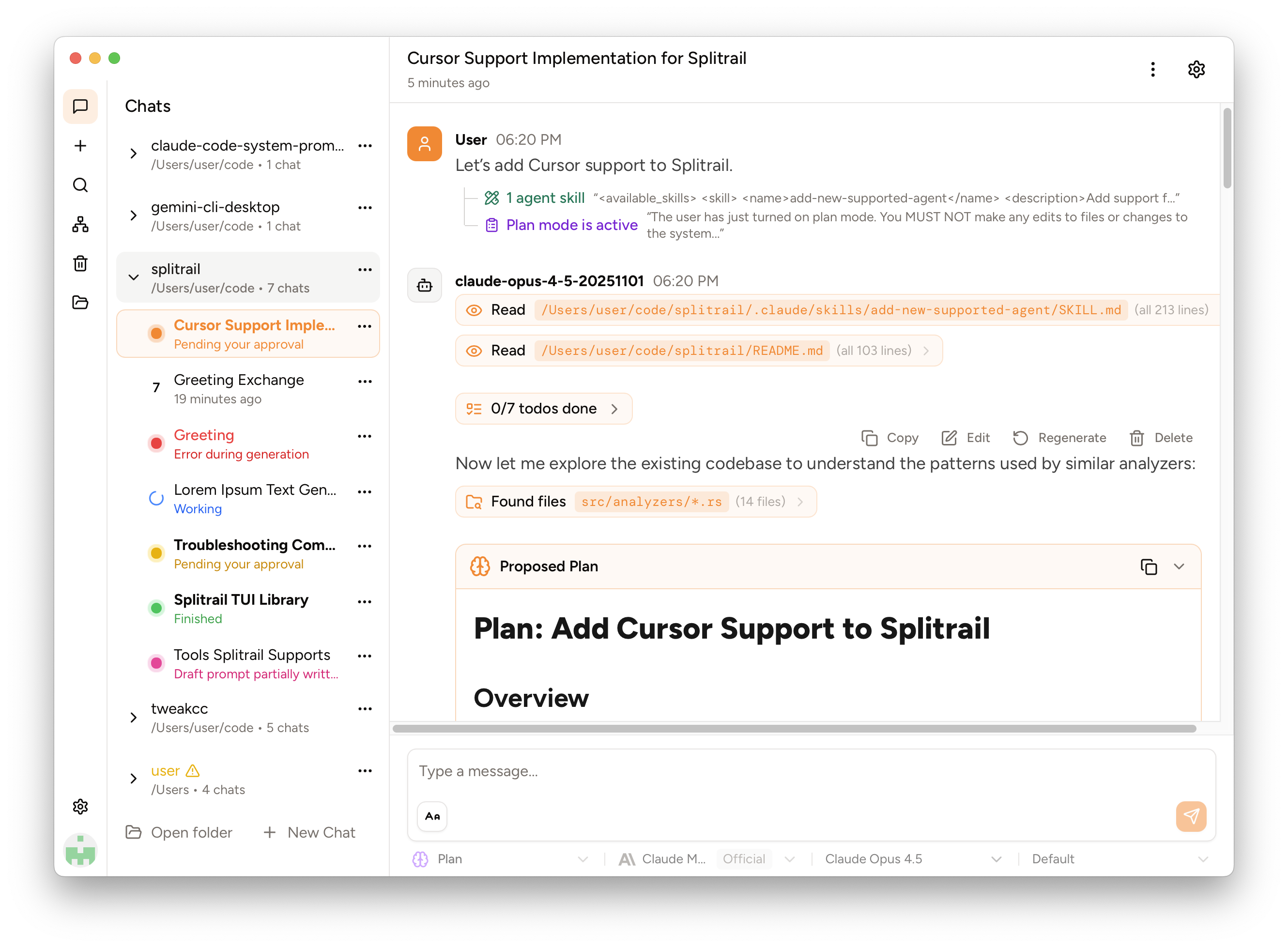
Persisted Sessions – All sessions are accessible from the sidebar with preserved status. Tool calls awaiting approval remain intact across reboots.
-
Fine-Grained Configuration – Customize system prompts, inference hyperparameters (temperature, stop sequences, max tokens), provider-specific fields, and custom JSON overrides. Enable/disable MCP servers and tools per-chat or per-profile.
-
Profiles – Create reusable collections of configurations and tools to quickly switch between different workflows.
-
HTTP Traffic Inspector – Real-time monitoring of all agentic HTTP requests, responses, and streamed SSE chunks. View bodies, headers, status codes, and durations.
-
Agent Skills & Plan Mode – Load agent skills, use plan mode to devise multi-step solutions, and manage context with manual or auto-compaction.
-
Multi-Provider AI – Support for OpenAI, Anthropic, Google Gemini, Amazon Bedrock, and GitHub Copilot. Sign in directly with your ChatGPT, Claude, or Gemini subscription.
-
Subagents – Spawn sub-agents to tackle tasks in parallel, with full control over their model and profile before approval.
-
Chat Branching & Pausing – Branch conversations to explore alternative paths and pause the agentic loop at any time to review or redirect.
-
Live Interactive Terminal – The agent's terminal commands are run in a real terminal with real-time output.
-
Image Support – Attach and reference images in your conversations for visual context.
-
Web Version – Use Piebald directly in the browser with no installation required.
-
Integrated Search & Web Fetch – Agents can perform web searches and fetch content from URLs to stay informed with real-time data.
See the pricing page for more details.
- Enhanced Project Support – Git worktree support and more
- Subscription Usage – Viewing subscription usage in-app
- Context Editing
- Piebald Cloud – Storing and syncing conversations and configurations
- File Browser – File browser with Git support
- Unified Import – Importing chats from Claude Code, Gemini CLI, Codex, Cursor, etc.
- Hooks
- Local Models – Running local models
- Token Usage Metrics – Accurate token usage metrics
- Statistics Page
- Custom Themes
- Custom Tools
- Edit/Command Sandboxing
- Archiving Chats
- Markdown Element Customizations
- Replay Streamed Responses
- MCP Traffic Viewer
- Multi-Version MCP Support
If there's something not on this list that you want to see added, let us know on GitHub or Discord and we'll prioritize it!
- Discord – Real-time community support
- X – Official updates
- Email: support@piebald.ai