Configuration
Basic configuration is simple, just follow the instructions when setting up the integration. You only need to enter your Petkit account credentials.
⚠️ IMPORTANTTo use both the official Petkit app AND Home Assistant simultaneously, you need two accounts:
- Use your PRIMARY account with the official Petkit app to maintain full control over device management
- Use your SECONDARY account for the Home Assistant integration
Add the secondary account to your primary account's family in the Petkit app.
- Open the Petkit app and log in with your primary account
- At the top of the screen, tap Family Management, then select Create Family and follow the instructions
- Once the family is created, tap the Add Family Member button
- Add your secondary Petkit account
- Finally, log into the Home Assistant integration using your secondary account


Check detailled information here : Media Management - Photo and video management

- Enable bluetooth relay: Enables bluetooth relay for fountains with bluetooth, you need a relay device (default: enabled)
- Bluetooth refresh interval: The interval in minutes to scan bluetooth devices (default: 30)
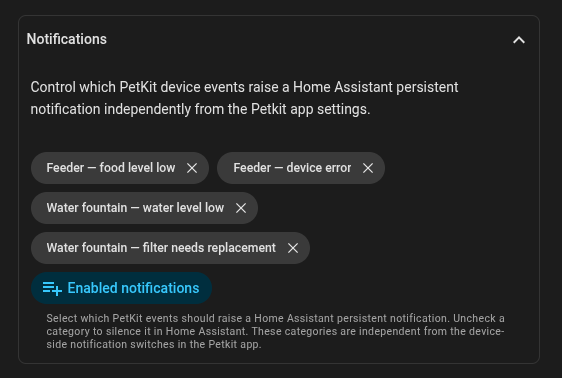
In this section, you can enable or disable persistent notifications in Home Assistant that you want to receive from your Petkit devices.
By default, all notifications from devices are enabled.
If you encounter issues during configuration, check the Troubleshooting page or join our Discord for help.