https://github.com/wpham1/terminalapp
The name of the Terminal Application is Terminal Coin.
The application will take user inputs to create an interactive story with a customised character that the player takes control of to buy items from a fantasy merchant and battle with monsters. The scope of this application is quite big as it requires multiple facets to interact with each other, I will be breaking down and working on small bits of code first before connecting them all together. I was originally going to include the ability to save and load character information, but as there is a tight deadline and to keep the scope down, I have chosen to redact the feature.
The application is made for entertainment purposes, so it will hold the players' attention and hopefully give pleasure and delight (as that is subjective). As the story of the application is dictated by the users' input, the interaction aspect will provide amusement and fun, the management of gold and fantastical elements also serves to alleviate boredom. The application will reduce stress and provide escapism from reality.
I am developing this application because I am interested in game development and this is a good way to combine my interests and test my programming abilities.
The target audience would be for an audience looking for an entertaining experience and looking to destress and relax. A member of the target audience will use the application for recreational purposes, but I would also like my application to inspire others to create something in Ruby too.
Here are some User Stories that I have thought about before proceeding with my code.
"As Rory, I want to be entertained, so I can feel relaxed after being at work all day."
"As Kim, I want to see what can be achieved with Ruby, so I can be inspired to create something fun with Ruby"
The user will create their own character by using the terminal to input their character name, answer questions to develop the character, spend gold to equip their character with weapons and select combat prompts in battle to defeat monsters.

Users will be able to create their own character.
As the user will be creating their own character, I will be utilising instance variables to store that information in a class that I can access at future dates.
When the user inputs their name I have incorporated a loop so that whenever they fail to enter something besides alphabetical characters it runs the loop again until they are successful.
After their name has been made, the user will then choose an option out of three questions that will determine how strong and fast their character will be.

After creating their character, the user will be able to decide if they want to go to the Shop to buy items, enter the Forest to fight a monster, or quit. This is my Hub Class where I have used TTY-prompt to have a nice user interaction selection screen, as well as ASCII art that is drawn from my ASCII art file that draws from different methods that print out ASCII art when called.

When users enter the shop, they will be able to buy items using their allotment of gold given to them at the beginning of the game.
I have utilised TTY-prompt and an array to fill the players inventory when they purchase weapons. If users have enough gold, they are able to purchase and add items to their inventory, otherwise they will not be able to buy something they cannot afford. I have also created tests to see if the items show up correctly in their inventory. The game will check if users have the item in their inventory already and will not allow them to buy an item twice.

Players can choose to go to the Forest to test their mettle, and engage in combat with an enemy monster class. They will be able to choose to hit or dodge the enemy, and killing the enemy will reward them with more gold.

The application creates an instance of a Monster character with its own hit points, strength and dexterity. The application then compares the dexterity of the monster and the player to decide who attacks first. The players then engage taking turns to deal damage to the others' hit points or dodge an incoming attack. When the player's character's hit points go to zero, it is game over and they return to the menu. If the enemy's hit points go down to zero first, the player wins, is rewarded with gold and returns to the hub village.

- The game begins with the Title appearing on the screen.
- The user is then prompted to type in their name.
- If the user fails to input a name without symbols/numbers five times, the game gives them the name "Hero".
- The game displays a list of three options, asking "What power do you seek".
- TTY-Prompt selection allows the user to use their arrow keys and the enter or space key to decide.
- The player's character's stats are then displayed
- ASCII Art of a village appears to show users where the character currently is
- The user then has more options from TTY-Prompt to choose whether to Enter Shop, or Enter Forest, using the arrow keys and enter/space key to decide
- If the user chooses to enter the shop, ASCII Art appears to show where they are
- Another prompt displays, asking what they would like to purchase from a menu, showing Item name and Price
- Confirming items adds the items to their inventory, which is displayed on screen in text, and also deducts gold from their character
- If they can't afford the items or they already have the item in their inventory, text will display to let them know
- When they are finished making their purchases they can select the Exit option to go back to the Hub village
- If the user chooses to enter the forest, ASCII Art appears to reveal an enemy monster, text describes what's happening
- The game prompts the user what they want to do, Attack or Dodge
- The stats of the Enemy and the Player will be displayed during combat
- Selecting Attack will attempt a swing at the monster, dealing damage if successful and missing when failing
- Selecting Dodge grants the character a bonus to dodging enemy attacks
- If the players' health goes to 0, the Game Over screen displays and they are given the choice to start again or quit
| R8 | Develop a diagram which describes the control flow of your application. Your diagram must: - show the workflow/logic and/or integration of the features in your application for each feature. - utilise a recognised format or set of conventions for a control flow diagram, such as UML. |
|---|
I have created these diagrams to assist me when creating this application, it helped me decide how to create certain classes and how the classes interact with each other.
This diagram shows how Data is inputted and what Data entities need to output to display in certain processes.


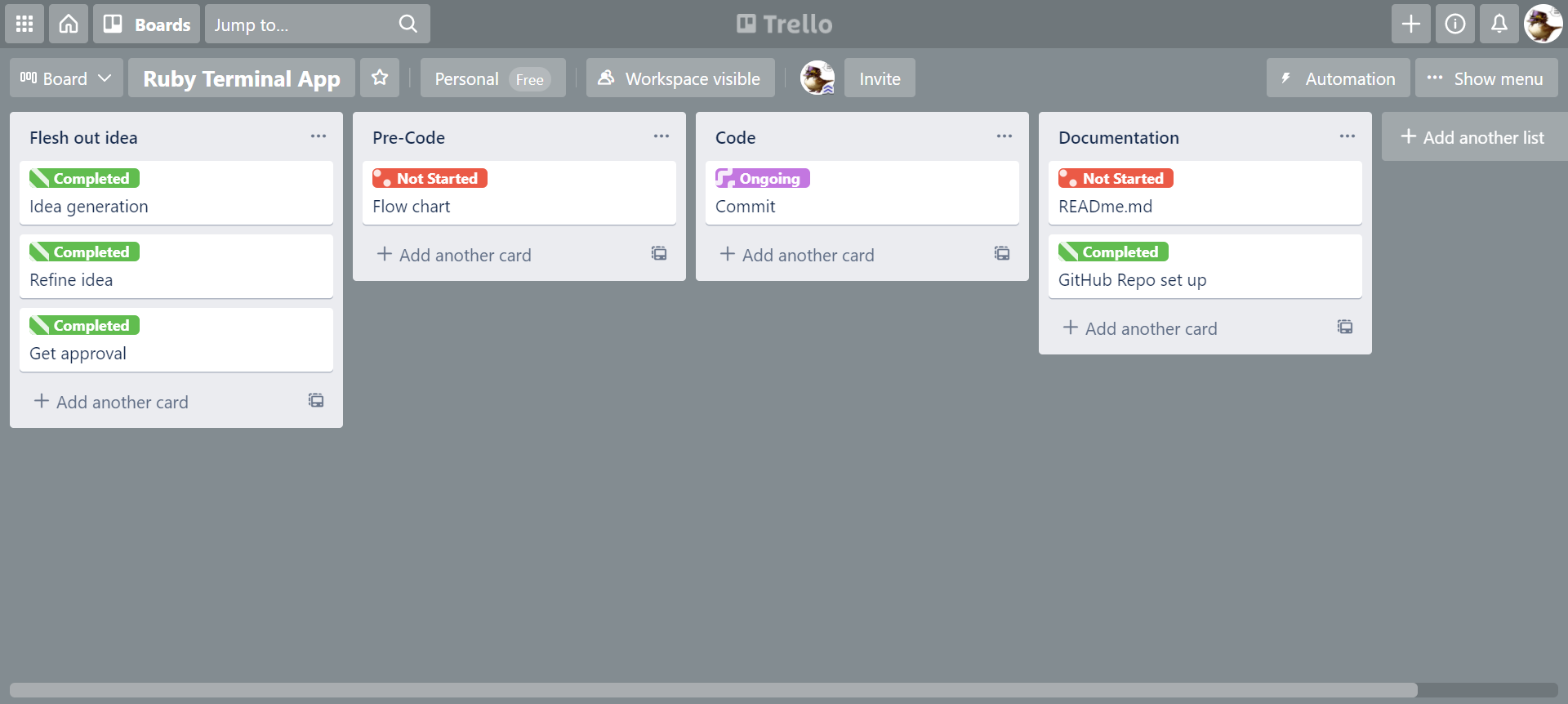
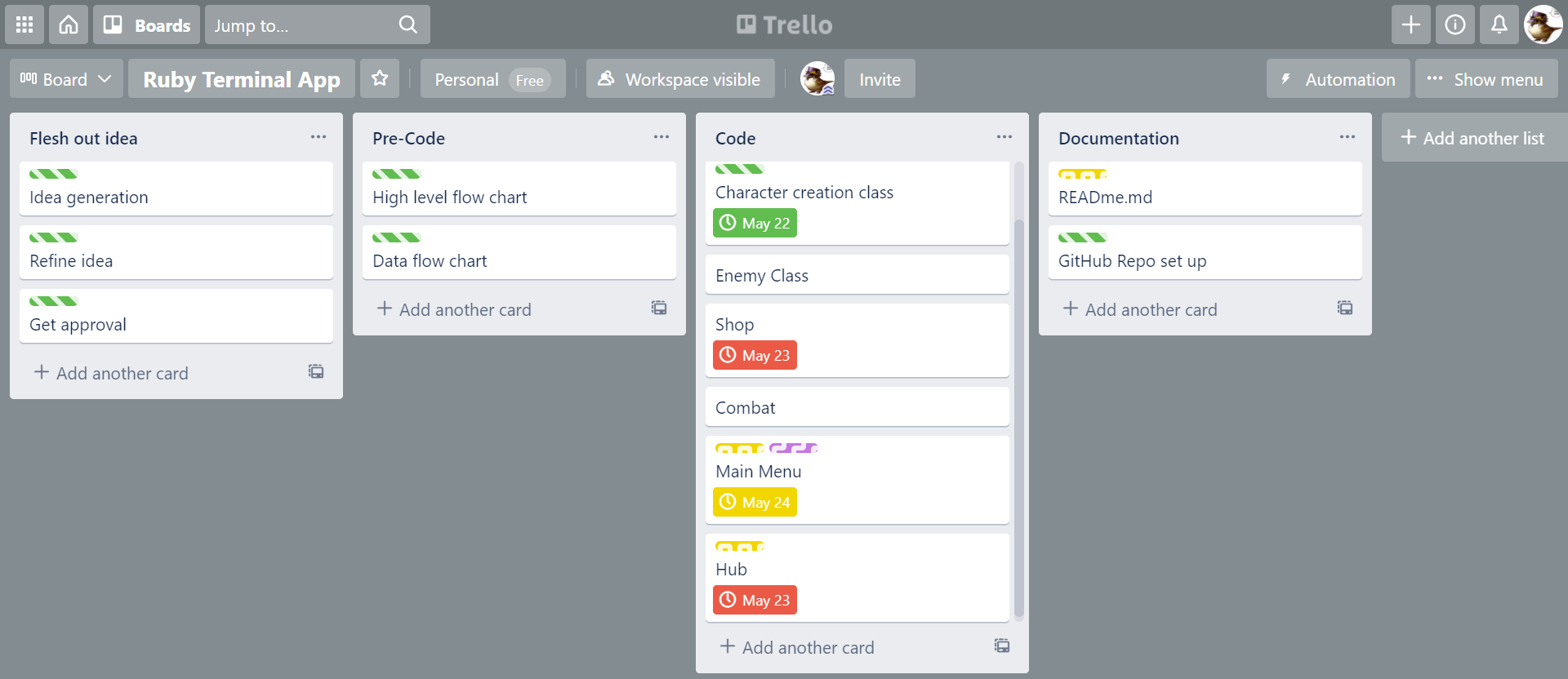
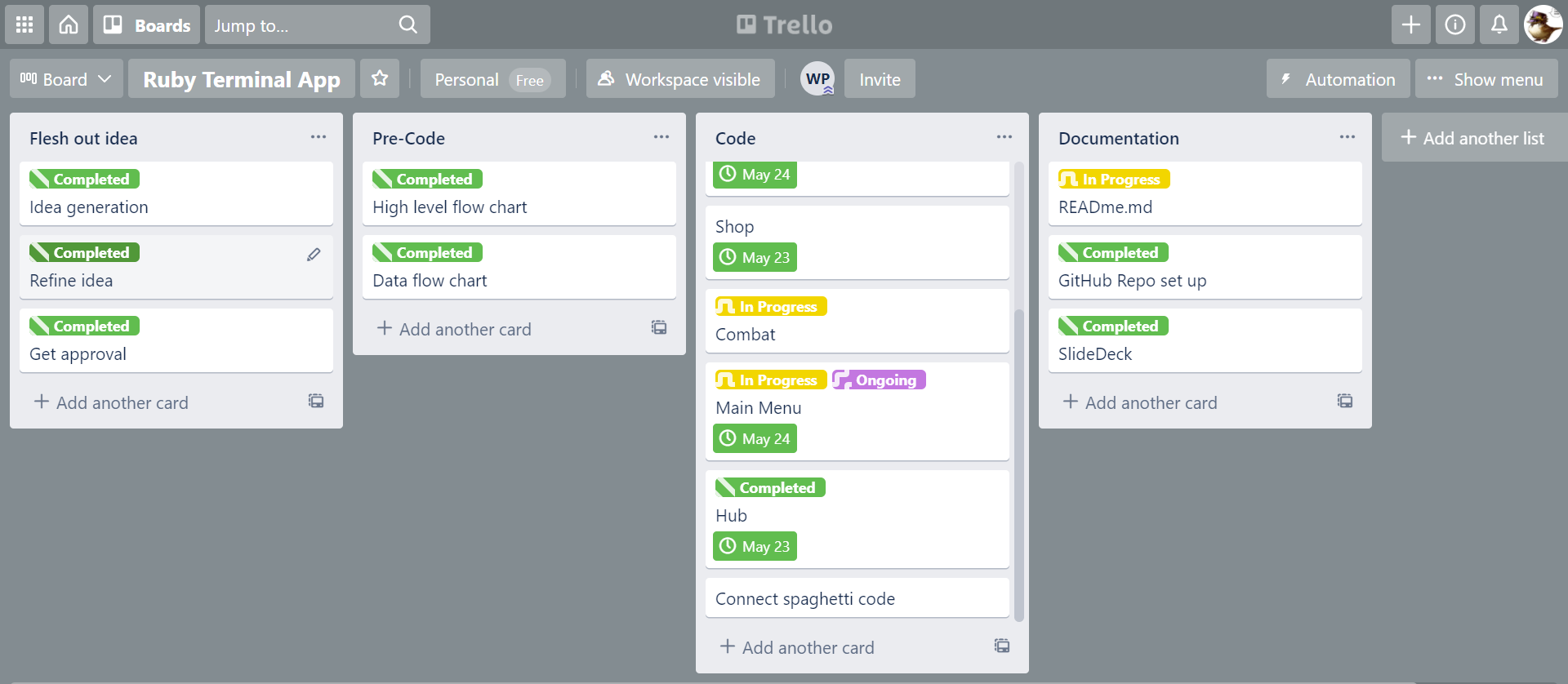
Trello was used to help implement and organise my terminal app production.
I feel like I did not stick according to my implementation plan as well as I could, I feel like due to the time constraints and other commitments it was difficult to put more time into it but I used it where I could. I did not utilise the checklist feature, as I was unaware of that requirement until it was too late!
You can find my Trello Board here.
| R10 | Design help documentation which includes a set of instructions which accurately describe how to use and install the application. You must include: - steps to install the application - any dependencies required by the application to operate - any system/hardware requirements |
|---|
-
You must have Ruby installed on your computer in order to play Terminal Coin. Click here and follow the instructions to install Ruby.
-
You must also install the following Ruby gem dependencies:
- gem "tty-prompt", "~> 0.23.1"
- gem "artii", "~> 2.1"
- gem "colorize", "~> 0.8.1"
- gem "ruby-progressbar", "~> 1.11.0"
You can install the required Ruby gems through the command line using the following commands:
For tty-prompt:
gem install tty-promptFor artii:
gem install artiiFor colorize:
gem install colorizeFor tty-progressbar:
gem install ruby-progressbar- You will then need to clone this repository to your local computer. You can follow the instructions to do so by clicking here.
Terminal Coin application is run using a bash script file through the command line.
- Open the terminal of your preference
- Change directories to the one holding this repository
/terminalapp - Change directories into
/src - Type in
./run_app.shand hit enter - Start playing!