
https://cytometryconference.org.au/
R Materials for ACS Melbourne 2022 Analytical Workflows for Single-Cell Multiomic Data workshop
Sunday, Nov 20, 9am
Wenyan Li
Rstudio (free version) - download and install with this link: https://posit.co/products/open-source/rstudio/
R - download and install the latest version. (Note: choose the one that matches your PC system) https://cran.csiro.au/
- Open Rstudio
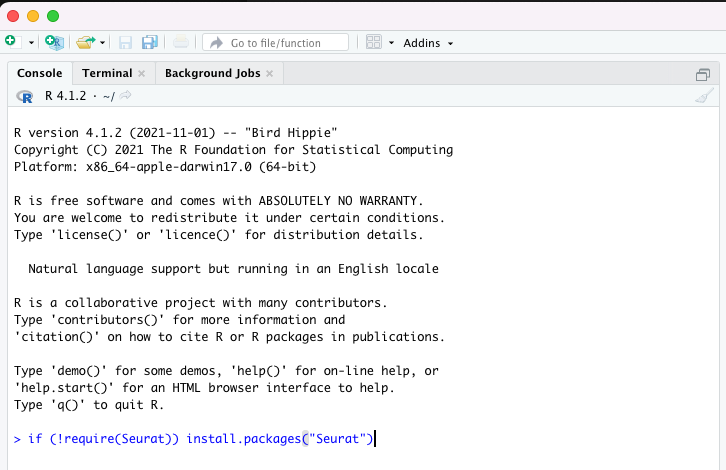
- Inside the "Console", where you should see a welcoming message from R, showing what version of R you are using
- type in the following line and hit enter. What this command line does is install the Seurat package if you haven't installed it already
- install package tidyverse
- install package patchwork
- check if packages are installed successfully
if Seurat package doesn't exist, you will see an error message like this:
- BD Rhapsody demo data https://scomix.bd.com/hc/en-us/articles/360034192672-Rhapsody-WTA-Demo-Datasets
- download "WTA + Sample Multiplexing + AbSeq" from the list
- files needed: Feature / cell matrix (filtered)