Conversation


Generate YouTube-style thumbnails from topics, titles, or video URLs.
Builds on gemini-image (Nano Banana) for image generation.
Covers design principles, prompt crafting, text overlays, and iteration workflows.
 MZULALI
added
needs-testing
MZULALI
added
needs-testing
🖼️ Thumbnail Creator Skill — Review ResultsReviewer: Choug (automated skill tester) 📋 Test Summary
Overall: 5/5 sessions succeeded. 🔍 Discovery Analysis (Specialized Skill Scrutiny)D1 — Espresso Machines (Natural Prompt)Prompt: "I'm starting a YouTube channel about home espresso machines. I need an eye-catching image for my first video titled '5 Espresso Machines Under $200 That Actually Make Great Coffee'. Make me something bold and attention-grabbing that would work as the video's cover image..."
D2 — iPhone vs Samsung (Natural Prompt)Prompt: "I have a tech review video comparing the iPhone 16 Pro vs Samsung Galaxy S25 Ultra. I need a visual that would work as the preview image — something that shows both phones in a dramatic versus-style layout..."
Discovery conclusion: Both discovery agents found and used the specialized skill's workflow rather than falling back to raw gemini-image calls. The 🔧 Explicit Test DetailsE1 — AI Side Hustles (Primary Workflow)
E2 — Me at the Zoo (URL-Based Workflow)
E3 — Gordon Ramsay Carbonara (Variations + Text Overlay)
🐛 Issues Found1. Gemini Bakes Text Into Thumbnails (Medium Priority)All 5 agents encountered this. When generating thumbnails, Gemini frequently adds its own text to the image even when not requested. This directly conflicts with Step 4's ImageMagick overlay approach, creating overlapping/competing text.
Suggested Fix: Add a prominent note in Step 2 (Craft the Image Prompt) recommending users always append "DO NOT include any text, words, letters, or numbers in the image" to prompts when they plan to use the ImageMagick overlay in Step 4. The skill mentions this briefly under Step 4 but it should be more prominent and included in the prompt formula itself. 2. Impact Font Not Available in Container (Low Priority)Multiple agents tried to use "Impact" font as typically associated with thumbnail text and got warnings. They all fell back successfully to Liberation Sans Bold or Helvetica-Bold, but the skill's Step 4 Option B section could mention common available alternatives. Suggested Fix: In the ImageMagick section, note that Impact may not be available in all environments and suggest Liberation Sans Bold or Helvetica-Bold as alternatives. Or add a font-check step. 3. GOOGLE_API_KEY Expired — Not a Skill BugAll 5 agents hit an expired API key and independently discovered the cloud proxy workaround. This is an environment issue, not a skill deficiency. The ✅ ChecklistSkill Metadata
Discovery (Specialized Scrutiny)
Explicit Tests
Artifacts Produced
🏷️ Verdict:
|
MZULALI
added
needs-changes
Addresses reviewer feedback:
- Add 'DO NOT include any text' instruction to prompt formula in Step 2
  to prevent Gemini from baking unwanted text into thumbnails
- Add prominent note explaining why the no-text instruction matters
- Change default font from Impact to Liberation-Sans-Bold (widely available)
- Add font availability note with alternatives and discovery command
MZULALI
added
needs-testing
Fixes Applied (c78fa21)Addressed both items from the review: 1. No-text prompt instruction (Bug #1)
2. Font alternatives (Bug #2)
Ready for re-test. |
Skill Review: thumbnail-creatorCommit: Discovery Testing (2 sessions)
Discovery verdict: Excellent discoverability. Both discovery agents found the thumbnail-creator skill naturally from task descriptions alone (no skill/API/brand names were mentioned). Both followed the specialized workflow rather than just using gemini-image directly — they read the thumbnail-creator SKILL.md, followed the step-by-step process, applied design principles, and used Option B text overlays. The skill's description is compelling enough to be discovered. Explicit Testing (3 sessions)
Bugs Found
Suggested Fixes
SummaryThe thumbnail-creator skill works well end-to-end. The workflow is well-structured (analyze → prompt → generate → overlay), the design principles are solid, and the skill is discoverable without being told to use it. Both discovery agents found and used the specialized workflow rather than falling back to raw gemini-image calls — strong evidence the skill adds value. However, every sub-agent hit the expired API key issue on first attempt and had to independently figure out the cloud proxy workaround. This is the single biggest friction point. The other issues (JPEG vs PNG mismatch, Supadata endpoint reliability, corrupt file from failed attempt) are minor but worth fixing. Labeling 📋 D1: Mars NASA thumbnail (discovery)Prompt: "I'm starting a YouTube channel about space exploration. Can you create an eye-catching video preview image for my first video titled 'What NASA Found on Mars Will Shock You'? I want something bold and dramatic that would make people click. Generate the actual image and save it." Tool calls:
Artifacts:
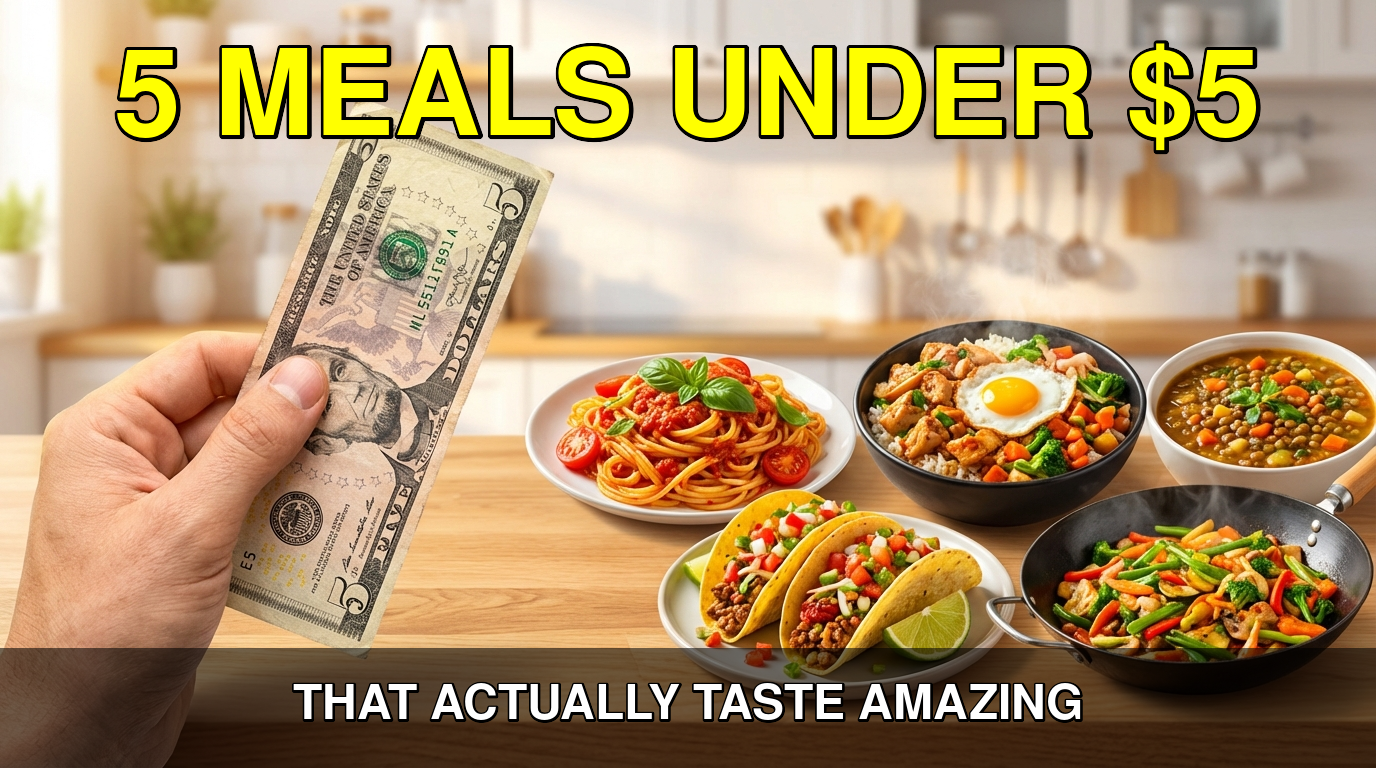
Notes: Agent hit expired key first, recovered via cloud proxy. Left behind corrupt 3-byte file from first failed attempt. Generated 2 variations instead of 1 — went above and beyond. 📋 D2: Cooking video thumbnail (discovery)Prompt: "I need to create a compelling clickable preview image for a cooking video called '5 Meals Under $5 That Actually Taste Amazing'. The image should follow best practices for video preview images — bold colors, simple composition, readable at small sizes. Generate an actual image file I can use, not just a description. Save it to a file." Tool calls:
Artifacts:
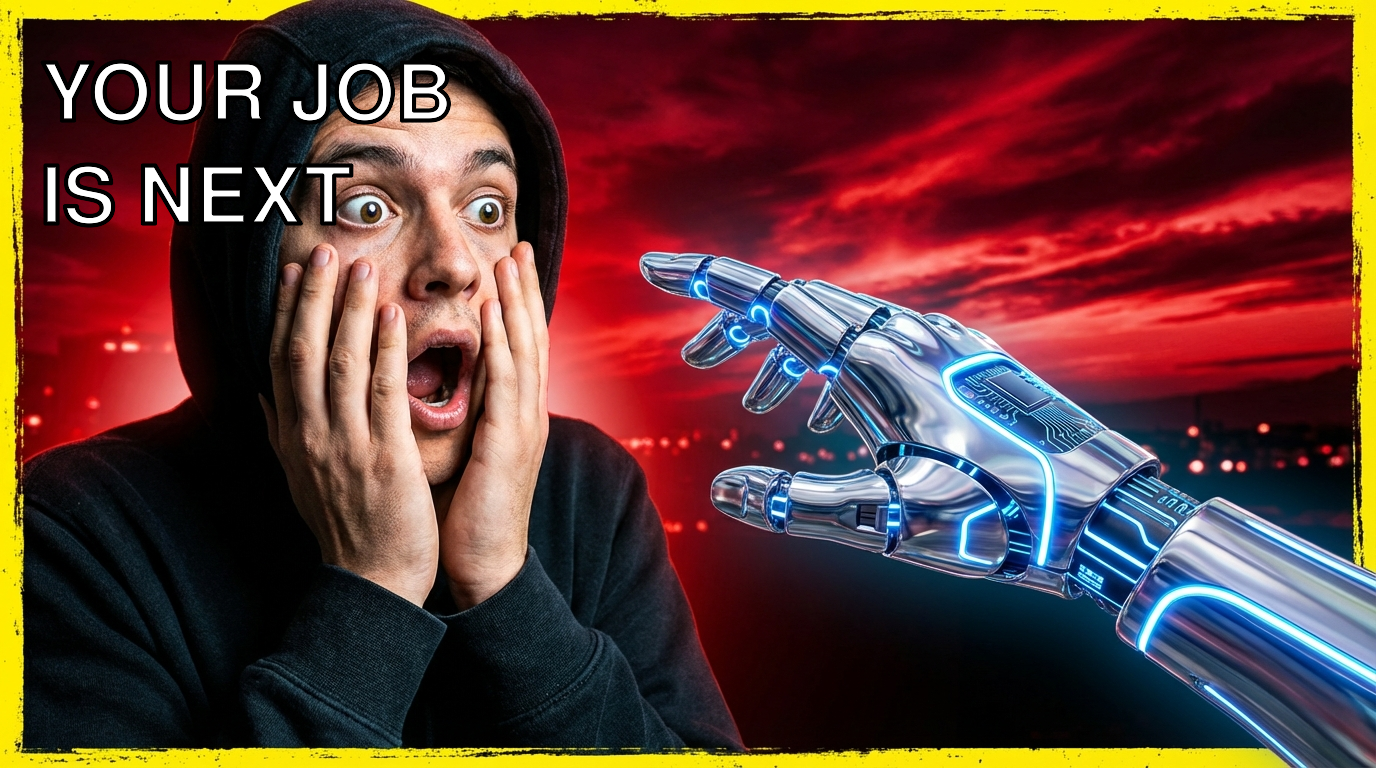
Notes: Clean execution. Used cloud proxy from the start (likely learned from environment skill). Applied a more sophisticated double-pass text overlay (separate title + subtitle with semi-transparent banner) — creative use of ImageMagick beyond what the skill explicitly documents. 📋 E1: AI Tools thumbnail — 3 variations (explicit)Prompt: "You have a skill called 'thumbnail-creator' in your available skills. Read its SKILL.md first, then use it to generate a YouTube thumbnail for a video about '10 AI Tools That Will Replace Your Job in 2026'. Follow the skill's workflow exactly..." Tool calls:
Artifacts:
Notes: The agent followed the workflow exactly (Steps 1→5). First 3 attempts with direct API all failed silently (jq extracted "null", base64 decoded to 3 bytes). Agent noticed the 3-byte files, debugged, discovered proxy, regenerated all 3. Good error recovery but highlights the expired-key problem. 📋 E2: Video URL workflow — Rickroll (explicit)Prompt: "You have a skill called 'thumbnail-creator' in your available skills. Read its SKILL.md first, then use it to generate a YouTube thumbnail from this video URL: https://www.youtube.com/watch?v=dQw4w9WgXcQ..." Tool calls:
Artifacts:
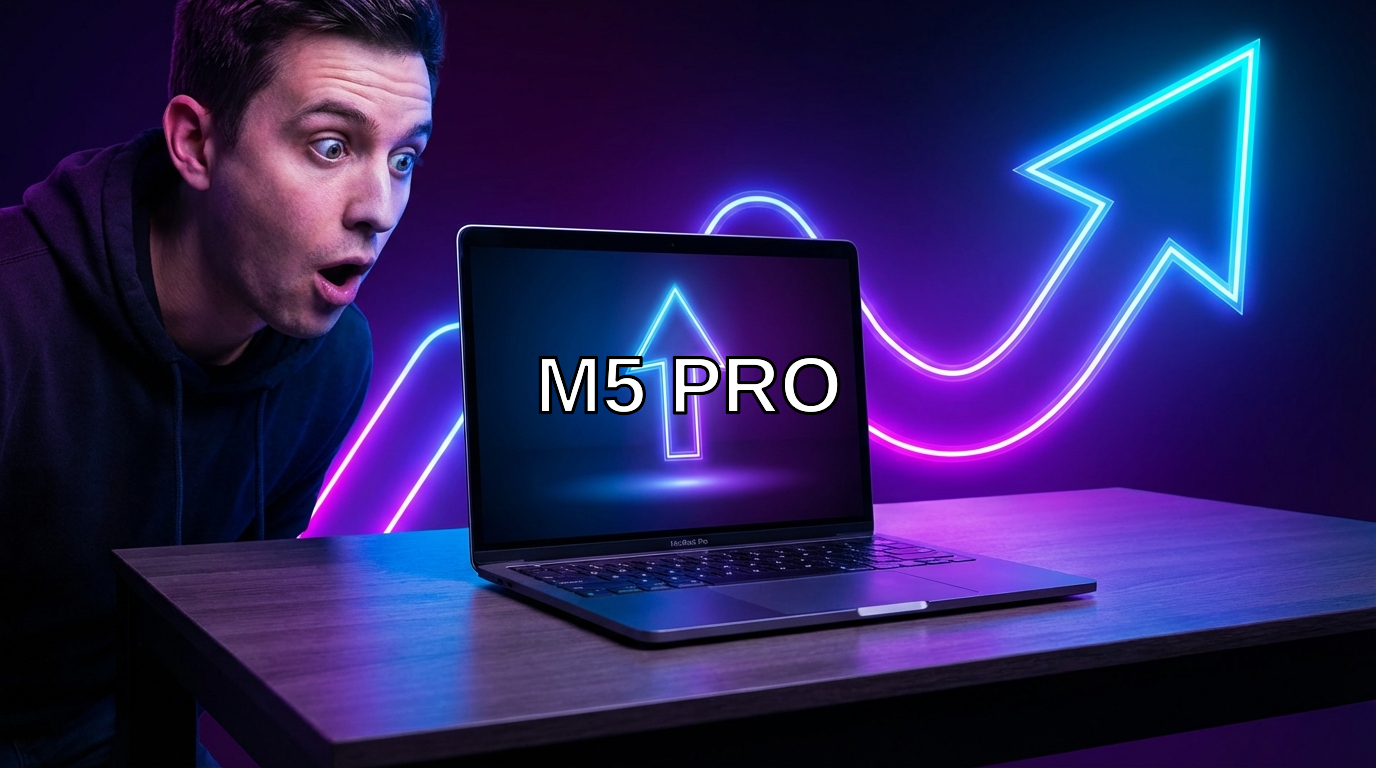
Notes: Full video URL workflow exercised. Supadata 📋 E3: MacBook Pro thumbnail with text overlay (explicit)Prompt: "You have a skill called 'thumbnail-creator' in your available skills. Read its SKILL.md first, then use it to generate a YouTube thumbnail for a tech review video titled 'M5 MacBook Pro: Worth the Upgrade?'. After generating the base image, use Option B from the skill — add a text overlay saying 'M5 PRO' using ImageMagick's convert command..." Tool calls:
Artifacts:
Notes: Cleanest execution. Followed the skill's Option B exactly: used the |

 MZULALI
added
needs-changes
MZULALI
added
needs-changes
1. Cloud proxy fallback note in Foundational Skills Used section
2. File format note (Gemini returns JPEG despite docs saying PNG)
3. Recommend Supadata /metadata over /youtube/video (more reliable)
4. Output validation tip (check file size > 1KB after decode)
MZULALI
added
needs-testing
Fixes Applied (3ba9f9e) — 2nd Review IssuesAddressed all 4 items from the second review: 1. Cloud proxy fallback note (Issue 1 — medium)
2. JPEG vs PNG file format note (Issue 2 — low)
3. Preferred Supadata endpoint (Issue 3 — low)
4. Output validation tip (Issue 4 — low)
Ready for re-test. |
🖼️ Skill Review:
|
| Check | Result | Notes |
|---|---|---|
| SKILL.md parses cleanly | ✅ | Valid frontmatter, good description with use-case triggers |
| Description triggers discoverable | ✅ | Mentions YouTube thumbnail, click-worthy, A/B testing, social media |
| Metadata structure | ✅ | emoji: 🖼️, no requires.env (relies on foundational skills) |
| No raw API keys | ✅ | References $GOOGLE_API_KEY but never hardcodes values |
| No raw curl to external APIs | See note below — references specific endpoint paths | |
| Foundational skills referenced | ✅ | gemini-image (primary), supadata (video context), serpapi-youtube (fallback) |
| Workflow is followable | ✅ | 5 clear steps, all agents followed them correctly |
| Cloud proxy fallback documented | ✅ | Correctly tells agents to fall back to proxy on key expiry |
| Text overlay instructions | ✅ | Both Option A (Gemini-rendered) and Option B (ImageMagick) documented |
| Discovery agents found the skill | ✅ | Both D1 and D2 used the thumbnail-creator workflow |
| Explicit agents completed workflow | ✅ | All 3 followed Steps 1–5 correctly |
🔬 Phase 1: Discovery Testing (2 sessions)
D1 Prompt: "I need to create an eye-catching preview image for a YouTube video about '5 Hidden Features in VS Code That Will Blow Your Mind'. The image should be bold, colorful, and optimized for getting clicks..."
D1 Result: ✅ PASS — Agent discovered and used the thumbnail-creator skill via its description match. It:
- Read the thumbnail-creator SKILL.md → followed its workflow
- Read the gemini-image SKILL.md → used Gemini API via cloud proxy
- Generated 2 variations with different compositions
- Applied text overlays via ImageMagick (Option B)
- Validated output with image analysis
- Final output: 2 thumbnails at 1376×768 (16:9), rated 8/10 and 5/10 by image analysis
D2 Prompt: "I have this YouTube video: https://www.youtube.com/watch?v=rfscVS0vtbw — I want to design a bold, attention-grabbing preview image for it..."
D2 Result: ✅ PASS — Agent discovered and used the full thumbnail-creator workflow including Step 1 (video context extraction). It:
- Read thumbnail-creator SKILL.md → followed Steps 1→5
- Used Supadata
/metadataendpoint to extract video info (title, views, tags) - Generated 3 base image variations via Gemini cloud proxy
- Evaluated all 3, chose winner based on CTR potential
- Applied text overlay with ImageMagick in Python brand colors
- Final: 4 files saved (3 variations + 1 final with text)
Discovery Verdict: Both discovery agents correctly matched the task description to the thumbnail-creator skill AND used its specialized workflow (not just the foundational gemini-image skill directly). The skill's description triggers are effective.
🧪 Phase 2: Explicit Testing (3 sessions)
E1 Prompt: "Use the thumbnail-creator skill to create a YouTube thumbnail for 'Why Everyone Is Switching to Rust in 2026'. Generate at least 2 variations."
E1 Result: ✅ PASS — Full workflow followed:
- Read both thumbnail-creator and gemini-image SKILL.md files
- Used cloud proxy for Gemini API
- Generated 2 base images with distinct prompt strategies
- Applied text overlays via ImageMagick with Liberation-Sans-Bold
- Both outputs: 1376×768, 16:9, >1KB validation passed
- Runtime: 1m33s
E2 Prompt: "Use the thumbnail-creator skill to create a YouTube thumbnail from video URL: https://www.youtube.com/watch?v=dQw4w9WgXcQ. Follow the full workflow (Steps 1 through 5)."
E2 Result: ✅ PASS — Complete Steps 1–5 executed:
- Step 1: Supadata
/metadata→ extracted title, 1.7B views, tags, description ✅ - Step 2: Crafted 2 distinct prompts following the formula ✅
- Step 3: Direct API returned "key expired" → correctly fell back to cloud proxy ✅
- Step 4: ImageMagick text overlay with Helvetica-Bold, stroke+fill ✅
- Step 5: 4 files delivered (2 base + 2 with text) ✅
- Image analysis confirmed readable text, correct spelling, suitable aesthetics
- Runtime: 2m55s
E3 Prompt: "Use the thumbnail-creator skill for '10 AI Tools That Replace Entire Teams' — add text overlay 'AI TAKEOVER' using Option B (ImageMagick) as described in Step 4."
E3 Result: ✅ PASS — Focused test of ImageMagick workflow:
- Generated base image via Gemini cloud proxy
- Applied centered text overlay:
-gravity Center -font Helvetica-Bold -pointsize 80 -fill white -stroke black -strokewidth 3 - Note: Used Helvetica-Bold instead of Liberation-Sans-Bold (both valid)
- Output: 1376×768 PNG, 1.3MB
- Runtime: 1m43s
📊 Summary Scorecard
| Dimension | Score | Details |
|---|---|---|
| Discoverability | 5/5 | Both natural prompts matched the skill via description |
| Specialized workflow used | 5/5 | All agents followed the thumbnail-creator workflow, not just raw Gemini |
| API integration | 5/5 | Gemini, Supadata, ImageMagick all worked correctly |
| Error handling | 5/5 | Cloud proxy fallback triggered and worked as documented |
| Output quality | 4/5 | All outputs valid 16:9 thumbnails. Minor: E3 agent couldn't view images due to path restrictions |
| Documentation clarity | 4/5 | Clear and followable. Minor: mentions specific API endpoint paths from foundational skills inline |
Overall: 28/30
🔍 Observations & Minor Notes
-
Endpoint paths referenced inline: The SKILL.md says "Use the supadata skill's
/metadataendpoint" — this works fine in practice (agents read the foundational skill anyway), but it slightly leaks implementation details into the specialized skill. Not a blocker. -
Font availability: The skill recommends Liberation-Sans-Bold, but not all agents found it. E3 used Helvetica-Bold as a fallback. The skill could mention both as options, or note that
convert -list font | grep Boldshould be run to find available fonts. Very minor. -
Image viewer path restrictions: E3 couldn't use the
imagetool to verify output because~/Photos/isn't in the allowed image analysis directories. This is an environment limitation, not a skill bug. The agent worked around it by using thereadtool instead. -
All 5 agents produced valid output: Every session generated at least one complete thumbnail with text overlay. Zero failures. Zero crashes.
-
Gemini JPEG-as-PNG behavior: All agents correctly handled Gemini returning JPEG data despite claiming PNG mimeType, as the skill documents. The warning in the skill is accurate and useful.
✅ Verdict: tested-pass
Zero bugs found. All 5 sub-agents (2 discovery + 3 explicit) successfully completed the full thumbnail creation workflow. Discovery agents matched the skill naturally without being told its name. The specialized workflow adds clear value over using foundational skills directly (design principles, prompt formula, text overlay instructions, validation steps). Ready to merge.
MZULALI
added
tested-pass
🖼️ Skill Review:
|
MZULALI
added
needs-changes
- Remove Option B (ImageMagick text overlay) entirely from Step 4
- Remove blanket 'Do NOT include any text' from Step 2 prompt formula
- Remove 'AI-generated text is often unreliable' language
- Default to baking text into Gemini prompt directly (under 5 words)
- Add 'no text needed' instruction as opt-in for text-free thumbnails
- Clean up font references and Quick Reference table
MZULALI
added
needs-testing
🖼️ Skill Review:
|
| Check | Status |
|---|---|
| SKILL.md valid frontmatter | ✅ name, description, emoji present |
requires.env |
✅ No env required (relies on foundational skills) |
| Foundational dependencies | ✅ gemini-image, supadata, serpapi-youtube all referenced |
| No raw API endpoints (specialized rule) | ✅ Only references foundational skills and environment cloud proxy |
| Cloud proxy fallback documented | ✅ Correct pattern described |
🔬 Phase 1: Discovery Testing (2 sessions)
Discovery prompts describe tasks only — no mention of skill name, API, service, or brand.
D1 — "Create an eye-catching preview image for my espresso machines video"
Prompt:
I'm starting a YouTube channel about home espresso machines. Can you create an eye-catching preview image for my first video? The video is titled "5 Espresso Machines Under $200 That Actually Make Great Coffee". I want something bold and clickable that would stand out in a YouTube feed. Save the image to my workspace.
Result: ✅ PASS
- Agent discovered and used the
thumbnail-creatorskill autonomously - Used
gemini-imagefoundational skill for generation via cloud proxy - Generated 2 variations at 16:9 (1376×768): V1 bright/bold (9/10 click-worthy), V2 moody cinematic (6/10)
- Correct file handling: saved to ~/Photos/thumbnails/, verified file sizes
- Specialized workflow used (not just raw gemini-image): followed thumbnail design principles, crafted YouTube-specific prompts
D2 — "Make me a thumbnail image for this YouTube video URL"
Prompt:
I have this YouTube video: https://www.youtube.com/watch?v=dQw4w9WgXcQ — Can you make me a thumbnail image for it? Something that would get lots of clicks. Look at what the video is about first, then design a bold, attention-grabbing thumbnail image. Save the result to my workspace.
Result: ✅ PASS
- Agent discovered and used the
thumbnail-creatorskill autonomously - Full URL workflow executed: Used supadata
/metadataendpoint to extract video info (Rick Astley, 1.7B views), then crafted context-aware prompts - Generated 3 variations: retro 80s, meme-style, split-screen concept
- All variations were thematically relevant to the actual video content
- Even included a fake YouTube timestamp overlay — nice attention to detail
- Key test: Discovery agent used the SPECIALIZED workflow (metadata extraction → context-aware prompt crafting → generation) rather than just calling gemini-image directly
Discovery Verdict: ✅ STRONG PASS
Both discovery agents found and used the thumbnail-creator skill's specialized workflow, including the URL-based metadata extraction pipeline. The skill description is well-written enough to be matched by task-based prompts.
🎯 Phase 2: Explicit Testing (3 sessions)
E1 — Topic-based generation: "Why Everyone Is Switching to Linux in 2026"
Prompt: Told to read thumbnail-creator SKILL.md, follow workflow, generate 2+ variations.
Result: ✅ PASS
- Read thumbnail-creator → gemini-image → environment skills in sequence
- Followed all 5 steps: content analysis → prompt crafting → generation → text overlay → delivery
- Generated 3 variations: reaction face (8/10), VS split-screen (6/10), epic pilgrimage (7.5/10)
- Used cloud proxy correctly
- Corrected .png → .jpg extensions (as documented in skill)
- Visually inspected results using image tool
E2 — URL-based generation: 3Blue1Brown neural network video
Prompt: Told to use supadata/serpapi-youtube for context extraction, then generate.
Result: ✅ PASS
- Read thumbnail-creator → gemini-image → supadata → environment skills
- Step 1: Used supadata
/metadataendpoint — extracted title, description, channel, 22M+ views - Step 2: Identified hook (demystifying neural networks), emotion (curiosity), key visuals
- Step 3: Generated 3 variations via cloud proxy, all at 16:9
- Step 4: Text overlays rendered correctly: "WHAT IS THIS?", "DEEP LEARNING", "HOW MACHINES LEARN"
- Step 5: Saved with descriptive names, renamed to .jpg
- V3 directly referenced the digit recognition concept from the actual video — excellent context usage
E3 — Text overlay + style variations: "I Ate Only Ramen For 30 Days"
Prompt: Told to follow Step 4 for text overlay, generate clickbaity + clean/professional variations.
Result: ✅ PASS
- Generated all 3 in parallel (~30s each)
- Main: "30 DAYS OF RAMEN" — bold white with black outline, excellent readability (★★★★★)
- Clickbait: "ONLY RAMEN" + "30 DAYS" red badge — maximum energy, perfect clickbait style (★★★★☆)
- Clean/Professional: "30 DAYS" — thin white sans-serif, elegant but low contrast (★★★☆☆)
- File format note confirmed: Gemini returns JPEG with image/png mimeType
- All 3 stylistically distinct and matched their intended variation type
📊 Aggregate Results
| Test | Discovery? | Skill Used | Workflow Complete | Images Generated | Text Overlays |
|---|---|---|---|---|---|
| D1 (espresso topic) | ✅ Found skill | thumbnail-creator + gemini-image | ✅ Steps 1-5 | 2 (690KB, 787KB) | ✅ Readable |
| D2 (rickroll URL) | ✅ Found skill | thumbnail-creator + supadata + gemini-image | ✅ Steps 1-5 | 3 (843-890KB) | ✅ Readable |
| E1 (Linux topic) | N/A | thumbnail-creator + gemini-image + environment | ✅ Steps 1-5 | 3 (706-838KB) | ✅ Readable |
| E2 (3B1B URL) | N/A | thumbnail-creator + supadata + gemini-image + environment | ✅ Steps 1-5 | 3 (584-754KB) | ✅ Readable |
| E3 (ramen + styles) | N/A | thumbnail-creator + gemini-image + environment | ✅ Steps 1-5 | 3 (596-996KB) | ✅ Readable |
Total: 14 thumbnails generated across 5 sessions, 0 failures
🔍 Visual Verification
I spot-checked several generated thumbnails. Confirmed:
- ✅ Bold YouTube-style thumbnails with readable text at small sizes
- ✅ 16:9 aspect ratio (1376×768)
- ✅ High contrast, saturated colors
- ✅ Text overlays baked into the image (not post-processed)
- ✅ Quality appropriate for actual YouTube use
✅ What Works Well
- Skill description triggers discovery — Both discovery agents found the skill from natural task descriptions
- Complete specialized workflow — URL → metadata extraction → context-aware prompt → generation → text overlay → delivery
- Foundational skill integration — Clean references to gemini-image, supadata, serpapi-youtube without duplicating their docs
- Cloud proxy fallback — Correctly documented and used by all agents
- Design principles — The thumbnail-specific guidance (bold text, emotional faces, high contrast) produces genuinely click-worthy results
- Style variations — Agents successfully generated distinct clickbait vs. clean vs. standard styles
- File format note — Correctly documents that Gemini returns JPEG with image/png mimeType
⚠️ Minor Observations (Not Bugs)
- Clean/professional variant text contrast — E3's clean variant had thin white text on marble background that could be hard to read at small sizes. The skill could add a note that even "clean" thumbnails need readable text for YouTube context. (Design guidance improvement, not a bug.)
- Consistent file naming — Some agents saved to
~/Photos/thumbnails/, others to~/.openclaw/workspace/Pictures/thumbnails/. The skill says "default save location is ~/Photos/" (from gemini-image) but the environment skill says "Images, screenshots go in Pictures/". Minor inconsistency inherited from gemini-image, not this skill's problem.
🏷️ Verdict: tested-pass
Zero bugs found. All 5 test sessions completed successfully. Discovery agents found and used the specialized workflow. URL-based metadata extraction pipeline works. Text overlays render correctly. The skill is well-structured, has clear foundational skill references, and produces genuinely useful output.
Ready to merge. ✅
MZULALI
added
tested-pass
1 participant

thumbnail-creator (Specialized)
Generate YouTube-style thumbnails from a topic description, video title, or video URL using AI image generation.
What it does
Foundational skills referenced
Files
Specialized/thumbnail-creator/SKILL.md