Plugins helps in creation and usage of GitHub token.
By default token will be saved to local.properties (also please add to .gitignore)
- Use task
./gradlew createTokento request GitHub token. (Also you may use CLI tool ./create-token-cli.sh with jar and json config) - Task will print
http://localhost:4321. Navigate to this url in your browser. - Approve GitHub token request in browser.
- Done, your token saved for future usage. (Also you may optionally encrypt token)
- You may use token in gradle scripts with function
gitHubToken.getToken(project)
Look at sample project sample-kts.
plugins {
    id("ru.tutu.github.token") version "1.2.0"
}
// Configuration:
gitHubToken {
    scope = "read:packages"
    secretAES = "optional_secret_key"
}
// Token usage:
val token:String = gitHubToken.getToken(project)Look at sample project sample-groovy.
plugins {
    id("ru.tutu.github.token") version "1.2.0"
}
//Configuration:
gitHubToken {
    scope = "read:packages"
    secretAES = "optional_secret_key"
}
// Token usage:
def token = gitHubToken.getToken(project)gitHubToken {
/**
* Scope of GitHub token. Use white space delimiter.
* Also look at:
* https://developer.github.com/apps/building-oauth-apps/understanding-scopes-for-oauth-apps/
*/
var scope: String = "read:packages"
/**
* Save token at local.properties
* Attention! Please add local.properties to .gitignore
*/
fun storeTokenAtLocalProperties(): Unit
/**
* Save github token at ~/.gradle/gradle.properties
* Attention! Please use AES key to encrypt this globally available token!
*/
fun storeTokenAtHomeGradleProperties(): Unit
/**
* You may specify custom *.properties file location
*/
fun storeTokenAtCustomLocation(file: File): Unit
/**
* AES secret key (256-bit maximum size)
*/
var secretAES: String? = null
/**
* Prefix in properties file
*/
var propertyPrefix: String = "github.token"
/**
* id to configure multiple github token's in different projects
*/
var id: String = "default"
/**
* If you use create-token-cli.sh, you may want do stop gradle, before token not generated
*/
var exceptionOnMissingToken:Boolean = false
/**
* Message if exception on missing token occurs
*/
var missingTokenMessage:String = "missing github token"
}Main source code of plugin available at include_build/plugin-github-token
Gradle plugin may me used with old gradle wrapper versions, and contains only Kotlin 1.3.72 to be compatible
For better IDE experience open gradle project include_build, instead of repository root.
You may use create-token-cli.sh to create token.
Also need config file create-token-cli.json.
{
  "scope": "read:packages",
  "secretAES": "some_secret_key", # or null, if not need AES encyption (with carefull!)
  "tokenLocation": { # possible variant 1
    "type": "ru.tutu.token.config.SerializableTokenLocation.LocalProperties"
  },
  "tokenLocation": { # possible variant 2
    "type": "ru.tutu.token.config.SerializableTokenLocation.HomeGradleProperties"
  },
  "tokenLocation": { # possible variant 3
    "type": "ru.tutu.token.config.SerializableTokenLocation.CustomLocation",
    "filePath": "/tmp/gradle.properties"
  },
  "id": "default",
  "propertyPrefix": "github.token"
}./build-jar-cli.sh
Pay attention to export BUILD_JAR_CLI=true, it needs to compile with Kotlin 1.5.21.
Dynamically switch kotlin version.
Go to Actions -> Workflow publish -> Run workflow (on master branch)
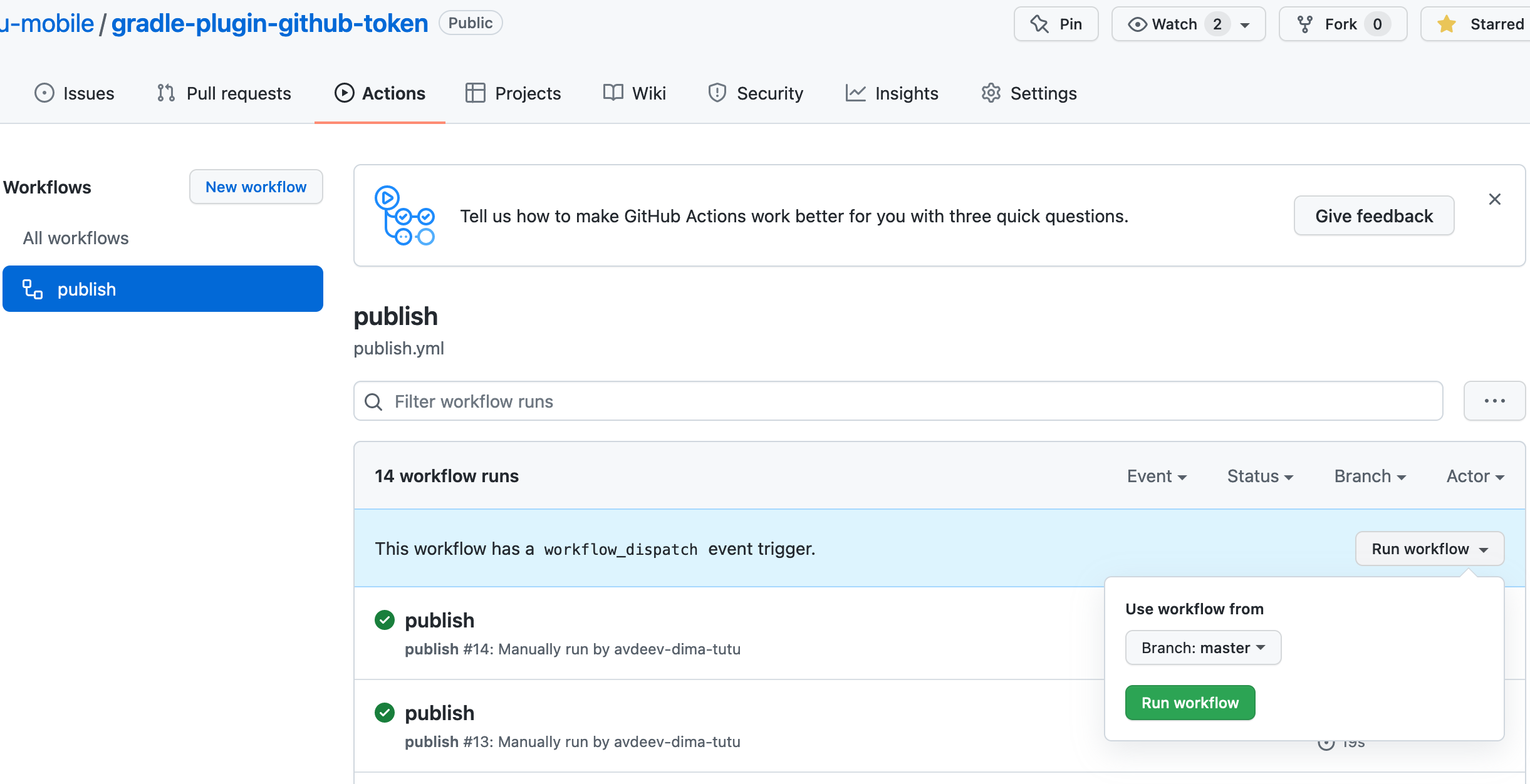
PUBLISH_KEY and PUBLISH_SECRET stored in GitHub Actions Secrets https://github.com/tutu-ru-mobile/gradle-plugin-github-token/settings/secrets/actions