| Hostname | Architecture | Deploy | Users | Details |
|---|---|---|---|---|
| hyperion | x86_64 | refind | core (minimal) | Router + Netboot Server (Nixie) |
| maliwan | " | " | kari | AMD Laptop, Hyprland |
| torgue | " | netboot | " | AMD Desktop, Hyprland, screenshot |
| vladof | " | " | kari (minimal-gui) | Homelab, Firefox kiosk |
| bandit | " | " | core (minimal) | Minimal for headless |
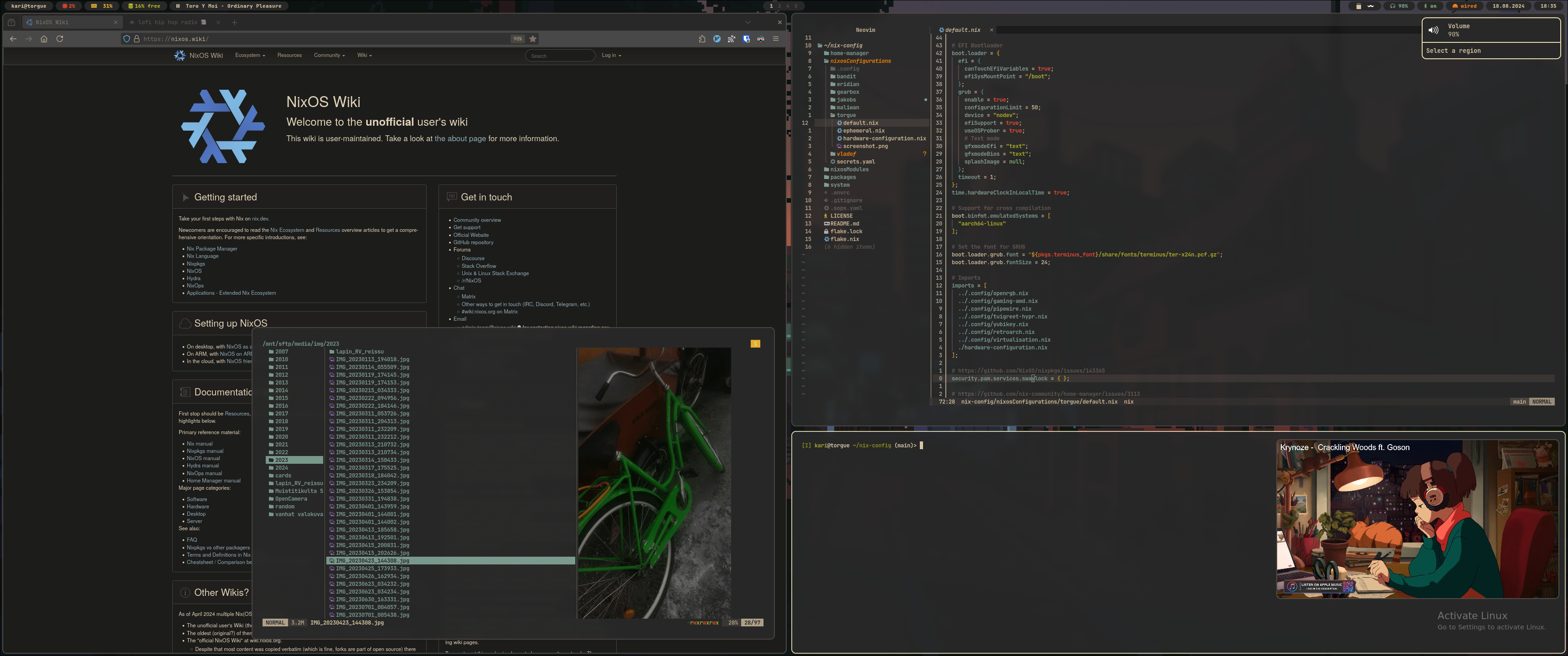
These hosts are truly declarative by being ephemeral - majbacka-labs/nixos.fi.
-
./flake.nix
Entry point for host configurations. These host configurations are initialized with
withDefaultsorwithExtra. These provide basic configurations that are almost always wanted. Additional modules, main configuration, host format, and users are imported to each host individually. -
./nixosConfigurations
This directory contains the host-specific configurations, mainly focused on hardware-dependent settings and enabling programs.
-
./home-manager
User and host-spesific configurations for Home Manager. Additionally, contains user configurations even without home-manager enabled.
View details
Configurations under
home-manager/users/<username>are layered, extending each other incrementally. This approach allows for selecting the appropriate configuration complexity per host. If a user has a home-manager configuration, it conditionally imports host-specific settings fromhome-manager/hosts/<hostname>if it exists.The conditional import looks something like this:
home-manager.users."${user}" = let
  optionalPaths = paths: builtins.filter (path: builtins.pathExists path) paths;
in {
  imports = [ ... ] ++ optionalPaths [ ../../hosts/${config.networking.hostName}/default.nix ];
};
Host-specific home-manager configurations involve enabling certain graphical applications, making the graphical environment more user-friendly. Additionally, a separate graphical layout, or "rice", is imported into the host-specific home-manager configurations from
home-manager/hosts/.config. These configurations are designed to be modular, allowing them to be enabled on any host for any user, provided the user has home-manager installed. Users can specify environmental variables viahome.sessionVariablesto change the color theme and default apps, such asTHEME,BROWSER,TERMINAL, andFILEMANAGER. The rice will adapt to these values. -
./nixosModules
Here are my custom modules. You can use them by adding my flake as an input, and importing the spesific module in your host configuration.
Example usage
You can find all the modules and their respective names in my
flake.nix.{ inputs = { tupakkatapa.url = "github:tupakkatapa/nix-config"; nixpkgs.url = "github:NixOS/nixpkgs/nixos-unstable"; }; outputs = { self, ... }@inputs: { nixosConfigurations = { yourhostname = nixpkgs.lib.nixosSystem { system = "x86_64-linux"; modules = [ ./configuration.nix inputs.tupakkatapa.nixosModules.<name> { <name> = { ... }; } ]; }; }; }; }
-
./packages
My custom packages, these can be accessed similarly to the modules. Add my flake as an input and reference the package in your configuration.
Example usage
You can find all the packages and their respective names in my
flake.nix.{ inputs = { tupakkatapa.url = "github:tupakkatapa/nix-config"; nixpkgs.url = "github:NixOS/nixpkgs/nixos-unstable"; }; outputs = { self, ... }@inputs: { nixosConfigurations = { yourhostname = nixpkgs.lib.nixosSystem { system = "x86_64-linux"; modules = [ ./configuration.nix { environment.systemPackages = [ inputs.tupakkatapa.packages.<name> ]; } ]; }; }; }; }
-
./library
A centralized library of helper functions that are injected as
customLibvia specialArgs to all configurations. -
./system
This directory contains the very common configurations, such as settings in
withDefaultsand host formats, which are all imported at the flake level.
You may also find .config directories in various locations. These store shared configurations, which are used in context defined by their location.
Here are some useful resources to learn about Nix and NixOS:
And about Flakes:
And some:
This repository is licensed under the GNU General Public License v3.0, except for the blog content hosted under nixosConfigurations/vladof/services/blog-contents, which is all rights reserved.