



Markdown files are built for AI agents. Markdown Explorer makes them pleasant for humans.
It turns .md and .mdx folders into a private, searchable documentation app with workspace navigation, rendered diagrams, math, videos, highlighted code, interactive tables, charts, tabs, and support for VS Code, Chromium browsers, desktop apps (Windows, Linux, macOS), and an interactive demo web app.
Homepage: https://the-long-ride.github.io/markdown-explorer/
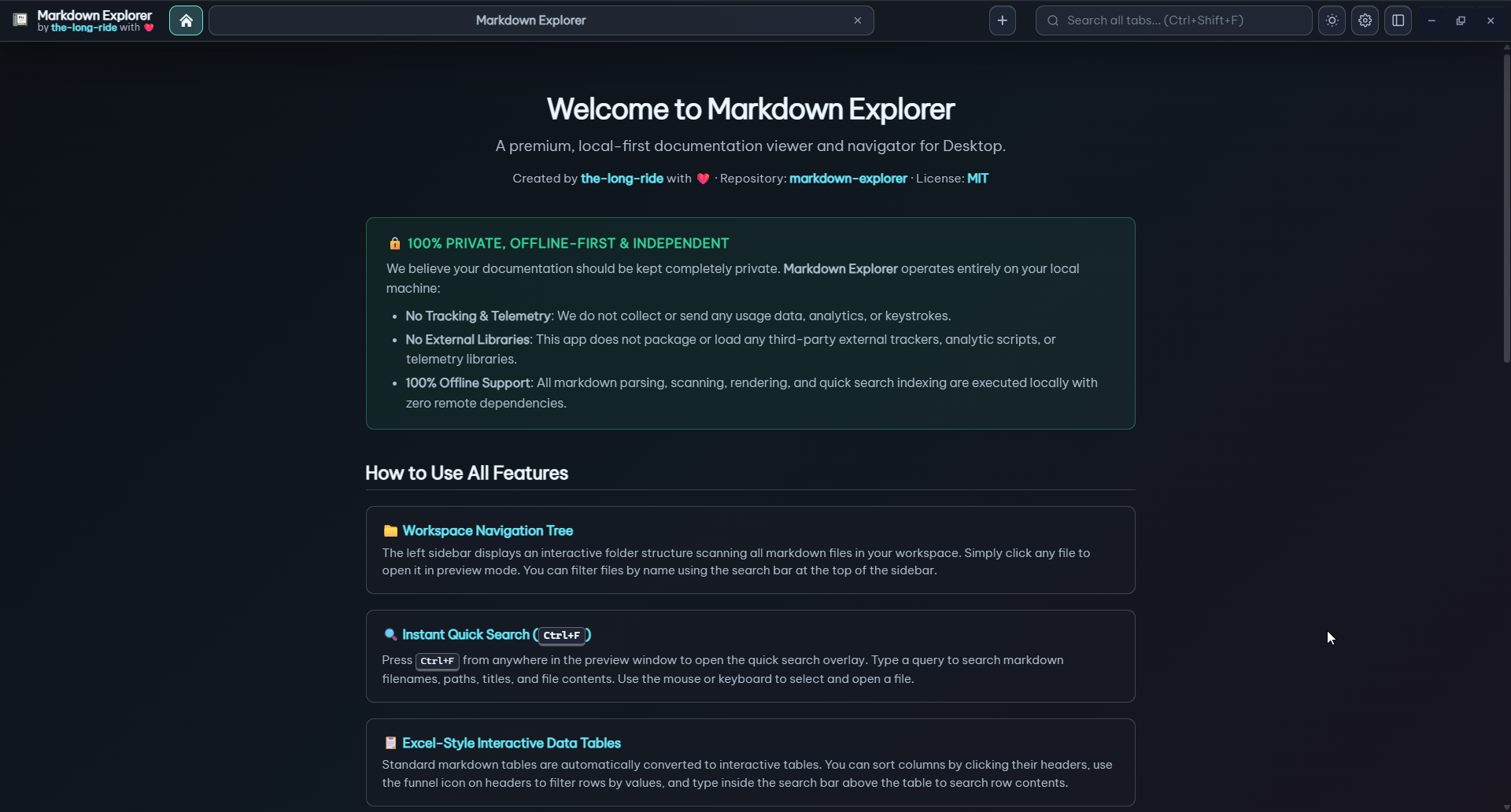
- Read workspaces, not loose files: file tree, table of contents, section cards, copy buttons, recent workspaces, and desktop tabs.
- Preview more document types: open
.htmland.htmfiles as interactive previews or converted Markdown (Ctrl+Alt+H), plus opt in to local conversion for DOCX, PDF, XLSX, PPTX, ODT, ODP, ODS, RTF, and TXT files. - Search where you need: current file, current workspace, or every open desktop tab, with content excerpts and exact jump-to-result behavior.
- Stay keyboard-first: use Sidebar Cursor mode to move through folders and files with
Alt+Z, arrow keys, Enter, and Esc. - Shape the workspace: file tabs, Scope Focus, Theme Remix, and settings import/export keep large doc sets personal without changing project files.
- Render rich Markdown: Mermaid, LaTeX math, images, streaming video, MDX, HTML sandboxes, callouts, frontmatter, and code blocks.
- Use data inside docs: CSV and TSV code fences, row sorting, multi-select table filters, collapsible datasets, and automatic Bar, Line, or Pie charts.
- Stay private: rendering and indexing are local. No telemetry, no file uploads.
| Platform | Get It |
|---|---|
| VS Code | Install from VS Code Marketplace |
| Open VSX | Install from Open VSX |
| Windows desktop | Download the latest .exe (or Tauri version for better performance and smaller bundle size) |
| Linux desktop | Download .AppImage or .deb (or Tauri version for better performance and smaller bundle size) |
| macOS desktop | Download .dmg for arm64 or x64 (or Tauri version for better performance and smaller bundle size). First launch notes: macOS guide |
| Chromium extension | Download .zip release. Setup guide: Chromium guide |
| Microsoft Store and Ubuntu App Center | Automated Tauri publishing is prepared; use GitHub Releases until the store listings are enabled. |
-
Workspace Navigation & Organization
- Workspaces & Folders: Open local folders, manage recent workspaces, and navigate multi-workspace desktop tabs.
- Desktop Tab & Focus Views: Switch between multi-workspace Tab View for managing multiple workspaces simultaneously and Focus View for distraction-free single-workspace reading (
Ctrl+Alt+T/Ctrl+Alt+F). - Workspace Feature Aliases: Assign custom alias names to workspaces for easier identification.
- Open Folder / File from File Explorer: Launch folders or
.md/.mdxfiles directly from OS File Explorer context menus. - Locate Current File: Highlight and reveal the currently open file in the sidebar tree using the target icon button or
Alt+Qshortcut. - Sidebar Cursor Mode: Keyboard-first file tree navigation (
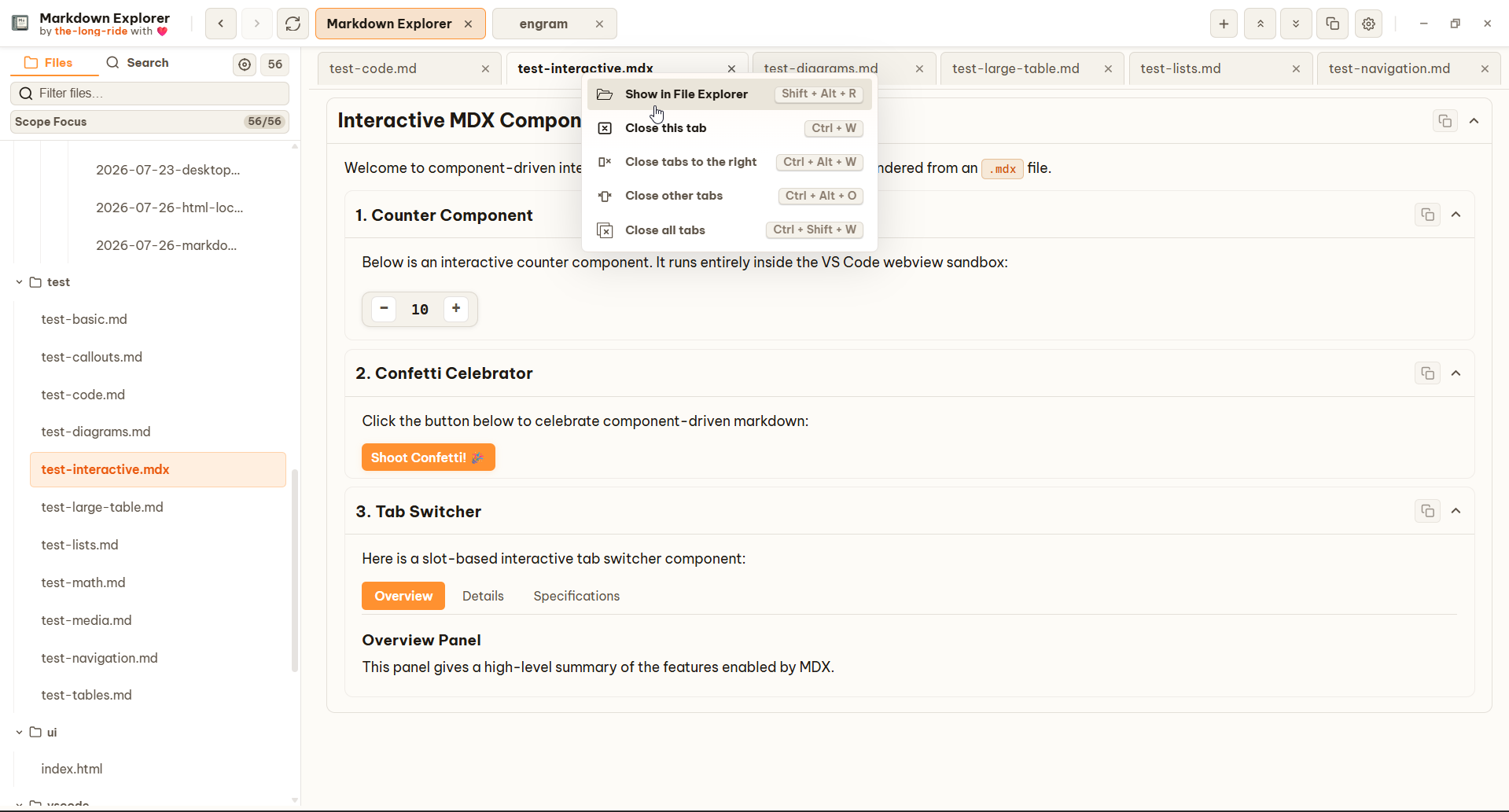
Alt+Z) with arrow keys,Enter, andEsc. - Content File Tabs & Scope Focus: Open files in tabs and narrow sidebar view to selected files or folders.
- Safer Workspace Operations: Cancel running scans, reveal files and folders in native file manager, replace missing recent workspaces, and avoid stale scan results reopening old content.
- Richer Context & Row Menus: Sidebar, document-tab, and workspace-tab menus expose context-aware actions and shortcuts.
- Relative Workspace Links: Navigate across workspace files (
/,./,../) with back/forward history. - Live Auto-Refresh: Instant workspace tree updates from native filesystem change events.
-
Document Previews & Rich Media
- HTML Document Modes: Open
.htmland.htmfiles as isolated interactive previews or converted Markdown, switch active tab withCtrl+Alt+H, and use Open in Browser when full browser behavior is needed (with embedded local CSS/JS support). - Responsive Image Rows: Same-paragraph Markdown images stay together across viewport sizes.
- GFM & GitHub Callouts: Full GFM support with callout boxes (
[!NOTE],[!TIP],[!IMPORTANT],[!WARNING],[!CAUTION]). - Diagrams & Math: Offline Mermaid diagrams (flowchart, sequence, ER, mindmap, etc.) and KaTeX math formulas.
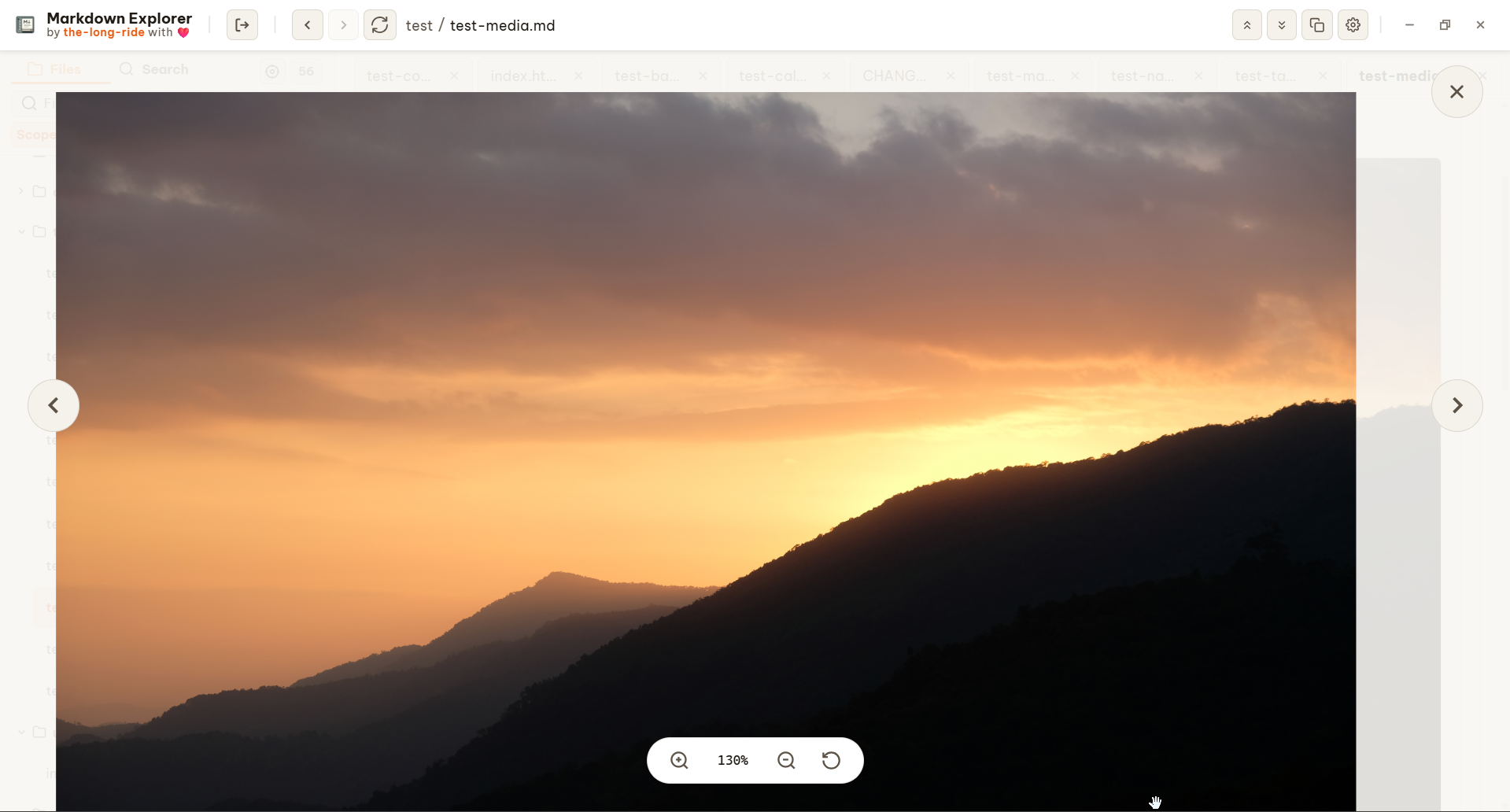
- Image & Mermaid Diagram Modal View: Fullscreen, zoomable media modal to pan, zoom, and inspect images and Mermaid diagrams in detail.
- Syntax Highlighting & Fences: 25+ programming languages highlighted with line numbers, copy buttons, and terminal command fences (
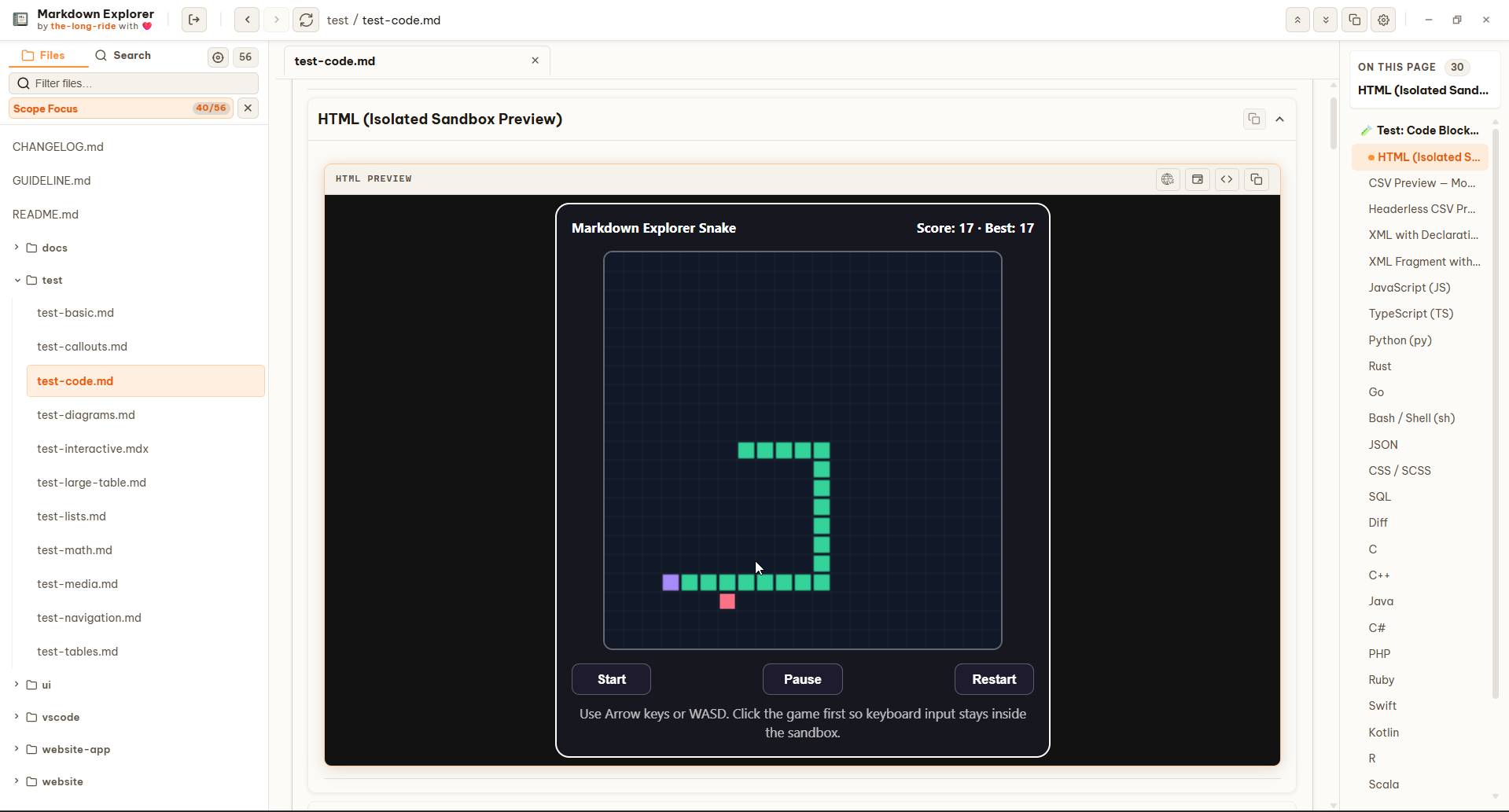
bash,pwsh,sh,zsh,cmd). - Interactive HTML Sandboxes: Isolated HTML iframe previews for interactive code examples.
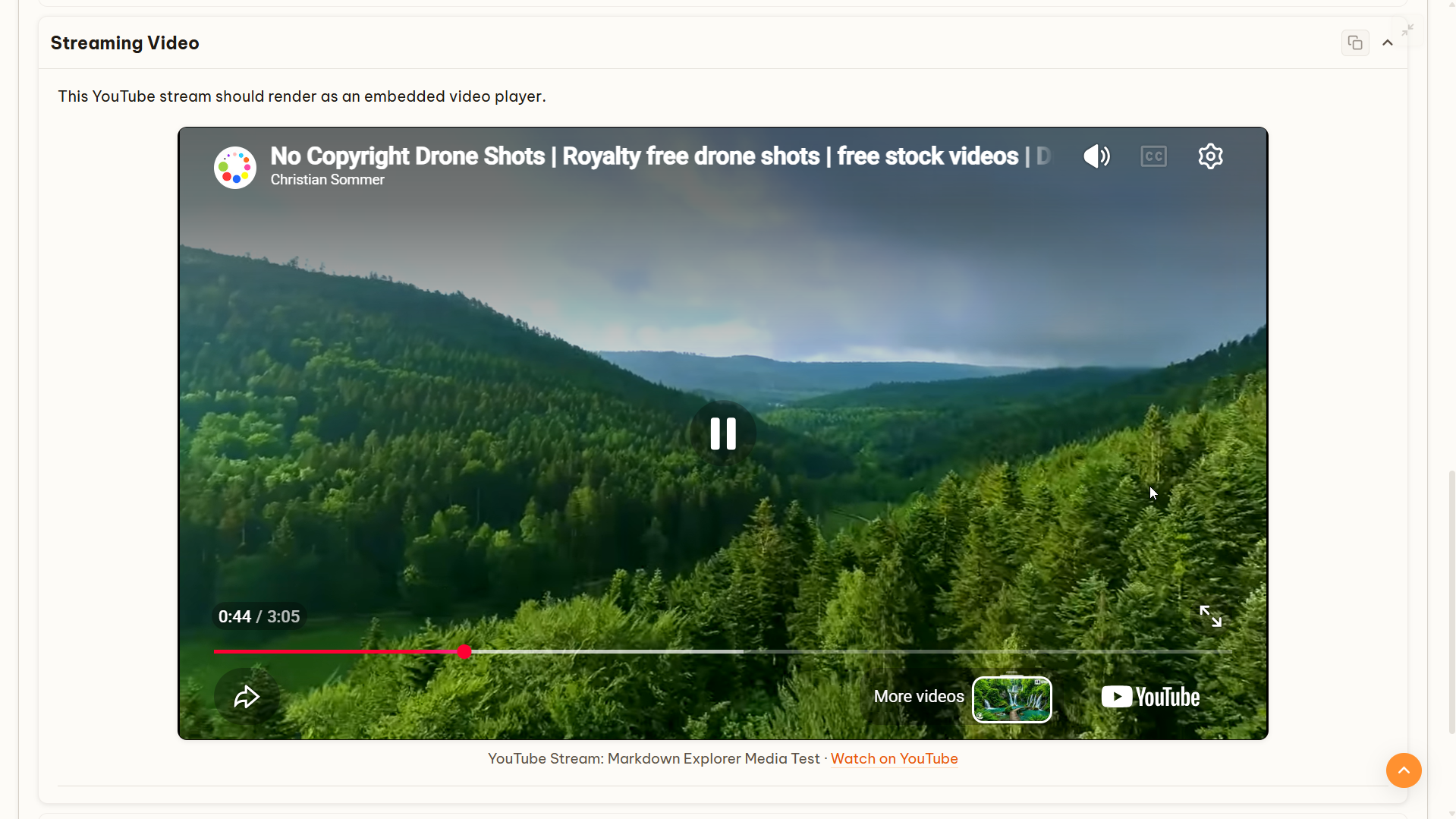
- Video Embedding: Support for local video files and YouTube/streaming video embeds.
- HTML Document Modes: Open
-
Data Tables & Charts
- CSV and TSV Code Fences: Switch highlighted delimited text into interactive tables with delimiter detection, header inference, Excel-style column labels, sorting, filtering, wrapping, and chart controls.
- Interactive Filtering & Sorting: Multi-select column filters, row sorting, and text wrap/unwrap controls.
- Collapsible Datasets: Compact view for large datasets (1000+ rows).
- View-as-Chart: Automatically convert numeric table columns into interactive Bar, Line, or Pie charts.
-
Converted Document Previews
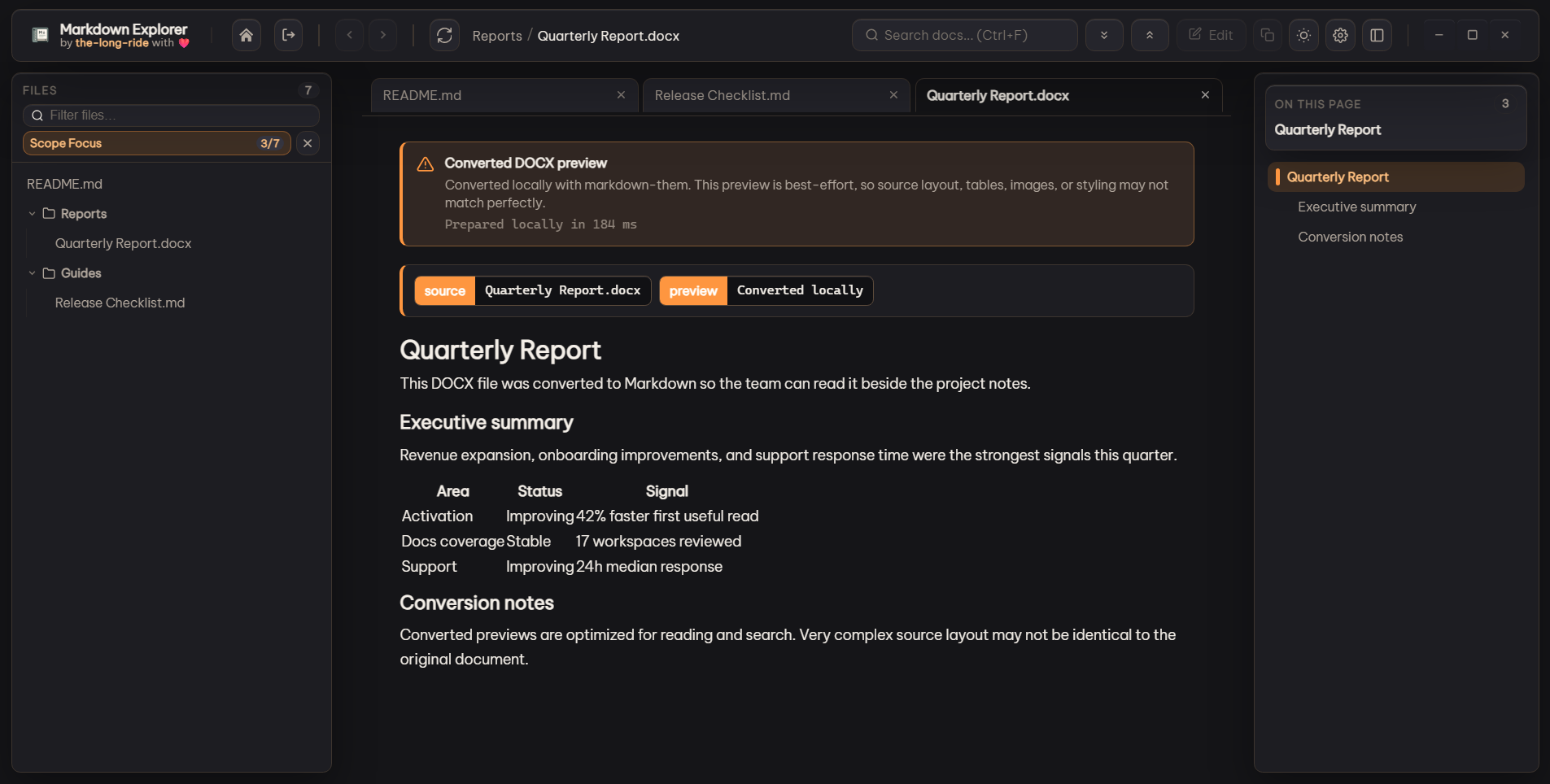
- Multi-Format Local Conversion: Opt-in previews for DOC, DOCX, PDF, HTML, XLS, XLSX, XLM, PPTX, ODT, ODP, ODS, RTF, and TXT files. Tauri performs conversion in-process with local Rust adapters; Electron and VS Code retain
@the-long-ride/markdown-them. See Native document conversion. - Smart Caching: Fast re-views using file timestamp and size caching.
- Multi-Format Local Conversion: Opt-in previews for DOC, DOCX, PDF, HTML, XLS, XLSX, XLM, PPTX, ODT, ODP, ODS, RTF, and TXT files. Tauri performs conversion in-process with local Rust adapters; Electron and VS Code retain
-
Search & Discovery
- Flexible Search Scopes: Search inside current file, current workspace, or across all open desktop tabs.
- Jump-to-Result: Click search excerpts to jump directly to exact matches.
-
Customization & Platform Support
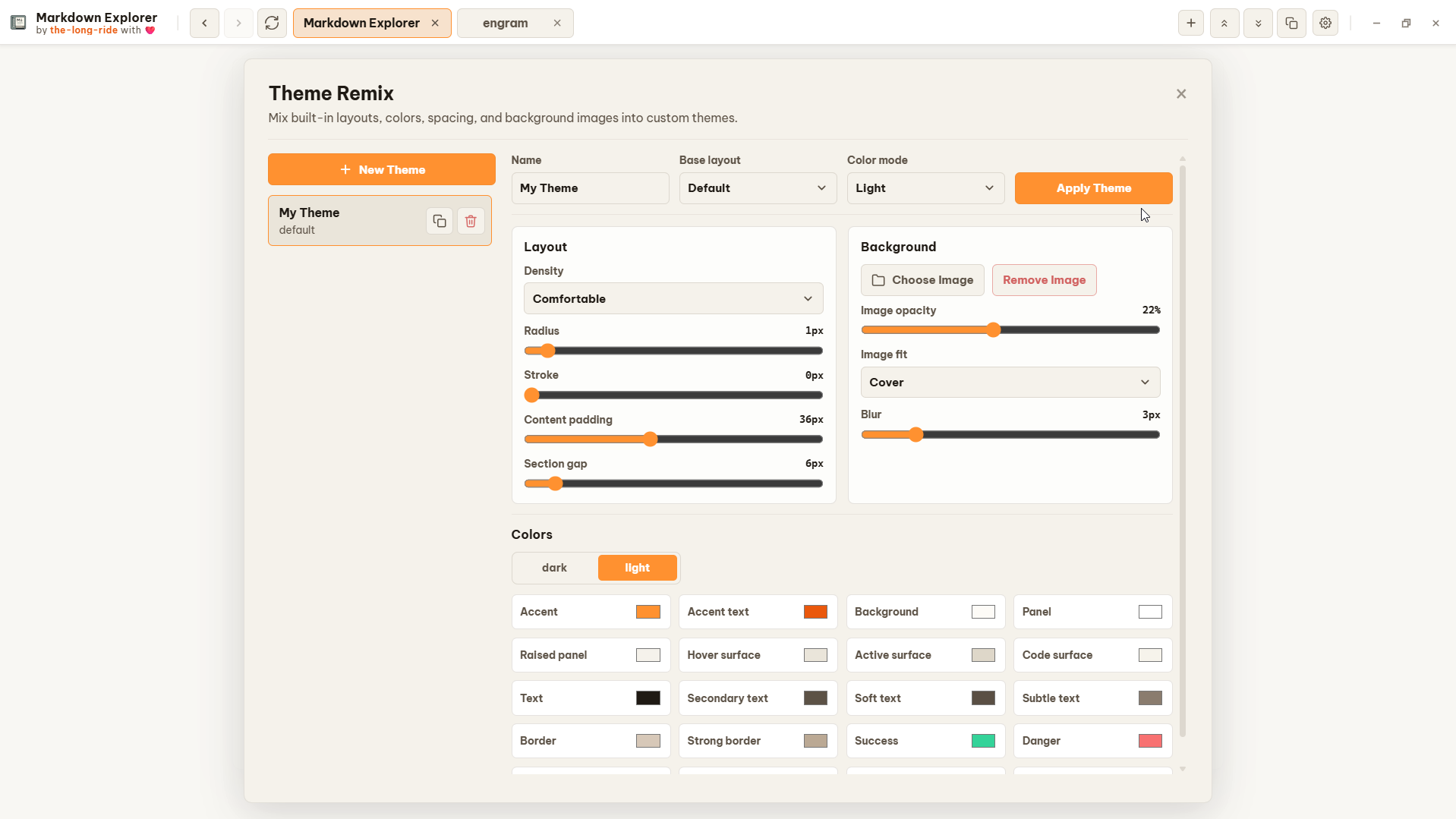
- Built-in Theme Families & Theme Remix: Choose grouped built-in themes—including Aurora Glass, Neon Voltage, and Raw Grid—pet themes, or create, edit, import, and export custom themes with color, density, spacing, and background image controls.
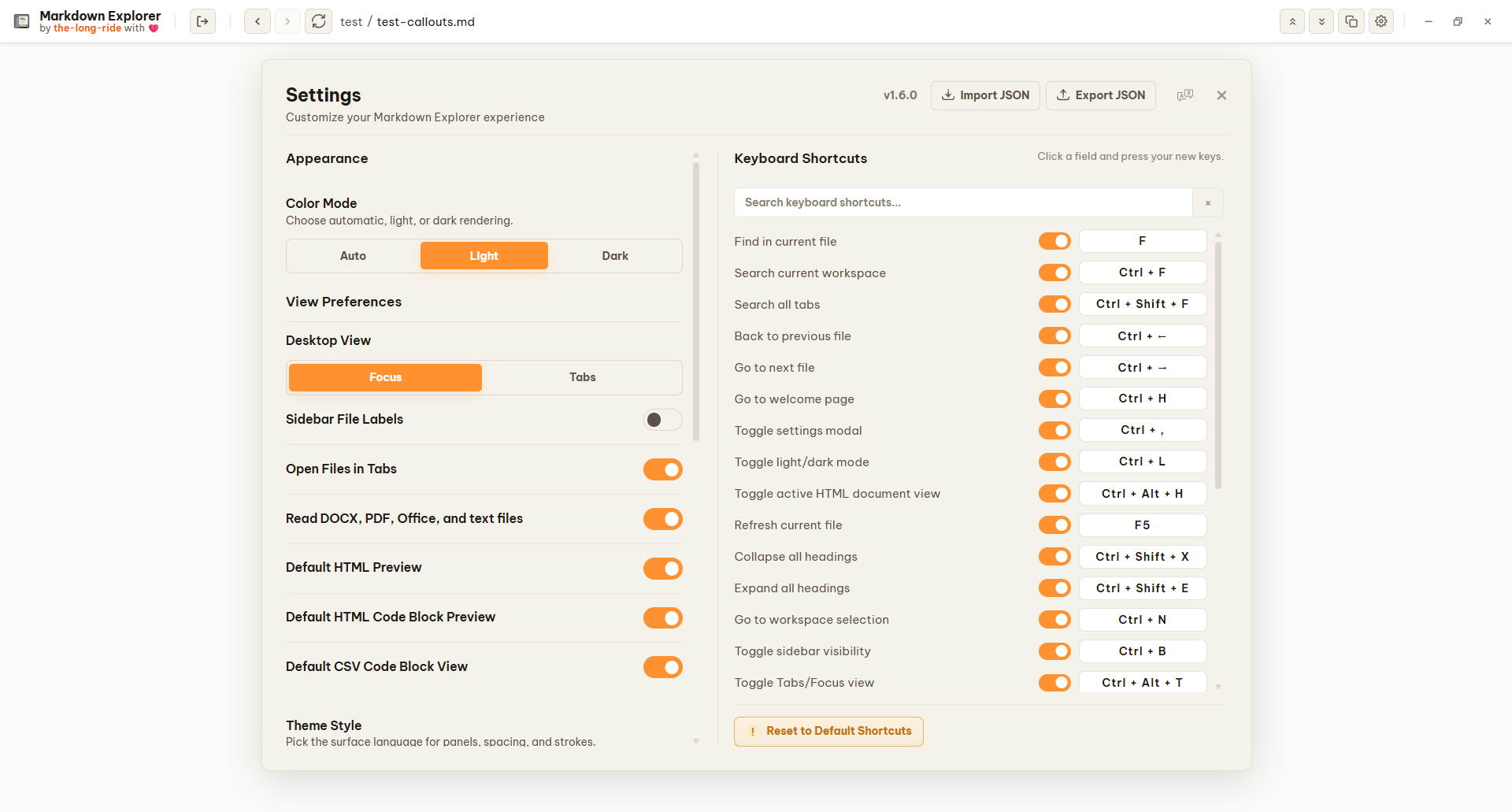
- Keyboard Shortcuts: Fully customizable keyboard shortcuts covering virtually all actions, navigation controls, and features in the app.
- Desktop Store Publishing: Automated release pipeline for signing and submitting Tauri builds to Microsoft Store and Ubuntu App Center.
- Cross-Platform: Available for VS Code, Open VSX, Desktop (Electron & Tauri), and Chromium extensions.
- Native OS Integration: Windows File Explorer context menus and customizable desktop shortcuts.
- Privacy First: 100% local rendering and search with zero telemetry and no file uploads.
Find the exact content you need, then jump to the exact clicked match.
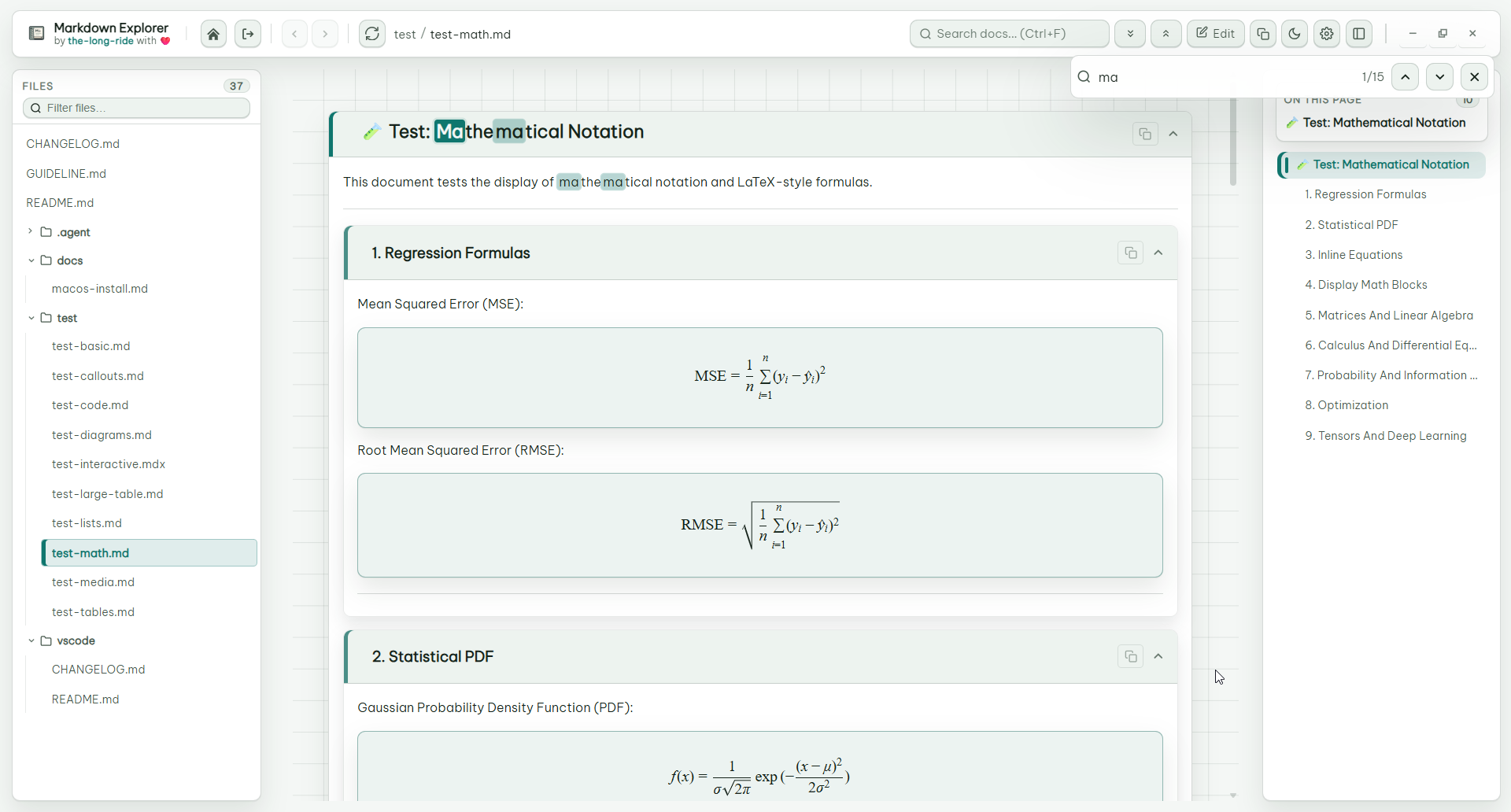
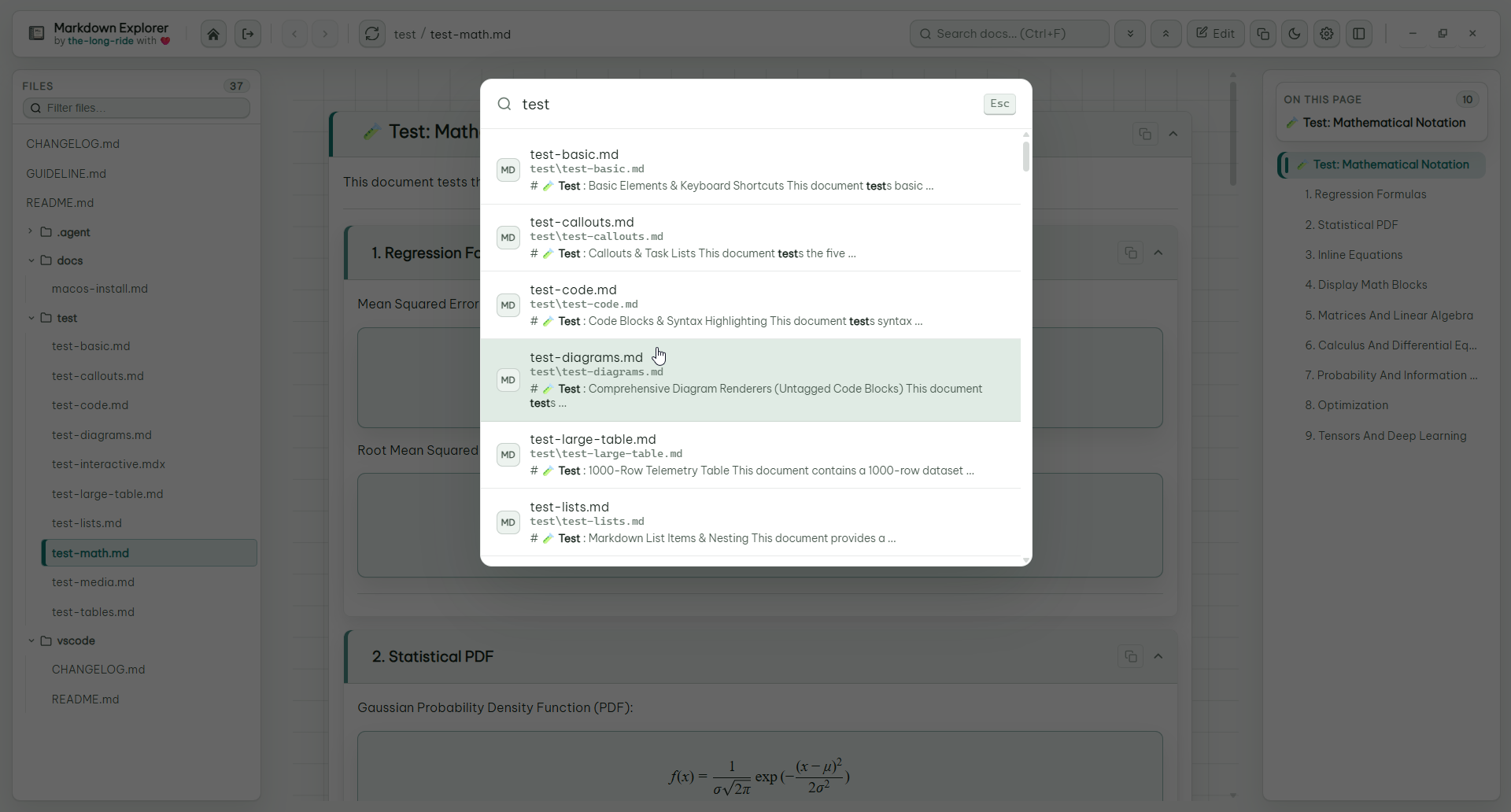
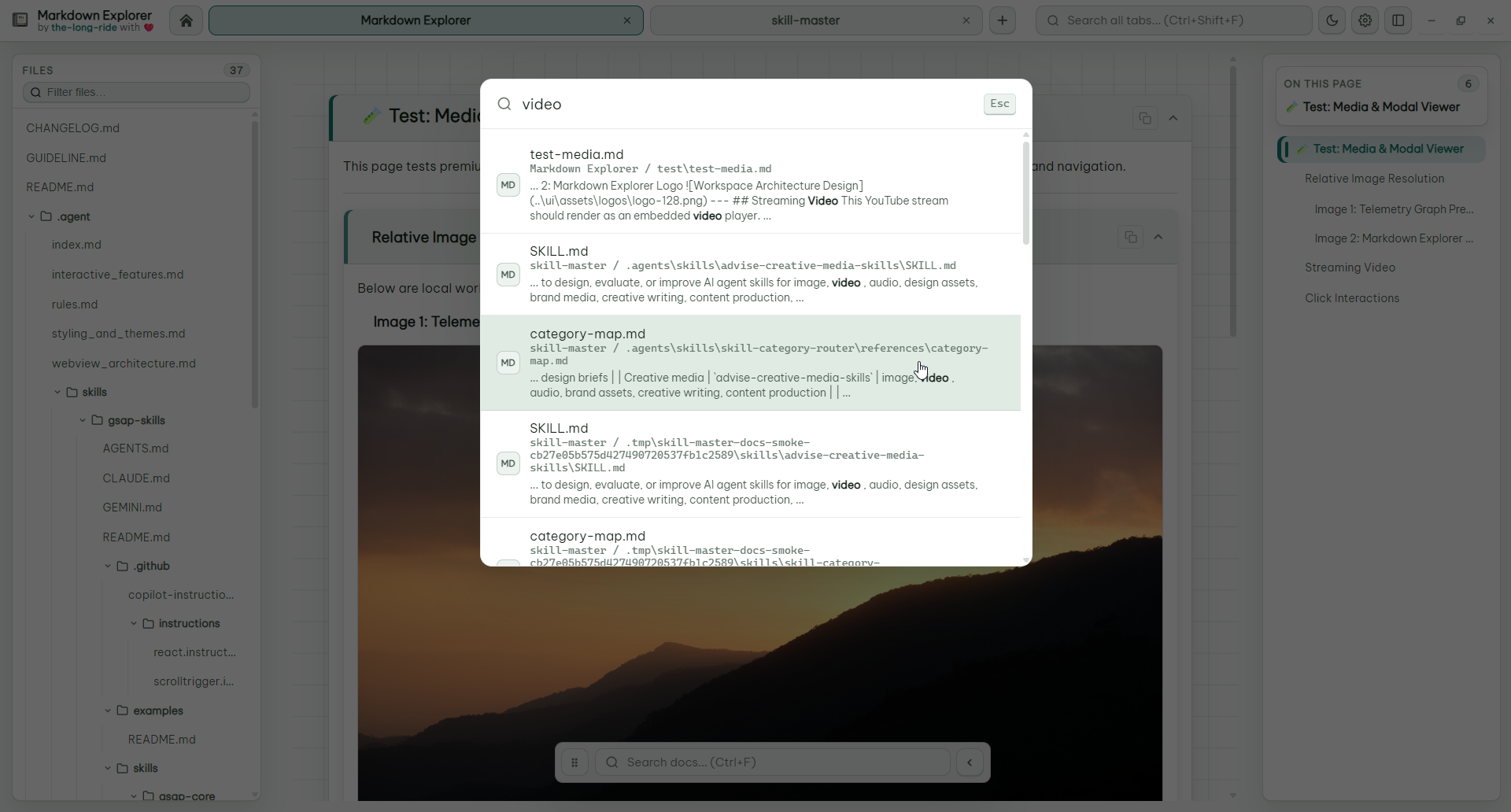
Markdown tables become real data views: search rows, sort columns, multi-select filter values, keep large datasets collapsed, and switch to charts when numeric data is detected.
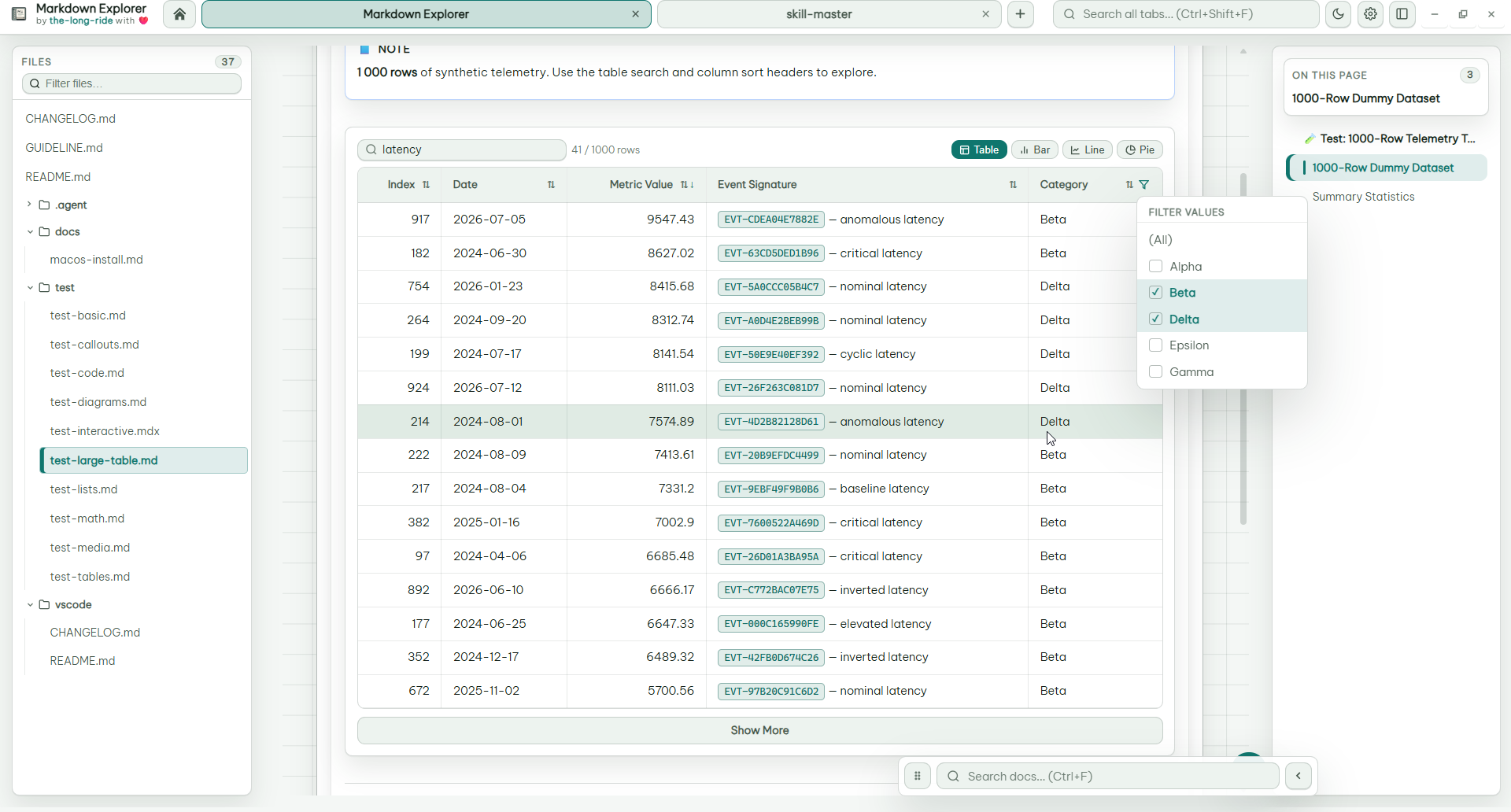
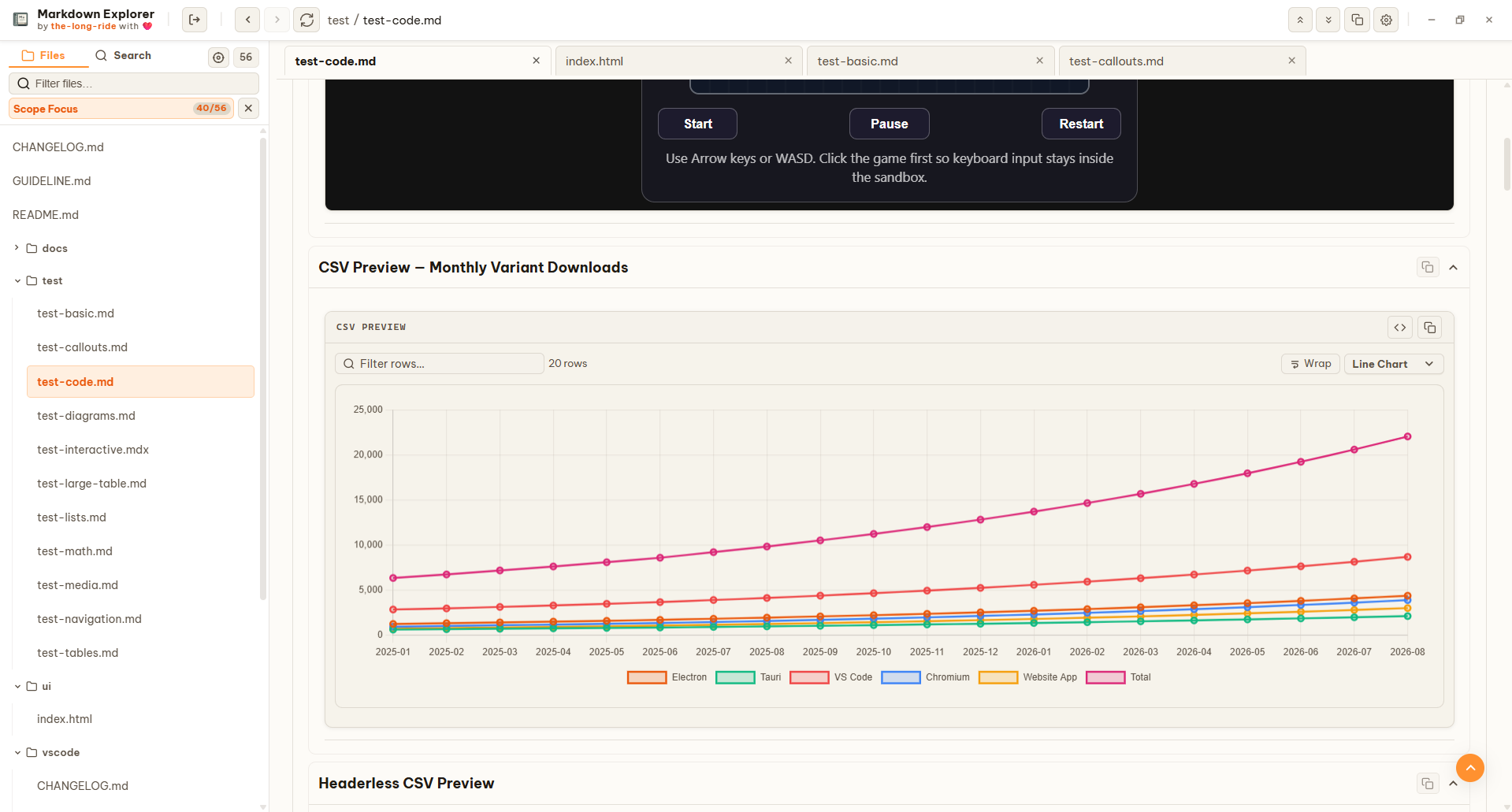
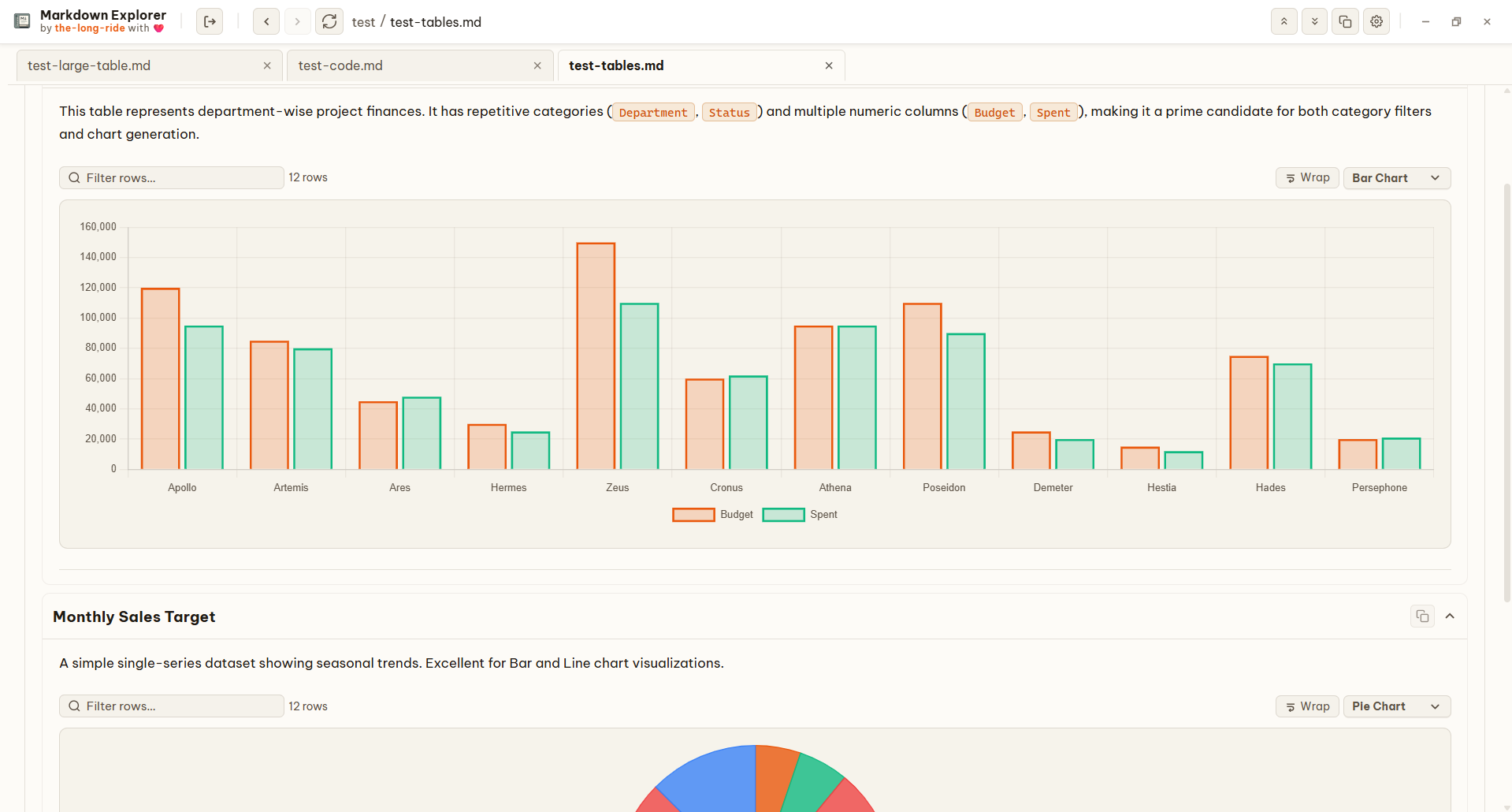
Mermaid diagrams render offline, LaTeX math is readable, code blocks are highlighted, and Markdown can include local or streaming video.
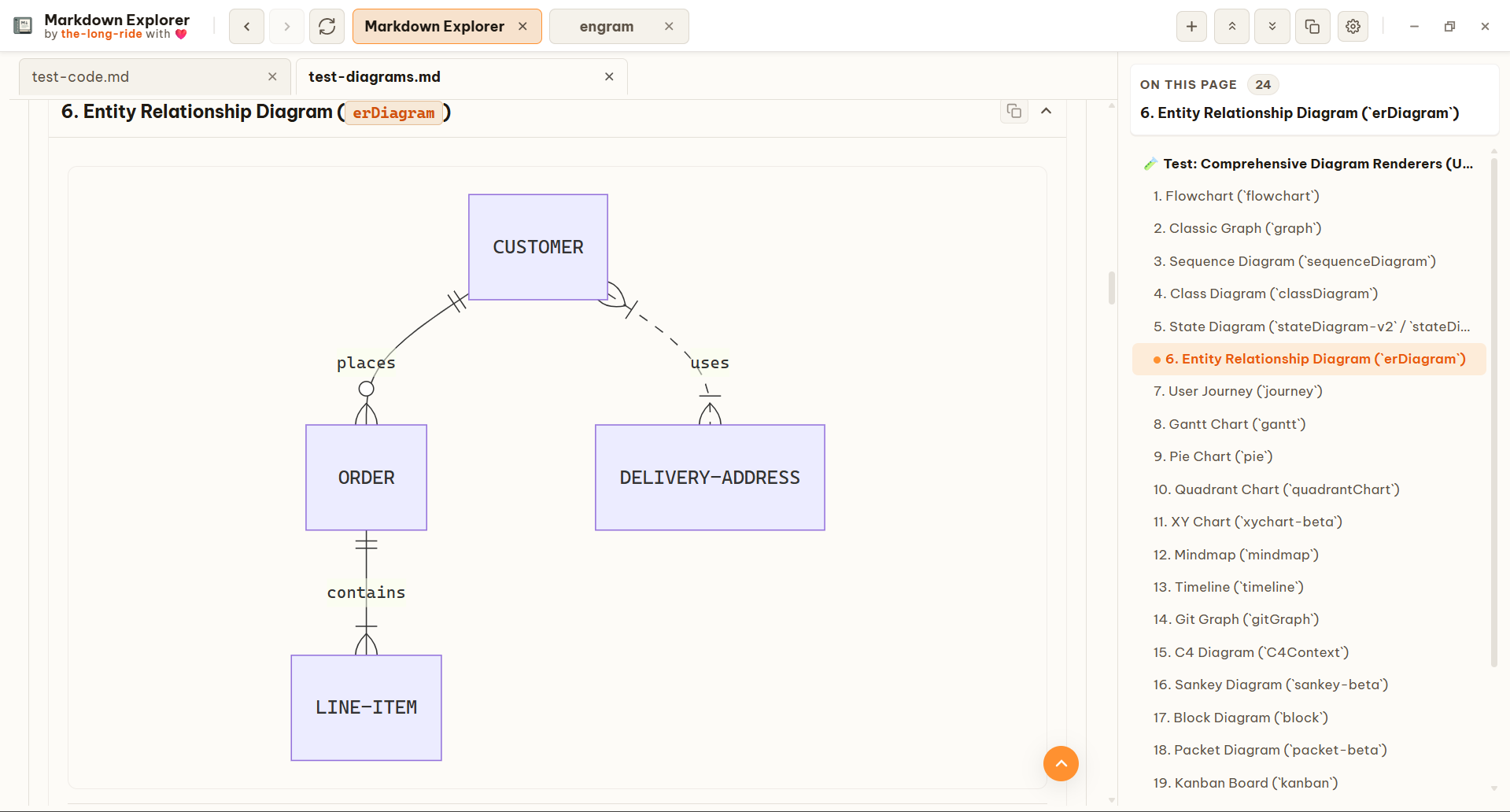
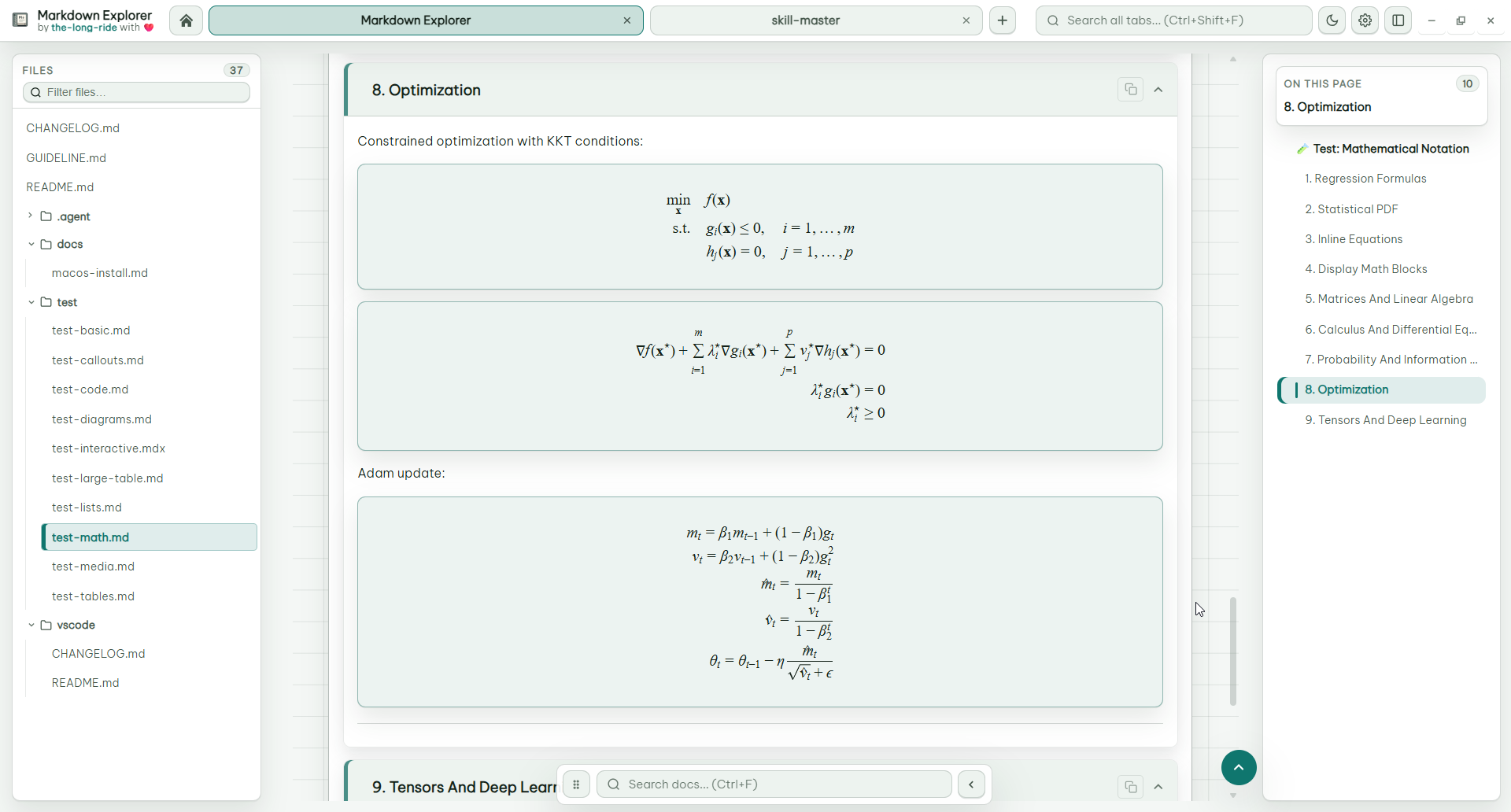
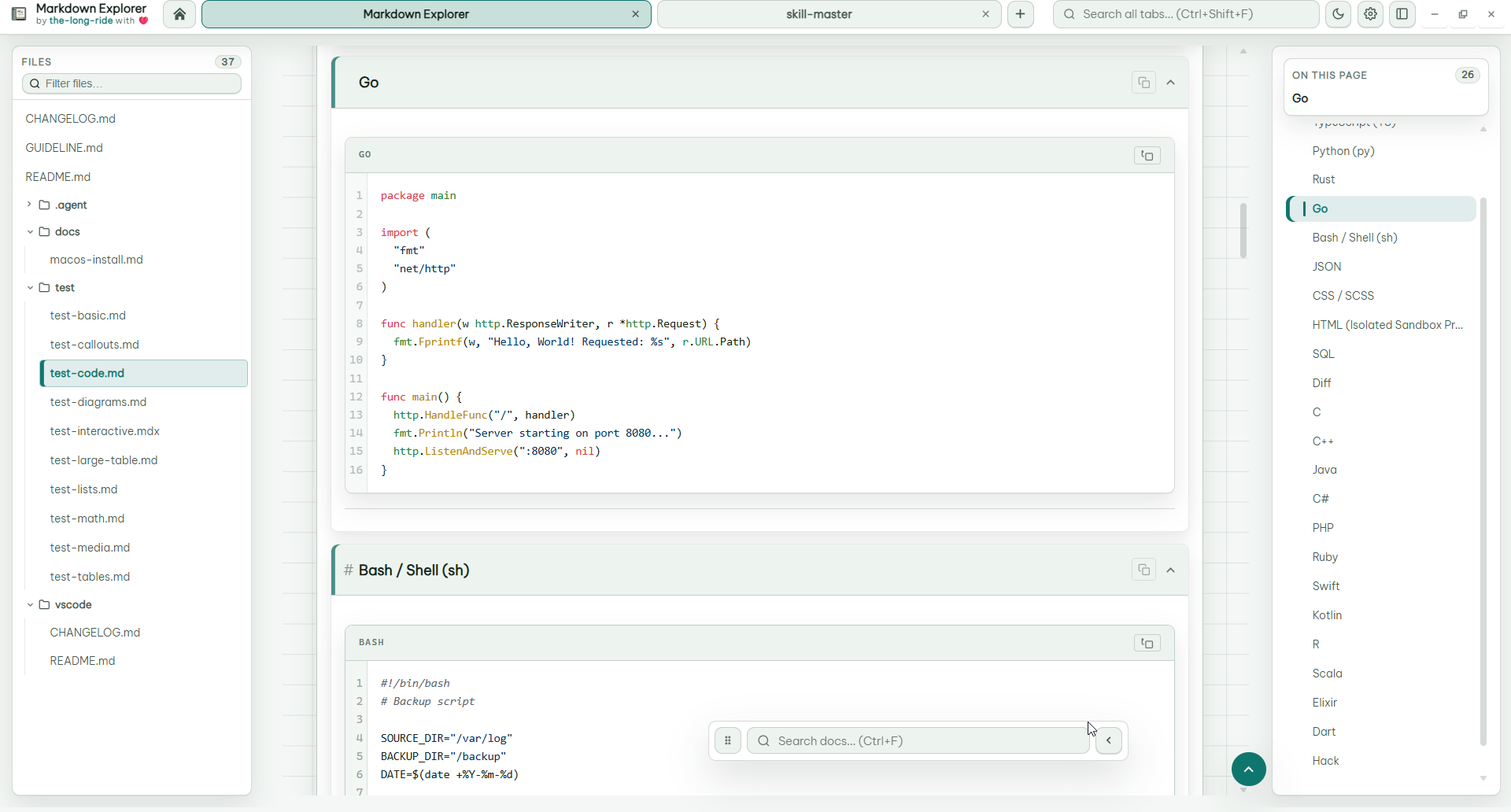
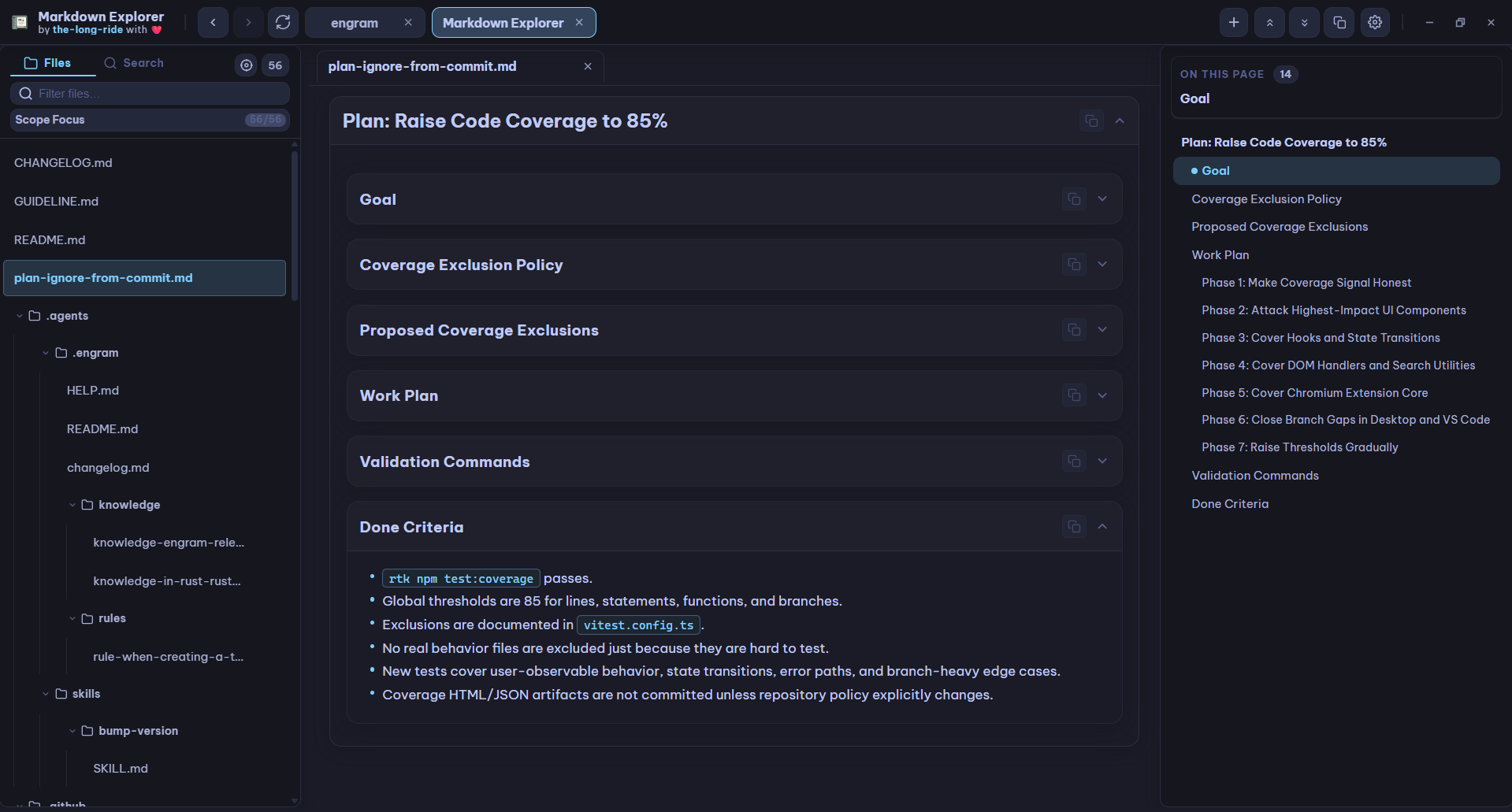
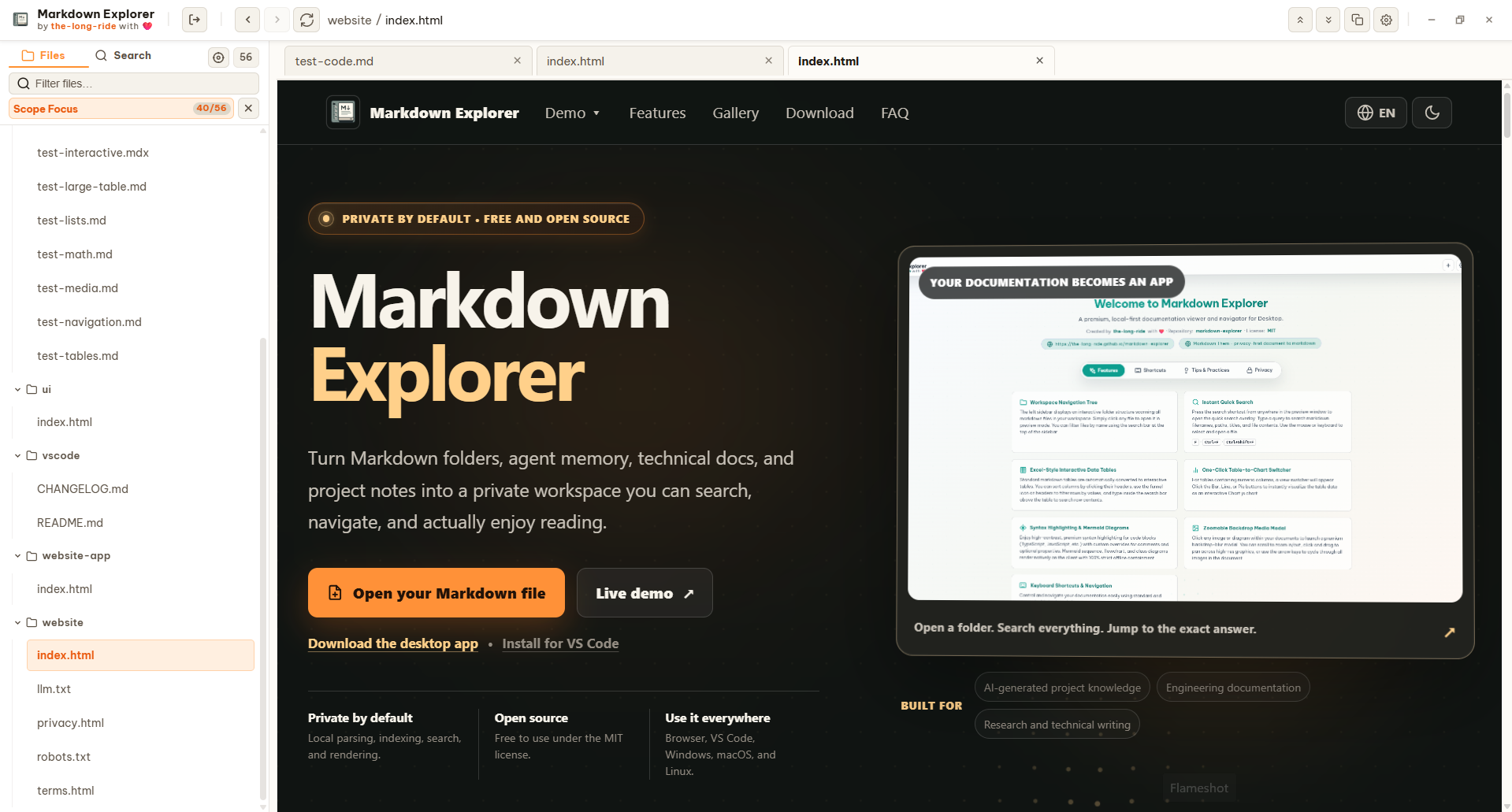
Use isolated HTML previews for interactive examples, and inspect images or diagrams in a zoomable media modal.
The Windows installer provides checked-by-default choices to create a desktop shortcut, add Open with Markdown Explorer for .md and .mdx files, and add Open Folder in Markdown Explorer to folder and empty-folder-background menus. Opening a Markdown file loads its containing folder as the workspace and displays that selected file. Opening a folder loads that exact folder. In Tab view this opens a workspace tab; in Focus view it replaces the current workspace. Portable and ZIP builds do not modify File Explorer automatically.
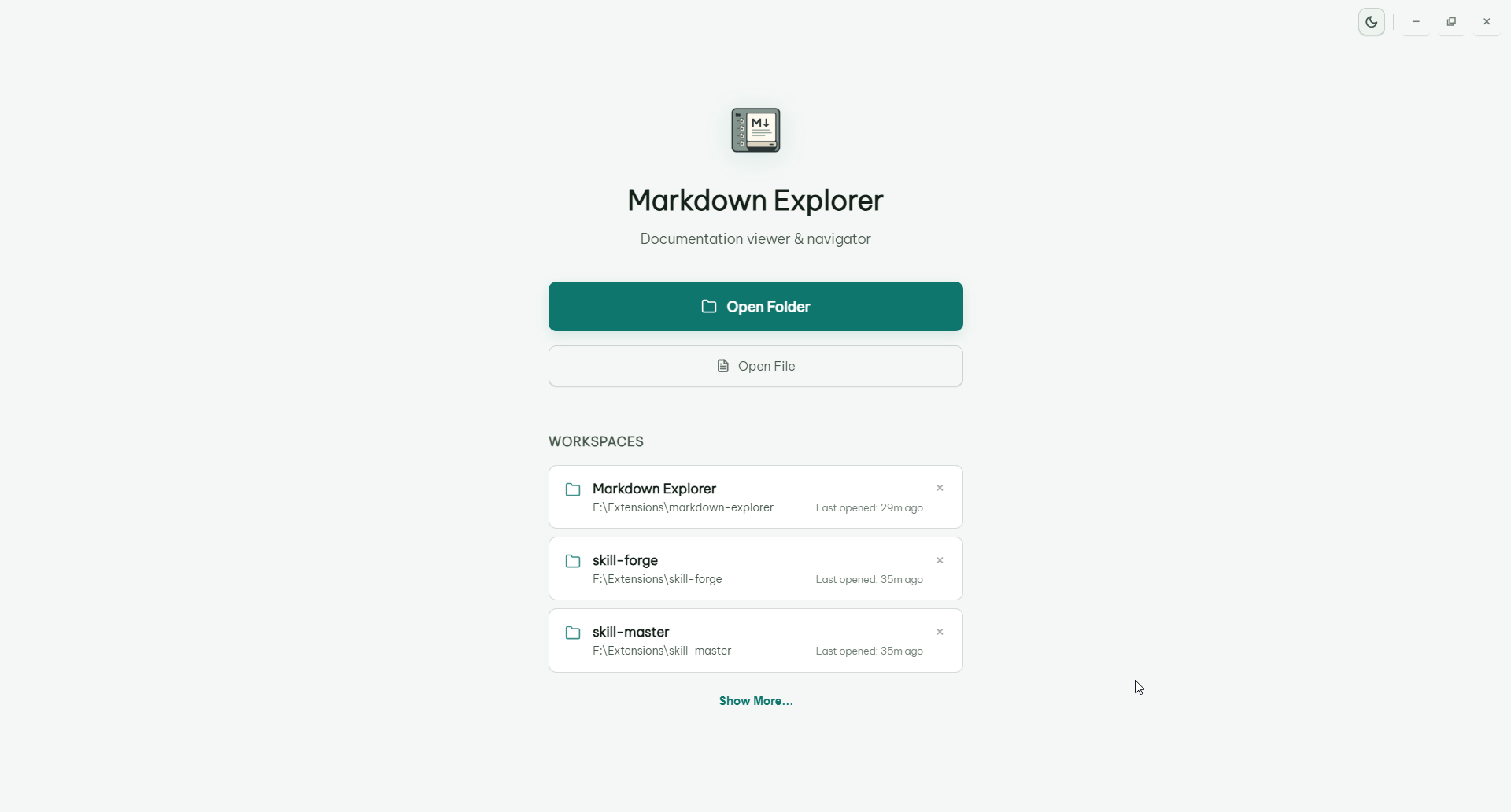
The desktop app opens recent folders quickly, supports drag-and-drop opening, can keep multiple workspaces alive in tabs, and automatically refreshes open workspaces from native filesystem change events without polling. Workspace loading shows the running scan count; if a scan lasts longer than three seconds, Markdown Explorer opens with the files found so far and refreshes the tree in cumulative batches of 32 while scanning continues. An empty-workspace message appears only after scanning finishes with no supported files.
Markdown Explorer can optionally show DOCX, PDF, HTML, XLSX, PPTX, ODT, ODP, ODS, RTF, and TXT files by converting them to Markdown locally with @the-long-ride/markdown-them.
Turn on Read DOCX, PDF, Office, and text files in Settings. The app scans those extra extensions only after the toggle is enabled, converts files only when opened, and caches converted Markdown by file timestamp and size for faster repeat views. Converted previews are best-effort and can differ from the original layout, tables, images, or styling.
Desktop shortcuts can be customized in Settings. VS Code keeps editor-friendly defaults inside the webview.
| Action | Desktop app | VS Code extension | Chromium extension |
|---|---|---|---|
| Open Markdown Explorer | N/A | Ctrl+Shift+M / Cmd+Shift+M |
N/A |
| Toggle preview for current Markdown file | N/A | Ctrl+Alt+V / Cmd+Alt+V |
N/A |
| Search current workspace | Ctrl+F |
Ctrl+K / Cmd+K |
Ctrl+K / Cmd+K |
| Search all open workspace tabs | Ctrl+Shift+F |
Ctrl+Shift+K / Cmd+Shift+K |
Ctrl+Shift+K / Cmd+Shift+K |
| Find in current file | F |
K |
K |
| Back to previous file | Ctrl+ArrowLeft or mouse back |
Ctrl+ArrowLeft / Cmd+ArrowLeft or mouse back |
Ctrl+ArrowLeft / Cmd+ArrowLeft or mouse back |
| Go to next file | Ctrl+ArrowRight or mouse forward |
Ctrl+ArrowRight / Cmd+ArrowRight or mouse forward |
Ctrl+ArrowRight / Cmd+ArrowRight or mouse forward |
| Go to welcome page | Ctrl+H |
Ctrl+H / Cmd+H |
Ctrl+H / Cmd+H |
| Open settings | Ctrl+, |
Ctrl+I / Cmd+I |
Ctrl+I / Cmd+I |
| Toggle theme | Ctrl+L |
Ctrl+Shift+L / Cmd+Shift+L |
Ctrl+Shift+L / Cmd+Shift+L |
| Refresh workspace | F5 |
F5 |
Alt+R |
| Collapse all heading sections | Ctrl+Shift+X |
Ctrl+Shift+X / Cmd+Shift+X |
Ctrl+Shift+X / Cmd+Shift+X |
| Expand all heading sections | Ctrl+Shift+E |
Ctrl+Shift+E / Cmd+Shift+E |
Ctrl+Shift+E / Cmd+Shift+E |
| Go to workspace selection | Ctrl+N |
Ctrl+Alt+W / Cmd+Alt+W |
Ctrl+Alt+W / Cmd+Alt+W |
| Open current document folder | Shift+Alt+R |
N/A | N/A |
| Toggle sidebar | Ctrl+B |
Alt+A |
Alt+A |
| Toggle table of contents | Alt+C |
Alt+C |
Alt+C |
| Locate current file | Alt+Q |
Alt+Q |
Alt+Q |
| Toggle Focus mode | Ctrl+Alt+F |
Ctrl+Alt+F / Cmd+Alt+F |
Ctrl+Alt+F / Cmd+Alt+F |
| Toggle active HTML document view | Ctrl+Alt+H |
Ctrl+Alt+H / Cmd+Alt+H |
Ctrl+Alt+H / Cmd+Alt+H |
| Toggle desktop Tabs/Focus view | Ctrl+Alt+T |
N/A | N/A |
| Close current content tab | Ctrl+W |
N/A | N/A |
| Close all content tabs | Ctrl+Shift+W |
N/A | N/A |
| Close content tabs to the right | Ctrl+Alt+W |
N/A | N/A |
| Close other content tabs | Ctrl+Alt+O |
N/A | N/A |
| Toggle fullscreen | F11 |
N/A | N/A |
| Sidebar cursor mode | Alt+Z |
Alt+Z |
Alt+Z |
| Zoom in | Ctrl+=, Ctrl+Plus, or Ctrl+MouseWheelUp |
Use editor/webview zoom | Use browser zoom |
| Zoom out | Ctrl+- or Ctrl+MouseWheelDown |
Use editor/webview zoom | Use browser zoom |
- No telemetry.
- No file upload.
- Local parsing, indexing, rendering, and search.
- MIT licensed public source.
Bug reports and feature ideas are very welcome. Clear reports make fixes faster, and screenshots or tiny sample Markdown files are especially helpful.
Before opening a new issue, please take a quick look at the existing issues so we can keep related reports together.
When you open an issue, include what you can:
- Short title: one clear sentence, such as
Search result opens wrong match. - App surface: VS Code extension or desktop app.
- Version: app or extension version, plus OS.
- Steps to reproduce: the smallest click/key sequence that triggers the problem.
- Expected behavior: what you thought should happen.
- Actual behavior: what happened instead.
- Screenshot or screen recording: useful for layout, theme, zoom, and interaction bugs.
- Minimal Markdown sample: helpful for parser, Mermaid, math, table, video, or code-block issues.
- Console or log output: include errors from VS Code Developer Tools, Electron Developer Tools, or the terminal when available.
No need to make it perfect. A small reproducible example is already a huge gift to the project 💕.
This project is licensed under the MIT License. See the LICENSE file for details.
the-long-ride - passionate about making Markdown more enjoyable and useful for everyone. If you find this project helpful, consider starring the repository or sharing it with others who might benefit!