An implementation of a vision pipeline for target detection and classification, incorporating a custom-trained CNN model and Holistically-Nested Edge Detection (HED) deep learning model. A working demonstration is shown with ROS and Gazebo. Skip to Demonstration to see the pipeline working.
This project was developed for the Object Detection, Classification, and Localization component of the 2023 SUAS drone competition. The competition drone flies over a section of runway and must detect and classify various targets on the ground by their shape, color, and the letter printed at the center of each target. A series of specific targets with their descriptions are given, and the drone is required to know where they are.

A "P" on a yellow semicircle
Hardware Specs/Constraints
- Camera: Arducam 64MP Hawkeye Motorized Focus Camera Module
- Resolution: 9152 pixels by 6944 pixels, 64MP
- Pixel Size: 0.8 µm x 0.8 µm
- Shutter Speed: Adjustable
Pipeline overview:

The architecture of our custom-trained CNN model for shape classification is as follows:

Install ROS Noetic. Since ROS only runs on Linux, Windows users should install WSL2 before installing ROS.
Clone this repository:
git clone https://github.com/shenrunzhang/ROS-Drone-Object-Detection.git
Create a shell script to start Arducopter simulation in Gazebo.
cd ~
vim startsitl.sh
Press i to enter insert mode. Copy and paste the following content into the editor:
#!/bin/bash
cd ~/ardupilot/ArduCopter/ && sim_vehicle.py -v ArduCopter -f gazebo-iris --console
Press Esc to exit edit mode and type :wq to save and quit. Then make the script executable.
chmod +x startsitl.sh
To run the demonstration, copy and execute each line in a new terminal:
$ roslaunch iq_sim runway.launch         # Opens Gazebo world
$ ./startsitl.sh                         # Run the shell script
$ roslaunch iq_sim apm.launch            # Start MavROS
$ rosrun iq_gnc movement.py              # Start the demo script
To just use the pipeline, you must first load the target classification model and Holistically-Nested Edge Detection model (HED). load_models outputs the shape classification model and HED.
from modules import pipeline

classification_model_path = "modules/shape_classification_model_gazebo.h5" # Load shape classification model
prototxt_path = "modules/edgeFinder/deploy.prototxt" # Load edge detection
caffemodel_path = "modules/edgeFinder/hed_pretrained_bsds.caffemodel" # Load edge detection

prob_model, edge_detection_model = load_models(classification_model_path, prototxt_path, caffemodel_path) # Return models
Then pass in an aerial image with the shape and edge models to get a list of targets with detected location, shape and color attributes
target_list = get_target_list(aerial_image, prob_model, edge_detection_model)
The demo script takes the drone over a 40 m stretch of runway, on which targets have been placed of the specified colors and shapes. The generation of gazebo targets is automated in the script \src\iq_gnc\scripts\modules\geolocation.py. Several waypoints have been placed to help guide the drone as it takes pictures of the targets at regular intervals.


For each target detected, its global position, shape, and color are shown. Note that the drone starts at x=0, y=0.
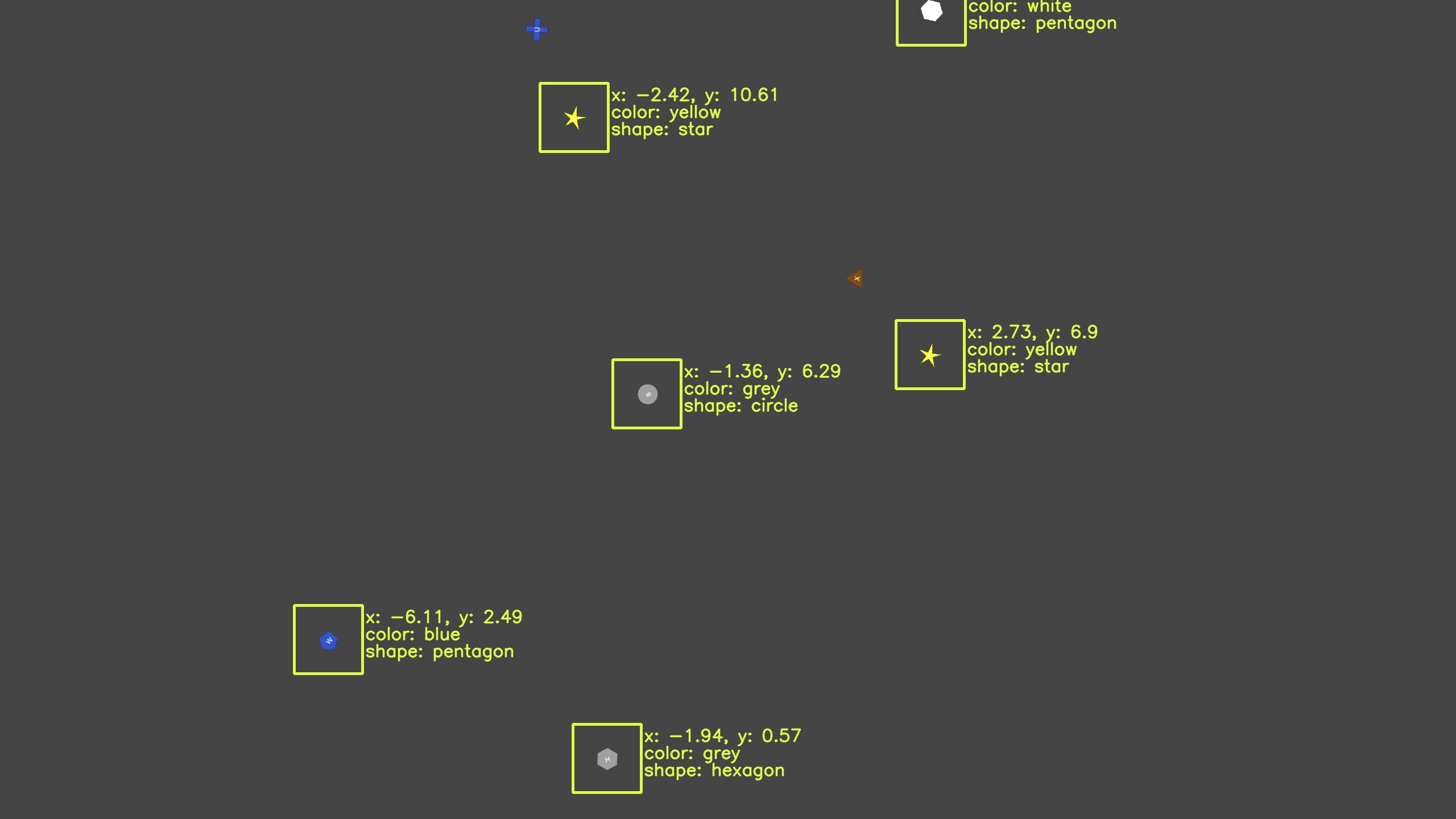
Image 1. Drone position: x = -0.19 m, y = 6.05 m
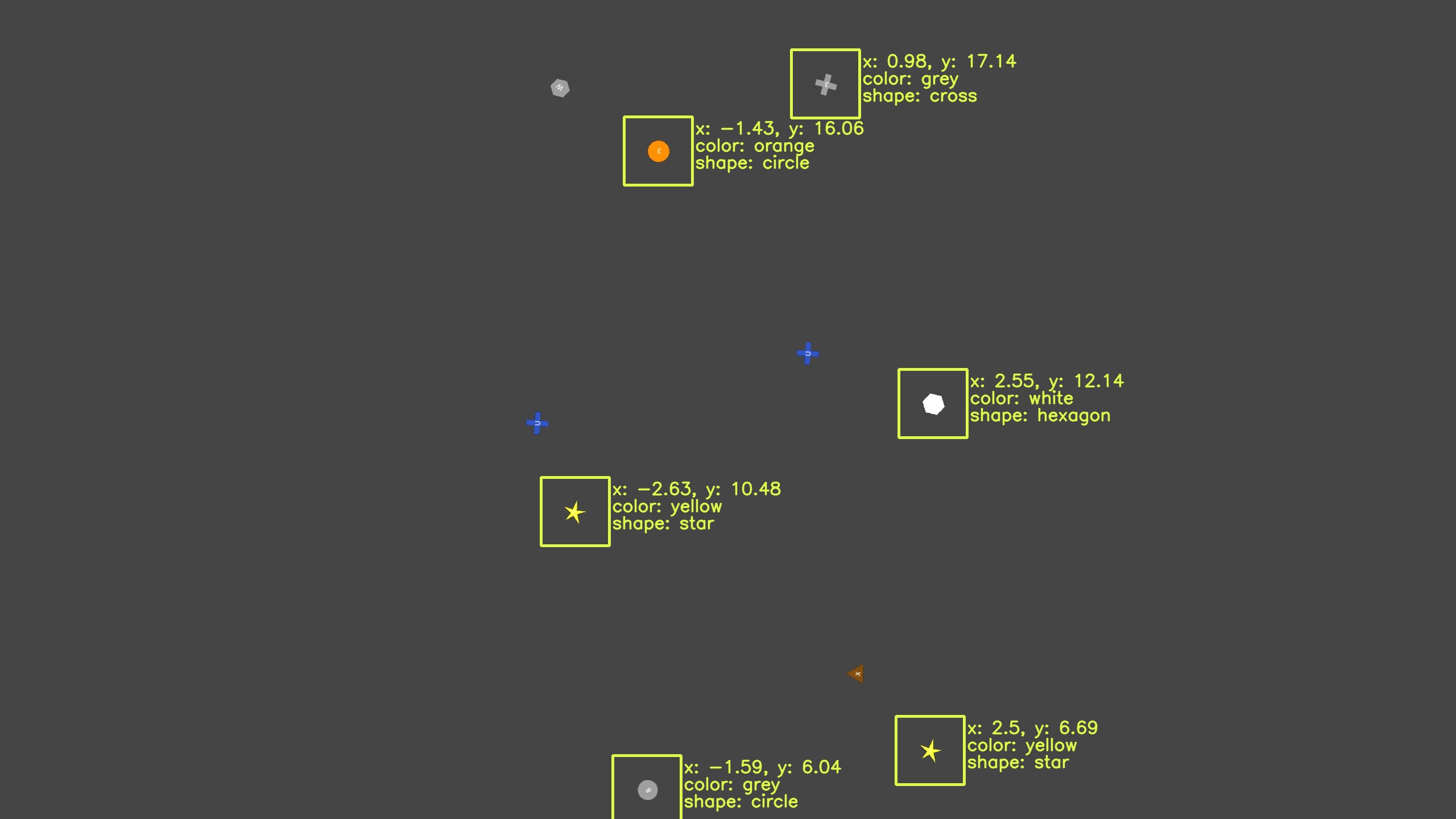
Image 2. Drone position: x = -0.42 m, y = 12.04 m
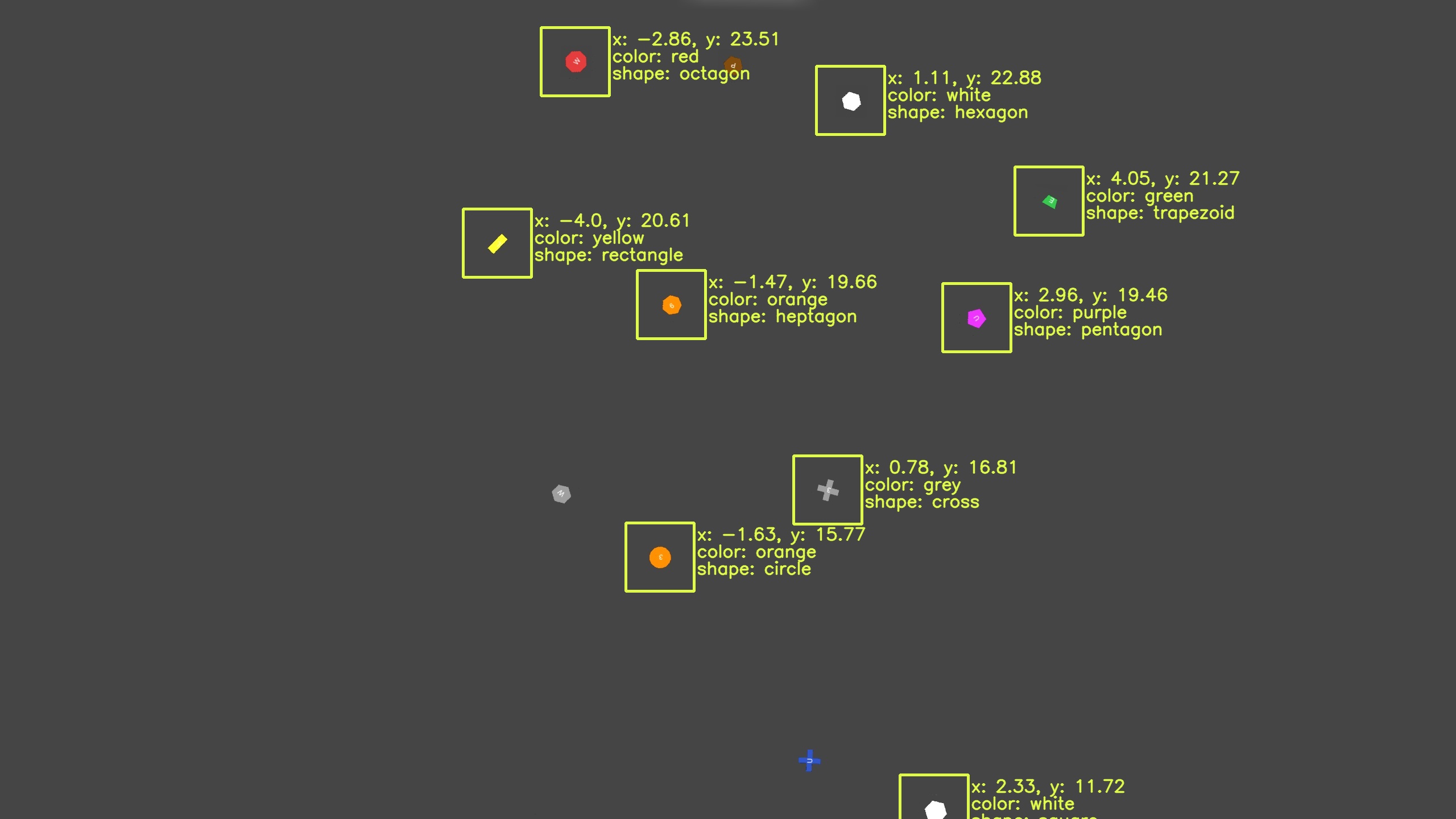
Image 3. Drone position: x = -0.65 m, y = 18.04 m
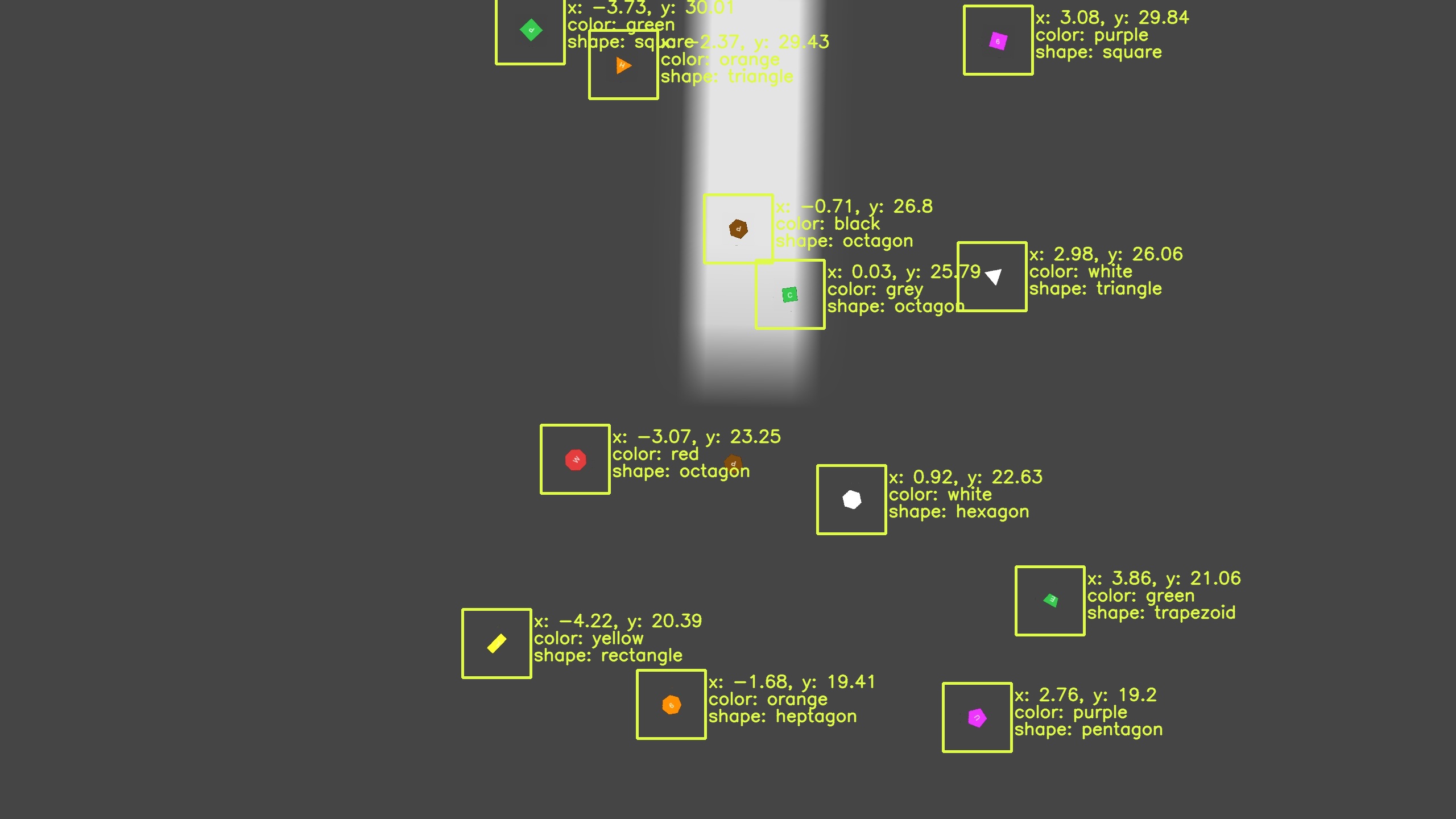
Image 4. Drone position: x = -0.86 m, y = 24.01 m
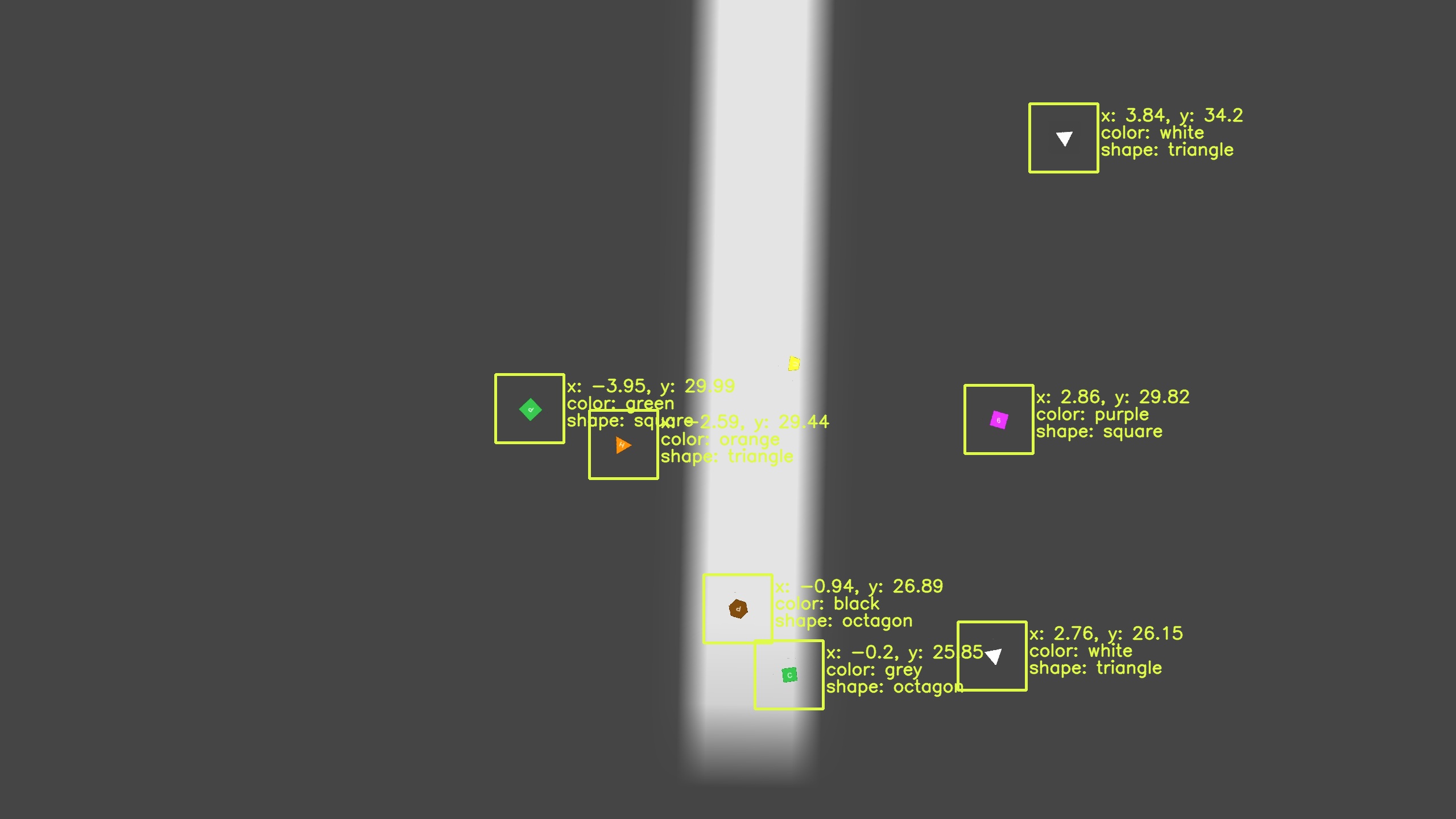
Image 5. Drone position: x = -1.08 m, y = 29.97 m