Version 1 tags:


Version 2 tags:


Version 3 Tags:


Goal:
One stop shop for your very own personal Job-tracker application!
Documentation:
Checkout our documentation for source code and test cases at https://wolftrackplus.readthedocs.io/en/latest/
Project Presentation Video:
You can find our presentation video hosted on YouTube here: https://youtu.be/BU0Yjj9Mu2g
Project Description:
Do away with complicated, messy spreadsheets! WolfTrack keeps track of every job detail, we're talking about dates, notes, tasks, job descriptions, salaries, locations, company insight and more!
So, let's go get that job! 😎
WhatsApp.Video.2021-09-27.at.1.20.36.AM.1.mp4
AppTutorial.mp4
Built Using:









-
- Download Python3.x.
-
E.g If you downloaded
Python 3.8.7above, thenSteps to setup virtual environment
-
Create a virtual environment:
python3.8 -m venv test_env -
Activate the virtual environment:
source test_env/bin/activate -
Build the virtual environment:(must be present in project directory)
pip install -r requirements.txt
-
-
To run/test the site locally:
-
Clone WolfTrack github repo.
-
Navigate to project directory.
-
Run
python main.pyorpython3 main.py -
Site will be hosted at:
http://127.0.0.1:5000/
-
- AWS Relational Database Service-RDS
- The AWS Database is used as a primary DB by the location. The application interacts with the DB and no additional steps are required from the users. For any contributors or future developers, please mail to [email protected] to get your AWS IAM user account details to connect to AWS RDS.
-
Sign Up Page
- User Interface to signup to the app

- User Interface to signup to the app
-
Login Page
- User Interface to login to the Wolftrack app. After successful login, user will be redirected to the Dashboard page

- User Interface to login to the Wolftrack app. After successful login, user will be redirected to the Dashboard page
-
Dashboard
-
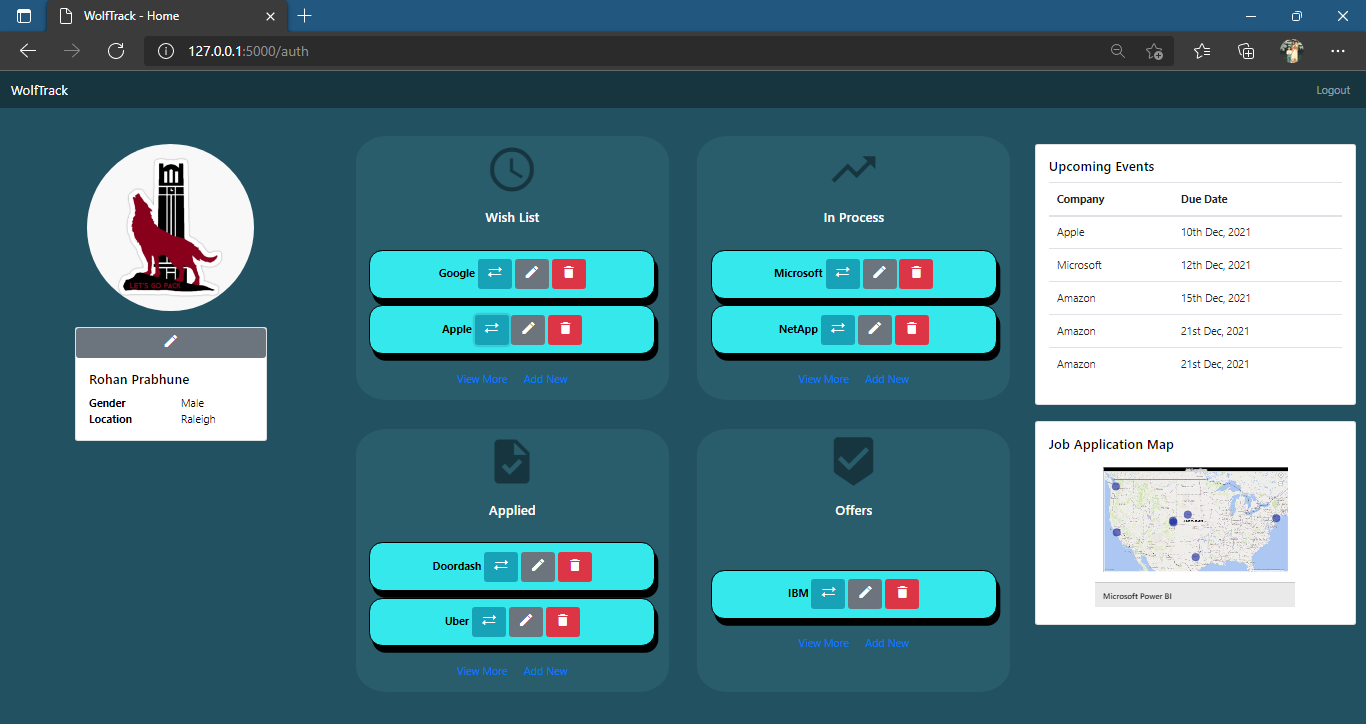
The 4 section (Wishlist, Applied, In-process, Offers) categorizes all the applications based on the current status and shows 3 applications on the home page. The tool allows the user to create new applications by clicking on 'Add New' button while the 'View More' button allows the user to list applications in each section. For each section the user has three options:
- Change the status of the application
- Edit the details of any application
- Delete the application

-
The left-most section of the dashboard shows the User details. The user also has the option to edit his/her profile.
-
Upcoming Activities - The upcoming activities shows the top 5 activities nearing the deadline. The activities are picked up from the applications and the company name and the due date is displayed on this section.
-
Location- The map shows the various office locations for the applied companies. The thought behind is to better plan the commute and residence based on the location distance
-
-
Edit User Profile
- User has the option to edit profile
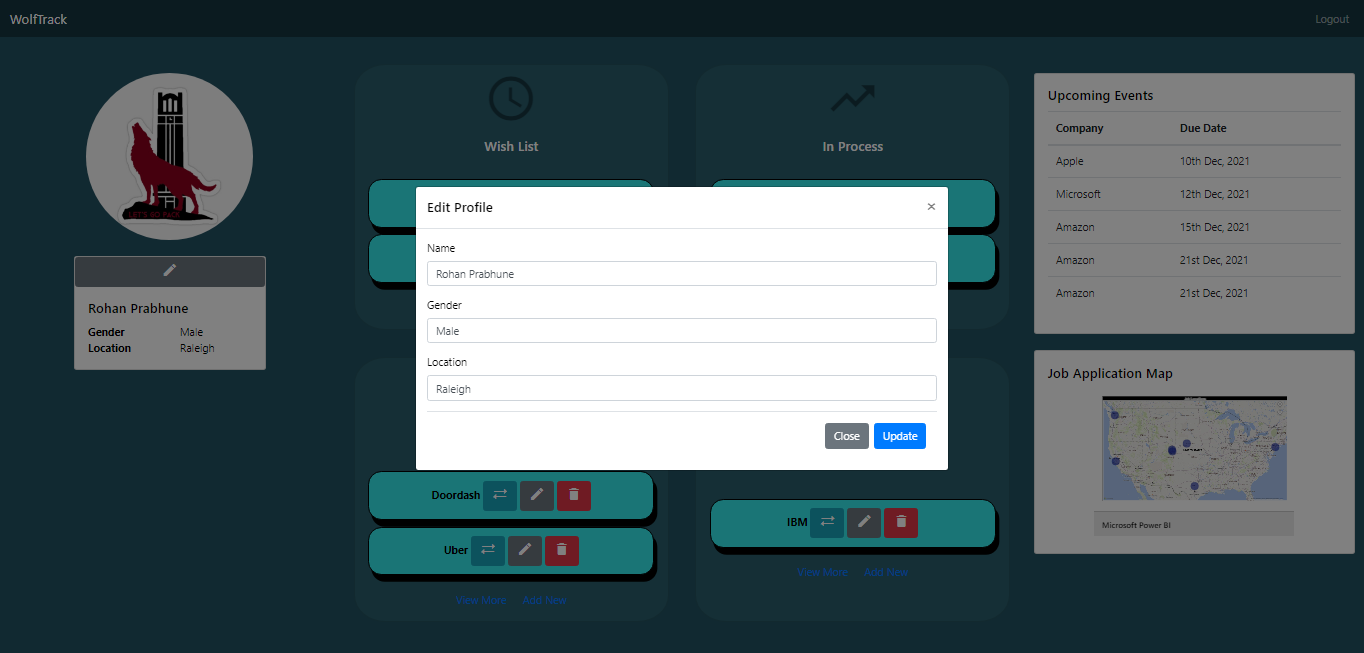
- User has the option to edit profile
-
Add New Application
- User interface for adding a new application to the portal
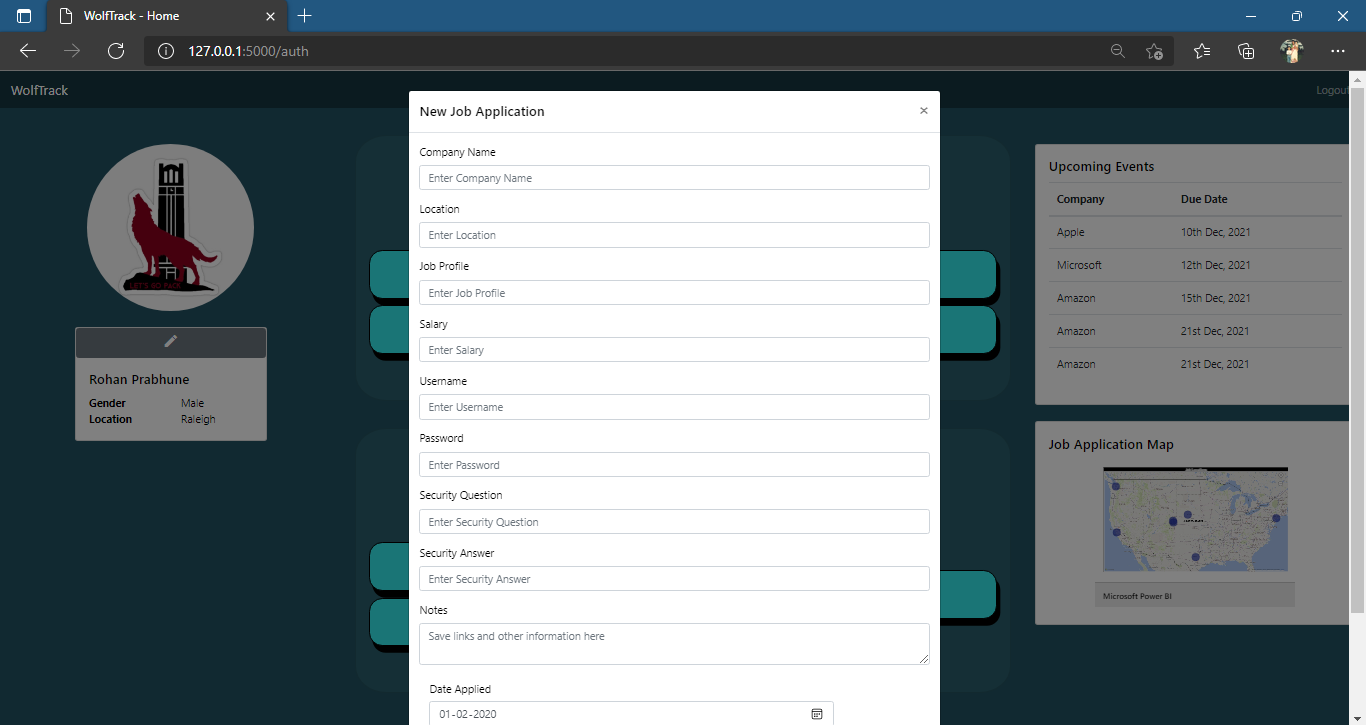
- User interface for adding a new application to the portal
-
Edit Existing Application
- The user has the option to edit the details of each applcation
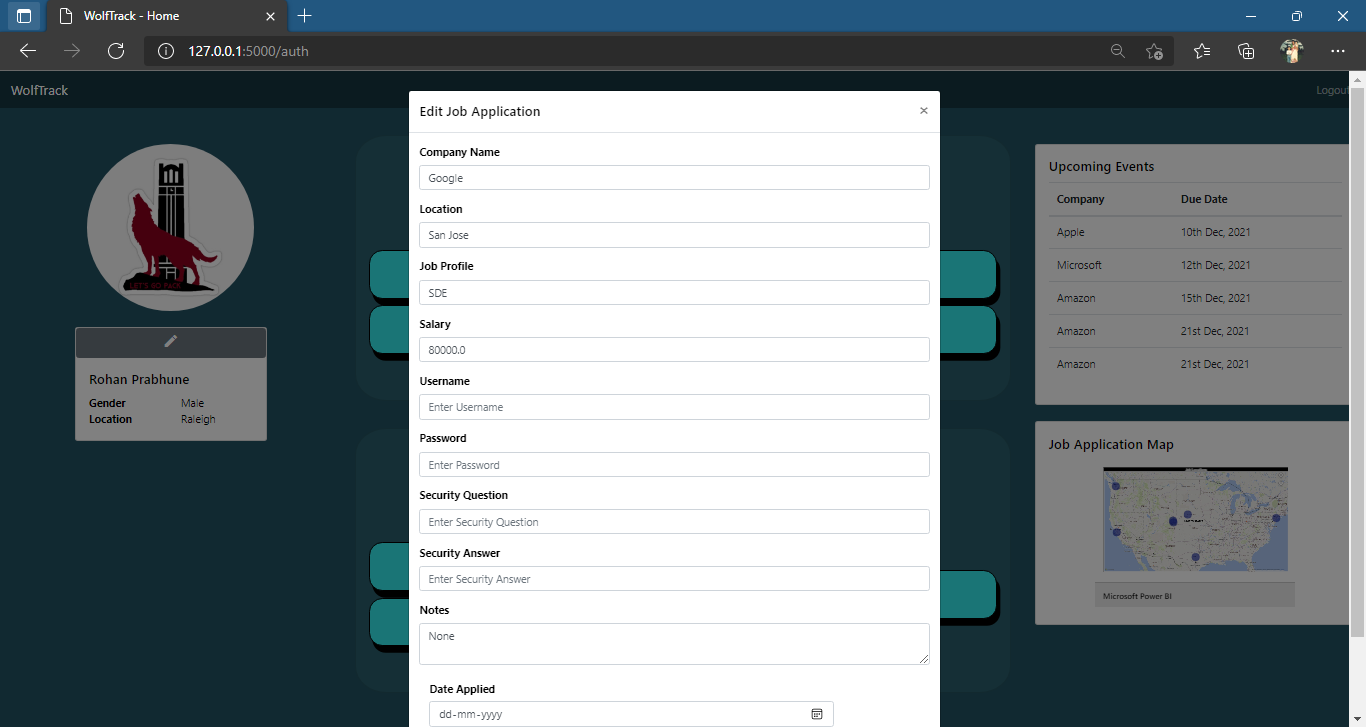
- The user has the option to edit the details of each applcation
-
Delete Application
- The user has the option to delete an applcation
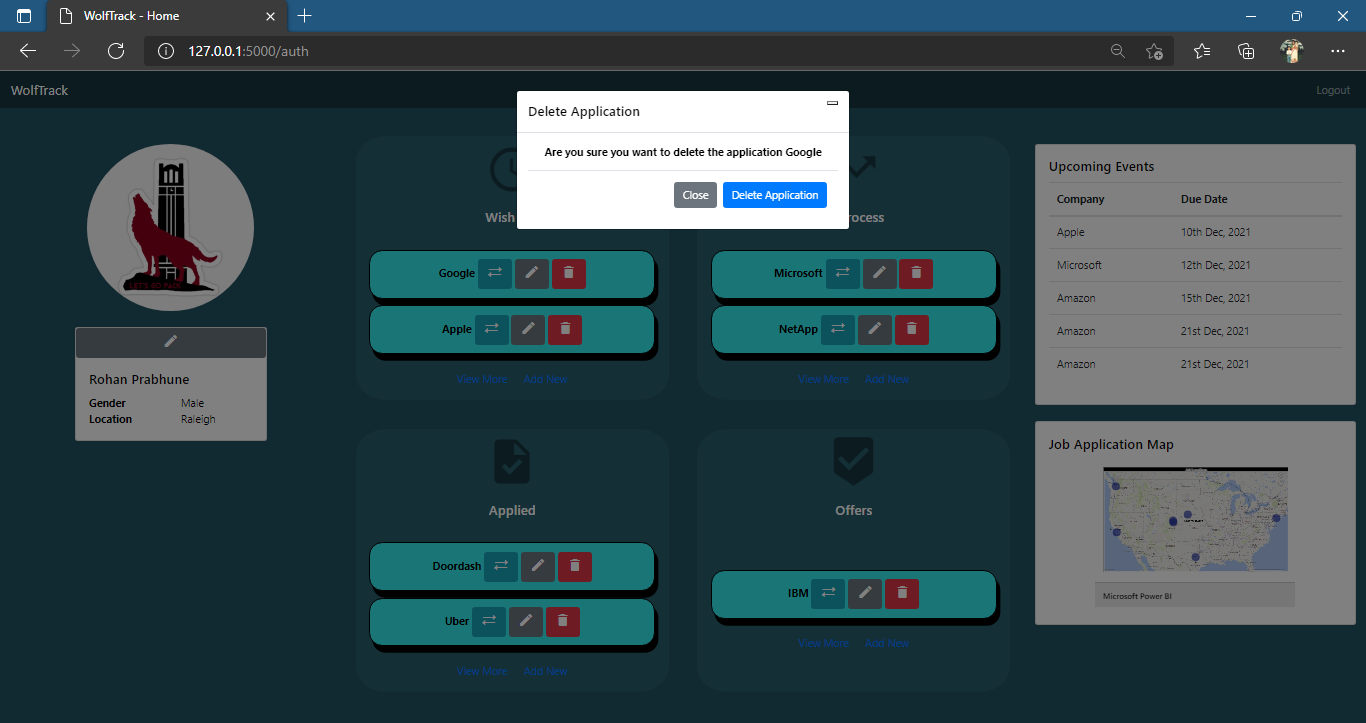
- The user has the option to delete an applcation
-
Change status of an application
- The user has the option to change the status of an applcation
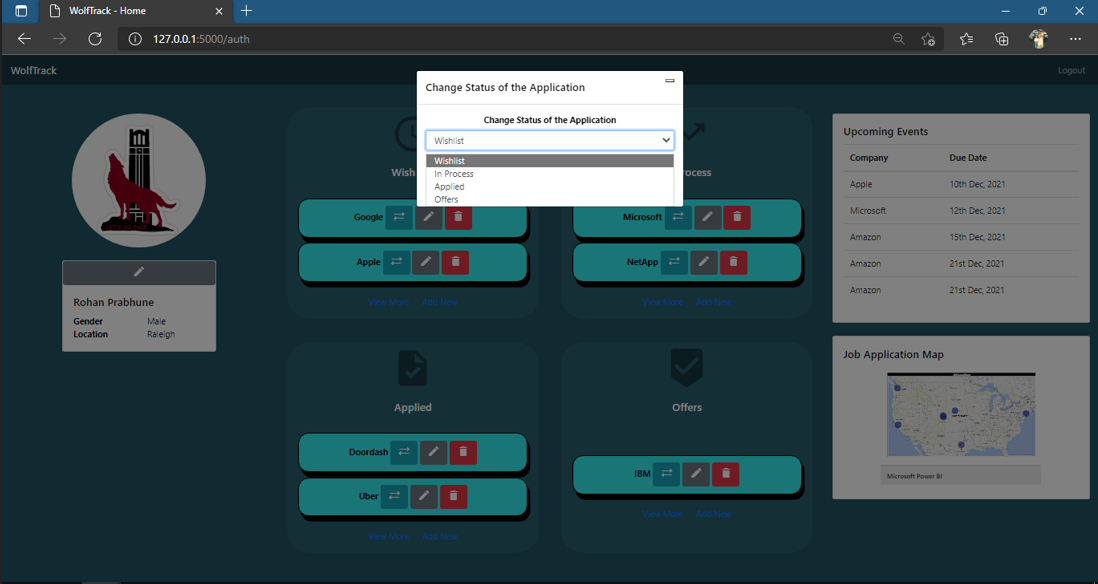
- The user has the option to change the status of an applcation
An email is sent when a new account is created, new job application is submitted, or a status change in application.


- Create database ER diagram
- Create SQL DML and DDL queries
- Create Dashboard Page
- Create Login Page
- Create Signup Page
- Setup Flask
- Add Unit testing
- Add Error Handling mechanisms
- Mock of Job Application Map using Power BI
- Integrating Components to create a complete workflow
- Revamped database design following ACID properties
- Added validations to user input for Login, Signup and Add Application
- Added style checkers which were not existing before
- Made UI to be more reactive by enforcing the user to enter required fields
- Create APIs for relevant functionalities
For more detailed description - Check Changes.md
- Editing an application
- Change the application status
- Delete an application
- Added scrollbar for job listings on dashboard
- Edit the user profile
- Auto documentation for the project using Sphinx
- Email reminders for application creation and modification
- Format checkers implemented
- Hosted the website - http://rjprabhu.pythonanywhere.com/
- Display the location of the application on the map
- Share your profile with others
- Reading mails from your inbox and automatically adding/updating the status of the application
- Enabling Desktop Notifications
Please refer to the Contributing.md if you want to contrbute to the Wolftrack source code. Follow all the guidelines mentioned and raise a pull request for the developers to review before the code goes to the main source code.
In case of any issues, please e-mail your queries to [email protected] or raise an issue on this repository
Ramya Sai Mullapudi
Rohan Prabhune
Krishna Saurabh Vankkad
Arjun Madhusudan
Lakshmi Swetha Gavini