-
Notifications
You must be signed in to change notification settings - Fork 247
[CS2113-T11-1] Duck #18
New issue
Have a question about this project? Sign up for a free GitHub account to open an issue and contact its maintainers and the community.
By clicking “Sign up for GitHub”, you agree to our terms of service and privacy statement. We’ll occasionally send you account related emails.
Already on GitHub? Sign in to your account
base: master
Are you sure you want to change the base?
Changes from 83 commits
7b9bd80
210c231
2d7d6f2
0d5a591
948b175
6b986d0
27f4481
61ffd5f
4ebe339
14324e6
365cd2a
8e2bc14
f1c0a87
d295be6
f29775b
8939bce
bbc4956
6079673
aff3a55
e7f31a8
a6591bb
ba9ef64
b3126c5
6cc376a
d3cb2d0
ea760c4
ed9beab
8e006c4
f355480
3a7f5a1
4e71fda
96f67cd
638c7de
a7c7d0e
2e19906
08ee502
236fdd2
3094125
c7f117a
f1baf61
6a4e7a7
1ab5123
547346e
d89a7bd
8ba7ebe
14fa94a
6881017
9eec8ba
e748d11
2e52941
19d9ee4
34eedcc
17f9dd5
a8026b1
1f48811
1246980
5e78e7d
b233c5f
69862c7
5cbb6f0
17dfcc8
7eb6434
508ae47
e0fc434
c6c9075
4eec29a
6bb3911
5cfb3a6
b303dd6
7c06d78
bacee6b
1d88e83
6e856ed
65ad511
9fad3bf
09c401c
04282c9
d9164be
ab20a31
addf3e2
f19f75e
f9e89c6
ae3a99a
d2a2f56
c97687b
52b5a59
a4d4765
b5b951a
0e3e877
7af7c43
29fbec7
94b88ba
d85953f
942adf2
eb62752
072cdae
a74de1a
b75e882
6a14272
c5e4adb
655770a
8f5f5af
3a14d20
4a1268b
c861652
4eb3030
e46dbf5
b07b06a
87011a1
11164a0
14659b6
ffb2b3c
95d5ebd
321900e
9c5d3bd
9cb098e
a2d2638
6546fc2
601e9bb
6c24949
ab5d203
075a726
5db8432
9cb4a46
65fb00d
12ad7a3
abcefb1
3cd90f4
5a5f95e
e9e5fff
0ca181f
d1ae064
0b1d21c
0eb6c3e
d7427a5
68a82cd
122d183
f2a2f12
746619a
70858d9
82b1f92
cf742a9
6419319
dae45b0
11884a4
0ac3f65
c58e383
f43e41e
73da2e6
a1d0e01
c74dc87
35baf3d
a7c7155
9d574b8
4acce5c
797e3f8
05fc14d
77b745c
a956366
f94e6da
ab15ac3
3d691e7
b2ec149
838cc02
5ca1be6
caa1c14
b9d7677
197c46c
764cc48
cadd18d
113d46a
60d9688
299e8a2
4238e3e
cb70e10
ac6796a
86beb84
9c0c85d
9c7636b
efe3dd5
e170ff5
a429ef7
d963c23
06b8280
6542b9a
e27d3a2
bb87c7b
c8efe9b
113f603
c16a7c8
c3d2dce
7634c5f
8f25e86
2241c30
3353cb0
bd84f4b
47a3d6d
1a850c9
eb5b283
6b98495
8e8b857
41a43c8
364f296
650ee7a
e5c3da7
16064f8
78db4fd
9d17a29
f8e7422
d44615f
acef6db
8e0f753
da8d0fa
940ac75
3bc2850
586dc38
70c1e23
05d3cf2
32fa374
28ef1df
88d3c12
73a8e0b
a445b5e
5185b07
8eabe3e
c0527e9
d1d2316
710c5f4
2ba5655
77cdd2b
87d00b1
013269d
c10aebc
eece6d8
a307ca8
a882564
6eefaa2
83b2f60
File filter
Filter by extension
Conversations
Jump to
Diff view
Diff view
There are no files selected for viewing
| Original file line number | Diff line number | Diff line change |
|---|---|---|
|
|
@@ -15,3 +15,4 @@ bin/ | |
|
|
||
| /text-ui-test/ACTUAL.TXT | ||
| text-ui-test/EXPECTED-UNIX.TXT | ||
| data/savedata.txt | ||
| Original file line number | Diff line number | Diff line change |
|---|---|---|
| @@ -0,0 +1,3 @@ | ||
| Manifest-Version: 1.0 | ||
| Main-Class: seedu.duck.Duck | ||
|
|
| Original file line number | Diff line number | Diff line change |
|---|---|---|
|
|
@@ -43,4 +43,5 @@ checkstyle { | |
|
|
||
| run{ | ||
| standardInput = System.in | ||
| enableAssertions = true | ||
| } | ||
| Original file line number | Diff line number | Diff line change |
|---|---|---|
|
|
@@ -4,11 +4,199 @@ | |
|
|
||
| {list here sources of all reused/adapted ideas, code, documentation, and third-party libraries -- include links to the original source as well} | ||
|
|
||
| ## Architecture | ||
|
|
||
|  | ||
|
|
||
|
There was a problem hiding this comment. Choose a reason for hiding this commentThe reason will be displayed to describe this comment to others. Learn more. Architecture diagram is clear and easy to understand |
||
| The **Architecture Diagram** given above explains the high-level design of Duck. | ||
|
|
||
| Given below is a quick overview of main components and how they interact with each other. | ||
|
|
||
| <br /> | ||
|
|
||
| **Main components of the architecture** | ||
|
|
||
| ```Duck``` is responsible for: | ||
|
|
||
| **At app launch:** | ||
|
|
||
| - Executes the ```Ui#greetingMessage()``` operation. | ||
|
|
||
| - Initializes a new ArrayList tasks | ||
|
|
||
| - Populates the ArrayList by executing the ```Storage#tryLoad()``` operation. | ||
|
|
||
| - Begins scanning for user inputs, and passing these inputs to ```Parser``` class. | ||
|
|
||
| - At shut down: Shuts down the components and invokes the ```Ui#exitMessage()``` operation. | ||
|
|
||
| ```Commons``` represents a collection of classes used by multiple other components, such as ```java.time.LocalDateTime``` | ||
|
|
||
| The rest of the App consists of four components. | ||
|
|
||
| - ```UI```: The UI of the App. | ||
|
|
||
| - ```Parser```: The command executor. | ||
|
|
||
| - ```Storage```: Reads data from, and writes data to, the hard disk. | ||
|
|
||
| - ```TaskList```: Holds the data of Duck in memory. | ||
|
|
||
| ```TaskList``` stores items that belong to 4 subclasses that draw upon a shared superclass. | ||
|
|
||
| ```Task```: The skeleton superclass of all Tasks. | ||
|
|
||
| - ```ToDo```: Basic form of ```Task``` | ||
|
|
||
| - ```Deadline```: Expands upon ```Task``` by storing a ```by``` variable | ||
|
|
||
| - ```Event```: Expands upon ```Task``` by storing ```start``` and ```end``` variable | ||
|
|
||
| - ```SchoolClass```: Expands upon ```Task``` by storing ```start``` and ```end``` variable, along with a ```className``` variable | ||
|
|
||
| ## Design & implementation | ||
|
|
||
| {Describe the design and implementation of the product. Use UML diagrams and short code snippets where applicable.} | ||
| This section describes how Duck is implemented and how its commands are executed. | ||
|
|
||
| ### Purge feature | ||
|
|
||
| **Sequence Diagram** | ||
|
|
||
|  | ||
|
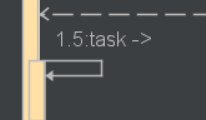
There was a problem hiding this comment. Choose a reason for hiding this commentThe reason will be displayed to describe this comment to others. Learn more. I am not sure as to why there is an arrow "->" after 1.5: task. Also, I think that 1.5 etc. should not be on the left of the function name There was a problem hiding this comment. Choose a reason for hiding this commentThe reason will be displayed to describe this comment to others. Learn more. |
||
|
|
||
|
There was a problem hiding this comment. Choose a reason for hiding this commentThe reason will be displayed to describe this comment to others. Learn more. The numbers beside the methods (eg 1:purge) should be removed. |
||
| The ```TaskList#purge()``` command will be implemented following the sequence diagram as shown above. | ||
|
|
||
|
|
||
| **Implementation** | ||
|
|
||
| The ```TaskList#purge()``` command will be implemented to facilitate the removal of expired ```Task``` items from the ```TaskList```. This will be executed once upon Duck's startup, and can be further executed by inputting the term ```purge``` into the CLI when Duck is running. The following is the new operation to be implemented. | ||
|
|
||
| - ```TaskList#purge()``` - Navigates through the ```TaskList``` array, and checks the date/time of each Task item within. If the date/time of a given ```Task``` has passed, it will be removed from the ```TaskList``` array. The user will be then able to view a total of how many ```Tasks``` were purged, along with what ```Task``` they were. | ||
|
|
||
| <br /> | ||
|
|
||
| **Given below is an example usage scenario for ```purge()```** | ||
|
|
||
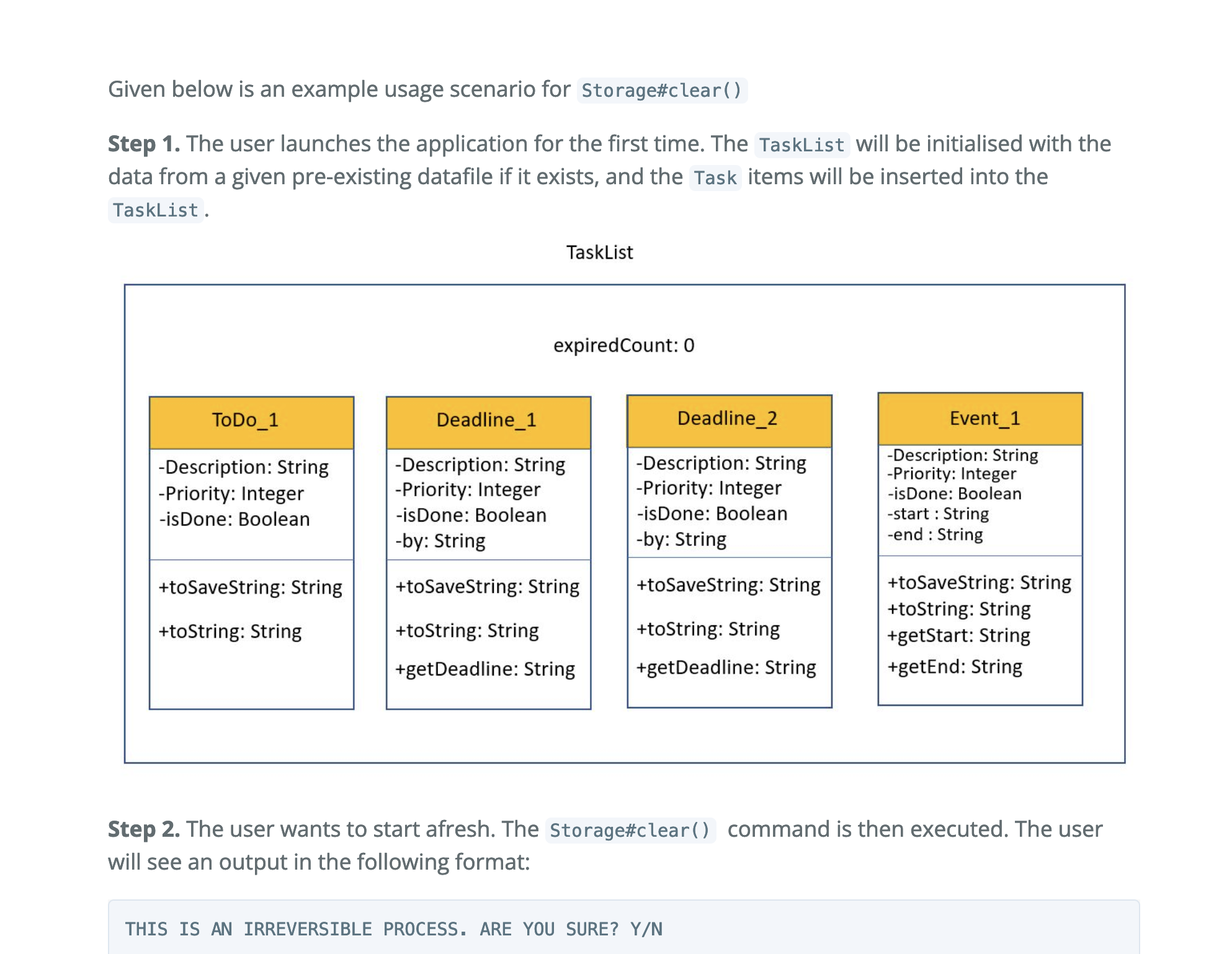
| **Step 1.** The user launches the application for the first time. The ```TaskList``` will be initialized with the data from a given pre-existing datafile if it exists, and the ```Task``` items will be inserted into the ```TaskList```. | ||
|
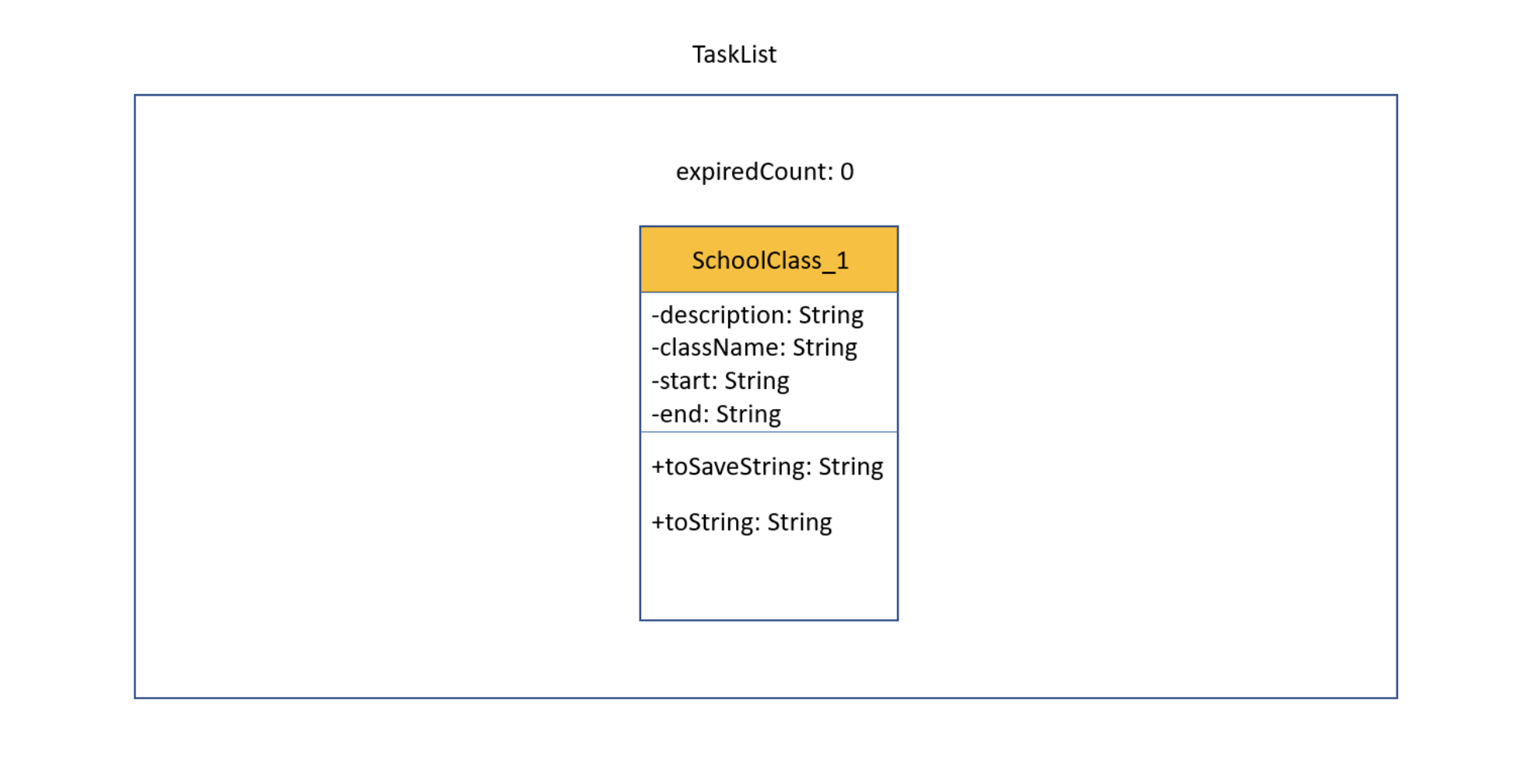
There was a problem hiding this comment. Choose a reason for hiding this commentThe reason will be displayed to describe this comment to others. Learn more. It's not clear if expiredCount is part of the function that uses taskList or part of taskList in general (seems weird if taskList is an ArrayList of items). I'm not sure if this is supposed to be a class or object diagram also. |
||
|
|
||
| **Step 2.** The ```TaskList#purge()``` command will be executed. The process is illustrated through two steps: | ||
|
|
||
| **Identifying all expired ```Task``` items in ```TaskList```.** | ||
|
|
||
|  | ||
|
|
||
|
There was a problem hiding this comment. Choose a reason for hiding this commentThe reason will be displayed to describe this comment to others. Learn more. Class diagrams syntax are correct |
||
| **Removing all expired ```Task``` items in ```TaskList```.** | ||
|  | ||
|
|
||
| The user will see this on his terminal after the ```purge``` command has executed. | ||
|
|
||
| ``` | ||
| ---------------------------------------------------------------------- | ||
|
There was a problem hiding this comment. Choose a reason for hiding this commentThe reason will be displayed to describe this comment to others. Learn more. is expired count part of TaskLIst or what? I am very confused as to what expiredCount is part of. |
||
| Quack! <expiredCount> Tasks have expired! Purge proceeding... | ||
| 2. [X if <isDone>, " " if !<isDone>] <Deadline_1> | ||
| 4. [X if <isDone>, " " if !<isDone>] <Event_1> | ||
|
|
||
| Purge Completed! Now we are one quack closer to finishing all tasks! | ||
|
There was a problem hiding this comment. Choose a reason for hiding this commentThe reason will be displayed to describe this comment to others. Learn more. I am also not sure as to what expiredCount is part of. |
||
| ---------------------------------------------------------------------- | ||
| ``` | ||
|
|
||
|
There was a problem hiding this comment. Choose a reason for hiding this commentThe reason will be displayed to describe this comment to others. Learn more. I am not exactly sure what diagrams these are. It looks like a mix of object and class diagrams. |
||
|
|
||
| **Step 3.** The ```Duck``` will continue to run as per usual. The user can choose to manually input the keyword purge into the CLI to repeat Step 2 above at any given time. | ||
|
|
||
| <br /> | ||
|
|
||
| ### Clear feature | ||
|
|
||
| **Implementation** | ||
|
|
||
| The ```Storage#clear()``` command was implemented to facilitate the removal of all ```Task``` items from the ```TaskList```. Upon the entry of the keyword ```clear```, the new operation ```Ui#doubleCheck``` will prompt the user for an input of ```Y/N```. | ||
|
|
||
| - If a ```Y``` is inputted, the operation ```Storage#clear()``` executes and removes all ```Task``` items from the ```TaskList```. Additionally, the ```savedata``` file located in ```\data\savedata.txt``` will also be deleted and recreated as a blank slate. | ||
|
|
||
| - If a ```N``` is inputted, the operation ```Storage#clear()``` executes and removes all ```Task``` items from the ```TaskList```. Additionally, the ```savedata``` file located in ```\data\savedata.txt``` will also be deleted and recreated as a blank slate. | ||
|
|
||
| <br /> | ||
|
|
||
| The following are the new operations implemented. | ||
|
|
||
| - ```Storage#clear()``` - Removes all ```Task``` items from the ```TaskList```. Additionally, the ```savedata``` file located in ```\data\savedata.txt``` will also be deleted and recreated as a blank slate. | ||
|
|
||
| - ```Ui#doubleCheck``` - Prompts the user for further input. If a ```Y``` is inputted, the ```Storage#clear()``` operation is executed. Else if a ```N``` is inputted, the operation is cancelled. | ||
|
|
||
| <br /> | ||
|
|
||
| Given below is an example usage scenario for ```Storage#clear()``` | ||
|
|
||
| **Step 1.** The user launches the application for the first time. The ```TaskList``` will be initialised with the data from a given pre-existing datafile if it exists, and the ```Task``` items will be inserted into the ```TaskList```. | ||
|
There was a problem hiding this comment. Choose a reason for hiding this commentThe reason will be displayed to describe this comment to others. Learn more. |
||
|
|
||
| **Step 2.** The user wants to start afresh. The ```Storage#clear()``` command is then executed. The user will see an output in the following format: | ||
|
|
||
| ``` | ||
| THIS IS AN IRREVERSIBLE PROCESS. ARE YOU SURE? Y/N | ||
| ``` | ||
|
|
||
| **Step 3.1.** The user decides against clearing the ```TaskList```, and inputs a ```N```. The ```TaskList``` has no changes. ```Duck``` resumes after the output in the following format has been displayed: | ||
|
|
||
| ``` | ||
|
|
||
| Process cancelled. | ||
|
|
||
| ``` | ||
|
|
||
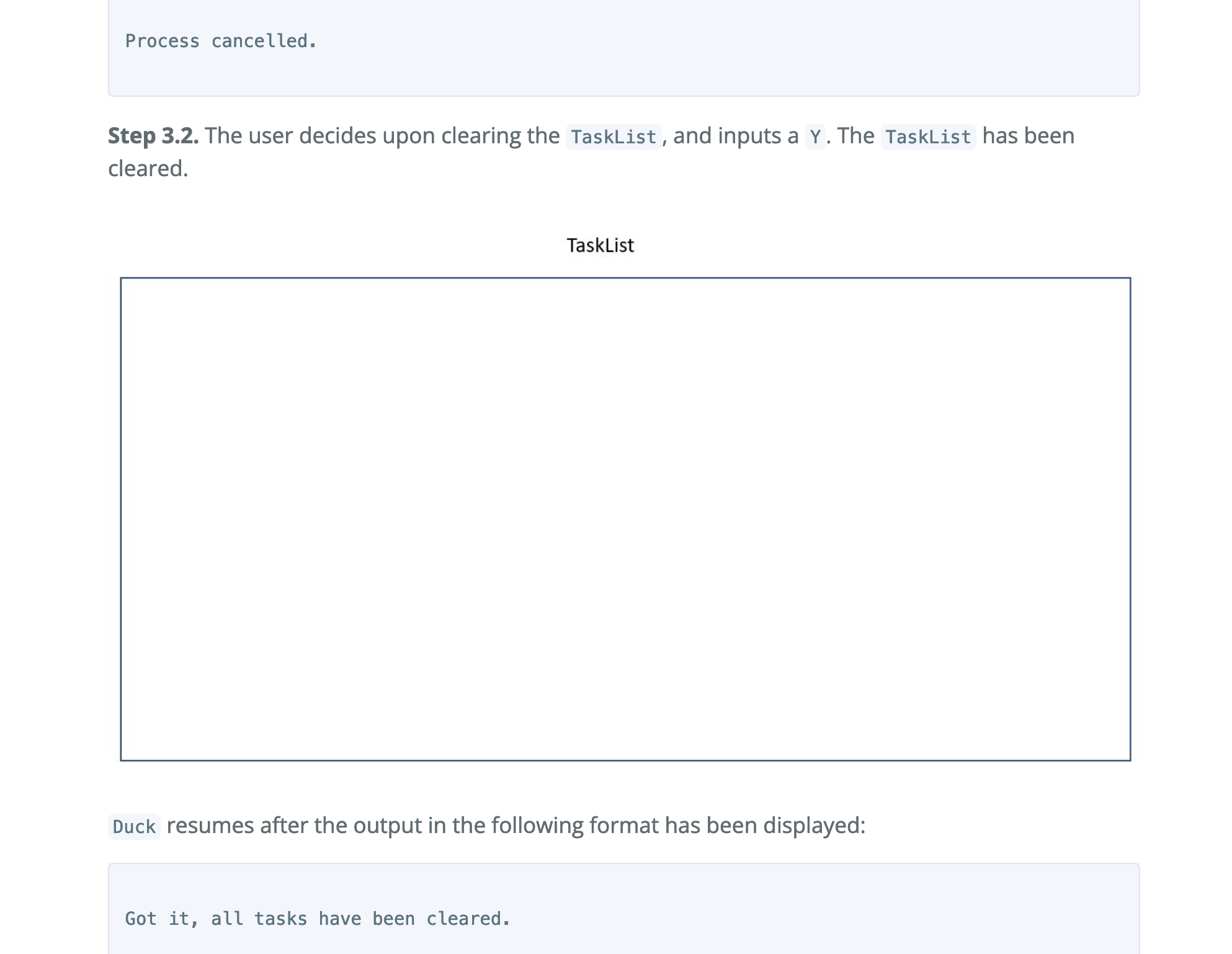
| **Step 3.2.** The user decides upon clearing the ```TaskList```, and inputs a ```Y```. The ```TaskList``` has been cleared. | ||
|
|
||
|  | ||
|
There was a problem hiding this comment. Choose a reason for hiding this commentThe reason will be displayed to describe this comment to others. Learn more. I'm not sure if the image is missing or not done yet but it's empty. There was a problem hiding this comment. Choose a reason for hiding this commentThe reason will be displayed to describe this comment to others. Learn more. The image does not show on the developer guide. There was a problem hiding this comment. Choose a reason for hiding this commentThe reason will be displayed to describe this comment to others. Learn more. There is no picture of the diagram in the DG website There was a problem hiding this comment. Choose a reason for hiding this commentThe reason will be displayed to describe this comment to others. Learn more. |
||
|
|
||
| ```Duck``` resumes after the output in the following format has been displayed: | ||
|
|
||
| ``` | ||
|
|
||
| Got it, all tasks have been cleared. | ||
|
|
||
| ``` | ||
|
|
||
| ### SchoolClass Feature | ||
|
|
||
| **Implementation** | ||
|
|
||
| The ```SchoolClass``` Class is implemented to facilitate the adding of students' classes to the task list. It extends the ```Task``` Class with additional String attributes to store the class name, start date/time, and end date/time. It also overrides the ```toString()``` method to have its own specialised output when being printed, as well as overriding the ```toSaveString()``` method to have correctly save its details to the save file. The ```SchoolClass``` Class will also facilitate the implementation of automatically recurring classes, which is a planned feature for milestone v2.0. ```SchoolClass``` Tasks will be added by default as recurring tasks to the task list, and will be automatically added back at their same set timing each week. | ||
|
|
||
| The following are the new operations implemented. | ||
|
|
||
| - ```TaskList#addSchoolClass()``` - Adds a SchoolClass Task to the task list. | ||
|
|
||
| - ```Ui#addedTaskMessage()``` - Outputs a message to show that the SchoolClass Task was successfully added to the task list | ||
|
|
||
| - ```Storage#loadSchoolClass()``` - Adds a SchoolClass to the task list without generating a successfully added message, to be used when loading from the save data. | ||
|
|
||
| <br /> | ||
|
|
||
| **Given below is an example usage scenario for TaskList#addSchoolClass().** | ||
|
|
||
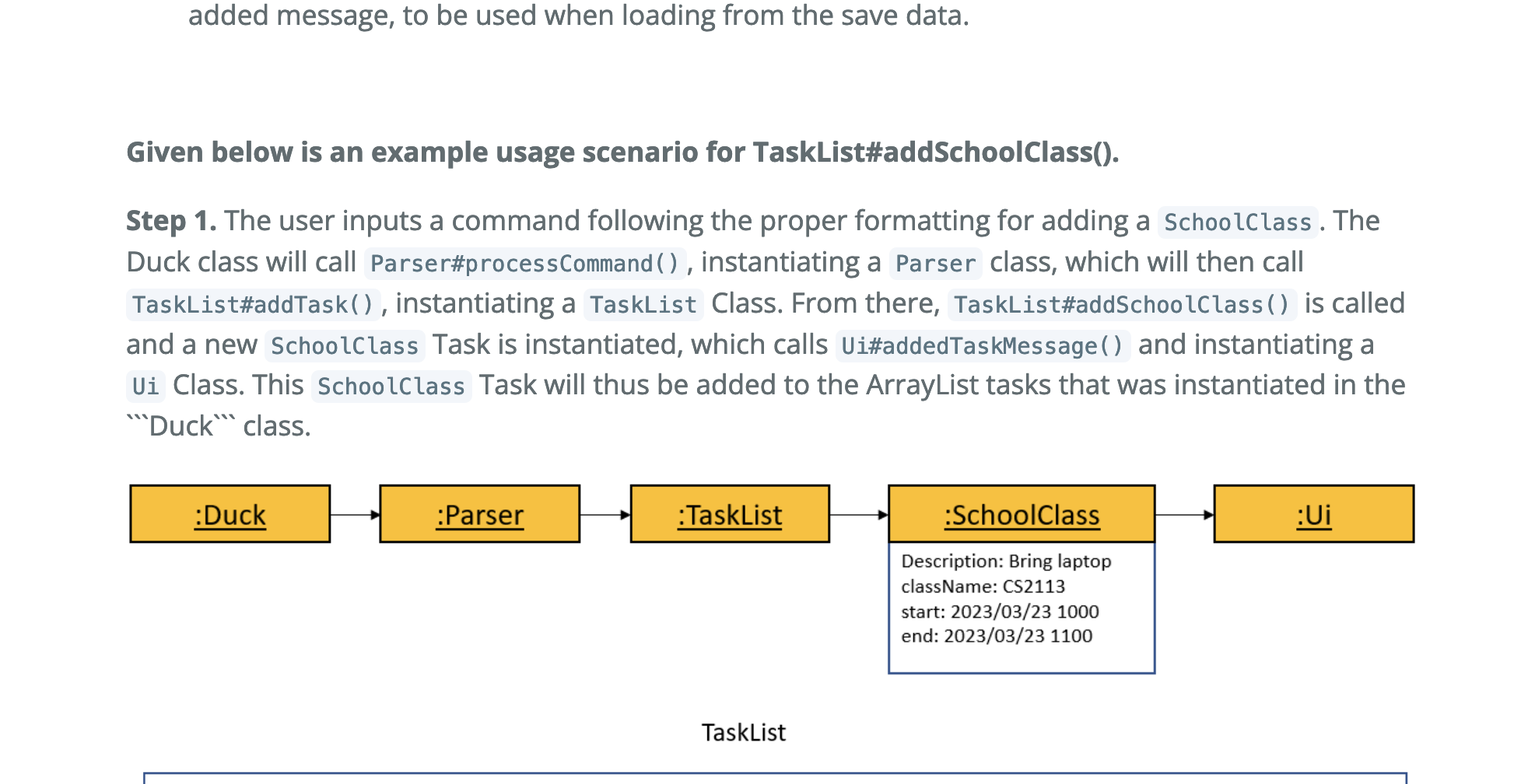
| **Step 1.** The user inputs a command following the proper formatting for adding a ```SchoolClass```. The Duck class will call ```Parser#processCommand()```, instantiating a ```Parser``` class, which will then call ```TaskList#addTask()```, instantiating a ```TaskList``` Class. From there, ```TaskList#addSchoolClass()``` is called and a new ```SchoolClass``` Task is instantiated, which calls ```Ui#addedTaskMessage()``` and instantiating a ```Ui``` Class. This ```SchoolClass``` Task will thus be added to the ArrayList<Task> tasks that was instantiated in the ```Duck``` class. | ||
|
|
||
|  | ||
|
There was a problem hiding this comment. Choose a reason for hiding this commentThe reason will be displayed to describe this comment to others. Learn more. |
||
|
|
||
|  | ||
|
There was a problem hiding this comment. Choose a reason for hiding this commentThe reason will be displayed to describe this comment to others. Learn more. |
||
|
|
||
| <br /> | ||
|
|
||
| **Given below is an example usage scenario for Storage#loadSchoolClass.** | ||
|
|
||
| **Step 1.** The user launches the application. The task list will be initialised with the data from a given pre-existing datafile if it exists, and the ```SchoolClass``` items will be inserted into the task list if they exist using ```Storage#loadSchoolClass()```. | ||
|
|
||
| <br /> | ||
|
|
||
| ### List Upcoming Tasks Feature | ||
|
|
||
| **Implementation** | ||
|
|
||
| The ```Ui#printUpcomingTasks()``` was implemented to allow the user to view their upcoming tasks in ```ndays``` days where ```ndays``` is specified. | ||
|
|
||
| - ```Ui#printUpcomingTasks()``` - navigates through the task list and compares the due time/starting time of that task and current time. prints all upcoming tasks in the number of days specified. | ||
|
|
||
| <br /> | ||
|
|
||
| ## Product scope | ||
|
There was a problem hiding this comment. Choose a reason for hiding this commentThe reason will be displayed to describe this comment to others. Learn more. I am a bit confused about what your product is trying to achieve. I do not understand the functionality of the product is it a deadline tracker or what as there is no specification on what the product helps the user in. Could also add a few diagrams for the rest of the features. |
||
| ### Target user profile | ||
|
|
||
|
|
||


There was a problem hiding this comment.
Choose a reason for hiding this comment
The reason will be displayed to describe this comment to others. Learn more.
Overall, the developer's guide is aesthetically pleasing with nice colours.