

A modern Shimeji companion manager for Linux & Wayland.
Find, install and summon animated desktop mascots that walk around your screen,
climb your windows and throw themselves off the edges.
Built with Tauri v2, Rust, and wl_shimeji




walkthrough.mp4
Menagerie is a modern graphical front end for wl_shimeji — the Wayland engine that draws desktop mascots. It provides everything the engine lacks on its own: a catalog of thousands of characters, one-click installation, a visual collection browser, saved scene presets, and login autostart.
Install Menagerie and the wl_shimeji engine with a single command:
curl -fsSL https://raw.githubusercontent.com/kyzmapiratov/Menagerie/main/install.sh | bashTip
Run curl -fsSL https://raw.githubusercontent.com/kyzmapiratov/Menagerie/main/install.sh | bash -s -- --dry-run to preview commands before anything is executed.
Or install using your distribution's package / archive:
| System | Command / Package |
|---|---|
| Arch Linux, CachyOS, EndeavourOS, Manjaro… | yay -S menagerie-bin (AUR coming soon) · ./install.sh or local makepkg -si |
| Debian, Ubuntu, Mint, Pop!_OS… | sudo apt install ./menagerie_*.deb from the latest release |
| Fedora, openSUSE… | sudo dnf install ./menagerie-*.rpm (zypper install on openSUSE) |
| Anything else | The .AppImage from the release, or ./install.sh --source to build it |
Important
Menagerie requires a Wayland compositor with wlr-layer-shell support. Developed and tested on niri, supported on KDE Plasma, and usable on Hyprland (with known clipping quirks).
Warning
GNOME (Mutter) is unsupported because Mutter does not implement wlr-layer-shell. The app detects GNOME on launch and displays an informative notice.
Every route, the engine for each distribution, updating and removal: docs/install.md.
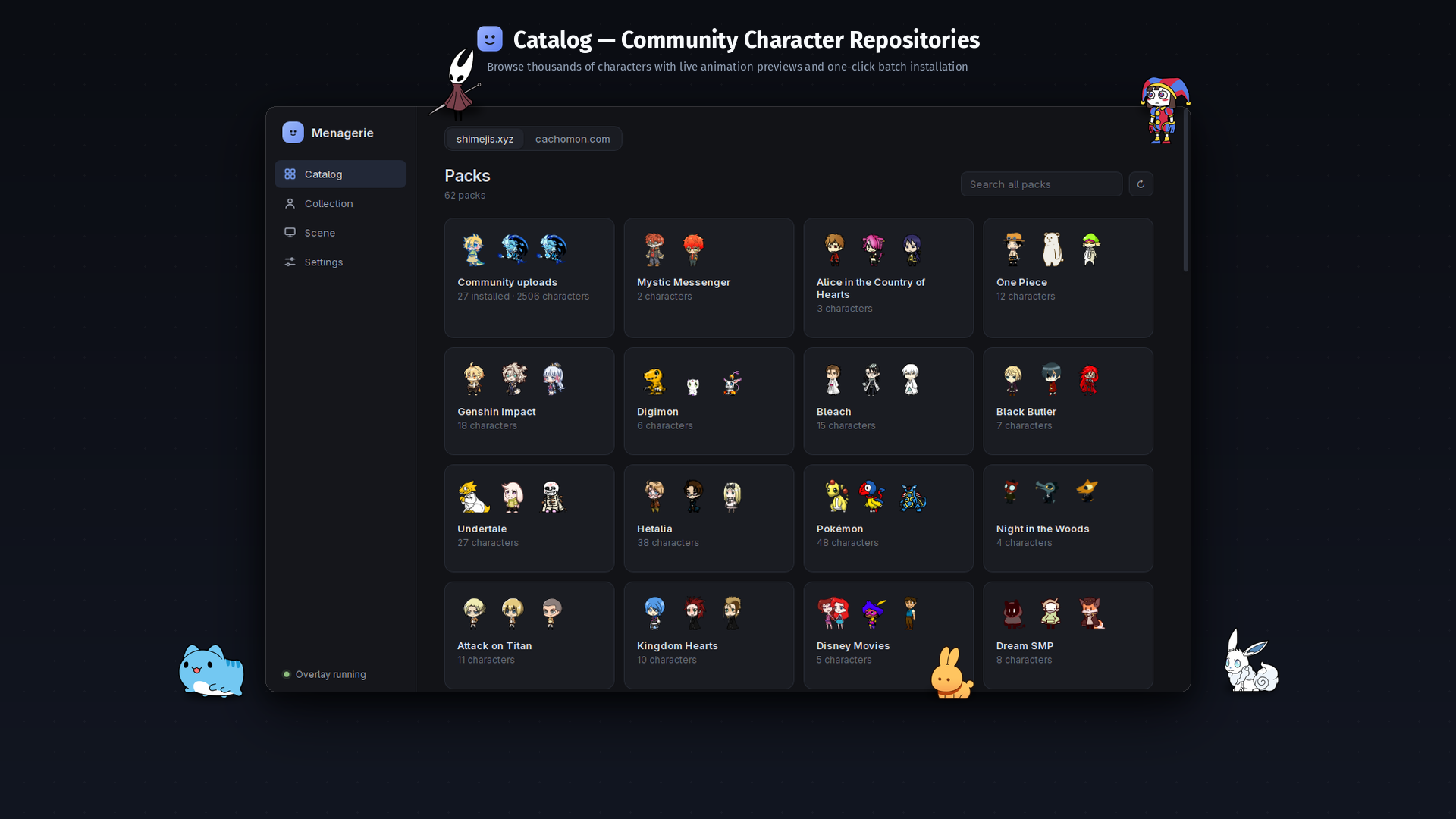 Two built-in sources (
shimejis.xyz and cachomon.com), live animated previews on hover, fuzzy search across everything, and batch installation.
|
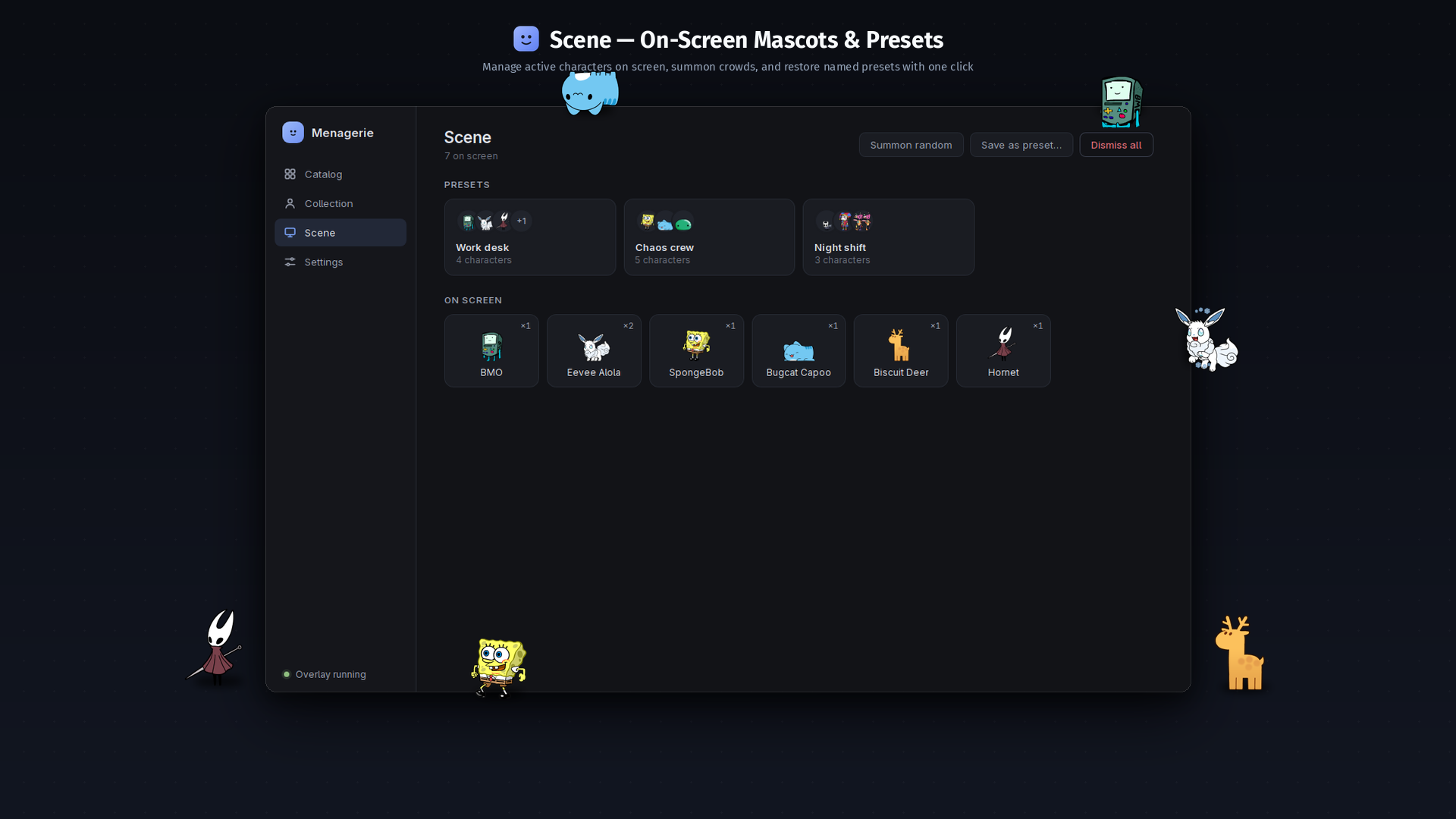 Active mascot management powered by
 wl_shimeji via wlr-layer-shell. Real window physics, climbable borders, and one-click crowd presets.
|
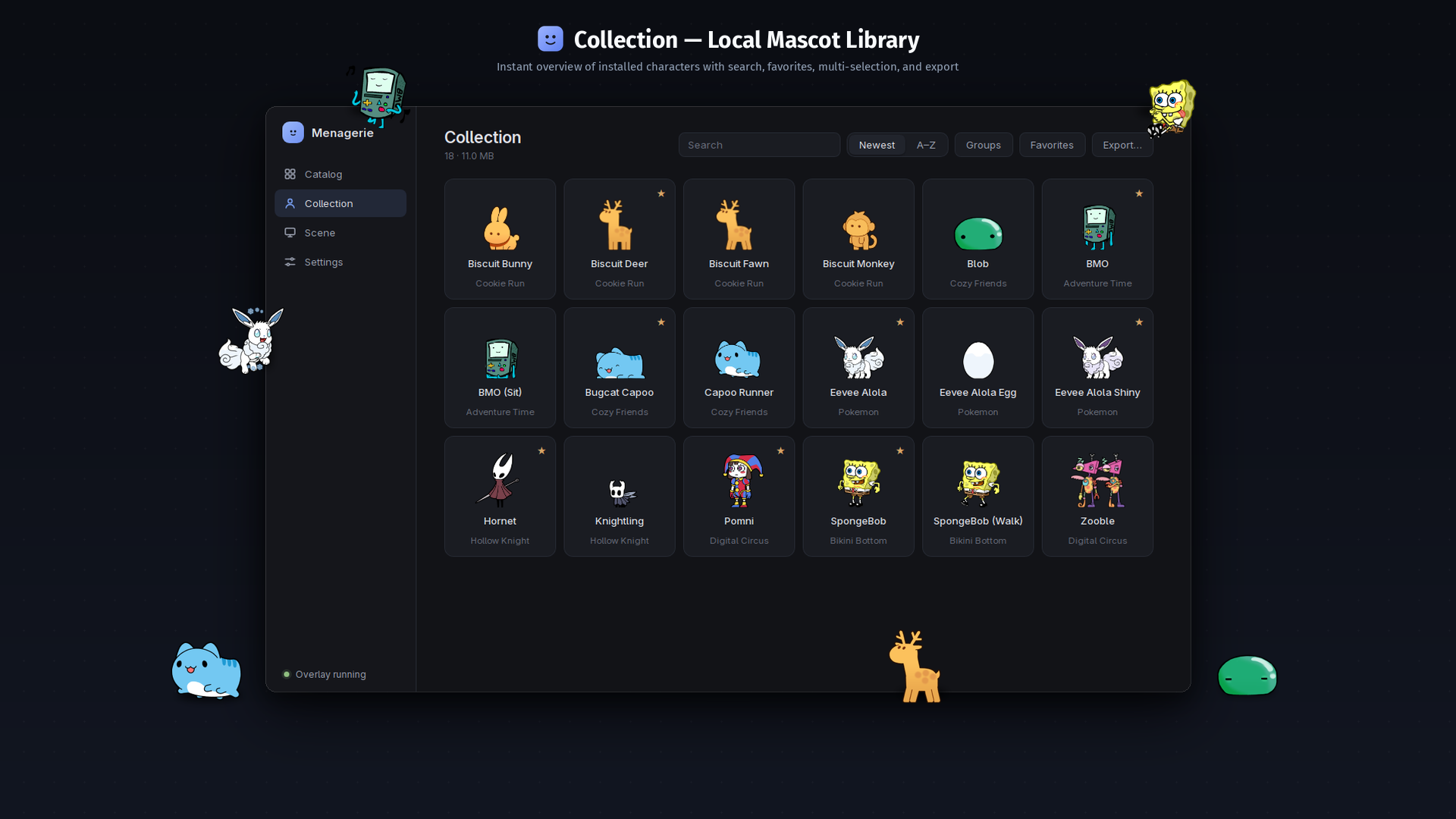 Local mascot library grouped by universe with favorites, sorting, and multi-selection. Drop any Shimeji
 .zip archive on the window to install.
|
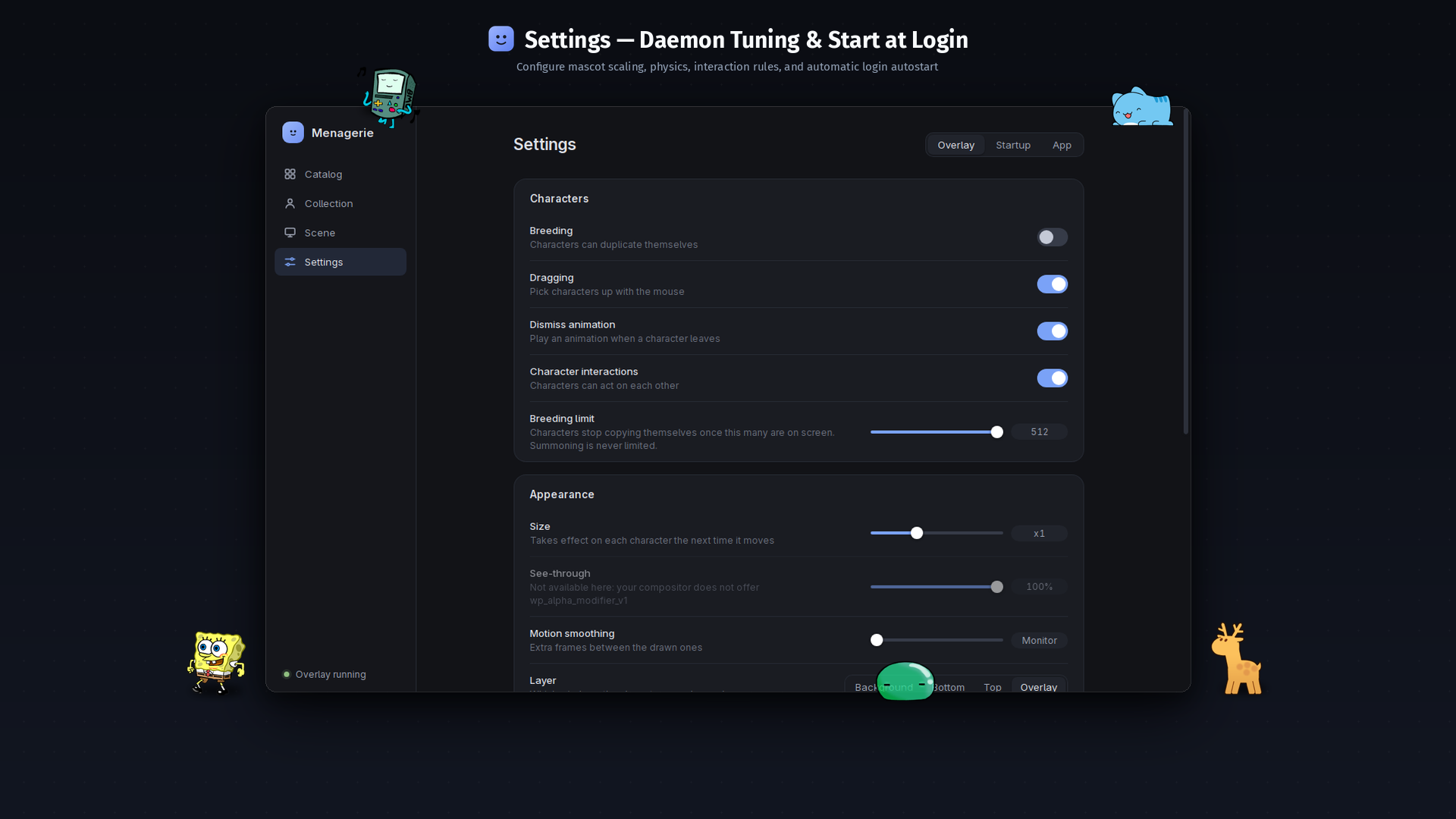 Automatic login autostart setup for niri, Hyprland, and KDE Plasma. Engine scale tuning, process monitoring, and instant crash recovery.
|
| Compositor | Support Status | Notes |
|---|---|---|
| niri | Full support (Tested) | Developed and tested daily on niri. Clean rendering with no surface clipping, automatic config integration (include "menagerie.kdl"), backup and validation. |
| KDE Plasma | Supported | Launch at login via XDG autostart entry; shortcuts configurable in System Settings. Mascots can walk on windows using the engine's KWin plugin. |
| Hyprland | Working with limitations (unsupported by engine) | Automatic config generation (source line). wl_shimeji officially lists Hyprland as unsupported due to compositor-side wl_subsurface clipping (mascot edges get cut off by window borders/panels). |
| GNOME | Unsupported (Does not work) | Mutter does not implement wlr-layer-shell. The app detects GNOME on startup and displays an informative notice. |
Note
Hyprland users: While mascots will spawn and move, wl_shimeji is officially unsupported on Hyprland because Hyprland clips subsurfaces differently. Mascots may appear sliced or cut off when crossing window borders or panels.
Details: Will it work on my system?.
- Start it from your application menu (
menageriein a terminal). Ifwl_shimejiis missing, a card tells you how to install it and provides a Check again button. - Catalog → pick a pack or a character → Install. Characters you already have are marked and never replaced without asking. Prefer a file? Drop a
.zipon the window. - Collection → click the circle in a card's corner to select (
Shiftfor a range,Ctrl+Afor all) → Summon. - Scene → Save as preset… to remember the crowd; the preset brings it back in one click.
- Settings → Startup → Turn on, so they are there when you log in.
Tip
Press Ctrl+K to open the command palette anywhere, or Ctrl+1…4 to switch tabs.
| What | Where |
|---|---|
| Characters (owned by the engine) | ~/.local/share/wl_shimeji/shimejis/ — movable from Settings → App |
| The app's data: favorites, presets, caches, the overlay's log | ~/.local/share/menagerie/ |
Downloaded .zip archives |
your Downloads folder — moved to the Trash after a successful install (switchable) |
XDG_DATA_HOME is honored. There is no telemetry: the app talks to the two catalogs and to nothing else.
| Document | Description |
|---|---|
| docs/install.md | Every way to install, the engine per distribution, compatibility, updating and removing |
| docs/troubleshooting.md | Nothing appears · the overlay crashed · blank window · settings that "do nothing" |
| docs/architecture.md | How it is built, and what was learned about the engine the hard way |
| docs/development.md | Setting up, testing, packaging and releasing |
| AGENTS.md | The same, condensed for AI coding agents |
| CHANGELOG.md | What changed, release by release |
Bug reports and patches are welcome — start with .github/CONTRIBUTING.md. If your desktop is not in the compatibility table, saying whether it worked is genuinely useful.
Menagerie is GPL-2.0 licensed.
- wl_shimeji by CluelessCatBurger — the engine, GPL-2.0. It runs as a separate program; nothing of it is linked into this app.
- Shimeji was created by Yuki Yamada of Group Finity; Shimeji-ee is the English branch whose default configuration files ship with this app.
- Character art belongs to whoever made it. The pictures above show characters from the two catalogs; none is stored in this repository — they are downloaded by you, when you ask for it.
Full details in docs/third-party.md.