





- 🚀 Introduction
- 🚀 Tech Stack
- 🔋 Features
- 🤸 Quick Start
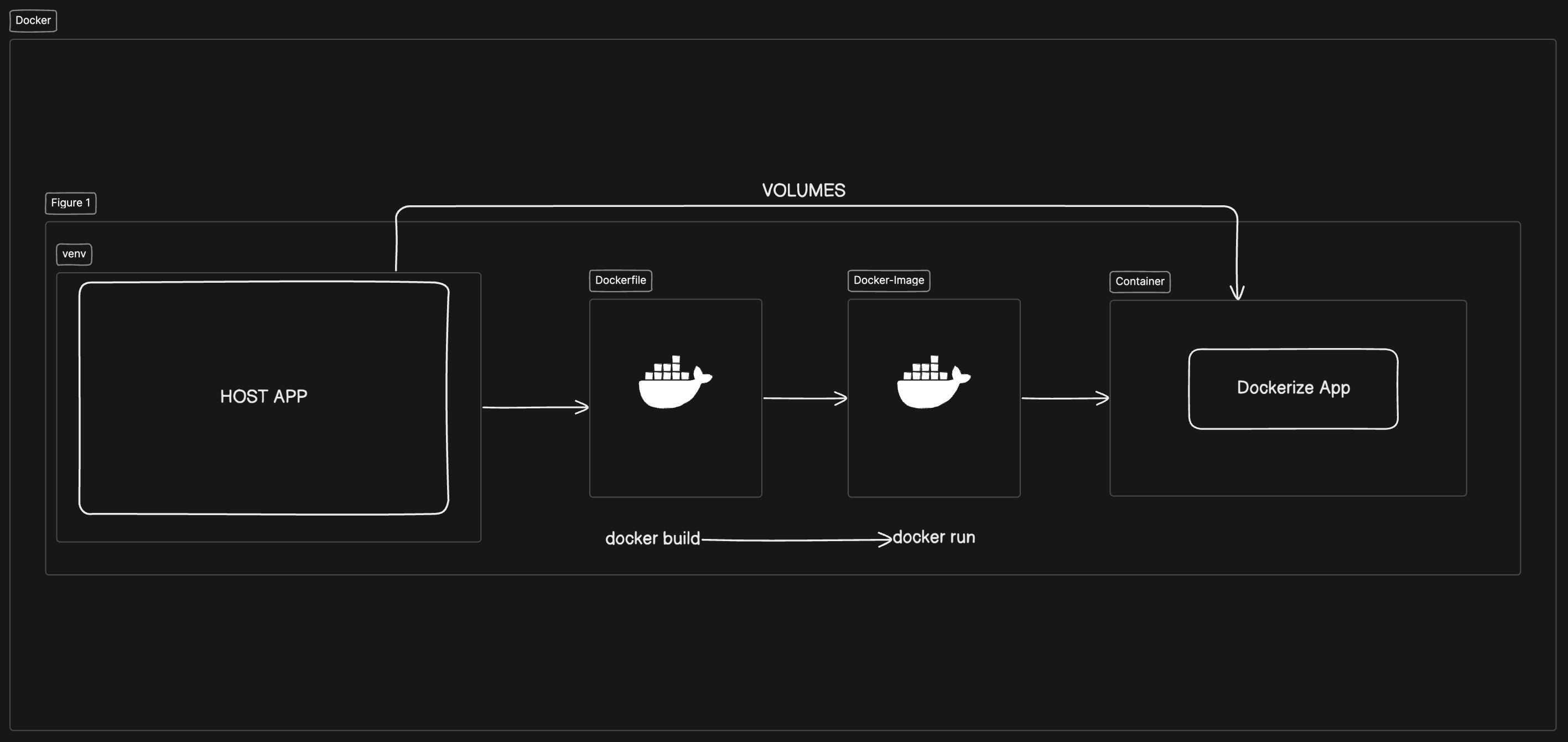
Dockerize Django project template
-
Docker
-
Python
-
Django
-
Postgres
-
Redis
-
Celery
-
Celery-beat
-
Flower
-
check requirements.txt for python packages
👉 Docker-Django: Docker Django docker compose with multiple serices
👉 Celery: Trigger tasks
👉 Celery-beat: Periodic tasks scheduler
👉 Flower: GUI for celery tasks
Follow these steps to set up the project locally on your machine.
Prerequisites
Make sure you have the following installed on your machine:
Cloning the Repository
git clone [email protected]:jkingz/Dockerize-django-app.git new_proj_name
cd new_proj_name
Installation
Install the project dependencies using pip:
pip install -r requirements.txt --no-cache-dirSet Up Environment Variables
- DJANGO_SUPERUSER_USERNAME=admin
- DJANGO_SUPERUSER_EMAIL=[email protected]
- DJANGO_SUPERUSER_PASSWORD=adminpassword
Running the Project
docker compose build
docker compose up -d

# down the container
docker compose down
Open http://localhost:8000 in your browser to view the project.