This is a playground of Gmail API tests
- Introduction
- Technology Used
- How to setup
- Preparation of config file
- How to execute the tests
- Test Report
- Test Scope
Gmail API provides a set of APIs which are being used by Gmail to perform varoius email operations. This framework has been developed to validate some it's functionalities with some basic use case scenarios.
At first clone the framework repository in your local. Run the below command to clone the repostory using Git Bash
$ git clone https://github.com/iamKrishnendu/GmailApi.git
Follow the steps to download and install Node.js into the system
- Download and installation guide available here
- Download and installation guide available here
- Installation guide for all supported OS available here
- A
.envfile needs to be created first along with the below details - This file needs to be put uder the
rootproject folder before execution - An example file is already provided within the project for reference. For a quickstart, just remove the
.exampleextension byrenamingit
USER_ID= <User Id goes here>
BASE_URI=https://gmail.googleapis.com
SERVICE=gmail
VERSION=v1
CLIENT_ID=<Client Id goes here>
CLIENT_SECRET=<Client Secret goes here>
REDIRECT_URI=https://developers.google.com/oauthplayground
REFRESH_TOKEN=<Refresh Token goes here>
TO_EMAIL=<To Email goes here>
FROM_EMAIL=<From email goes here. Usually same as USER_ID>
EAMIL_SUBJECT=<Email Subject goes here>
EMAIL_BODY=<Onliner body of Email goes here>To start the execution, follow the steps below.
- Open command prompt or terminal
- Navigate to project folder directory
- Run
npm installto install all required dependencies first - Run
npm run testcommand to start execution and generate test report
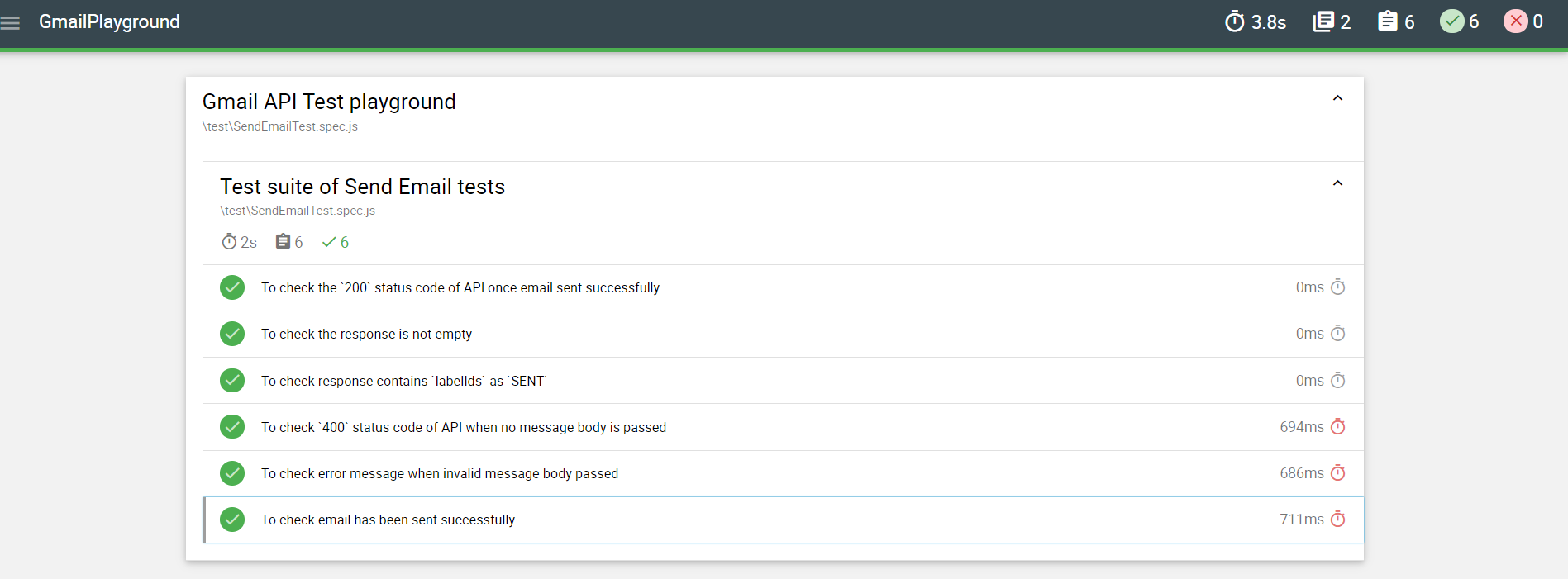
Once test execution is completed, a nice and clean report will generate automatically by mochawesome and a .html report can be found under ./mochawesome-report. One snapshot is attached for reference.
- Send Email
- Get email
- Send email with attachment