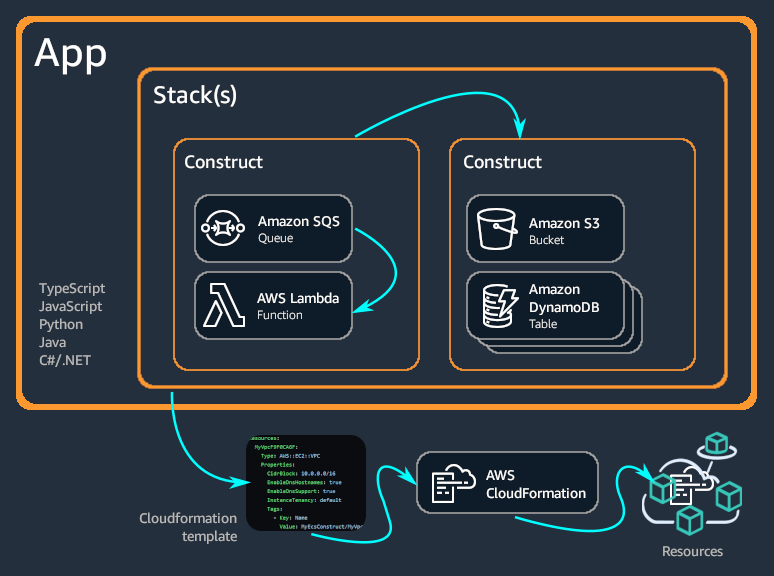
The following experiment aims to show some feature of Cloud Development Kit. Typescript is used for the example while CDK, at the date, also supports: Python, JavaScript, .NET and Java.
Deploy three EC2 within private subnets of a VPC, served by a ELB as shown below.

- Your fav IDE
- Node.js
- cdk
- AWS Account *(if you want to deploy your stack)
- aws-cli (configured with a role that allows to run CloudFormation stack and create resources)
Here you can find the start guide to CDK. In case you want to start from scratch, you have to initialize a new cdk project in your favourite directory, trhough:
cdk init --language typescript
Once you write your code following the CDK API Reference, you can generate your CloudFormation stack through a simple command:
npm run build
and then
cdk synth
In particular the last command will produce the CloudFormation JSON within ~/youp-roject/cdk.out/prjName.template.json
If you want to use all AZs within a region to create High Available and Fault Tolerant application, you have to specify Region and Account in bin/elb-ec2-monitoring.ts file. Here the example:
new ElbEc2MonitoringStack(app, 'ElbEc2MonitoringStack',{
    env:{
        region: "XXX", //example: eu-west-1
        account: "YYY",//Insert your account here, if you want a correct Subnet creation per each AZ in the region
    }
});npm run buildcompile typescript to jsnpm run watchwatch for changes and compilenpm run testperform the jest unit testscdk deploydeploy this stack to your default AWS account/regioncdk diffcompare deployed stack with current statecdk synthemits the synthesized CloudFormation template