

For the final project of University Course "Game Design" we had to assume the position of a game design studio and develop two games as an independent team.
Our studio was hired to develop these games for BRANT - Belief Revision Applied to Neurorehabilitation Therapy (02 / SAICT / 2017-030990). According to our client specifications we would have to develop a transmedia experience - a non-computer based portal (traditional game) and a computer based portal (digital game). The client required the use of the KAVE [Kinect Cave Automatic Virtual Environment] as hardware for the development of the digital game. For both the digital and traditional game, there were some game mechanics requirements related to Social Cognition. This consists of several skills that allow us to interact with other humans. These skills include social stimuli processing, drawing inferences about others’ mental states, and engaging in social interactions.
- 2 players (at least 12 years old)
- CAVE (cave automatic virtual environment)
- 5.1 Surround sound system

The CAVE and sound system must be set up and ready. After that it’s just a matter of running the executable file in the “Uncharted Kave Executable” directory named “UnchartedKave.exe”. Upon executing this file, an options screen pops up. These settings depend on the CAVE setup (resolution, …).
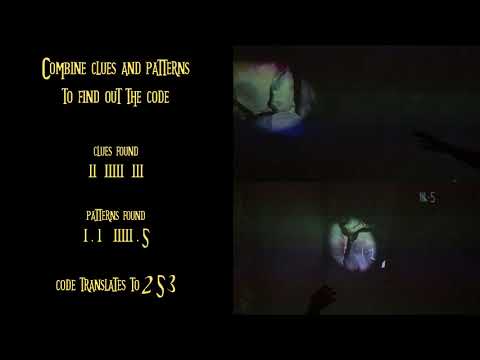
The game starts in an idle state until one or more players enter the CAVE room. After that, the main menu is shown as well as written instructions on how to play the game. At this point, players can read them and click a button underneath them to continue. After pressing continue, an instructions video is played to explain the game mechanics, its goal and how to achieve it. To start the game the continue button must be pressed again. Upon starting the game, the countdown starts and the first puzzle is presented to the players. Players must find clues and patterns in the walls to find out the puzzle’s solution code. This code must then be entered using a keypad on the right wall in order to unlock and open a door. After completing a puzzle, if there are still puzzles left to complete then a transition is played and the next puzzle presented, otherwise the victory world is presented. If the countdown gets to 0 before all puzzles are solved then the players lost the game and the defeat world is presented. Both the victory and defeat worlds allow players to play again. It’s important to note that both players must agree to play again as it’s a two-player game. If both agree, the main menu is presented.