POWER BI is a visualization tool developed by Microsoft, allowing businesses to analyze data from various sources and create reports to generate clear visualizations.
- Visit the website: https://en.wikipedia.org/wiki/World_population.
- Extract data related to the Estimated distribution of the world population by continent for the year 2022.
- Display continents with a population exceeding 1000.
- Generate a pie chart illustrating the population distribution by continent.
- Save and publish the report.
- Visit the website: https://www.scoop.com.tn/2068-consoles-et-jeux.
- Extract data relevant for reporting purposes and transform the data using Power Query.
- Apply the following transformations to the retrieved data:
- Rename the table.
- Remove obsolete columns.
- Rename columns.
- Rearrange columns.
- Add an "Index" column.
- Create a report consisting of two charts:
- A pie chart representing the percentage of available articles and those that are out of stock.
- A Treemap representing all articles.
- Save and publish the report.
- Generate a dashboard from the published report.
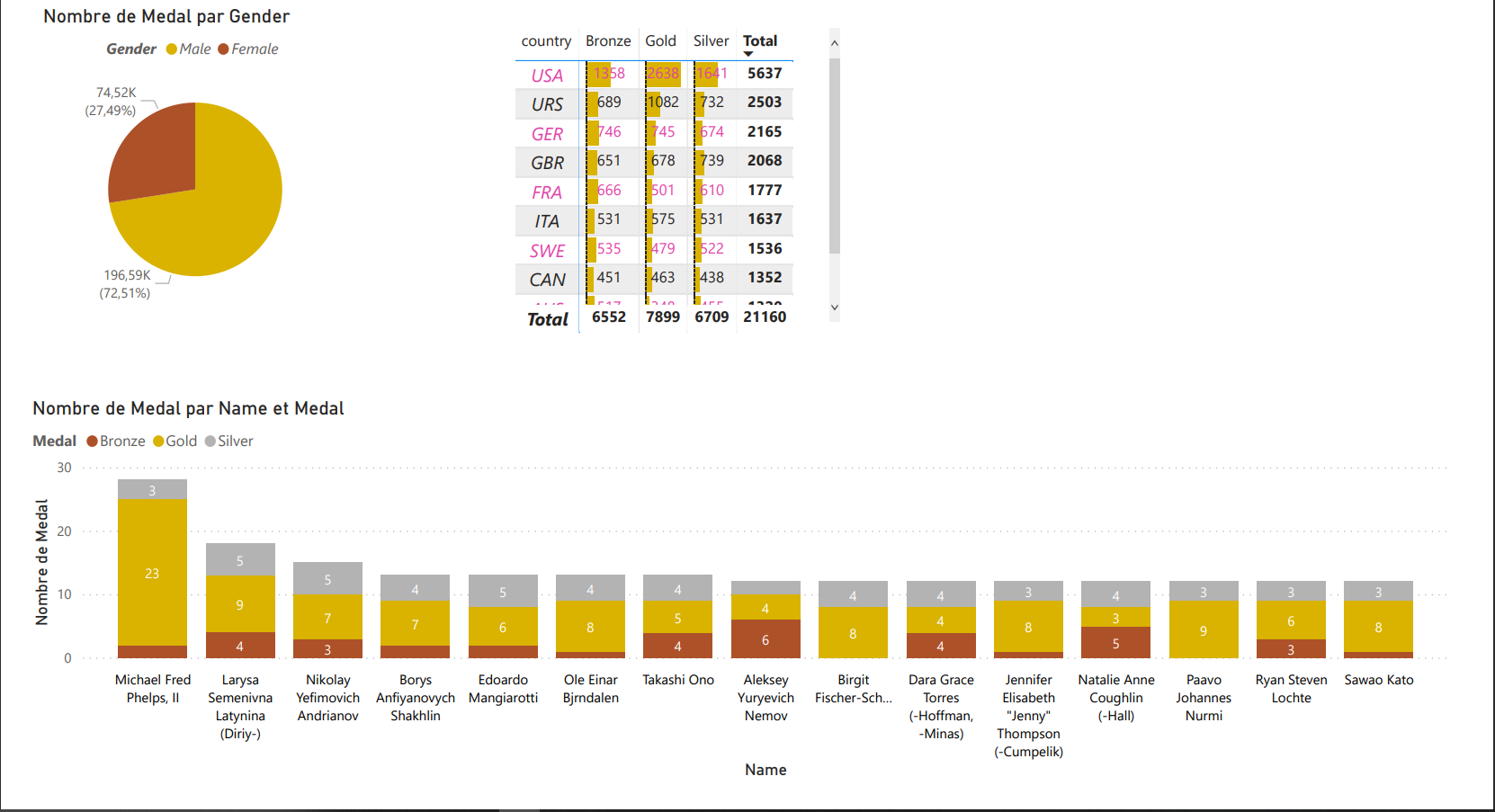
This README provides an overview of the Power BI projects, their objectives, and the steps involved in each project. Each project aims to showcase the capabilities of Power BI for data analysis and visualization.