



Read, write, and manage files and shares in Azure Files, Microsoft's fully managed cloud file storage, and act on files as they arrive on a share.
Azure Files offers fully managed file shares in the cloud, accessible via the industry-standard SMB and NFS protocols and a REST API.
The Azure Files connector offers APIs to connect to Azure Files and manage shares and the directories and files within them, covering uploads, downloads, copies, renames, byte ranges, snapshots, and SAS token generation. It also provides a polling Listener that turns files arriving on a share into service events.
- Share-scoped
Clientfor directory and file operations, transfers, copies, and byte ranges - Account-level
AdminClientfor creating, listing, deleting, and restoring shares - Polling
Listenerthat routes files arriving on a watched path to raw, typed, or streaming content handlers, with an optionalonErrorerror handler - Share snapshots
- Authentication with shared key, SAS tokens, connection strings, and Microsoft Entra ID
- GraalVM compatible for native image builds
To use the Azure Files connector, you must have an Azure subscription and an Azure storage account. If you do not have an Azure account, you can sign up for one here.
-
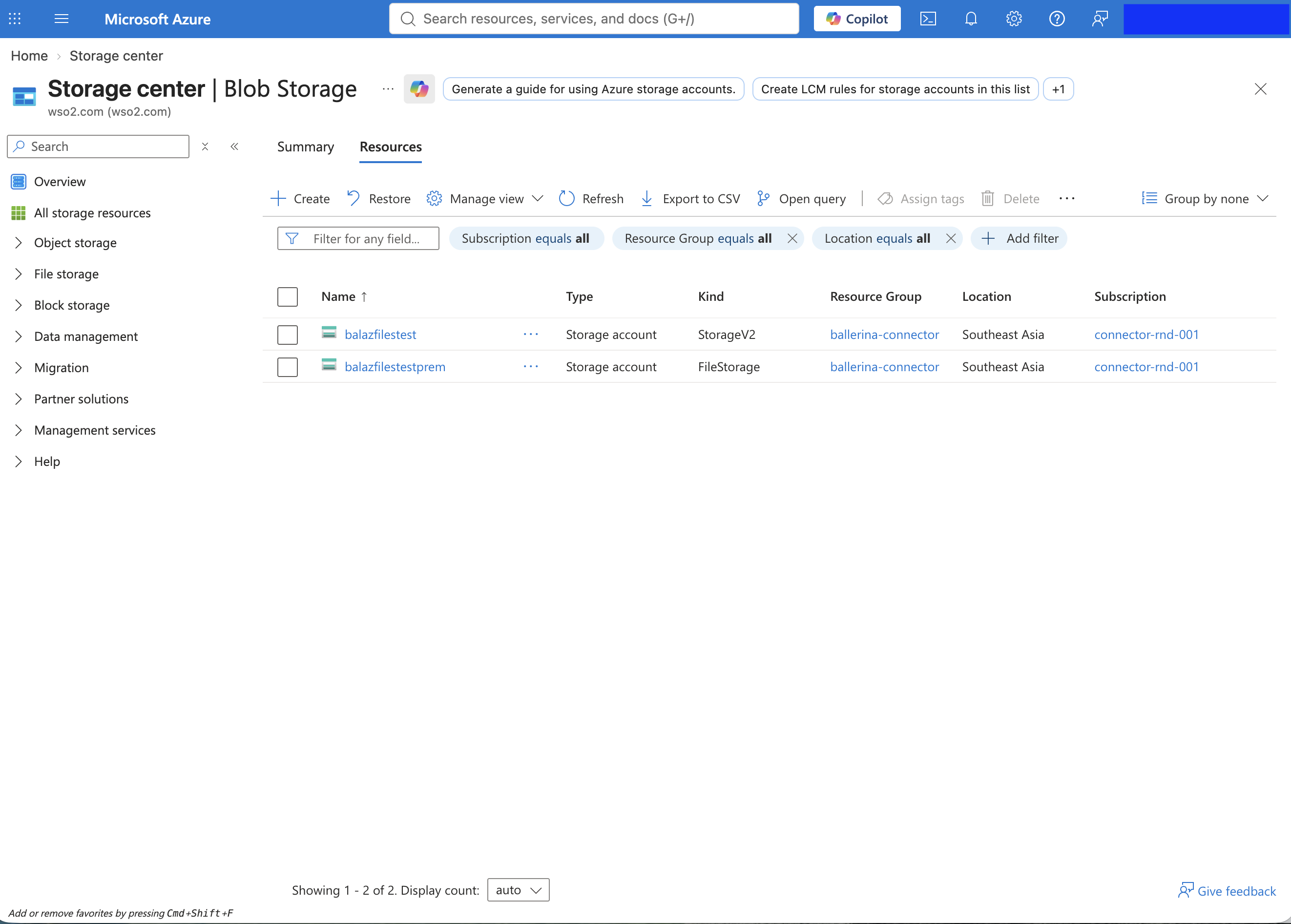
Sign in to the Azure portal, search for Storage accounts, and open it.
-
Click + Create.
-
On the Basics tab, provide the following:
Input Value Subscription and Resource group The subscription and group the account bills to. Storage account name A globally unique name. Region The region closest to your workload. Performance Standard is sufficient for SMB file shares; choose Premium with the File shares account type only for provisioned performance or NFS. 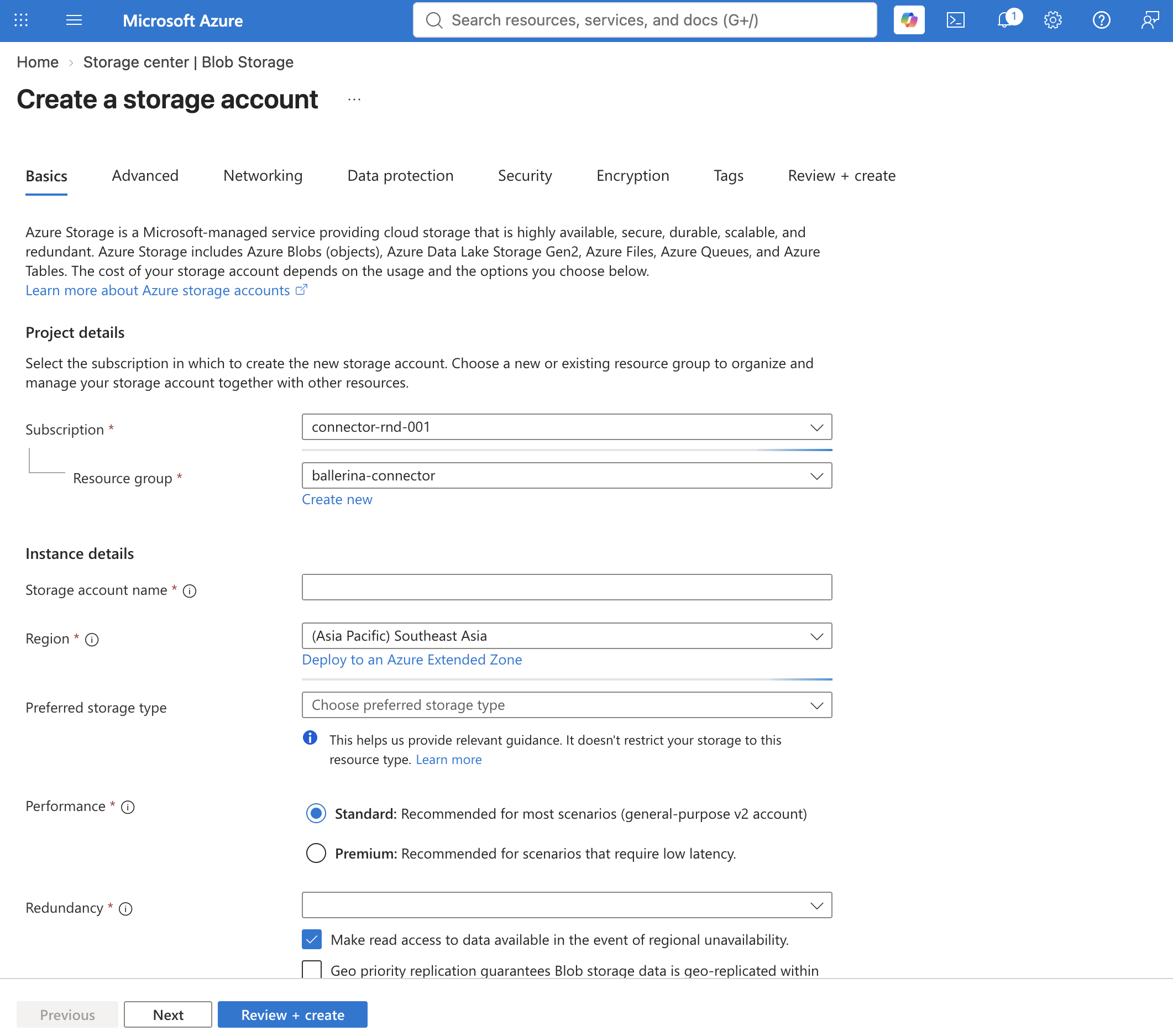
-
Click Review + create, then Create, and wait for the deployment to complete. For the full set of options, see the Azure documentation.
-
Open the deployed storage account and navigate to Data storage > File shares.
-
Click + File share, provide a name, and click Create. The share name is what you pass to the connector's
Clientat initialization.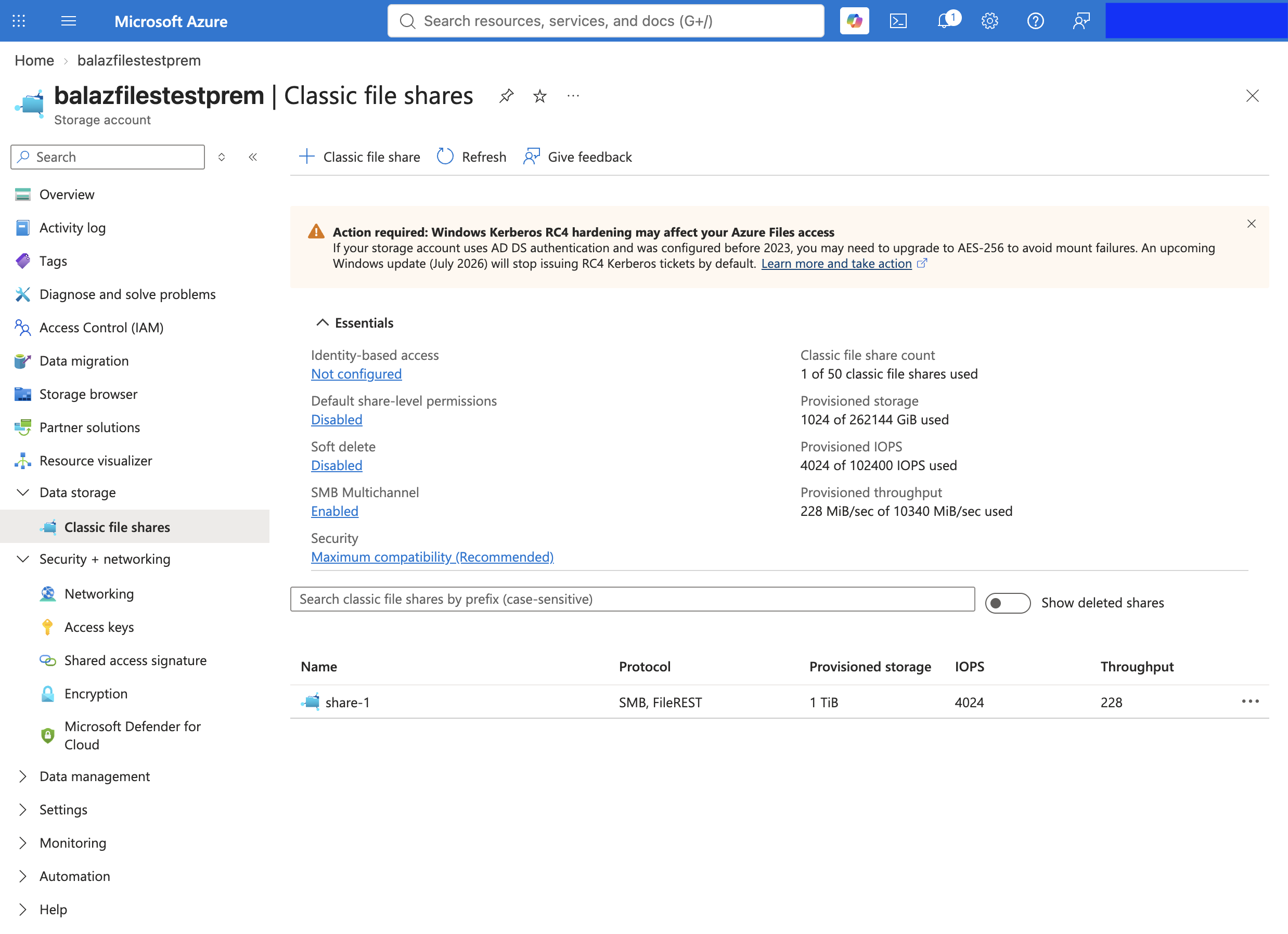
-
In the storage account, navigate to Security + networking > Access keys.
-
Click Show next to key1 and copy the following values:
Value Used as Storage account name accountNamekey1 Key accountKey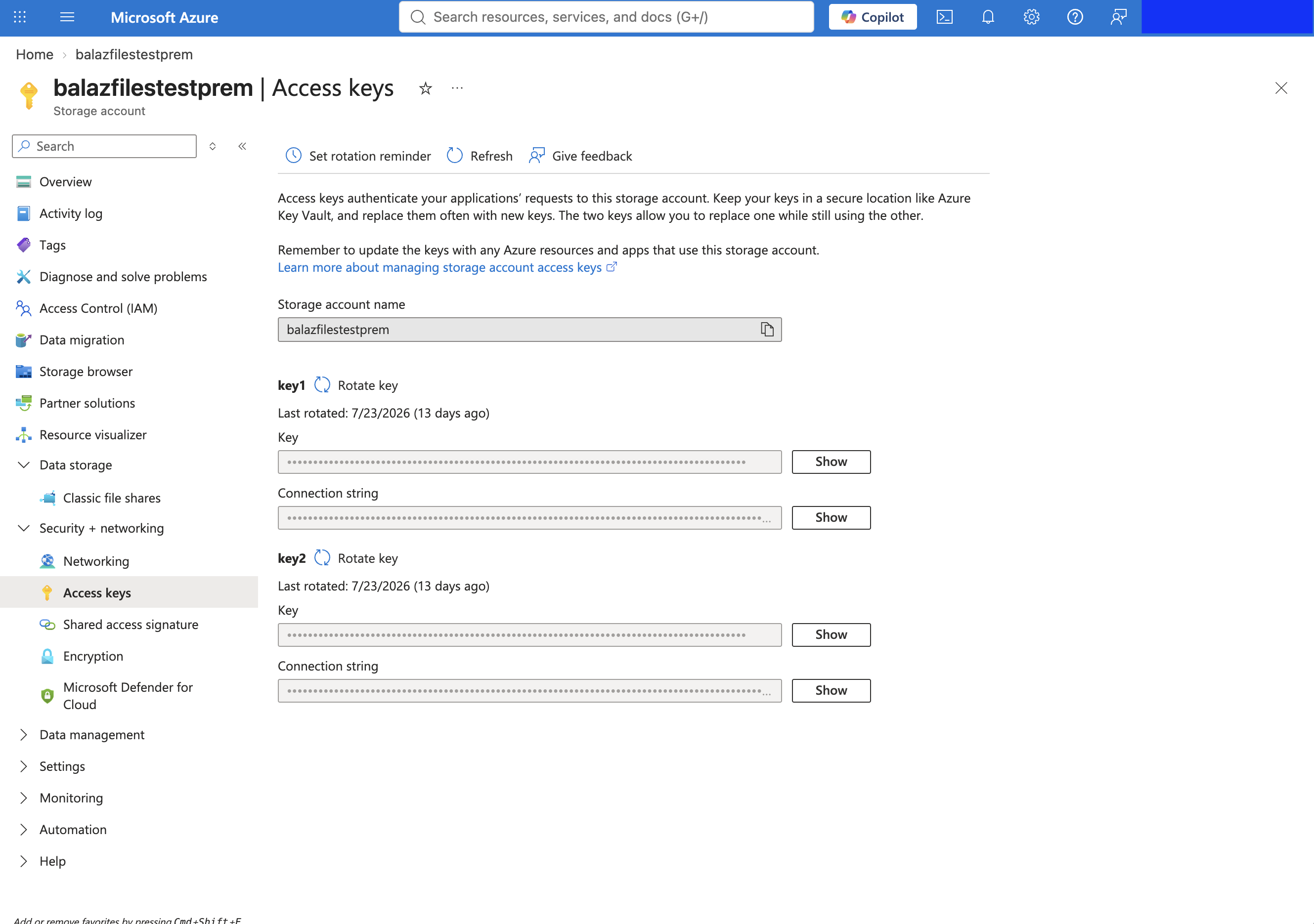
-
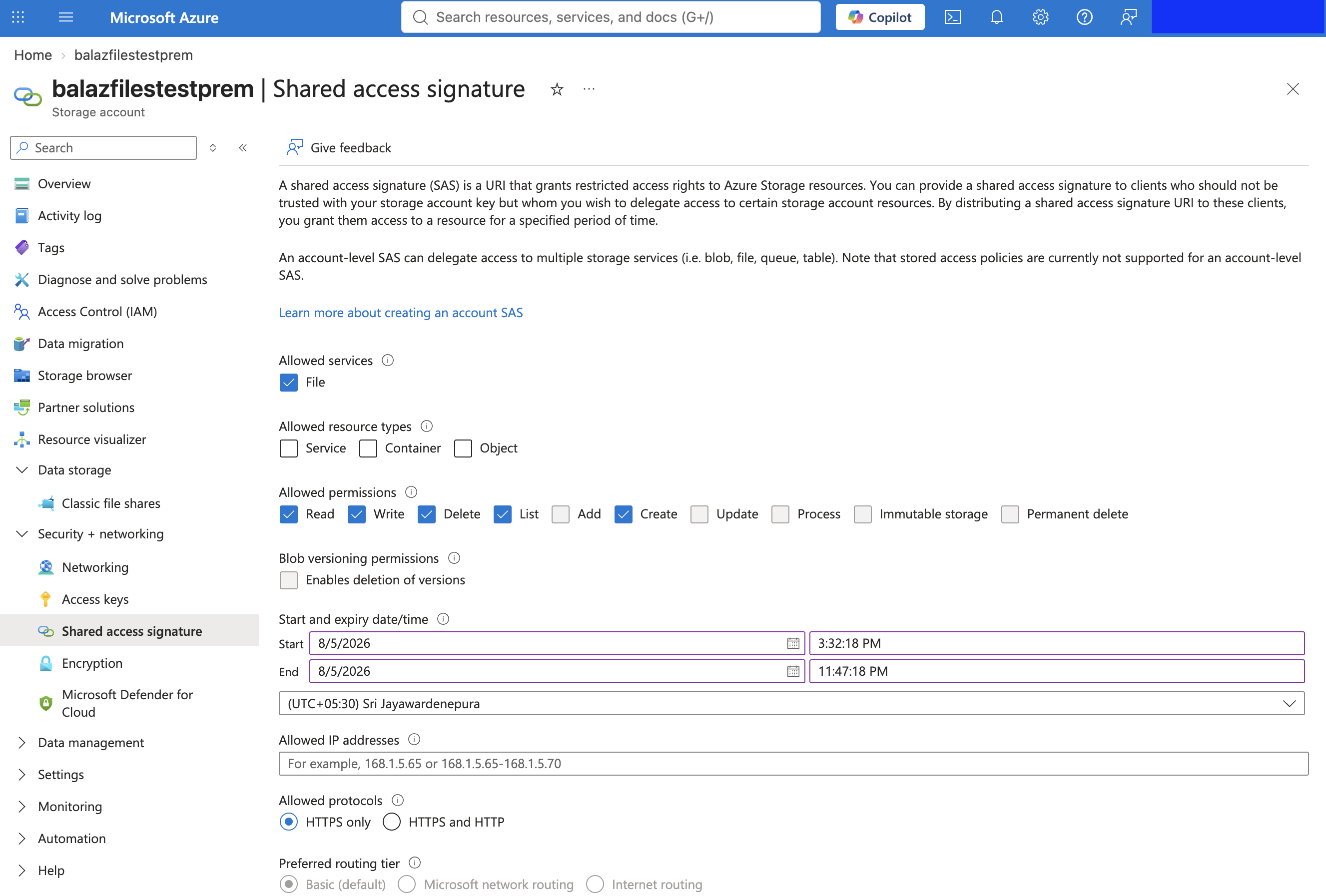
Optionally, use one of the other credentials the connector accepts: a SAS token or SAS URL (generated under Security + networking > Shared access signature), a connection string (shown alongside each access key), or Microsoft Entra ID credentials.
To use the azure.storage.files connector in your Ballerina application, modify the .bal file as follows:
import ballerinax/azure.storage.files;A Client is bound to a single file share. Provide the credentials through configurable variables:
configurable string accountName = ?;
configurable string accountKey = ?;

files:Client fileClient = check new ("reports", auth = {accountName, accountKey});Now, utilize the available connector operations.
The client is bound to a share, so create it first if it does not exist yet.
files:AdminClient admin = check new (auth = {accountName, accountKey});
check admin->createShare("reports");Paths are relative to the bound share, so /q1.pdf is at the share root. Azure does not create
parent directories, so create a directory before writing into one.
check fileClient->uploadFromFile("./local/q1.pdf", "/q1.pdf");files:FileProperties props = check fileClient->getFileProperties("/q1.pdf");Save the changes and run the Ballerina application using the following command.
bal runThe azure.storage.files connector provides practical examples illustrating usage in various scenarios. Explore these examples, covering use cases like backing up a folder to a share, handing out a time-limited file link, and processing files dropped into a share folder.
- File backup - Back up a local folder to a file share and restore a file from it.
- Share handout - Upload a report and generate a time-limited, read-only SAS URL to share with a third party.
- Drop folder processor - Watch a folder on a share with the listener and process each dropped file, deleting JSON files and moving the rest into a processed folder.
- Change tracker - Derive created, modified, and deleted events from a watched share with an application-kept eTag snapshot.
The Issues and Projects tabs are disabled for this repository as this is part of the Ballerina library. To report bugs, request new features, start new discussions, view project boards, etc., visit the Ballerina library parent repository.
This repository only contains the source code for the package.
-
Download and install Java SE Development Kit (JDK) version 25. You can download it from either of the following sources:
Note: After installation, remember to set the
JAVA_HOMEenvironment variable to the directory where JDK was installed. -
Download and install Ballerina Swan Lake.
-
Export Github Personal access token with read package permissions as follows,
export packageUser=<Username>
export packagePAT=<Personal access token>
Execute the commands below to build from the source.
-
To build the package:
./gradlew clean build
-
To run the tests:
./gradlew clean test -
To build the without the tests:
./gradlew clean build -x test -
To run the tests against different environments:
The suite runs against an in-process mock service by default and against a live Azure storage account when credentials are provided. See the Test Guide for details.
-
To debug package with a remote debugger:
./gradlew clean build -Pdebug=<port>
-
To debug with the Ballerina language:
./gradlew clean build -PbalJavaDebug=<port>
-
Publish the generated artifacts to the local Ballerina Central repository:
./gradlew clean build -PpublishToLocalCentral=true
-
Publish the generated artifacts to the Ballerina Central repository:
./gradlew clean build -PpublishToCentral=true
As an open-source project, Ballerina welcomes contributions from the community.
For more information, go to the contribution guidelines.
All the contributors are encouraged to read the Ballerina Code of Conduct.
- For more information go to the
azure.storage.filespackage. - For example demonstrations of the usage, go to Ballerina By Examples.
- Chat live with us via our Discord server.
- Post all technical questions on Stack Overflow with the #ballerina tag.