This template repository comes with register, log in, and log out views to get a jump start on building a Django project that requires user authentication.
It can generate login tokens for passwordless logins and password reset tokens.
It relies on Send Grid to send emails to users giving them registration or login credentials.
Extend or override the template files to customize.
Requires
- Pipenv
- Python3
- Sendgrid account and authenticated sender address with API key
Start by clicking the "Use this template" button in Github at https://github.com/astromitts/django-session-manager
Follow the Github instructions to get a new repository cloned on your machine.
On your command line, run:
Pipenv install
Pipenv shell
pip install -r requirements.txt
python mange.py migrate
python manage.py runserver
In your browser, go to 127.0.0.1:8000
You should be redirected to http://127.0.0.1:8000/login/ with a message stating that you must be logged in. To change the redirect route used by this function, see AUTHENTICATION_REQUIRED_REDIRECT under the Middleware section below.
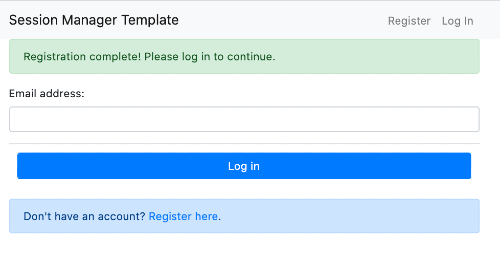
Start by clicking the "Register here" link.
Type in an email address and submit.
You should see a message indicating that an email has been sent to the address provided and a preview of what the email will look like.
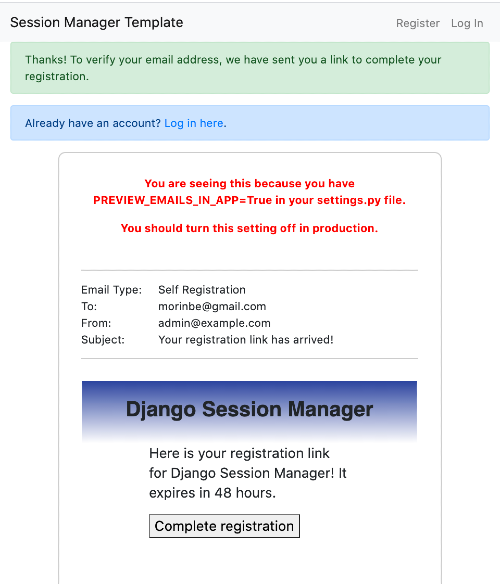
Note No emails are actually sent by default. This app requires you to create a sendgrid account with a valid API key for that to work. The purpose of the email preview is for ease of development and testing. See the SessionManagerEmailer details below for details.
Follow the link in the email preview to complete the registration process:
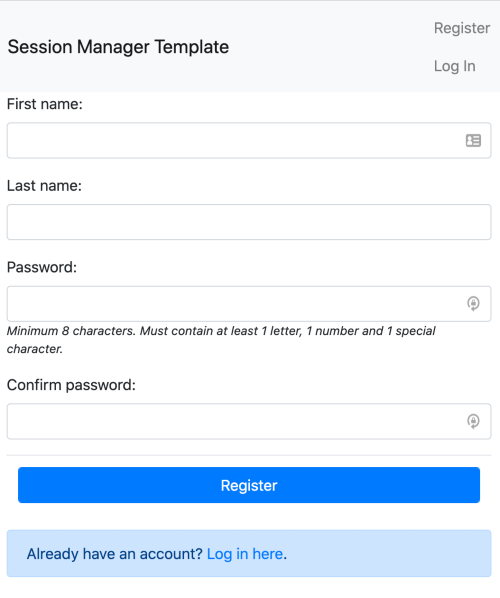
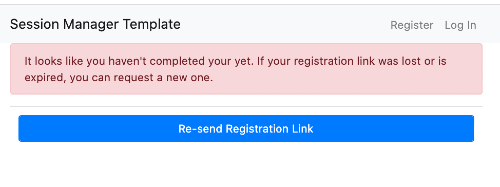
Note Registration and login links are set to expire in 48 hours by default. If a user fails to use their registration link before it expires, they will be prompted to resend it next time they attempt to register or login with the same email address:
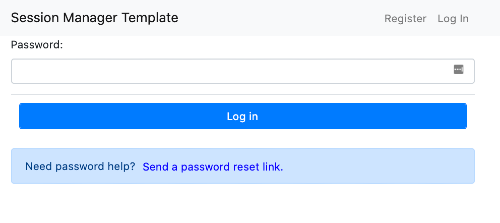
Once registered, a user can input their registered email address at /login/. The log in flow has two views - one prompting for an email address and the second prompting for a password:
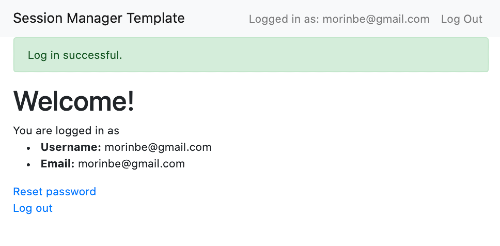
Logged in users can reset their password via the URL path 'session_manager_profile_reset_password'
Logged out users who need to reset a password can do so by clicking "Send a password reset link" button on the second login view. This works similarly to the registration link email.
The following app settings are located in session_manager.context_processors.py
APP_NAME (String) Display for your app name in email output and base templates
LOGIN_SUCCESS_REDIRECT (String) urls.py path name of the view to redirect users to after successful log in
DISPLAY_AUTH_SUCCESS_MESSAGES (Boolean) Personal preference here - if you want Django success messages added to templates on successful login (required for tests)
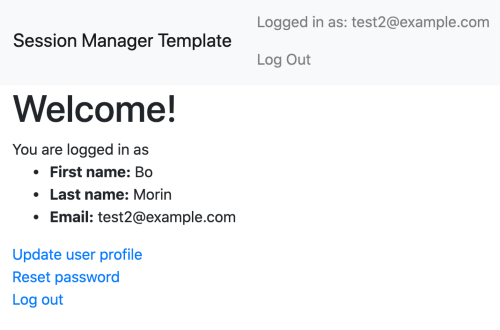
MAKE_USERNAME_EMAIL (Boolean) When True, a user's email address will be used as their username in the related Django User account. "Username" fields will be excluded from registration and profile forms.
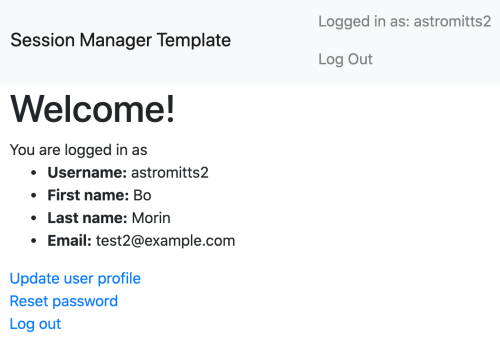
When False, users will be prompted to submit a separate username on registration and be able to change it in the user profile form later.
MAKE_USERNAME_EMAIL = True
MAKE_USERNAME_EMAIL = False
All view logic should be covered via tests.py, to run:
python manage.py test
Handler for sending emails via SendGrid.
LOG_EMAILS (Boolean) Turn on/off to log emails either in place of or along with sending actual emails.
SEND_EMAILS (Boolean) Turn on to enable sending emails via Send Grid
PREVIEW_EMAILS_IN_APP (Boolean) True by default! Turn off in production settings Triggers an email preview to be rendered in the browser window for login and registration link emails
EMAILS_FROM (String) The from email address for your app
SENDGRID_API_KEY (String) Valid API key for a verified sender in Send Grid
Session manager middleware handles redirecting unauthenticated users from accessing views that require authentication, as well as rendering an error page for 404s and uncaught exceptions to give a good UX.
MIDDLEWARE_DEBUG (Boolean) Set to True to bypass the middleware authentication/error handling
AUTHENTICATION_EXEMPT_VIEWS (List: Strings) List of urls.py path names that are exempt from middleware authentcation checks
DEFAULT_ERROR_TEMPLATE (String) Static path to the HTML template to use to display error messages to users. The following context is passed to it from the middleware function: status_code: Int, HTML status code of the error error_message: String, error message to display on page
AUTHENTICATION_REQUIRED_REDIRECT (String) urls.py path name of the view to redirect unauthenticated users to when they attempt to access a restricted page