A modern web application that generates beautiful, shareable cards showcasing your open source contributions on GitHub. Perfect for adding to your README files, portfolios, or social media.
- 🎨 Beautiful Card Generation - Creates stunning, dynamic contribution cards
- ⚡ Real-time Preview - See your card instantly as you type
- 🏢 Organization Filtering - Remove specific organizations from your contributions
- 📋 Multiple Export Formats - Copy as Markdown or direct URL
- ✨ Zero Configuration - Just enter your GitHub username
- 🚀 Fast & Responsive - Built with Next.js for optimal performance
- 🌙 Dark Theme - Modern, eye-catching GitHub-inspired design
- Framework: Next.js 14+ - React framework with App Router
- Language: TypeScript - Type-safe development
- Styling: Tailwind CSS - Utility-first CSS framework
- Icons & Effects: Custom CSS gradients and animations
- API: GitHub API integration for fetching user data
- Node.js 18+
- npm
- GitHub API access (for card generation)
-
Clone the repository
git clone git@github.com:anurag2787/OSS-Markdown.git cd OSS-Markdown -
Install dependencies
npm install
-
Set up environment variables (if needed for GitHub API)
cp .env.example .env # Edit .env with your GitHub token -
Start the development server
npm run dev
-
Open in browser Navigate to http://localhost:3000 to see the application
- Enter your GitHub username in the input field
- (Optional) Add organizations you want to exclude from the card
- Click "Generate" or press Enter
- See the real-time preview of your card
- Choose between Markdown or Direct URL format
- Copy the content to your clipboard
- Paste it in your README.md or anywhere you want to showcase your contributions
Markdown Format (Perfect for README files):
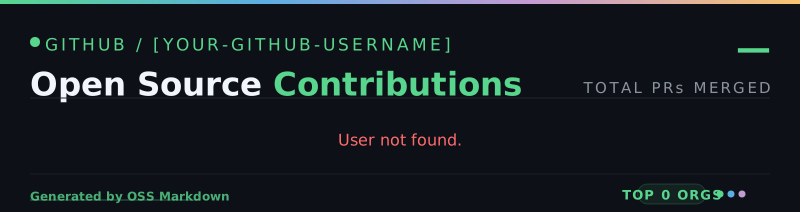Direct URL (For sharing or embedding):
https://ossmarkdown.vercel.app/api/card/[your-github-username]
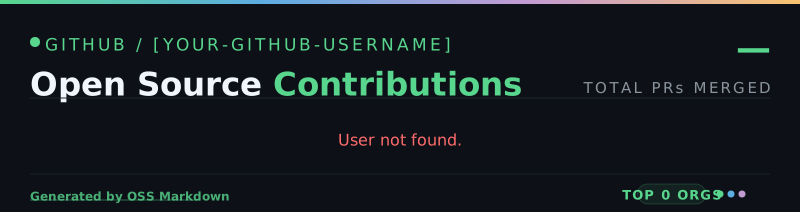
With Organization Filtering (Remove specific orgs):
OSS-Markdown/
├── app/
│   ├── api/
│   │   ├── card/
│   │   │   └── [username]/
│   │   │       └── route.tsx          # Card generation endpoint
│   │   └── github/
│   │       └── [username]/
│   │           └── route.ts           # GitHub data fetching
│   ├── fonts/                         # Custom font files
│   ├── page.tsx                       # Main UI component
│   ├── layout.tsx                     # Root layout
│   └── globals.css                    # Global styles
├── lib/
│   └── github.ts                      # GitHub API utilities
├── package.json                       # Project dependencies
├── tsconfig.json                      # TypeScript configuration
├── tailwind.config.ts                 # Tailwind CSS configuration
└── next.config.mjs                    # Next.js configuration
GET /api/card/[username]?remove=[organizations]
Parameters:
username(required): GitHub usernameremove(optional): Comma-separated list of organizations to exclude
Response: SVG or HTML card image
GET /api/github/[username]
Parameters:
username(required): GitHub username
Response: User contribution data in JSON format
- Colors and themes can be modified in app/page.tsx
- Tailwind configuration in tailwind.config.ts
- Edit the card generation logic in app/api/card/[username]/route.tsx
- User Input: User enters their GitHub username and optional organization filters
- API Call: Frontend calls
/api/github/[username]to fetch contribution data - Card Generation: Backend processes the data and calls
/api/card/[username]to generate the card - Display: Card is rendered as an image in the preview
- Export: Users can copy the markdown or direct URL to use anywhere
- GitHub API calls are rate-limited
- No personal data is stored on the server
- All user data is fetched from GitHub's public API
- HTTPS recommended for production deployment
Contributions are welcome! Here's how to contribute:
- Fork the repository
- Create a feature branch:
git checkout -b feature/amazing-feature - Commit your changes:
git commit -m 'Add amazing feature' - Push to the branch:
git push origin feature/amazing-feature - Open a Pull Request
This project is open source and available under the MIT License.
- Check if the GitHub username is correct
- Ensure you're not hitting GitHub API rate limits
- Verify network connectivity
- Check browser permissions for clipboard access
- Try a different browser
- Ensure JavaScript is enabled
- Clear
.nextfolder:rm -rf .next - Reinstall dependencies:
rm -rf node_modules && npm install - Check Node.js version compatibility
For issues, feature requests, or questions:
- Open an Issue
- Check existing issues for solutions
- Provide detailed information about your problem
If you find this project helpful, please give it a star! Your support means a lot.
Built with ❤️ for the open source community