A professional Spotify display interface designed for car LCD screens. Features real-time track information, album artwork, and seamless integration with your vehicle's display system.


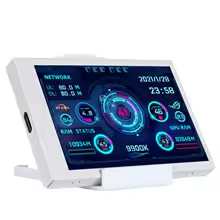
- Real-time Track Display: Shows current song, artist, album, and progress
- Album Artwork: Downloads and displays high-quality album covers
- Professional Interface: Spotify-inspired design with smooth animations
- Smart Loading States: Professional loading screens and error handling
- Automatic Rotation: Landscape interface optimized for portrait displays
- Robust Error Recovery: Automatic reconnection and state management
- Memory Efficient: Intelligent caching system for artwork and fonts
Real-time track display with album artwork and progress Professional loading screens and error states Clean, Spotify-inspired interface design
- Display: Turing Smart Screen LCD (Rev A, Rev B, or compatible)
- Connection: USB port for display communication
- System: Windows, macOS, or Linux with Python 3.7+
- Spotify: Premium account with active Spotify application
- Python: 3.7 or higher
- Internet: For Spotify API and album artwork downloads
# Clone or download the project
git clone https://github.com/URGG/SPOTIFY_DESK_THING
cd SPOTIFYLCD/src

# Install dependencies
pip install -r requirements.txt# Run the Spotify client setup (first time only)
python spotify_client.pyFollow the authentication prompts to connect your Spotify account.
- Connect your Turing Smart Screen LCD via USB
- Ensure drivers are installed and device is recognized
- Place the
turing-smart-screen-python-mainlibrary in the project folder
python spotify_car_display.pyThe display will show:
- ✅ startup sequence
- 🎵 Current playing track (if any)
- ⏸️ Idle screen when no music is playing
- 🔄 Automatic updates as music changes
Press Ctrl+C at any time for a graceful shutdown.
spotify-car-display/
├── spotify_car_display.py          # Main application
├── spotify_client.py               # Spotify API client (required)
├── requirements.txt                # Python dependencies
├── README.md                       # This file
├── LICENSE                         # MIT license
├── turing-smart-screen-python-main/ # LCD library (download separately)
└── logs/
    └── spotify_car_display.log     # Application logs
The application includes a DisplayConfig class for easy customization:
@dataclass
class DisplayConfig:
    # Display dimensions
    logical_width: int = 480      # Design width (landscape)
    logical_height: int = 320     # Design height (landscape)

    # Layout settings
    album_art_size: int = 180     # Album artwork size
    margin: int = 20              # Screen margins

    # Font sizes
    title_font_size: int = 24     # Track title
    artist_font_size: int = 18    # Artist name
    album_font_size: int = 16     # Album name

    # Update settings
update_interval: float = 1.0 # Seconds between updatesProfessional Spotify-inspired color palette:
- Background:
#121212(Dark gray) - Primary Text:
#FFFFFF(White) - Secondary Text:
#B3B3B3(Light gray) - Spotify Green:
#1ED760(Brand accent) - Progress Background:
#535353(Medium gray)
- Professional startup sequence
- Real-time connection status
- Animated loading indicators
- Error recovery screens
- Smart album artwork caching
- Font caching system
- Automatic cache cleanup
- Memory-efficient image processing
- Automatic retry mechanisms
- Connection failure recovery
- Graceful degradation
- Comprehensive logging
- Album artwork (180x180px)
- Track title, artist, and album
- Real-time progress bar with timestamps
- Play/pause state indicator
- Spotify branding
- "No music playing" message
- Instructions to start Spotify
- Subtle Spotify branding
- Low-power display state
- Spotify logo with animations
- Connection status messages
- Progress indicators
- Professional error screens
- Check USB connection to LCD
- Verify LCD drivers are installed
- Ensure
turing-smart-screen-python-mainlibrary is present forked from https://github.com/mathoudebine/turing-smart-screen-python - Try different USB ports
- Ensure Spotify Premium account
- Verify Spotify application is running
- Check authentication status
- Confirm internet connection
- Check system resources
- Reduce update frequency in config
- Clear album art cache
- Restart the application
The application creates detailed logs in spotify_car_display.log:
- Startup and shutdown events
- Track changes and progress updates
- Error conditions and recovery
- Performance metrics
- Debug information
Log levels:
INFO: Normal operation eventsWARNING: Non-critical issuesERROR: Error conditionsDEBUG: Detailed diagnostic info
Contributions are welcome! Please:
- Fork the repository
- Create a feature branch
- Make your changes
- Add tests if applicable
- Submit a pull request
# Install development dependencies
pip install -r requirements.txt

# Run code formatting
black spotify_car_display.py

# Run linting
pylint spotify_car_display.py

# Run type checking
mypy spotify_car_display.pyThis project is licensed under the MIT License - see the LICENSE file for details.
- Spotify: For the excellent Web API and design inspiration
- Turing Smart Screen: For the LCD display hardware
- Python Imaging Library (Pillow): For image processing capabilities
- Requests Library: For HTTP communication