
Flock is an event app that makes planning easy!
Find your friends and keep tasks organized for any kind of get together.
Flock's purpose is to lessen the burden of trying to organize trips and outings with friends. Sometimes it can be nerve racking trying to make sure events go as planned and that everyone in the group is well informed. No matter how big or small the event may be, our app will allow users the opportunity to build an event that is well detailed and accessible.
-
The user will be able to create an account and post events.
-
The user can search and add other users to their friend list.
-
The user can post two types of events:
- Stationary events
- On the fly events
-
Stationary events:
- Require a general location, a description, event time, tracking time frame, attendees, and tasks.
- Provide attendees the opportunity to assign themselves a task and view a map of the events radius and other attendees locations.
-
On the fly events:
- Require a general location, event time, tracking time frame, and attendees.
- Designate a group leader and the radius will be based on their location or the location of the main cluster.
-
The user will be notified when an event's tracking period will begin and will be able to opt out of this feature.


After creating the event, the user can view the details of the event they just made in a new page. This page contains a small map view with the event location displayed on it, as well as the event's address, the date of the event, and the time in which the app will begin tracking attendees' locations throughout the course of the event. Beneath this map, the user can also see a tableView which contains the profile picture, name, and task of all guests.
If the user clicks on the map, they will get taken to a full-sized map displaying the event location as well as the locations of all attendees, which update live. The user can also see each person's task.

Clicking on a person in the tableView will take the user to a map that solely displays the location of that guest.


The user can click on the Friends tab to view their friends list. This is a tableView containing the profile pictures and names of all users in the app, with the user's friends being prioritized at the top. The user may add or reject people by clicking the buttons on the righthand side, and clicking on a person takes the user to a view containing more information on the user. Blocking users is also possible.

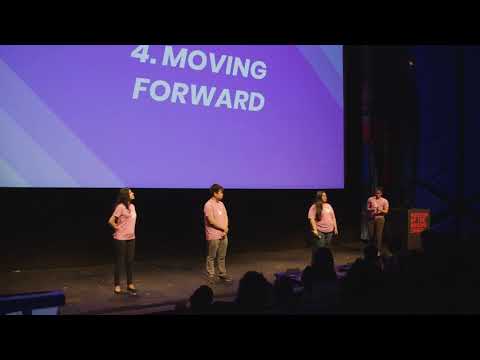
Please click the image if you would like to see Flock's presentation at Pursuit's 5.3 Capstone Demo day.
Stephanie Ramirez - Team Lead
Biron Su - Project Lead
Nathalie Messier - Tech Lead
Yaz Burrell - Design Lead
- iOS 8.0+ / Mac OS X 10.11+ / tvOS 9.0+
- Xcode 9.0+
- Swift 4.0+
This project is licensed under the MIT License - see the LICENSE file for details