This clientside only mod adds molecule drawings for organic molecules from GregTech CEu and its addons and modpacks in tooltips.
| Color | Polyethylene | Polybenzimidazole | Chloroform |
|---|---|---|---|
| None | 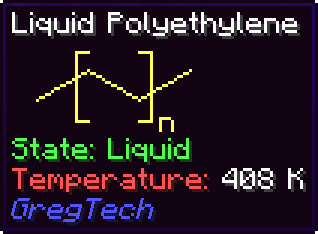 |
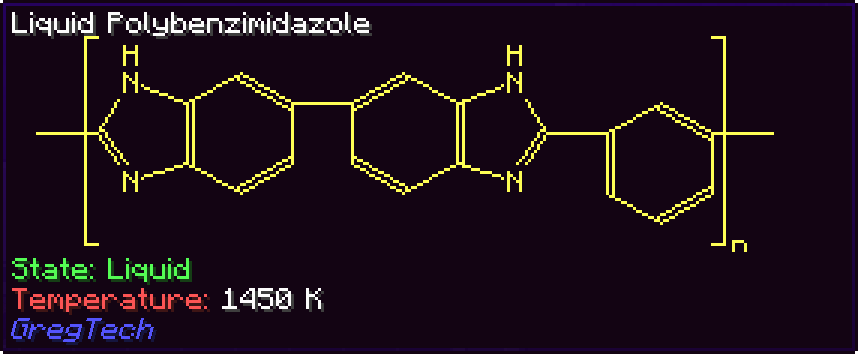 |
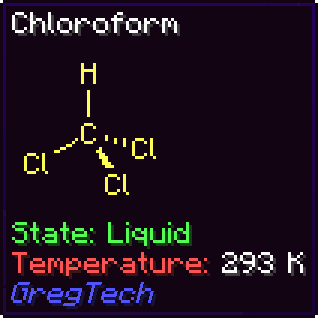 |
| CPK | |
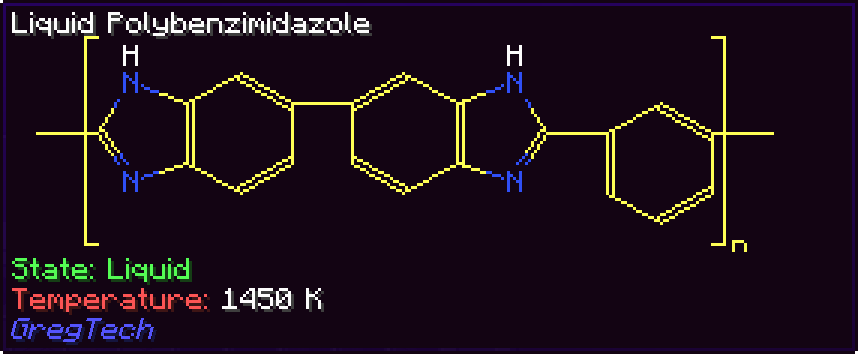 |
 |
| Material | |
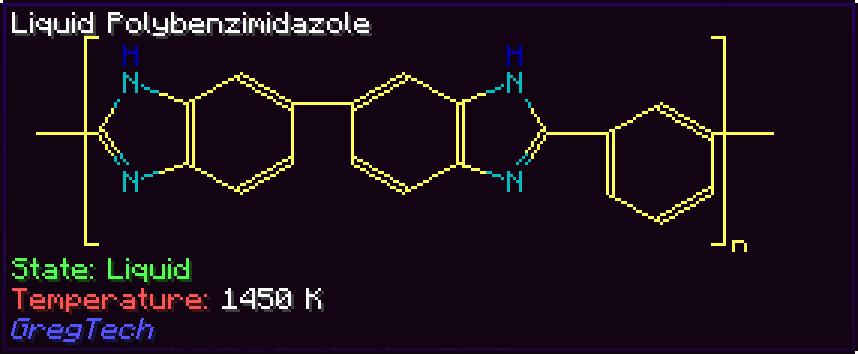 |
 |
| Mode | HSS-E |
|---|---|
| By mass | 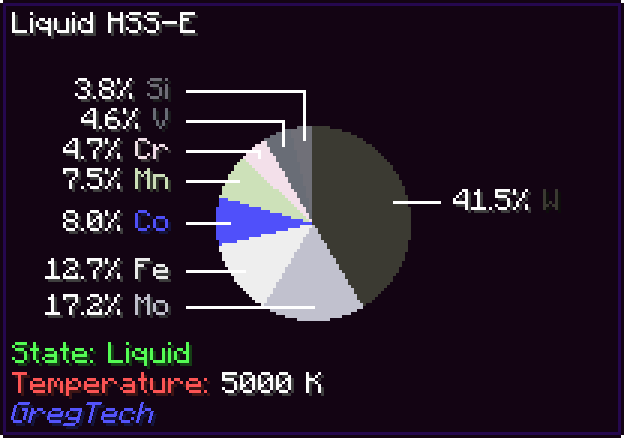 |
| Not recursive | 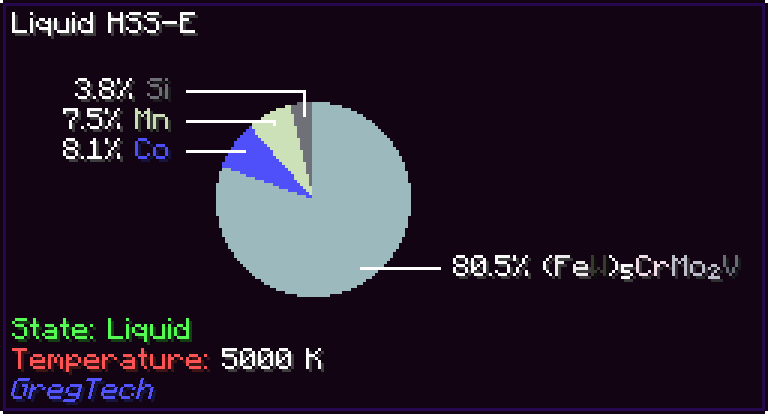 |
| By count | 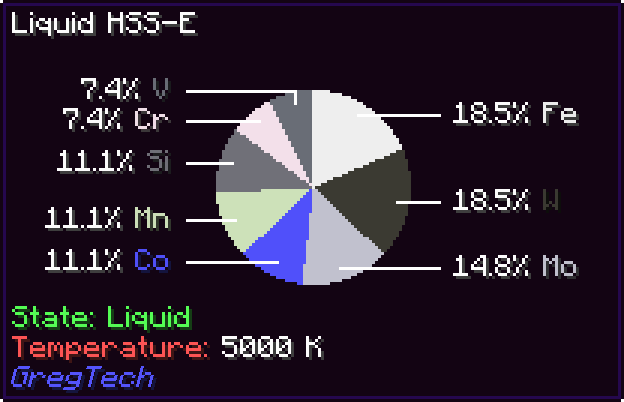 |
MolDraw comes out of the box with support for not only most of the organic materials and alloys from base GTCEu, but also a bunch of addons and modpacks. The currently supported extensions are:
- Monifactory
- Star Technology
- Cosmic Frontiers
- Phoenix Forge Technologies
- TerraFirmaGreg
- GT--
- GregTech Community Additions
- Gregicality Rocketry
Probably the coolest thing I've ever seen anyone do with tooltips.
My daily reminder that basically all organic chemistry is benzene with bits sticking out.
The only thing I have to say is that it's peak.
Now I can appreciate how complex the polymers I'm building are.
This was already so cool and colors made it even better!
I should be allowed to give Michelin stars to Gregtech add-ons because Madeline is cooking things right.
Incredibly useless, and yet incredibly cool!
Molecules are stored in resource packs under assets/<namespace>/molecules/<compound>.json, corresponding to the GT material with ID <namespace>:<compound>.
Molecules follow this schema:
// ARGB color or RGB hex string, which will always be used, or an object with the same and a specification of whether it's disableable by config
type ElementColor = number | string | {
  color: number | string;
  optional: boolean;
};

// Just a symbol, which can be used for normal atoms, or an object specifying a symbol, whether it's invisible, and the color
type Element = string | {
  symbol: string;
  invisible?: boolean; // New invisible elements that are intended to have different colors will still need a different symbol than the empty string; it will not be shown either way
  color?: ElementColor;
  material?: string; // The ID of the GregTech material associated with this element, used for the color by material setting.
};

// Amount of atoms defaults to 1
type CountedElement = string | [string, number];

interface AtomCommon {
  type: 'atom';
  index: number; // The identifier used for referring to this atom
  element?: CountedElement; // The main element of the atom, not present if the atom should be an invisible carbon
  above?: CountedElement; // An element to show above the main one
  right?: CountedElement; // etc
  below?: CountedElement;
  left?: CountedElement;
  spin_group?: number; // Atoms with the same group spin at the same rate, if it's a valid index in the molecule's spin property
}

// An atom can either specify X and Y coordinates...
interface AtomXY extends AtomCommon {
  x: number;
  y: number;
}

// or U and V coordinates, which are unit vectors tilted 30 degrees respectively anticlockwise and clockwise from the positive X semiaxis...
interface AtomUV extends AtomCommon {
  u: number;
  v: number;
}

// or the full 3D X, Y and Z coordinates.
interface AtomXYZ extends AtomCommon {
  x: number;
  y: number;
  z: number;
}

// Inward and outward bonds grow in size towards the second atom.
type Line = 'solid' | 'dotted' | 'inward' | 'outward' | 'thick';

interface Bond {
  type: 'bond';
  a: number; // The first atom of the bond
  b: number; // The second atom of the bond
  centered?: boolean // True if the lines can be offset by half an unit to center them
  lines: Line[];
}

// Parens are square brackets around certain atoms that show subscripts and/or superscripts.
interface Parens {
  type: 'parens';
  sup?: string; // Superscript text
  sub?: string; // Subscript text
  atoms: number[]; // List of atoms that are to be surrounded
}

// A circle drawn inside a cycle of atoms; automatically centered to their centroid.
interface CircleCommon {
  type: 'circle';
  atoms: number[];
}

// An axis-aligned circle scaled by x and y.
interface CircleXY extends CircleCommon {
  x: number;
  y: number;
}

// A linear trasformation applied to the unit circle.
interface CircleMatrix extends CircleCommon {
  a00: number;
  a01: number;
  a10: number;
  a11: number;
}

type SpinSpec
  = boolean // Enable spinning with the default speed
  | number // Enable spinning and set a speed
  | number[]; // Set speeds for multiple groups

type MoleculeElement = AtomXY | AtomUV | AtomXYZ | Bond | Parens | CircleXY | CircleMatrix;

// A molecule JSON file is of type Molecule.
interface Molecule {
  contents: MoleculeElement[];
  spin?: SpinSpec;
}
An atom's position can either be stored as a pair of x and y coordinates or a pair of u and v coordinates, which are the unit vectors tilted 30 degrees respectively anticlockwise and clockwise from the positive horizontal semiaxis. Most often, encoding positions with u and v is easier since organic compounds' skeletal diagrams follow a hexagonal grid as much as possible.
For example, this is the encoding of benzene:
{
  "contents": [
    {
      "type": "atom",
      "index": 0,
      "u": 0.0,
      "v": 0.0
    },
    {
      "type": "atom",
      "index": 1,
      "u": -1.0,
      "v": 1.0
    },
    {
      "type": "atom",
      "index": 2,
      "u": -1.0,
      "v": 2.0
    },
    {
      "type": "atom",
      "index": 3,
      "u": 0.0,
      "v": 2.0
    },
    {
      "type": "atom",
      "index": 4,
      "u": 1.0,
      "v": 1.0
    },
    {
      "type": "atom",
      "index": 5,
      "u": 1.0,
      "v": 0.0
    },
    {
      "type": "bond",
      "a": 0,
      "b": 1
    },
    {
      "type": "bond",
      "a": 1,
      "b": 2,
      "lines": ["solid", "solid"]
    },
    {
      "type": "bond",
      "a": 2,
      "b": 3
    },
    {
      "type": "bond",
      "a": 3,
      "b": 4,
      "lines": ["solid", "solid"]
    },
    {
      "type": "bond",
      "a": 4,
      "b": 5
    },
    {
      "type": "bond",
      "a": 5,
      "b": 0,
      "lines": ["solid", "solid"]
    }
  ]
}Similarly, alloys are stored in resource packs under assets/<namespace>/alloys/<compound>.json, corresponding to the GT material with ID <namespace>:<compound>.
In the simplest case, a material just needs to be marked as being an alloy, and then its composition can be computed automatically via GregTech's material composition system. In that case, just put the following file in the correct place:
{
  "derive": true
}
If you want to specify components manually, such as to indicate impurities not present in the material composition, alloys follow this simple schema:
// A material ID and an integer amount, which defaults to 1
type Datum = string | [string, number];

// An alloy JSON file is of type Alloy
interface Alloy {
  components: Datum[];
}