
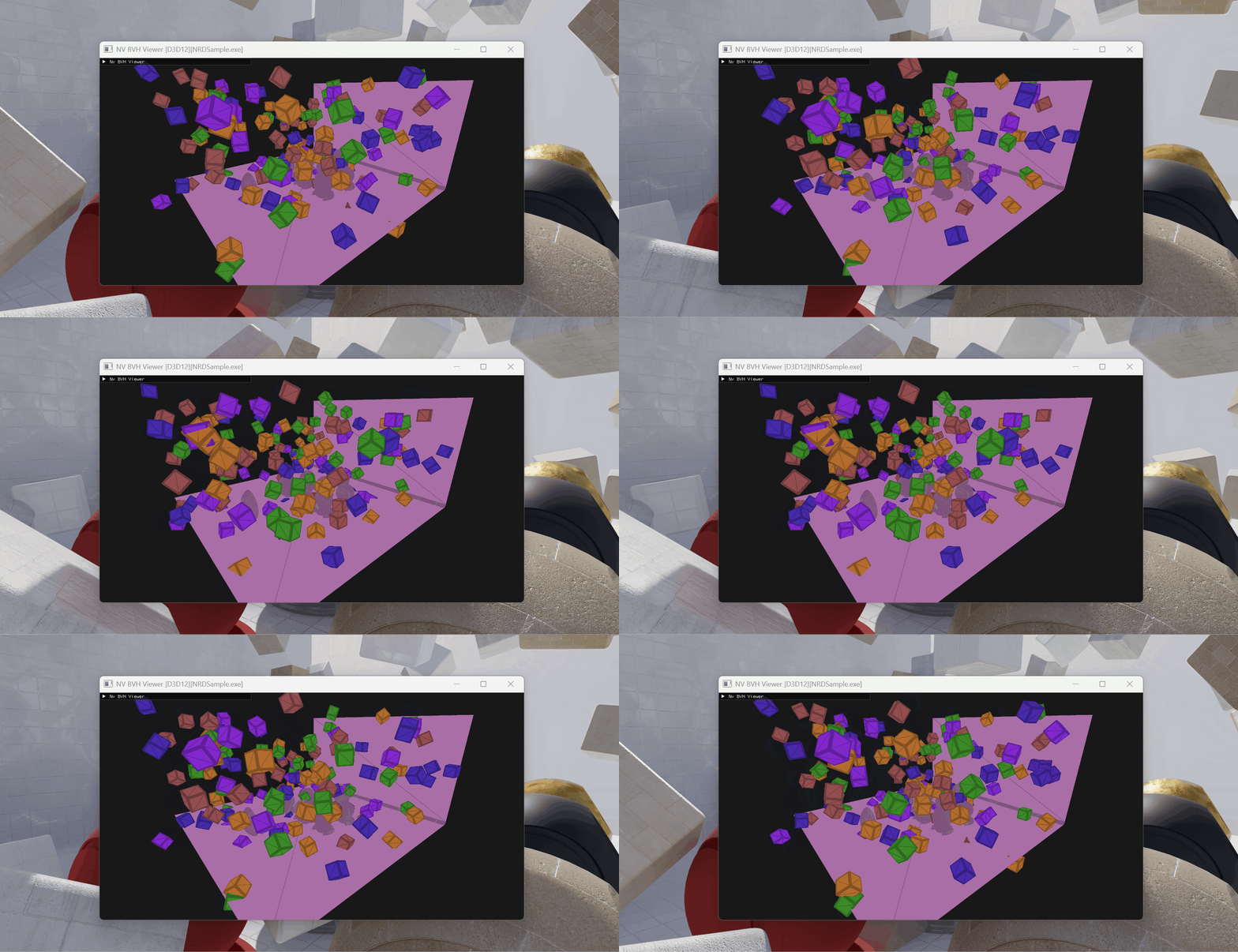
Real-Time BVH Viewer is a graphics API level utility for inspecting ray tracing acceleration structures while a game or renderer is running. It is intended for engine and game developers who need to understand TLAS/BLAS contents, validate acceleration structure updates, debug geometry-related ray tracing issues, or inspect TLAS management behavior continuously.
The project is designed to be self-contained and vendor-agnostic at the integration level. It supports Direct3D 12 and Vulkan, with optional vendor-specific paths where the graphics API or hardware exposes additional functionality.
- Real-time visualization of ray tracing geometry and acceleration structures.
- D3D12 and Vulkan backends built as static libraries.
- Hook-style API callbacks for acceleration structure builds, copies, queue submission, and frame boundaries.
- ImGui-based viewer window with controls for color mode, TLAS selection, geometry filtering, instance masks, flags, wireframe mode, heatmaps, and camera settings.
- Visualization modes covering ray tracing intrinsics (primitive, geometry, instance and cluster identifiers), BLAS addresses, instance masks and flags, acceleration structure update state, flat normals, and per-pixel trace time heatmaps.
- Support for triangle, OMM triangle, AABB, line swept sphere, and sphere metadata where the target API path provides the required data.
BvhViewer/contains the core viewer libraries and shaders.BvhViewer/Source/Common/contains shared tracking, UI, shader binding, and viewer window code.BvhViewer/Source/D3D12/contains the D3D12 viewer implementation and dispatch table.BvhViewer/Source/VK/contains the Vulkan viewer implementation and dispatch table.BvhViewer/Source/Shaders/contains the compute shader sources used by the viewer.
- Windows.
- CMake 3.16 or newer.
- A C++20-capable MSVC or ClangCL toolchain.
- Vulkan SDK, used for Vulkan headers/libraries and shader compilation tools.
glslangValidatoronPATH, or available throughVULKAN_SDK, when building the Vulkan backend.dxconPATH, or available throughVULKAN_SDK, when building the D3D12 backend.- A GPU and driver stack with ray tracing support for the API you intend to inspect.
The CMake scripts fetch several third-party dependencies automatically when local paths are not provided:
- ImGui.
- NVIDIA MathLib.
- NVAPI, for optional NVIDIA D3D12 paths.
- AMD AGS SDK, for optional AMD D3D12 paths.
You can override fetched dependency locations with CMake cache variables such as BVHVIEWER_IMGUI_PATH, BVHVIEWER_MATHLIB_PATH, BVHVIEWER_NVAPI_PATH, BVHVIEWER_NVAPI_LIB_PATH, and BVHVIEWER_AGS_SDK_PATH.
Build the core viewer libraries:
cmake -S BvhViewer -B BvhViewer/_Build -A x64
cmake --build BvhViewer/_Build --config Release
The BvhViewer/GenerateSolution_<arch>_<toolset>.bat scripts perform the configure step for a specific architecture and toolset, writing to BvhViewer/_Build/<arch>_<toolset>. Available variants are x64_msvc, x64_clang, arm64_msvc, arm64_clang, and arm64ec_msvc:
cd BvhViewer
.\GenerateSolution_x64_msvc.bat
The CMake project exposes these options:
BVHVIEWER_BUILD_D3D12, enabled by default.BVHVIEWER_BUILD_VK, enabled by default.
Link against the API backend that matches your renderer:
NvBvhViewerD3D12for Direct3D 12.NvBvhViewerVKfor Vulkan.
Initialize the viewer and configure the desired settings. An initialized viewer does not perform any rendering or GPU-side work, but it does perform CPU-side data tracking when called from RTAS build calls.
Create the viewer, pass the native device objects, then forward ray tracing and queue events to the viewer as they happen.
Call OnNewFrame at the end of each real application frame so the viewer can publish tracked data and update its presentation state.
The common callbacks in each InitDesc allow the host to receive log messages, viewer window close events, and viewer window resize events.
D3D12 integration uses D3D12DispatchTable so viewer commands can call the real D3D12 and DXGI entry points instead of re-entering host-side wrappers, patched vtables, or hooks.
Vulkan integration requires the caller to provide Vulkan loader function pointers and queue information. PTLAS visualization requires VK_EXT_descriptor_buffer. Line swept sphere visualization requires the relevant LSS and SPIR-V 1.4 support. Visualization modes that rely on position fetch require VK_KHR_ray_tracing_position_fetch.
In Vulkan, the host application must request an additional dedicated graphics queue during device creation and provide it to BvhViewer.
Two rendering modes are supported:
The viewer writes all of its commands to internal command buffers and asks the host to submit them together with the TLAS update command buffers.
Some visualization modes depend on the instance description buffer contents. Deferred rendering cannot reliably use those modes if the application modifies that buffer after TLAS build. Inline rendering appends viewer work to the target command stream. The viewer may dirty compute or pipeline state in that mode, so the host should restore any state it depends on after the callback.
- The project currently builds on Windows only.
- The current common tracking path supports a limited number of TLAS entries per frame.
- Vulkan and D3D12 support depends on the application's ray tracing feature set and the extensions enabled on the device.
- Visualization logic is driven by TLAS update calls. If the host application builds the TLAS only once during initialization, as some samples do, the visualization logic will not be updated. The
Async Rendercheckbox allows the viewer to render the last built TLAS, but this can be unsafe because resource lifetime is not tracked.
BvhViewer/CompilationTest.bat configures and builds the core viewer for x64, ARM64, and ARM64EC with the MSVC and ClangCL toolsets in Debug and Release configurations. The ARM64EC + ClangCL combination is skipped:
cd BvhViewer
.\CompilationTest.bat
Each architecture/toolset combination is built in its own folder under BvhViewer/_CompilationTest. Folders are removed automatically for combinations that pass all configurations and kept for failed ones so the logs can be inspected.
Sampler is a test application that injects BvhViewer into a target application. It is used to verify functionality against existing applications with ray tracing and also provides an integration code example. More information about the sampler is available inside its folder.
Currently distributed under NVIDIA Software License Agreement