This tutorial shows you how to get the app hash for PocketPoster without a PC/Mac. You can use this method until the owner of PocketPoster adds it natively.
Create an issue, if you still need help
Note
This method requires a pairing file. Generating a pairing file is a one-time process using a PC/Mac.
Since this method requires a PC/Mac before using it, I recommend it only to SideStore/StikDebug users
The symlinks exploit is patched on iOS 26.2b2/18.7.3 or higher, which means PocketPoster isn't able to apply any wallpapers on those versions
(settings icon at the top right > Tunnel and Pairing > Import Pairing File)
(alternative: StikDebug's VPN)
Tutorial for iPhone/iPad wallpapers
-
NOTE: PocketPoster isn't supported on iOS 26.2 beta 2 & iOS 18.7.3 or higher. If you're on such version, use Nugget instead.
- Go to the main menu of Antrag
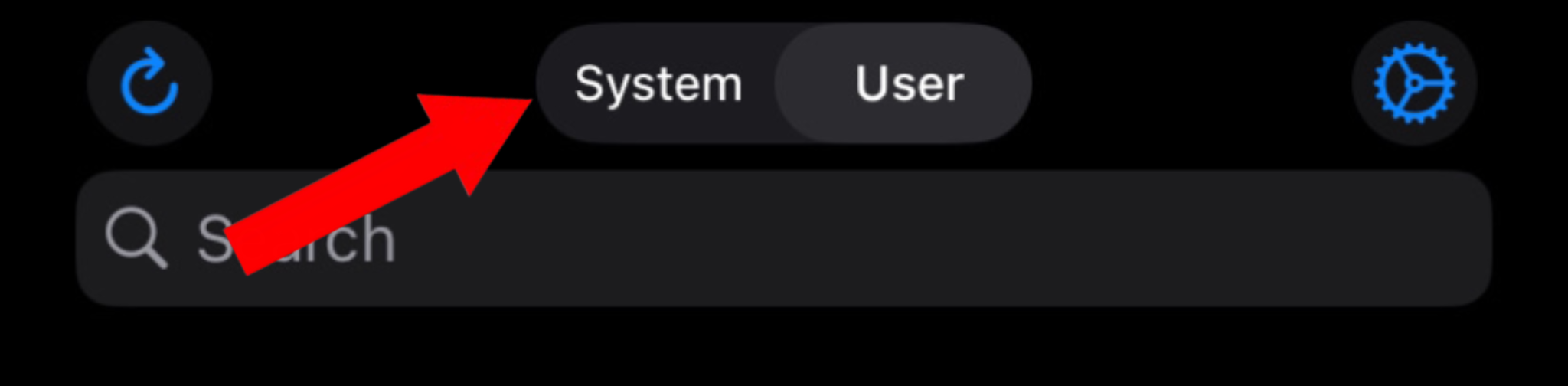
- Switch to system
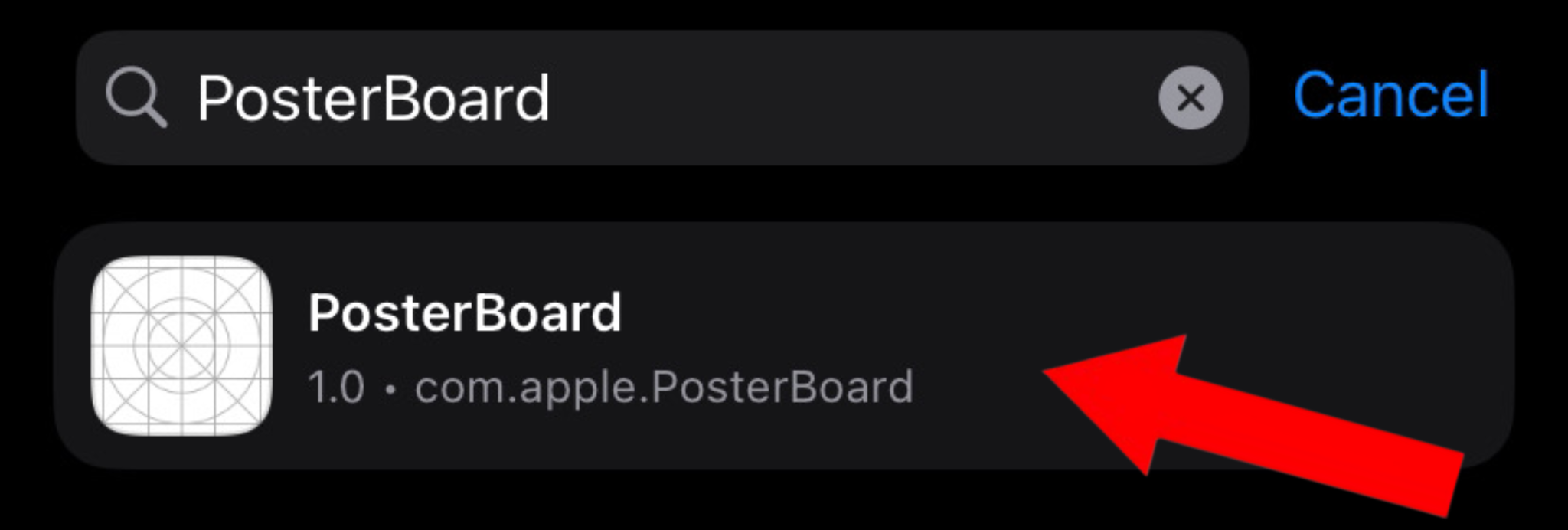
- Search for "PosterBoard" and tap on it
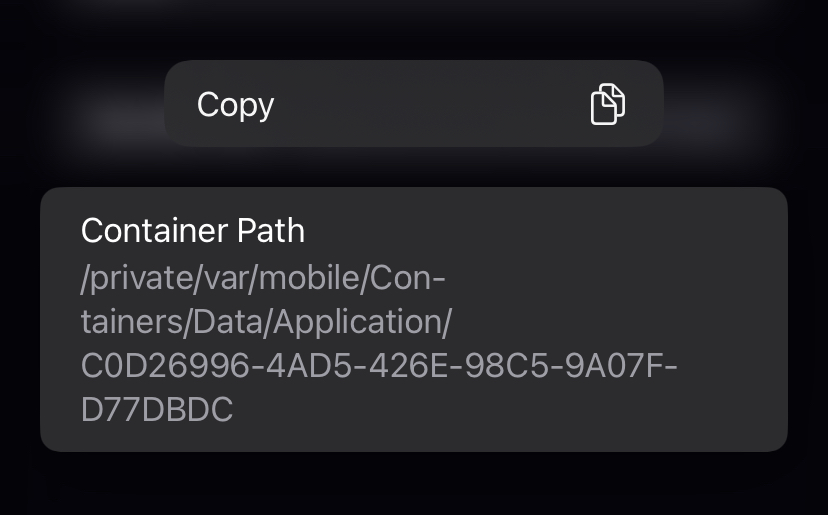
- Scroll down to "Container Path." Hold and copy it
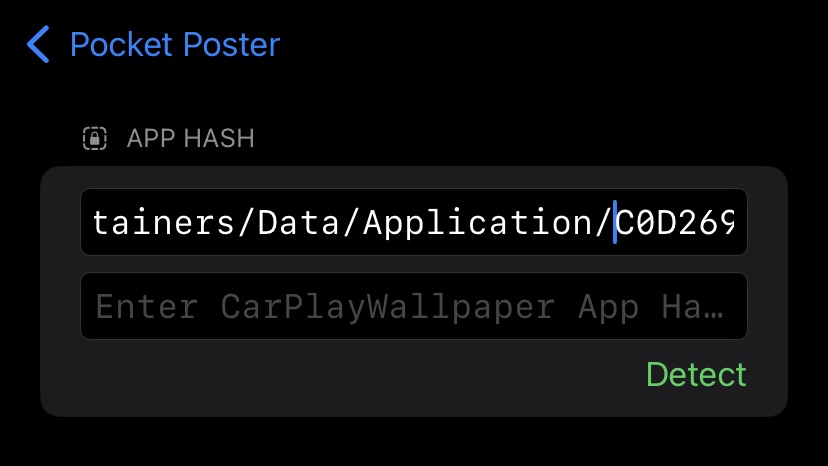
- Go to the PocketPoster settings and paste the container path in the top text field
- Remove "/private/var/mobile/Containers/Data/Application/" so only a random string of letters and numbers is left.
(example: /private/var/mobile/Containers/Data/Application/C0D26996-4AD5-426E-98C5-9A07FD77DBDC --> C0D26996-4AD5-426E-98C5-9A07FD77DBDC )
Tutorial for CarPlay wallpapers
-
NOTE: CarPlay wallpapers aren't supported on iOS 26
- Go to the main menu of Antrag
- Switch to system
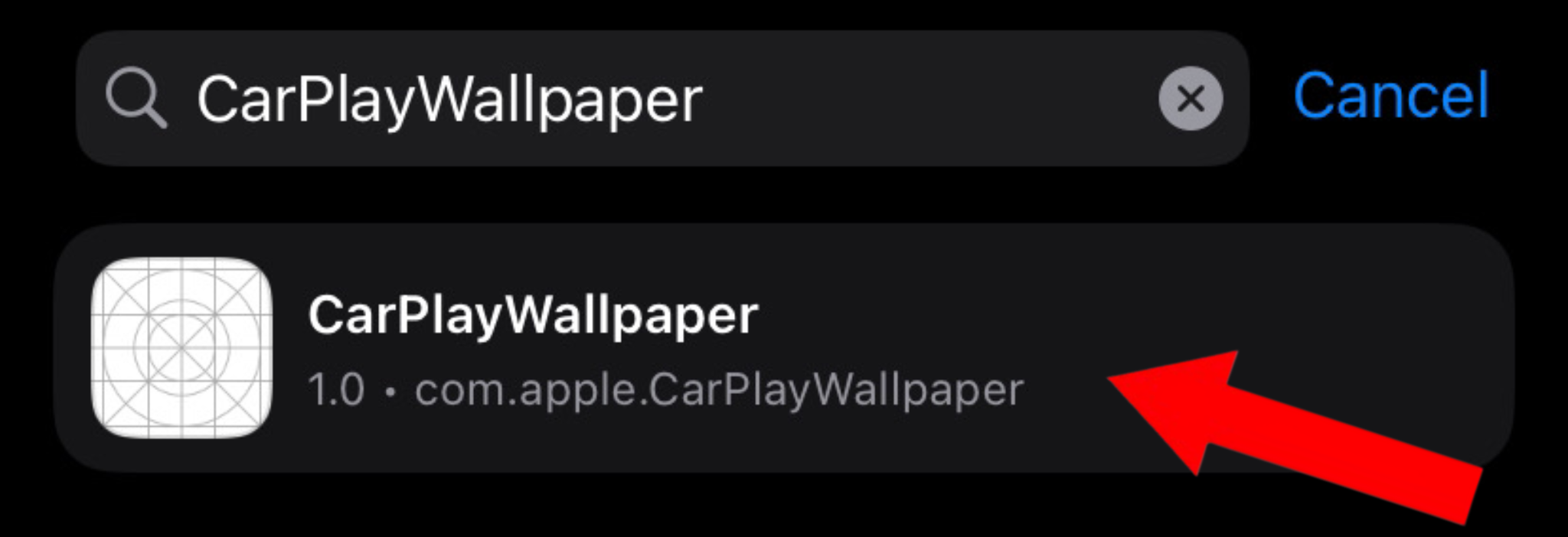
- Search for "CarPlayWallpaper" and tap on it
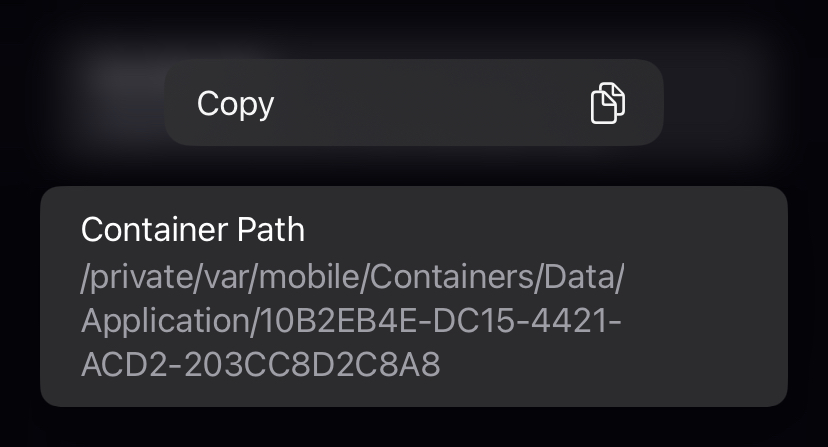
- Scroll down to "Container Path." Hold and copy it
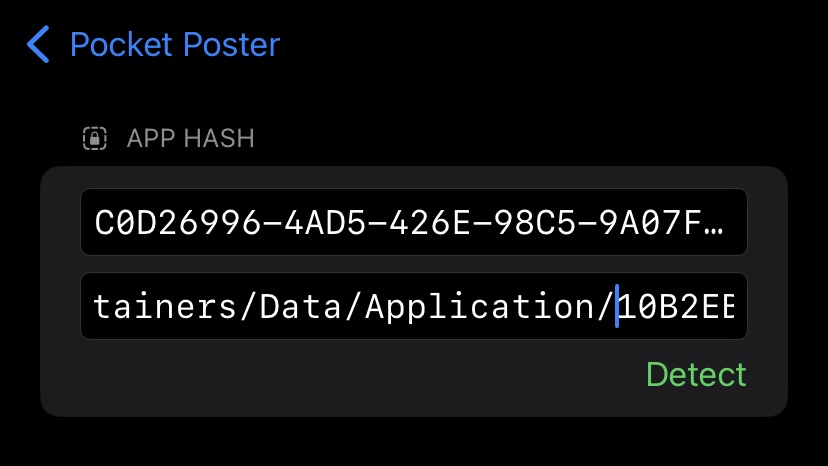
- Go to the PocketPoster settings and paste the container path in the bottom text field
- Remove "/private/var/mobile/Containers/Data/Application/" so only a random string of letters and numbers is left.
(example: /private/var/mobile/Containers/Data/Application/10B2EB4E-DC15-4421-ACD2-203CC8D2C8A8 --> 10B2EB4E-DC15-4421-ACD2-203CC8D2C8A8 )