
Note: This project has transitioned from CentOS to Fedora following the CentOS Stream announcement.
A lightweight Docker image providing a complete desktop environment accessible via VNC. Built on Fedora minimal with LXQt desktop environment, OpenBox window manager, and TigerVNC Server.
Key Features:
- Minimal footprint with essential desktop components
- Multi-architecture support (amd64, arm64)
- Automated daily builds for latest security updates
- Customizable display resolution
- Easy VNC access configuration
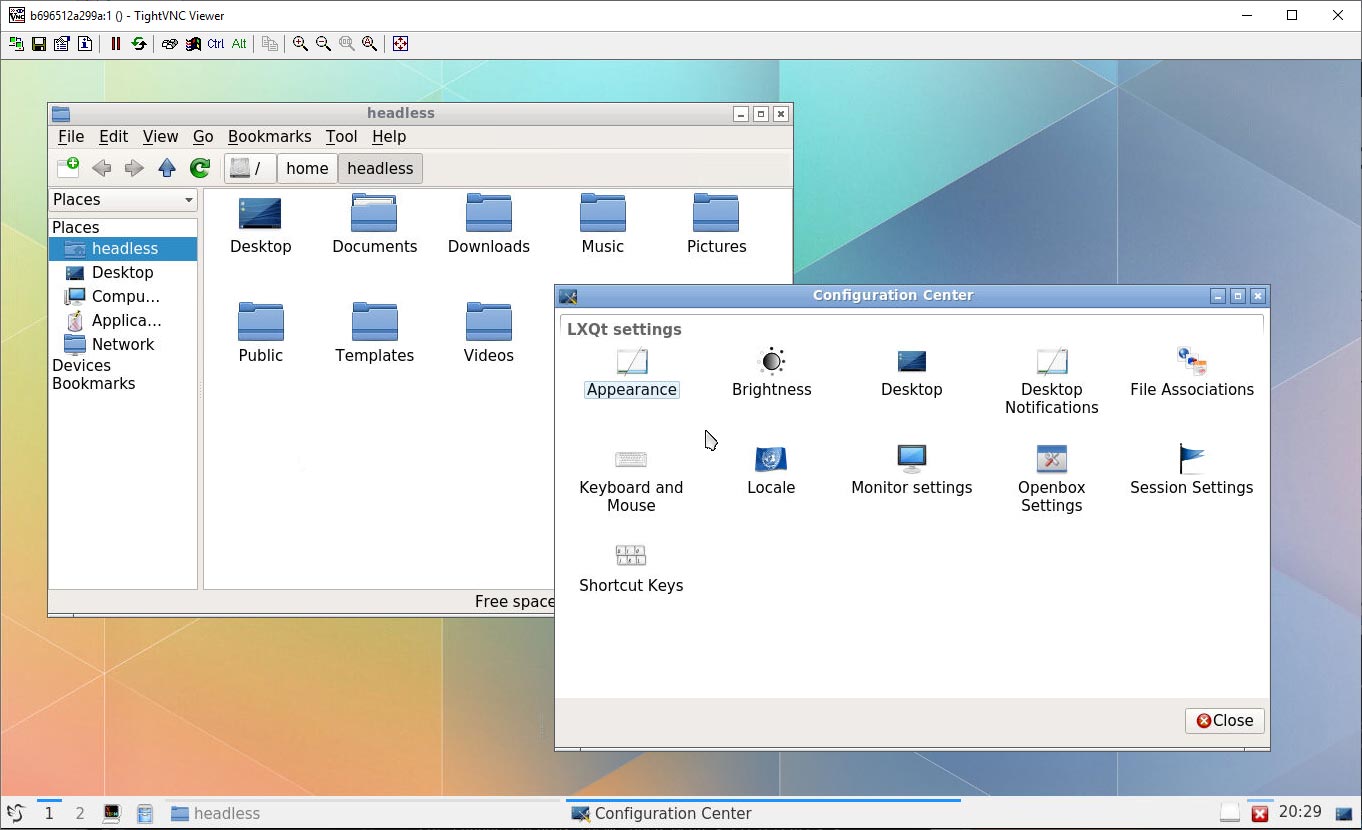
- Docker installed on your system
- VNC client (TigerVNC, TightVNC, RealVNC, or any compatible viewer)
For a quick test run:
docker run -it --rm -e password='YOUR_VNC_PASSWORD' -p 5901:5901 labeg/centos-lxqt-vncConnect to localhost:5901 using your VNC client with the password you specified.
For persistent use with automatic restart:
docker run -d \
  --name lxqt-vnc \
  --restart always \
  -e password='YOUR_VNC_PASSWORD' \
  -p 5901:5901 \
labeg/centos-lxqt-vnc| Variable | Required | Default | Description |
|---|---|---|---|
password |
Yes | - | VNC connection password |
user_password |
No | password value |
Password for the headless user |
root_password |
No | user_password value |
Password for the root user |
resolution |
No | 1920x1080 |
Virtual screen resolution |
| Option | Description |
|---|---|
--shm-size='64m' |
Increase shared memory size if Firefox or other browsers crash |
-p 5901:5901 |
Map VNC port (change host port as needed) |
--restart always |
Automatically restart container on system reboot |
docker run -d \
  --name lxqt-vnc \
  --restart always \
  --shm-size='128m' \
  -e password='SecureVNCPassword' \
  -e user_password='UserPassword123' \
  -e resolution='2560x1440' \
  -p 5901:5901 \
labeg/centos-lxqt-vnc- Open the application menu
- Navigate to Preferences → Appearance → LXQt Theme
- Select your preferred theme (e.g., Kde-Plasma)
- Open the application menu
- Navigate to Preferences → LXQt Settings → OpenBox Settings
- Select your preferred theme (e.g., Clearlooks)
This image supports multiple platforms:
linux/amd64- x86-64 architecturelinux/arm64/v8- ARM 64-bit architecture
Clone the repository and build the image locally:
git clone https://github.com/LabEG/centos-lxqt-vnc.git
cd centos-lxqt-vnc
docker build -t labeg/centos-lxqt-vnc .- Always use strong passwords for VNC and user accounts
- Consider using SSH tunneling for VNC connections over untrusted networks
- Limit port exposure using firewall rules when deploying in production
- Keep the image updated by pulling the latest version regularly
Contributions are welcome! Please feel free to submit issues or pull requests on GitHub.
See the LICENSE file for details.