








Official MiniMax Model Context Protocol (MCP) server that enables interaction with powerful Text to Speech and video/image generation APIs. This server allows MCP clients like Claude Desktop, Cursor, Windsurf, OpenAI Agents and others to generate speech, clone voices, generate video, generate image and more.
- 中文文档
- MiniMax-MCP-JS - Official JavaScript implementation of MiniMax MCP
- Get your API key from MiniMax.
- Install
uv(Python package manager), install withcurl -LsSf https://astral.sh/uv/install.sh | shor see theuvrepo for additional install methods. - Important: The API host and key vary by region and must match; otherwise, you'll encounter an
Invalid API keyerror.
| Region | Global | Mainland |
|---|---|---|
| MINIMAX_API_KEY | go get from MiniMax Global | go get from MiniMax |
| MINIMAX_API_HOST | https://api.minimax.io | https://api.minimaxi.com |
Go to Claude > Settings > Developer > Edit Config > claude_desktop_config.json to include the following:
{
  "mcpServers": {
    "MiniMax": {
      "command": "uvx",
      "args": [
        "minimax-mcp",
        "-y"
      ],
      "env": {
        "MINIMAX_API_KEY": "insert-your-api-key-here",
        "MINIMAX_MCP_BASE_PATH": "local-output-dir-path, such as /User/xxx/Desktop",
        "MINIMAX_API_HOST": "api host, https://api.minimax.io | https://api.minimaxi.com",
        "MINIMAX_API_RESOURCE_MODE": "optional, [url|local], url is default, audio/image/video are downloaded locally or provided in URL format"
      }
    }
  }
}
- Global Host:
https://api.minimax.io - Mainland Host:
https://api.minimaxi.com
If you're using Windows, you will have to enable "Developer Mode" in Claude Desktop to use the MCP server. Click "Help" in the hamburger menu in the top left and select "Enable Developer Mode".
Go to Cursor -> Preferences -> Cursor Settings -> MCP -> Add new global MCP Server to add above config.
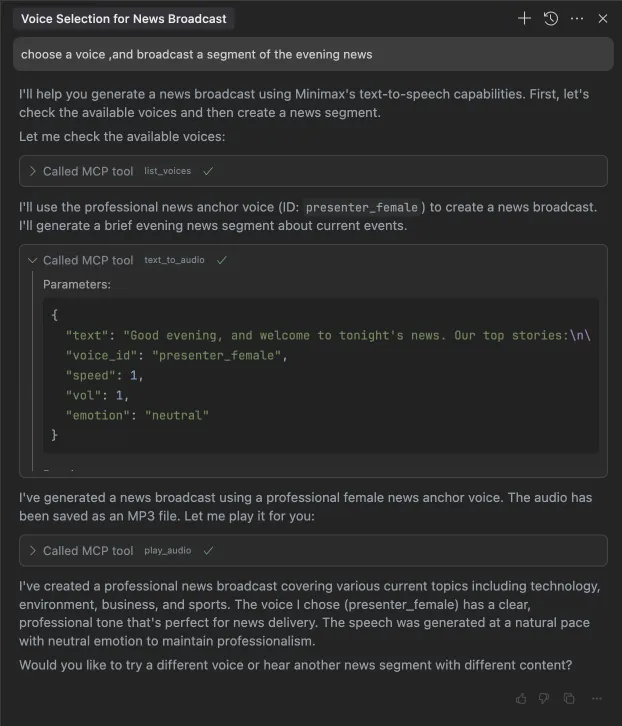
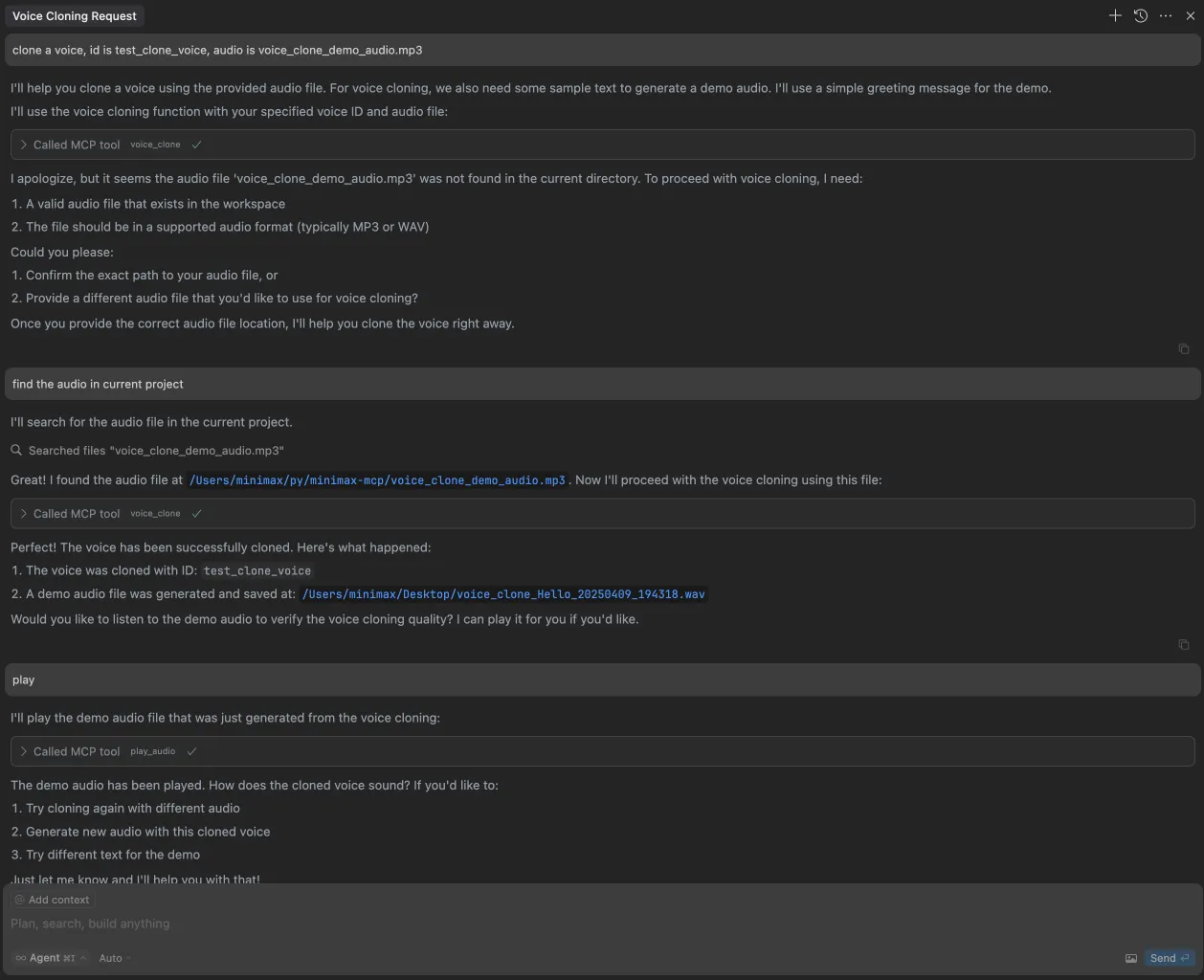
That's it. Your MCP client can now interact with MiniMax through these tools:
We support two transport types: stdio and sse.
| stdio | SSE |
|---|---|
| Run locally | Can be deployed locally or in the cloud |
Communication through stdout |
Communication through network |
Input: Supports processing local files or valid URL resources |
Input: When deployed in the cloud, it is recommended to use URL for input |
| tool | description |
|---|---|
text_to_audio |
Convert text to audio with a given voice |
list_voices |
List all voices available |
voice_clone |
Clone a voice using provided audio files |
generate_video |
Generate a video from a prompt |
text_to_image |
Generate a image from a prompt |
query_video_generation |
Query the result of video generation task |
music_generation |
Generate a music track from a prompt and lyrics |
voice_design |
Generate a voice from a prompt using preview text |
- Voice Design: New
voice_designtool - create custom voices from descriptive prompts with preview audio - Video Enhancement: Added
MiniMax-Hailuo-02model with ultra-clear quality and duration/resolution controls - Music Generation: Enhanced
music_generationtool powered bymusic-1.5model
voice_design- Generate personalized voices from text descriptionsgenerate_video- Now supports MiniMax-Hailuo-02 with 6s/10s duration and 768P/1080P resolution optionsmusic_generation- High-quality music creation with music-1.5 model
Please ensure your API key and API host are regionally aligned
| Region | Global | Mainland |
|---|---|---|
| MINIMAX_API_KEY | go get from MiniMax Global | go get from MiniMax |
| MINIMAX_API_HOST | https://api.minimax.io | https://api.minimaxi.com |
Please confirm its absolute path by running this command in your terminal:
which uvxOnce you obtain the absolute path (e.g., /usr/local/bin/uvx), update your configuration to use that path (e.g., "command": "/usr/local/bin/uvx").
Define completion rules before starting:
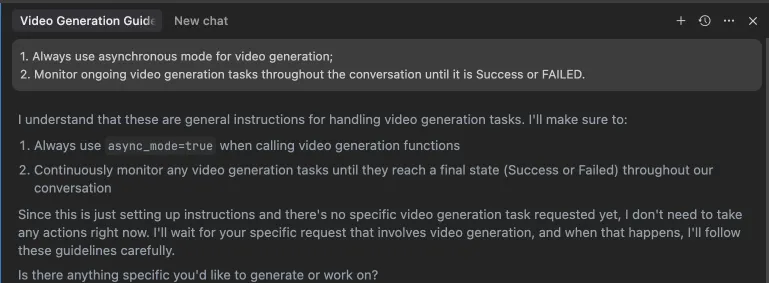
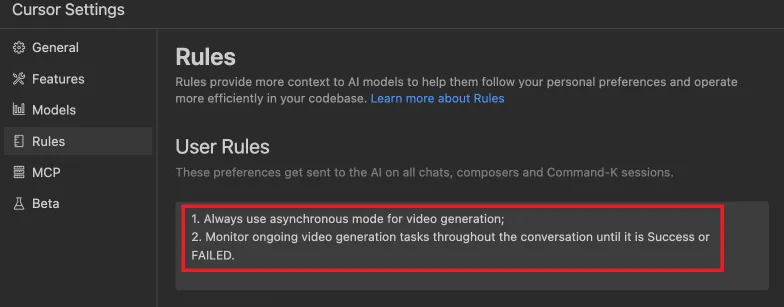
MiniMax Deep Agent is an LLM-driven multimodal command-line AI assistant based on MiniMax's own large models and MCP multimodal toolchain. It implements text-to-image, text-to-video, text-to-music, text-to-speech, and other capabilities.
- Full MiniMax tech stack: Uses MiniMax-M2.5 for reasoning and MiniMax MCP Server for tools, with the same API Key
- True Agent: LLM makes decisions in a loop, not hardcoded routing
- MCP protocol integration: Connects to tool servers via standard MCP protocol, tools are pluggable
- Web search: Real-time information retrieval through Tavily API, supporting news, weather, document queries
-
Configure environment variables in
.envfile:# Required — API authentication MINIMAX_API_KEY=your_key_here MINIMAX_API_HOST=https://api.minimaxi.com # Mainland China # MINIMAX_API_HOST=https://api.minimax.io # Global # Optional — Agent behavior MINIMAX_CHAT_MODEL=MiniMax-M2.5 # Inference model MINIMAX_MCP_BASE_PATH=~/Desktop # File save directory MINIMAX_API_RESOURCE_MODE=local # local|url # Optional — Web search (Tavily) TAVILY_API_KEY=tvly-xxxxx # Get from https://tavily.com # Optional — Debug DEBUG=1 # Output logs to terminal
-
Start the agent:
# One-click start (recommended)
./run_agent.sh

# Or manually
uv run --python 3.12 python deep_agent.py

# Debug mode
DEBUG=1 uv run --python 3.12 python deep_agent.py
User: "画一只猫"
Agent: "当然可以!基于\"猫\"这个描述,我来为你生成图片。"
(Agent calls text_to_image tool)
Agent: "已帮你生成图片,保存在 /Desktop/image_xxx.jpg"
User: "画一张海边日落,然后配上轻松的音乐"
Agent: "好的,我会先帮你生成海边日落的图片,然后为你创作一首轻松的音乐。"
(Agent first calls text_to_image, then music_generation)
Agent: "完成了!图片保存在 xxx,音乐保存在 xxx"
User: "最近有什么 AI 新闻"
Agent: "让我帮你搜索最新的 AI 新闻。"
(Agent calls web_search tool)
Agent: "最近 AI 领域的重要新闻有:1. ... 2. ... 3. ..."
User: "查一下今天杭州天气,然后用语音播报"
Agent: "我需要先搜索杭州今天的天气,然后用语音播报结果。"
(Agent first calls web_search, then text_to_audio)
Agent: "杭州今天晴,25°C。语音播报已生成,保存在 xxx"
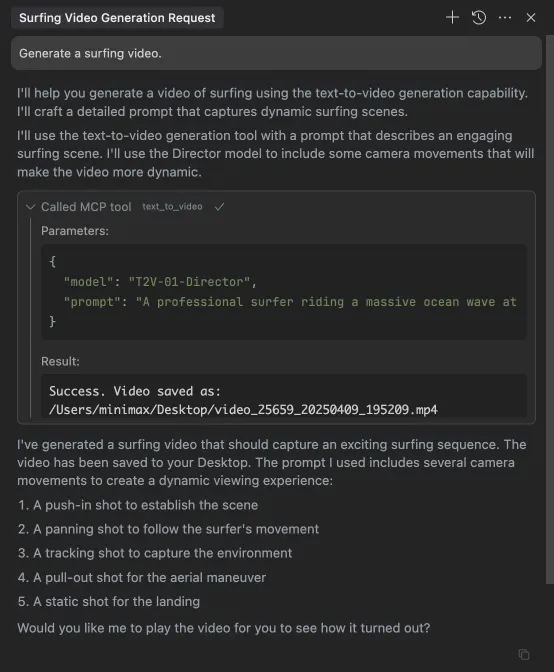
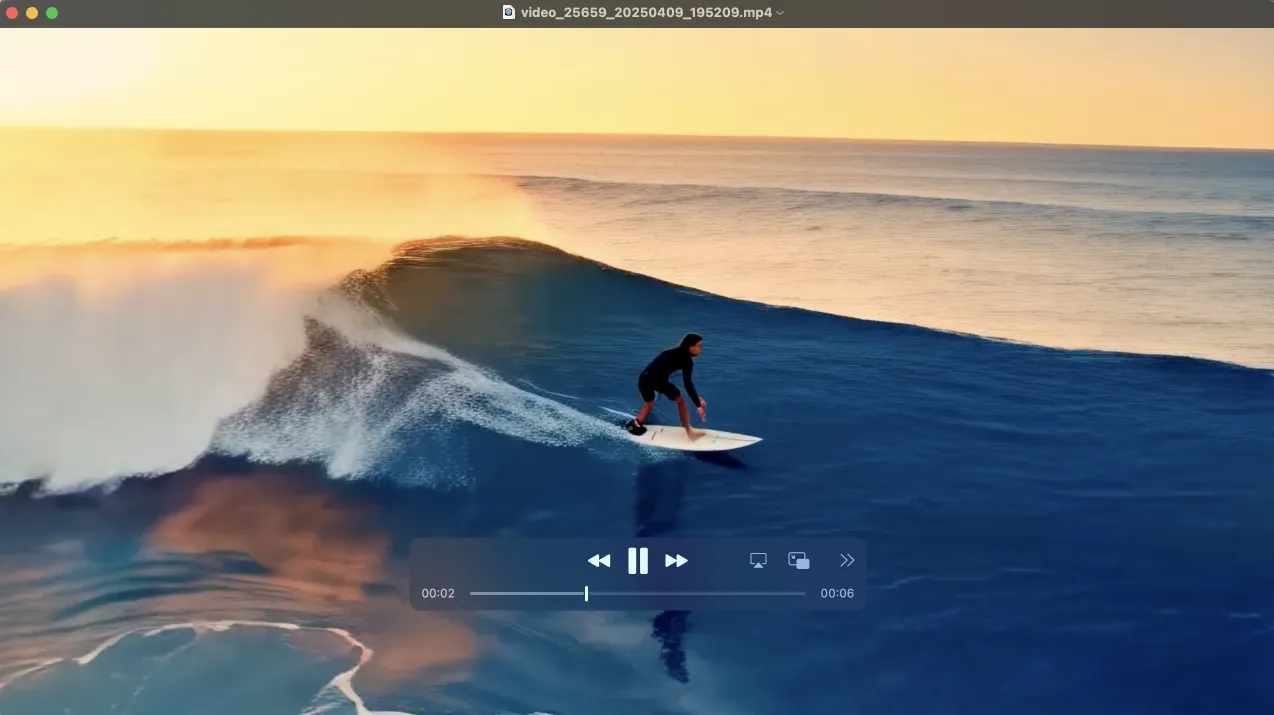
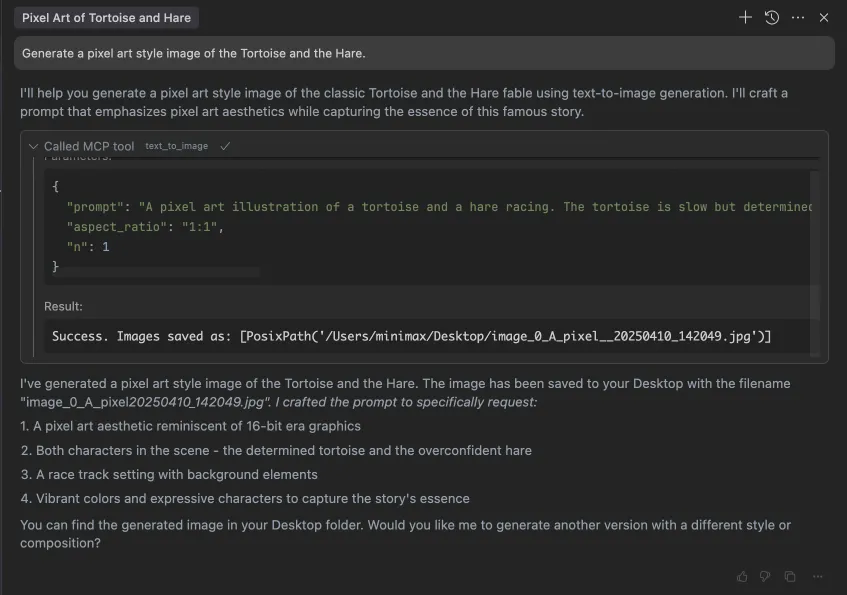

The Deep Agent includes a built-in web_search tool powered by Tavily Search API, designed specifically for AI agents.
- Returns AI-generated summaries + original search results
- Supports real-time information: news, weather, prices, documentation, etc.
- LLM autonomously decides when to search (e.g., for real-time questions or uncertain knowledge)
- Get a Tavily API key from https://tavily.com
- Add the API key to your
.envfile:TAVILY_API_KEY=tvly-xxxxx
The agent will automatically use the web_search tool when needed:
- When you ask about current events (e.g., "What's the weather today?")
- When you ask for the latest information (e.g., "Latest AI news")
- When the LLM is uncertain about a fact
┌─────────────────────────────────────────────────────────┐
│                    Deep Agent CLI                        │
│                   (deep_agent.py)                        │
│                                                         │
│  ┌───────────────────────────────────────────────────┐  │
│  │              Agent Loop (ReAct)                    │  │
│  │                                                   │  │
│  │  User Input                                       │  │
│  │      │                                            │  │
│  │      ▼                                            │  │
│  │  ┌─────────┐   tool_calls   ┌──────────────┐     │  │
│  │  │ MiniMax │ ─────────────→ │  Tool Router │     │  │
│  │  │  Chat   │                │  (call_tool)  │     │  │
│  │  │  API    │ ←───────────── │              │     │  │
│  │  │ (M2.5)  │   tool_result  └──┬───────┬──┘     │  │
│  │  └────┬────┘                   │       │         │  │
│  │       │ text              stdio │       │ HTTPS   │  │
│  │       ▼                        ▼       ▼         │  │
│  │  User Output          MCP Server  Local Tools    │  │
│  │                       (9 tools)   (web_search)   │  │
│  └───────────────────────────────────────────────────┘  │
└─────────────────────────────────────────────────────────┘
                    │                          │
                    │ HTTPS                    │ HTTPS
                    ▼                          ▼
          ┌───────────────────┐      ┌─────────────────┐
          │  MiniMax Cloud API │      │  Tavily Search  │
          │  - Image Gen      │      │  API            │
          │  - Video Gen      │      └─────────────────┘
          │  - Music Gen      │
          │  - TTS / Voice    │
          └───────────────────┘
| Tier | Component | Responsibility |
|---|---|---|
| Inference Layer | MiniMax Chat API (M2.5) | Understand user intent, plan steps, select tools, organize responses |
| Protocol Layer | MCP Client ↔ MCP Server + Local Tools | Tool discovery, parameter passing, result return |
| Execution Layer | MiniMax Cloud API + Tavily API | Multimodal generation + real-time information retrieval |