
Armor Trims Backport allows you to decorate your armor with various materials.
Armor Trims Backport can be added to your development environment via CurseMaven.
First add CurseMaven to your repositories block. Like this
repositories {
	maven {
		url "https://cursemaven.com"
		content {
			includeGroup "curse.maven"
		}
	}
}
Then, add the mod to your dependencies block.
dependencies {
	implementation fg.deobf("curse.maven:armor_trims-858570:4697214") // Version 1.3.3, which is the latest at time of writing. I will try to keep this up to date.
}
If you don't want to use version 1.3.3, you can always navigate to your desired version and replace the last few numbers in the dependency with the last few numbers of the file's url.
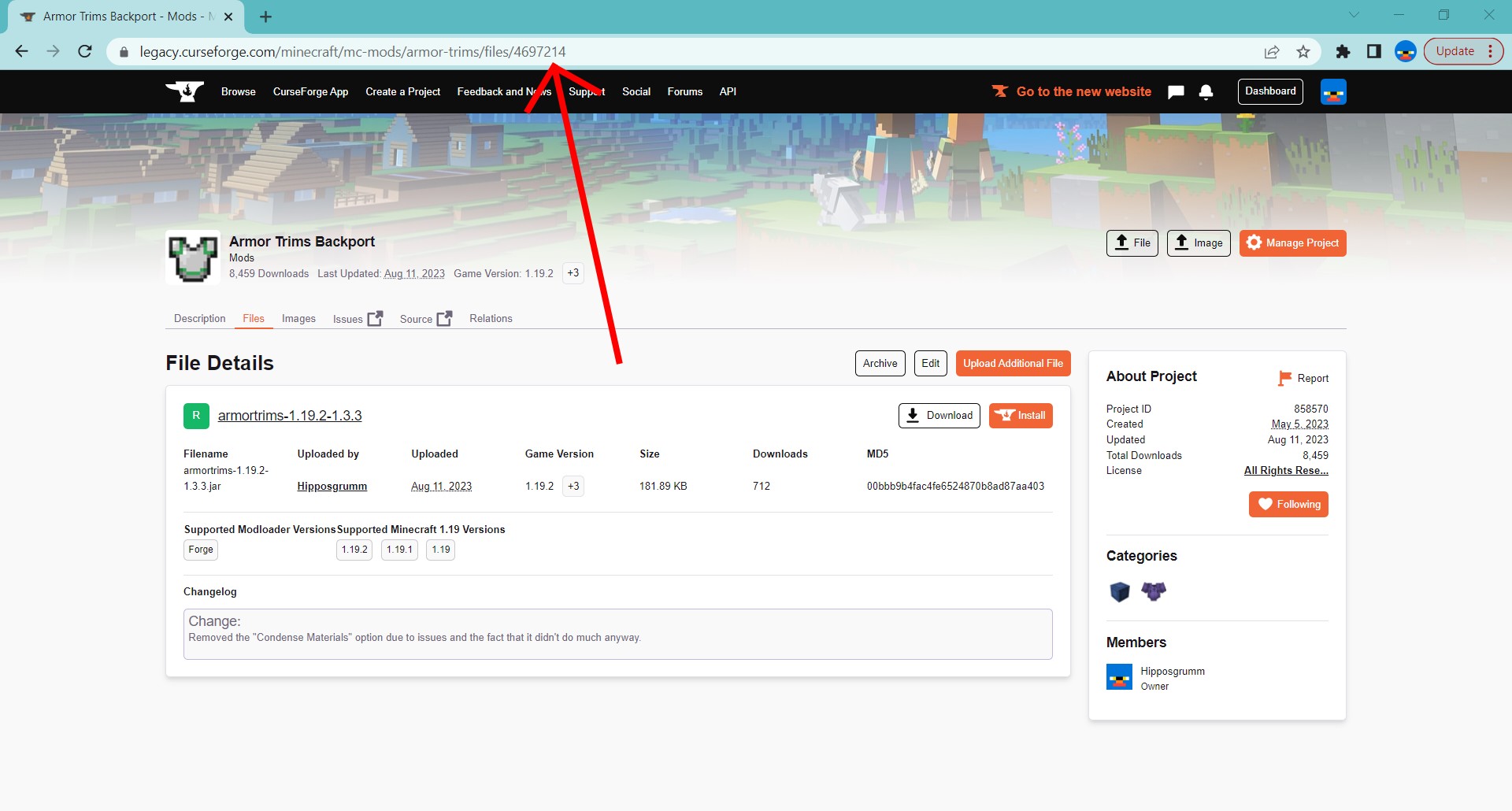 Once you've done that, you should be able to reload your gradle project and have Armor Trims Backport readily available.
Note: You will probably want to make sure that the mod is present before calling any of its methods , unless this mod is a required dependency.