
https://github.com/steemhappyberrysboy/steem_design_tool
Project name is Steem Tools(Chrome Extension)
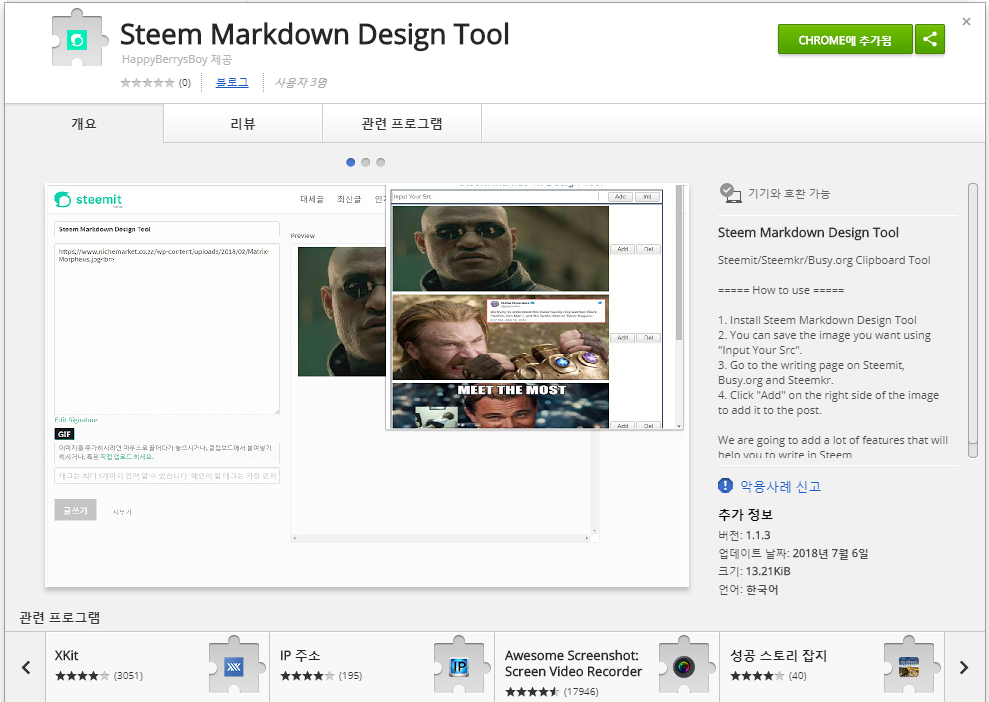
You can save the Image URLs, GIF, HTML and Markdown to your Chrome extension and paste them at any time when posting.
https://steemitimages.com/80x0/https://cdn.steemitimages.com/DQmeBM8uYHoA6vNfhKWffgTb2GsuB4iBZwWWV4hESwi4gTg/border_05.png

- Add open source UI component Semantic-ui
- Semantic-UI is very simple and easy to use.
// Sample Design
// Simple Button
<div class="ui button">Follow</div>
//Icon Button
<div class="ui labeled button" tabindex="0">
  <div class="ui button">
    <i class="heart icon"></i> Like
  </div>
  <a class="ui basic label">
    2,048
  </a>
</div>
- The design has been changed as follows.
- I made it an accordion type to add more features in the future.
https://steemitimages.com/80x0/https://cdn.steemitimages.com/DQmeBM8uYHoA6vNfhKWffgTb2GsuB4iBZwWWV4hESwi4gTg/border_05.png
- Add user shortcut function.
- Enter the user ID you want to register as a shortcut in Input @ID
- The ID is added to the lower container
- Click the ID button to go to the user's page
- Technology Stack
- Chrome Extension
- Javascript/ HTML/CSS
- Roadmap
- Change the order of registered items
- Backup and reload items
- Support some markdown template
- Search image, meme, gifs and etc. and use immediately
- How to contribute? Steemit(prefer) : @happyberrysboy Email : steemhappyberrysboy@gmail.com
https://github.com/steemhappyberrysboy
MIT