Coparing with 1.0, the running time will be half as previous one. Related function has been optimizated. Also the frontend has been improved.
This project is the Knowledge Graph-Based QA System, it contains the knowledge extraction part and QA part.
- Document contain the original text for knowledge extraction, the result of SPO triple after extraction, and some library files.
- JADE platform contain the source code for the project. It is a java-based project implemented in IntelliJ IDEA.
- extraction.py is a python file to extract SPO triples from the original text to a structured document.
- Knowledge is the NEO4J graphical database to store and maintain the knowledge information.
- Program image is the illustrations of the project.
- Spacy toolkit to perform common natural language process tasks for knowledge generation.
- OpenNLP toolkit to perform common natural language process tasks for question in QA system.
- JADE platform to implement the multi-agent framwork.
- MVC framework to achieve the GUI for user to input question and output answer.
- Download the JADE platform
- Download the files of OpenNLP
- We use the book Knowledge Seeker - Ontology Modelling for Information Search and Management as the original text. In this project, we use the first chapter as an example. The file text2.doc shows the content of the book.
- Run the extraction.py, we can extract the SPO triples from the text. The result after running the python file:
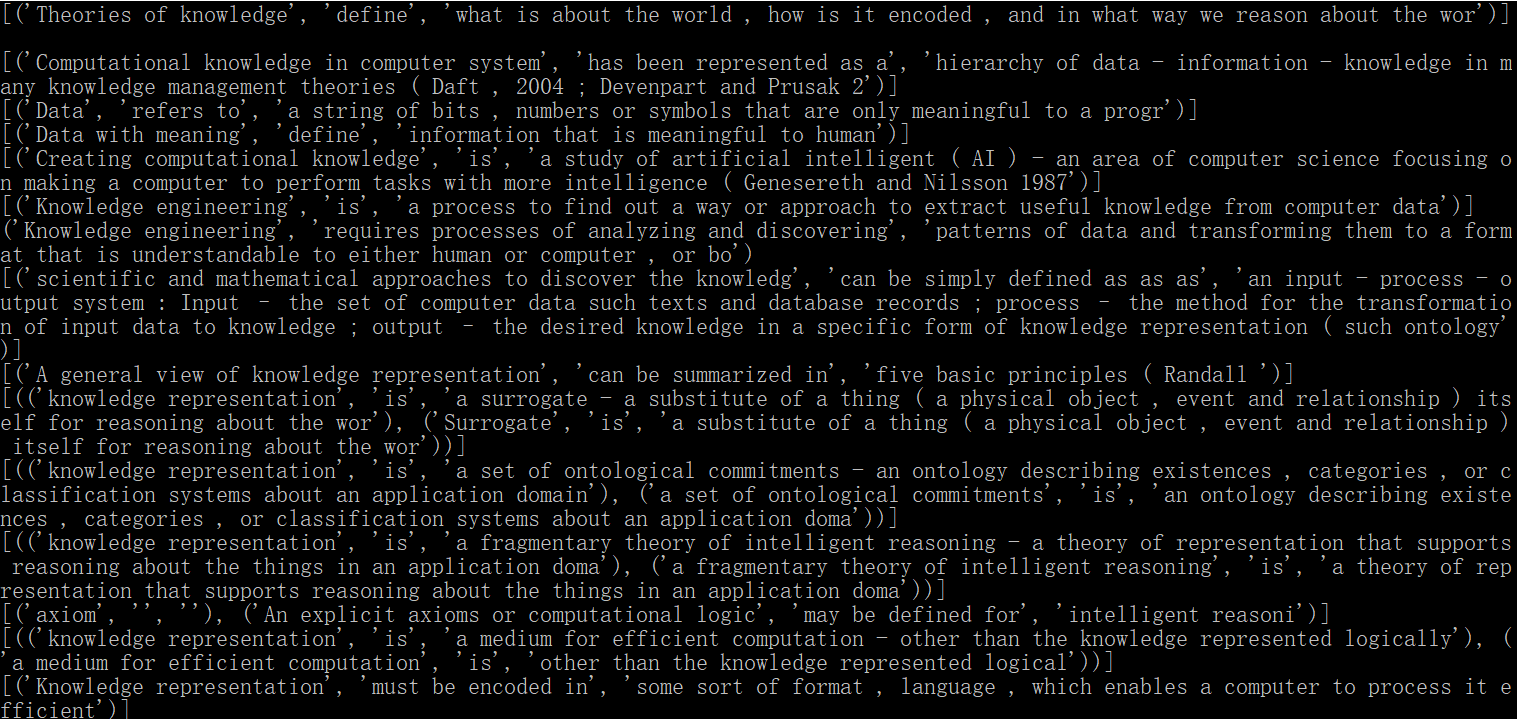
And then the program will store the result to a structured document SPO_result.txt: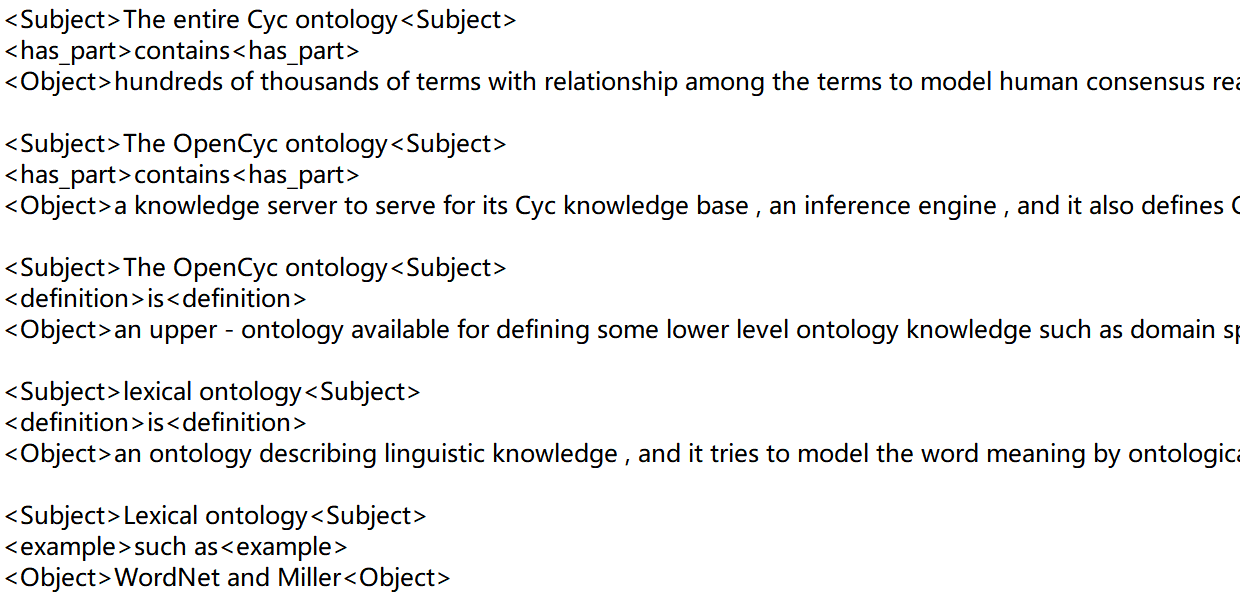
- Use IntelliJ IDEA to open the Project1, we can see the compiler interface:
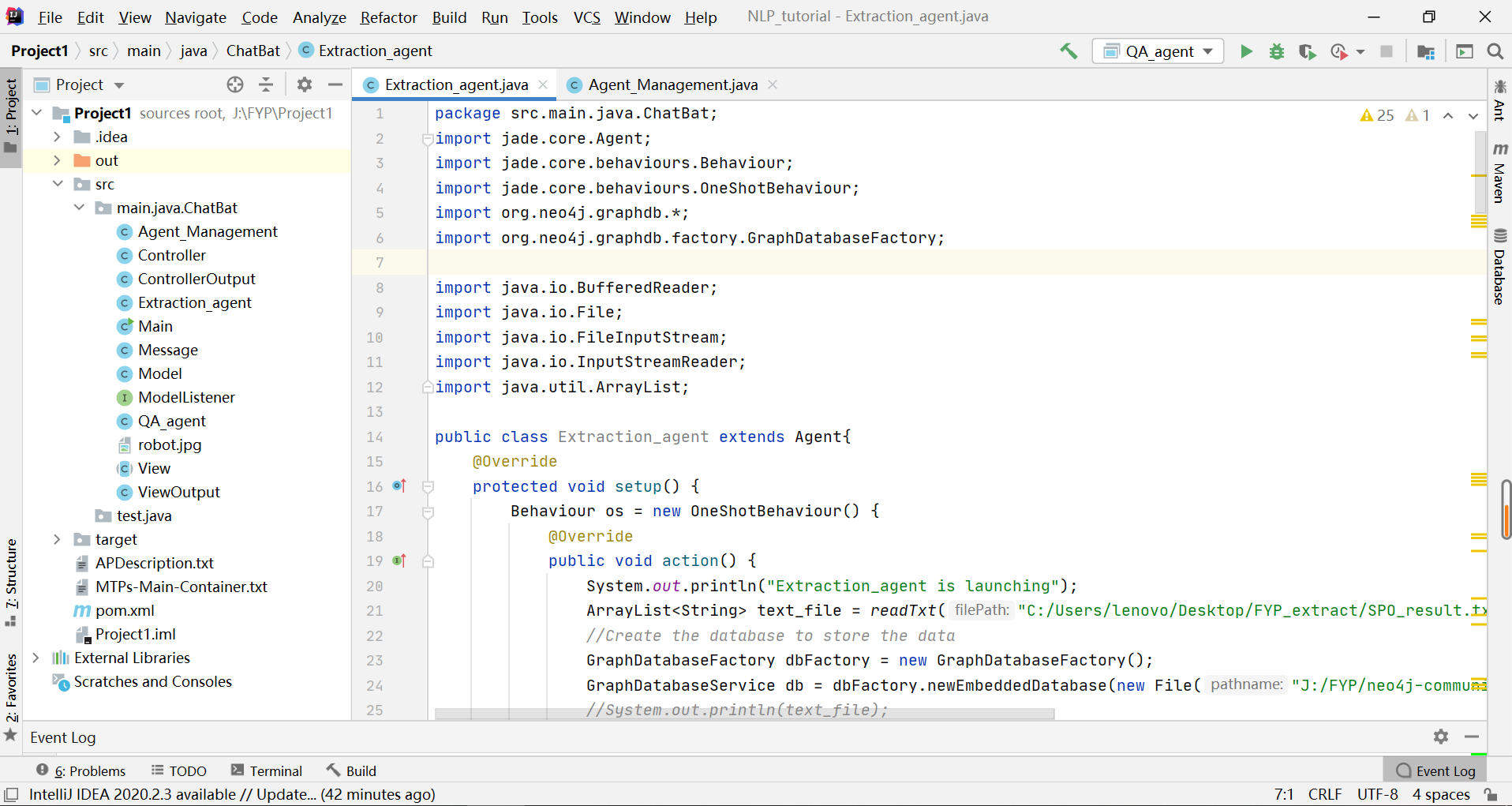
- To launch the project, we need to configure the external libraries. Firstly, we configure the NEO4J. Import the jar files in neo4j-community-3.5.21/lib/ to the project structure:
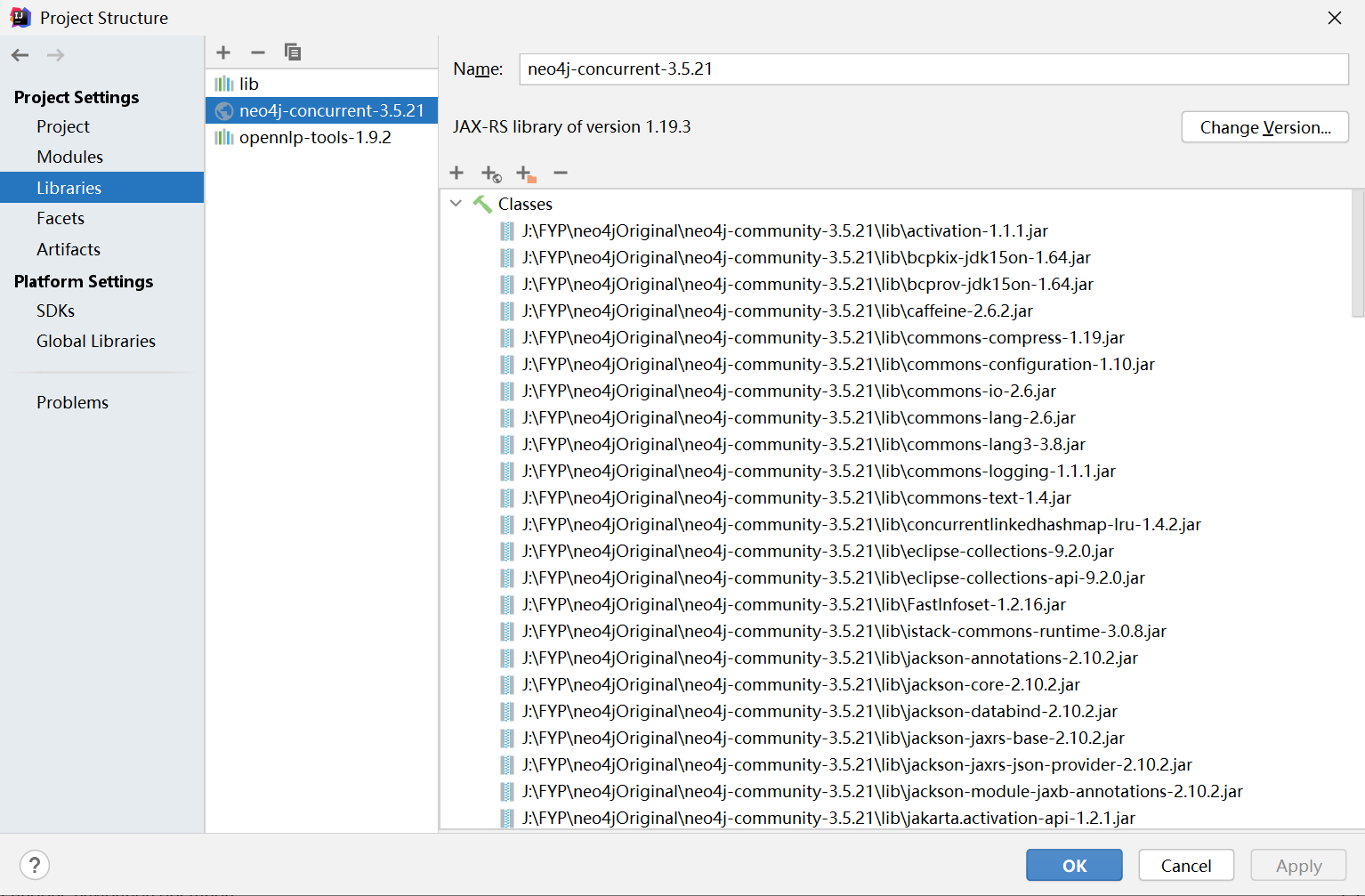
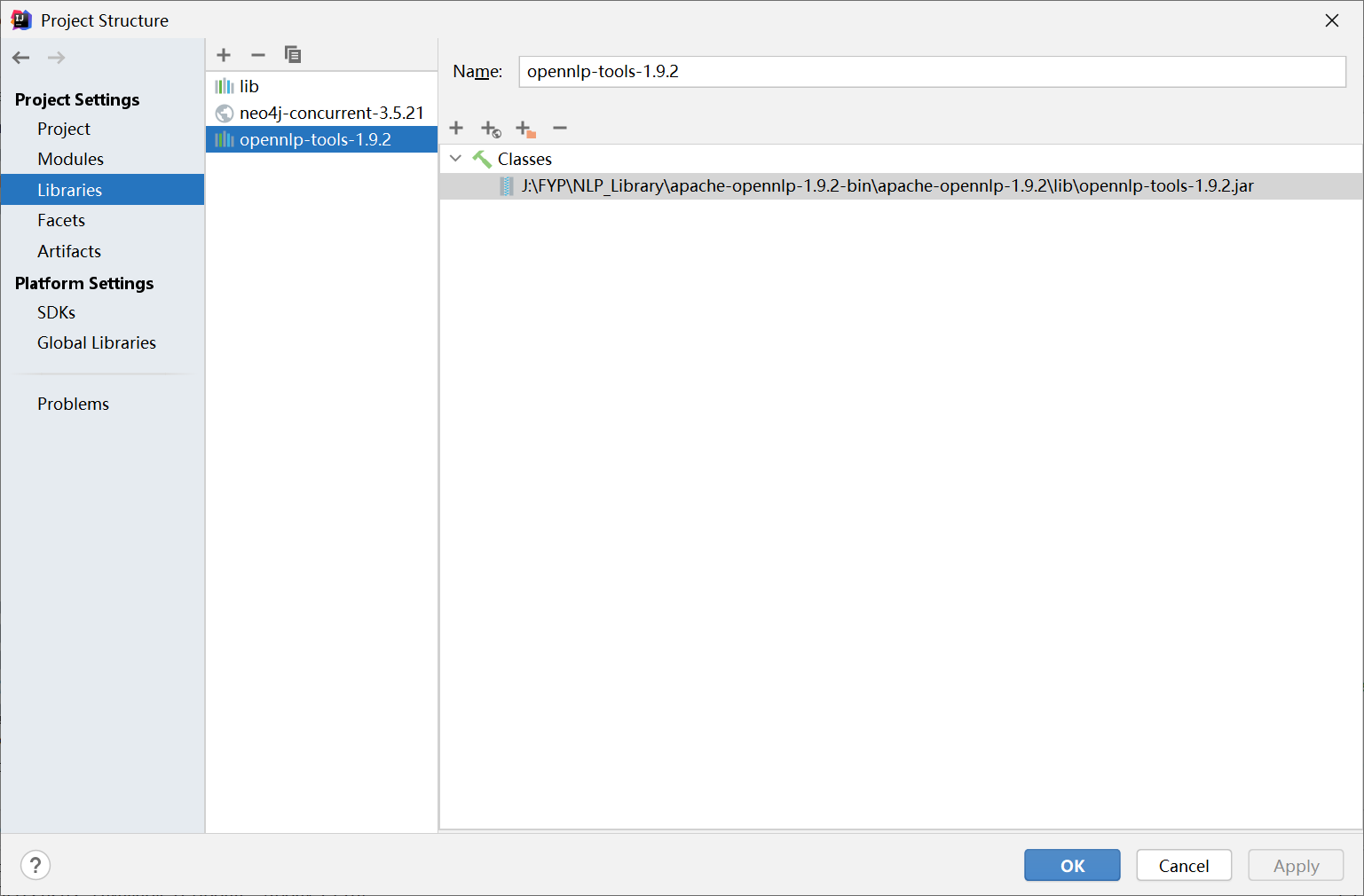
- Then we configure OpenNLP. Similarly, import the opennlp-tools-1.9.2.jar in Document/apache-opennlp-1.9.2/lib/ to the project structure:
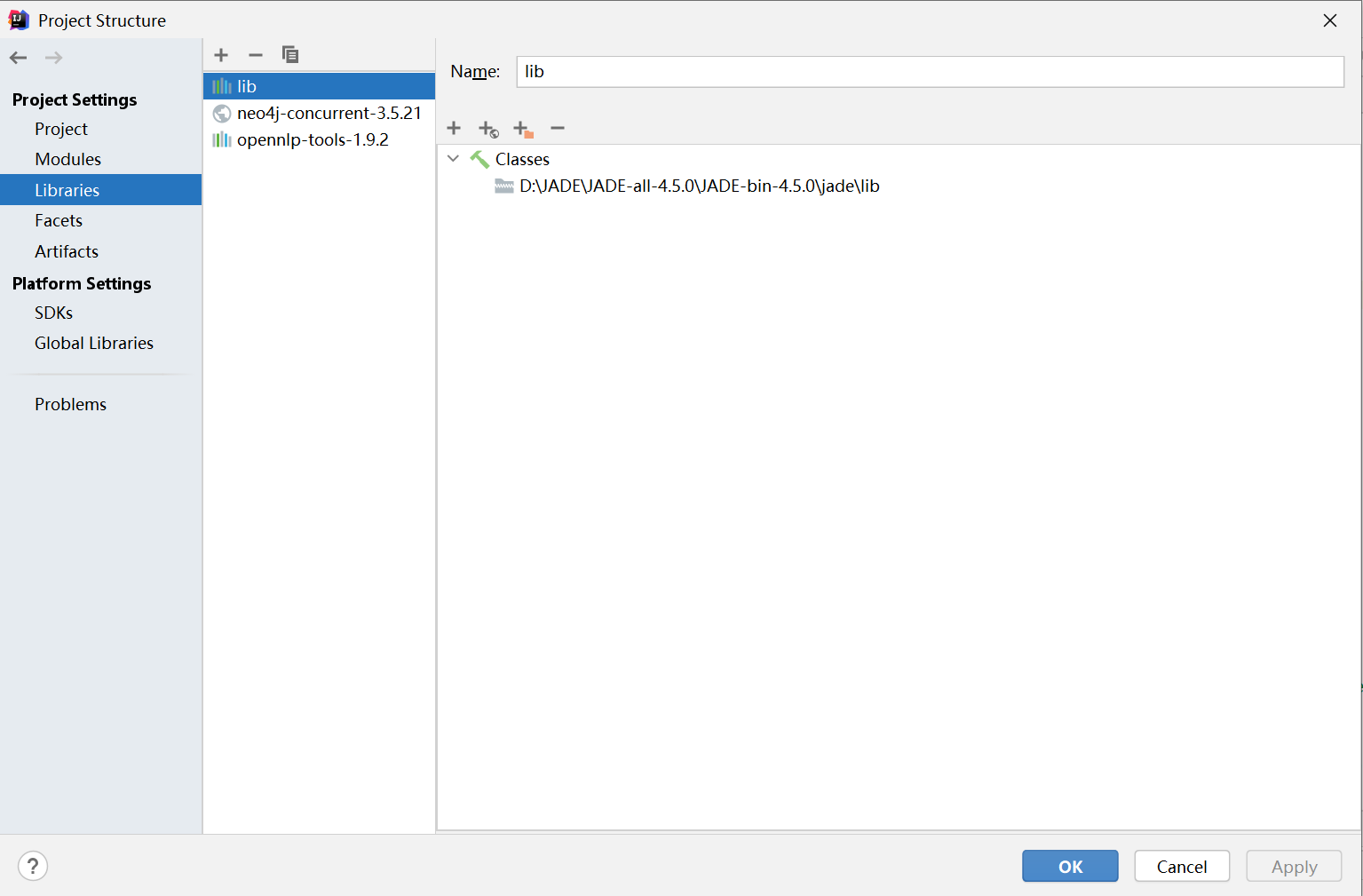
- Then we configure JADE platform. Similarly, import the lib in Document/JADE-all-4.5.0/JADE-bin-4.5.0/jade/ to the project structure:
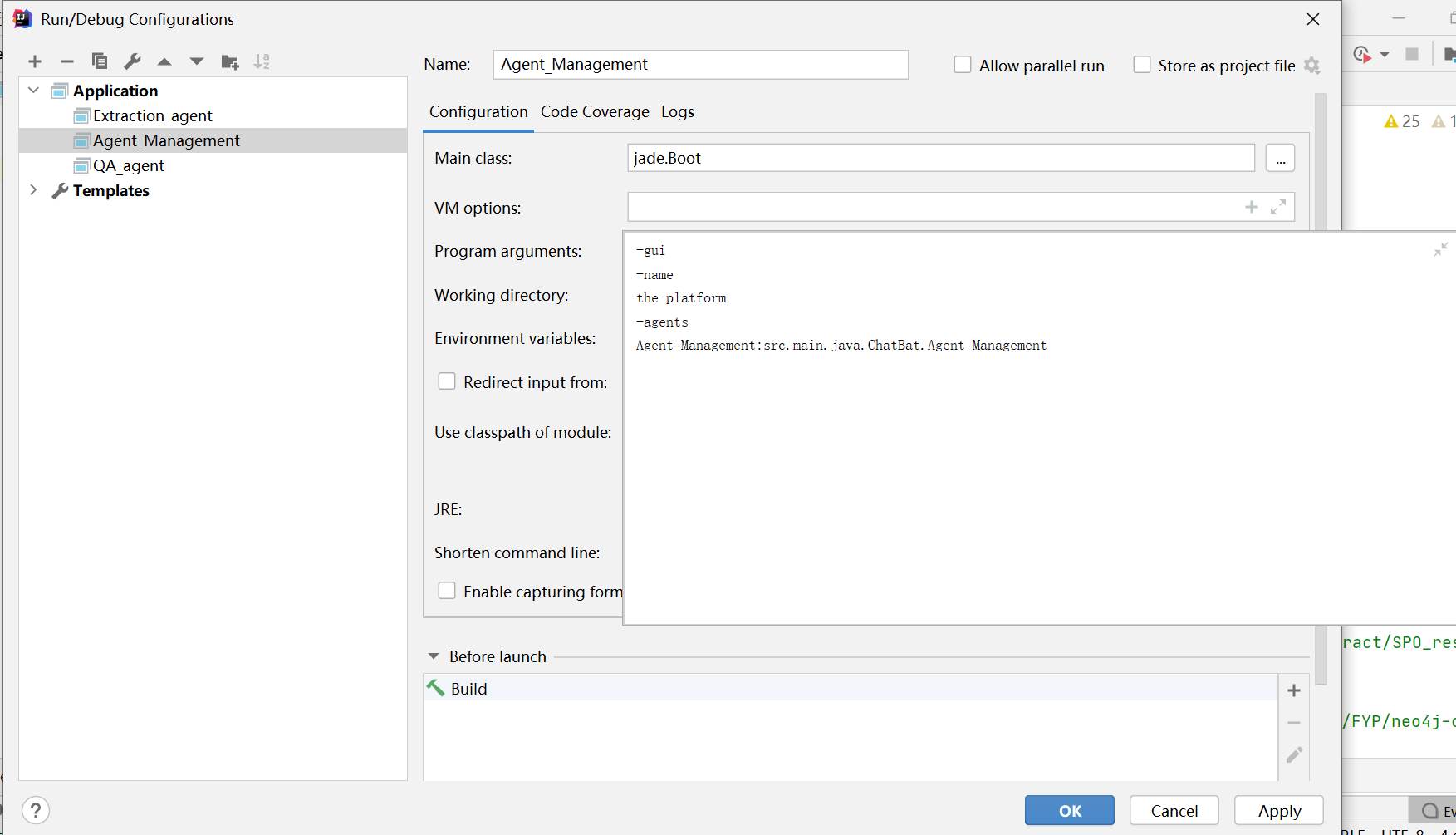
- Before we run the project, we should congifure the running object. We can choose to run the Agent_management to manipulate the multiple agents. Add a new application and set the Program arguments:
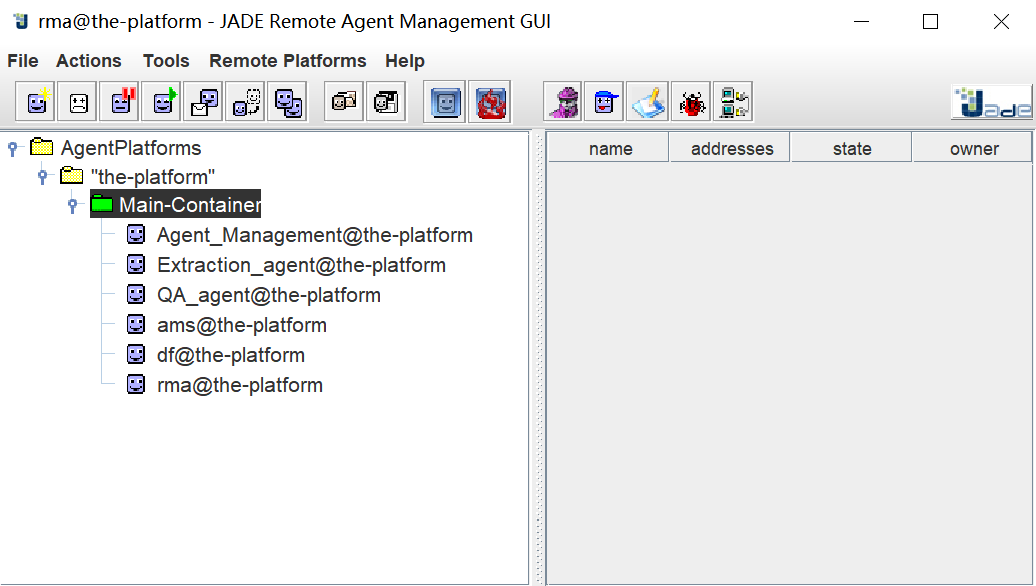
And we can see the running result:
Or we can choose to run the Extraction_agent individually. Similarly, add a new application and set the Program arguments:
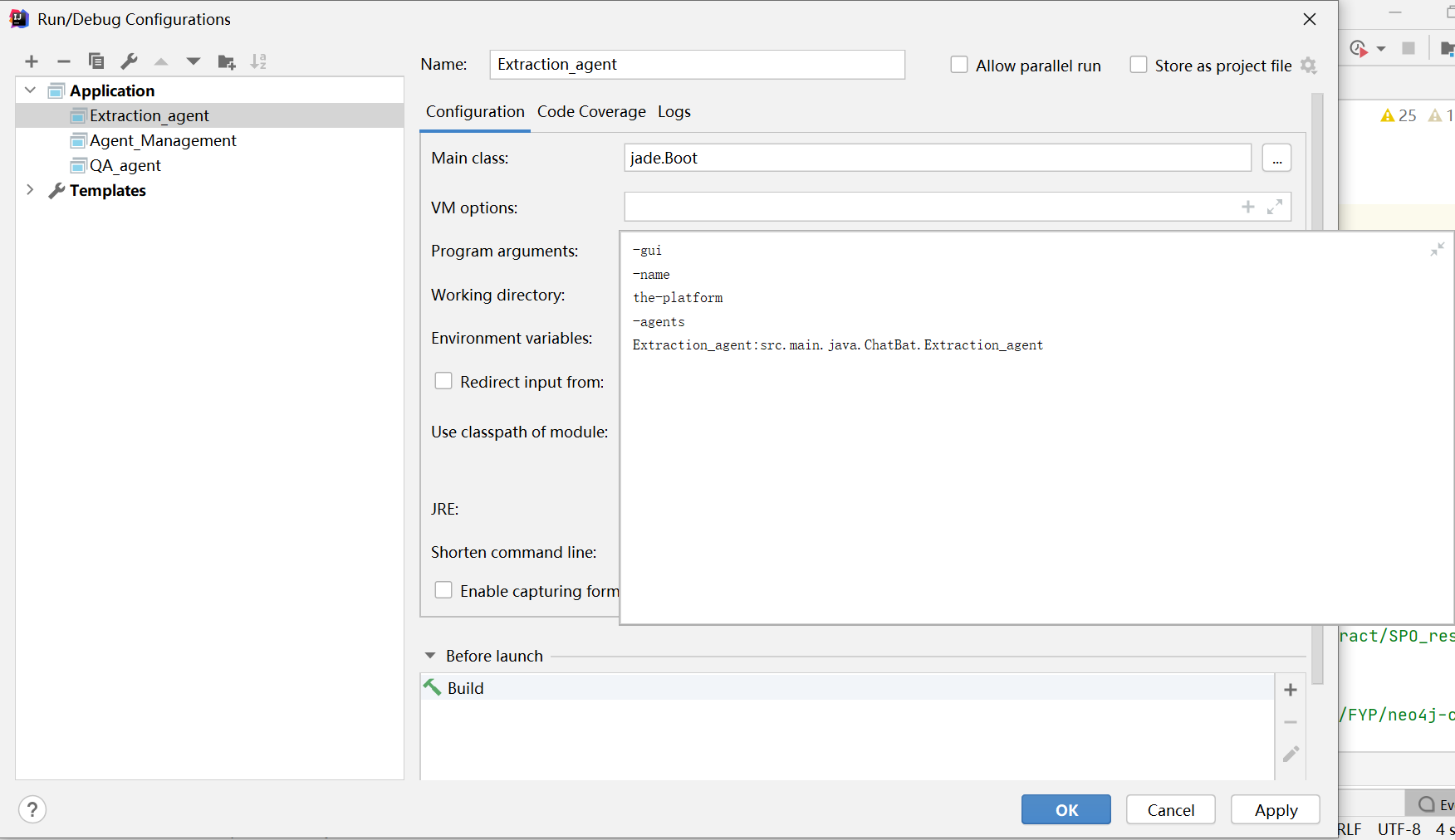
We can see the instruction for finishing extraction in the IDEA terminal after running the Extraction_agent successfully. Or we can choose to run the QA_agent individually. Similarly, add a new application and set the Program arguments:
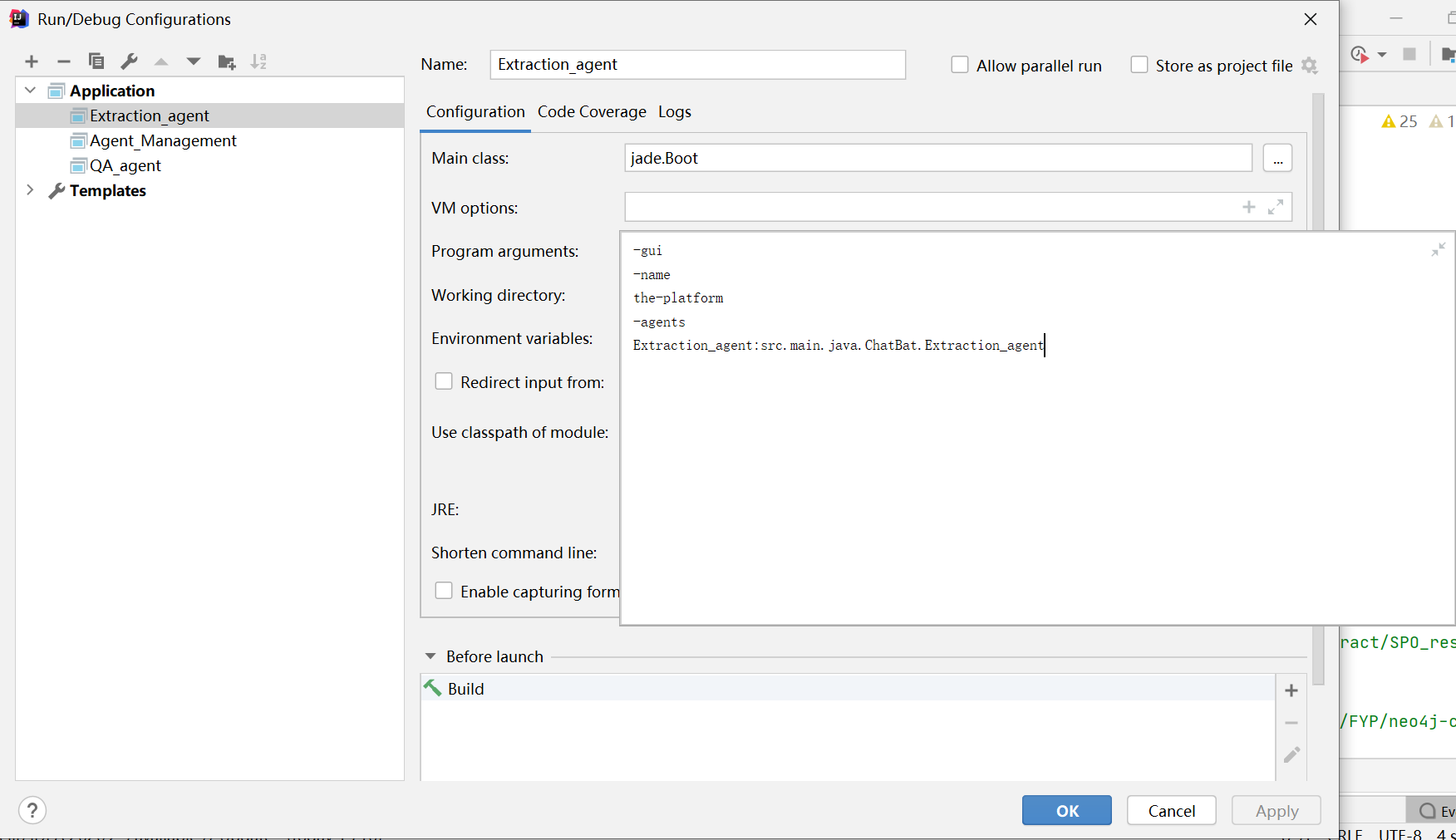
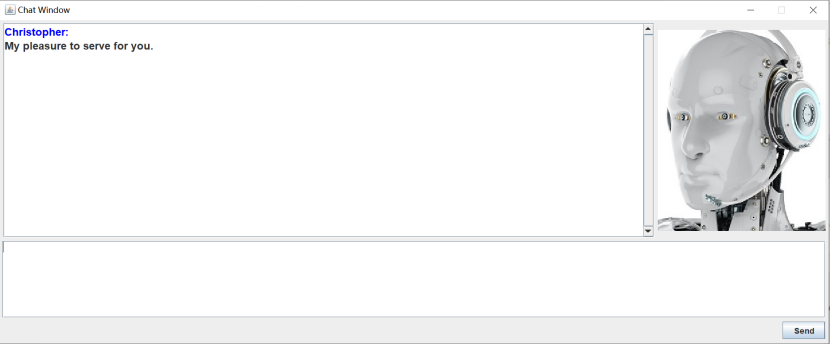
Finally, we can see the GUI chat window:
- We can also see how our knowledge looks like in NEO4J. After download the files Knowledge/neo4j-community-3.5.21/ to your device, use CMD to reach where the file bin locates. The interior of bin is:
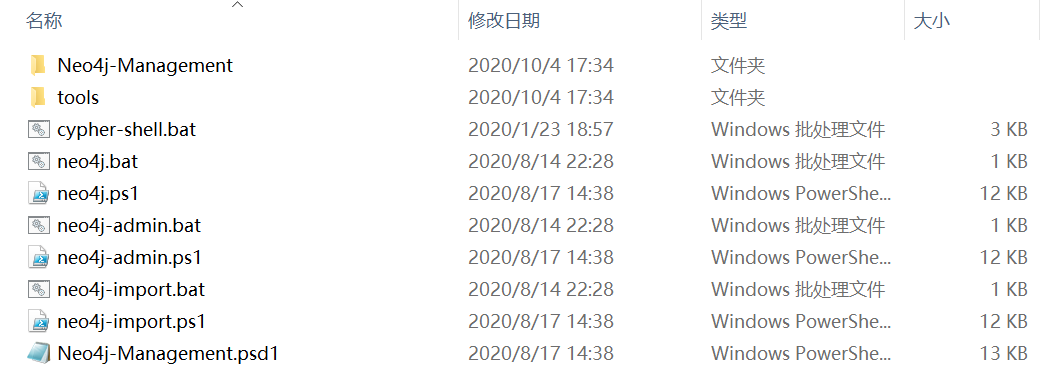
And then use command neo4j console to launch NEO4J:
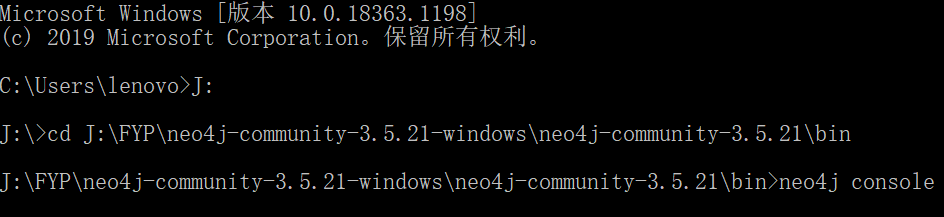
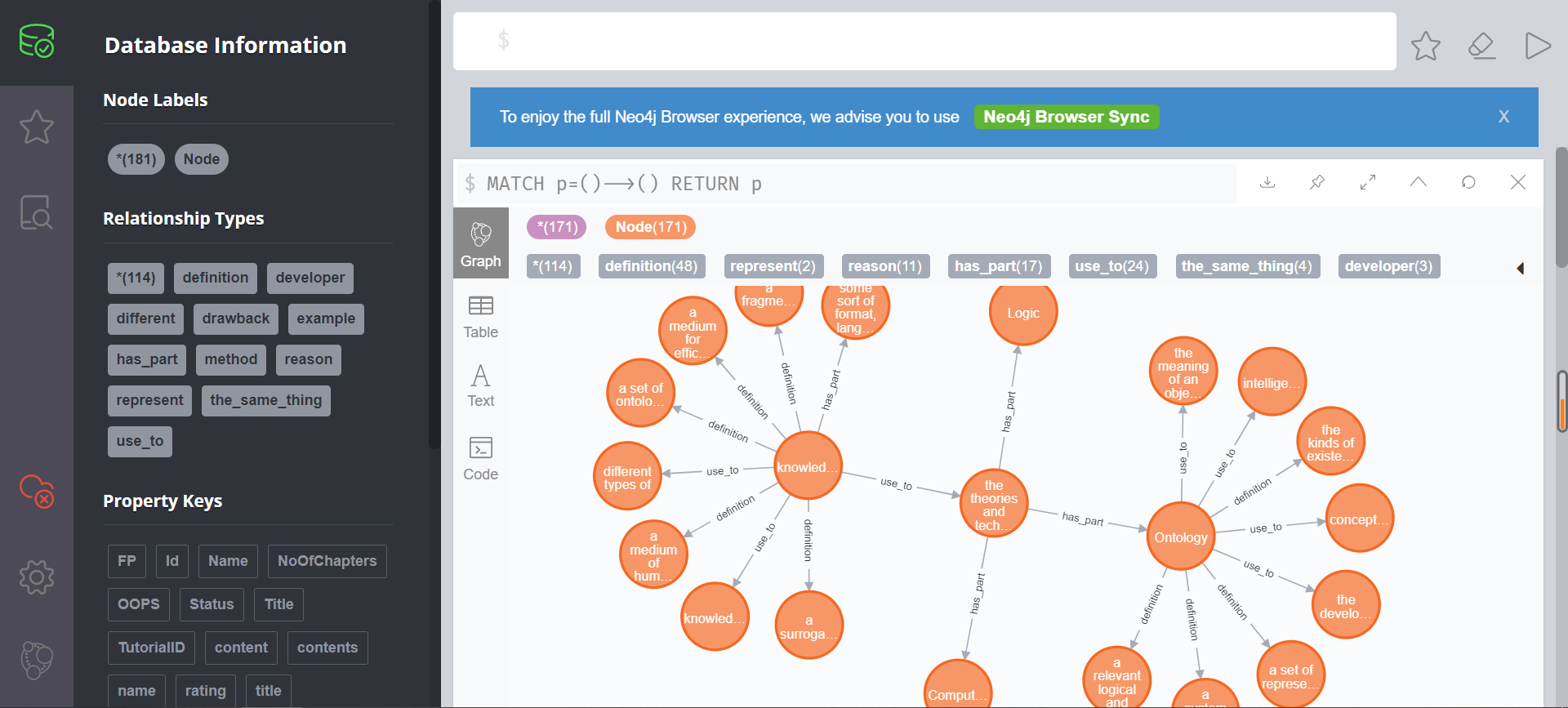
We can get the address to see the graphical interface from the CMD windows(Mine is http://localhost:7474/). Use web browser to open this address, we can see the knowledge:
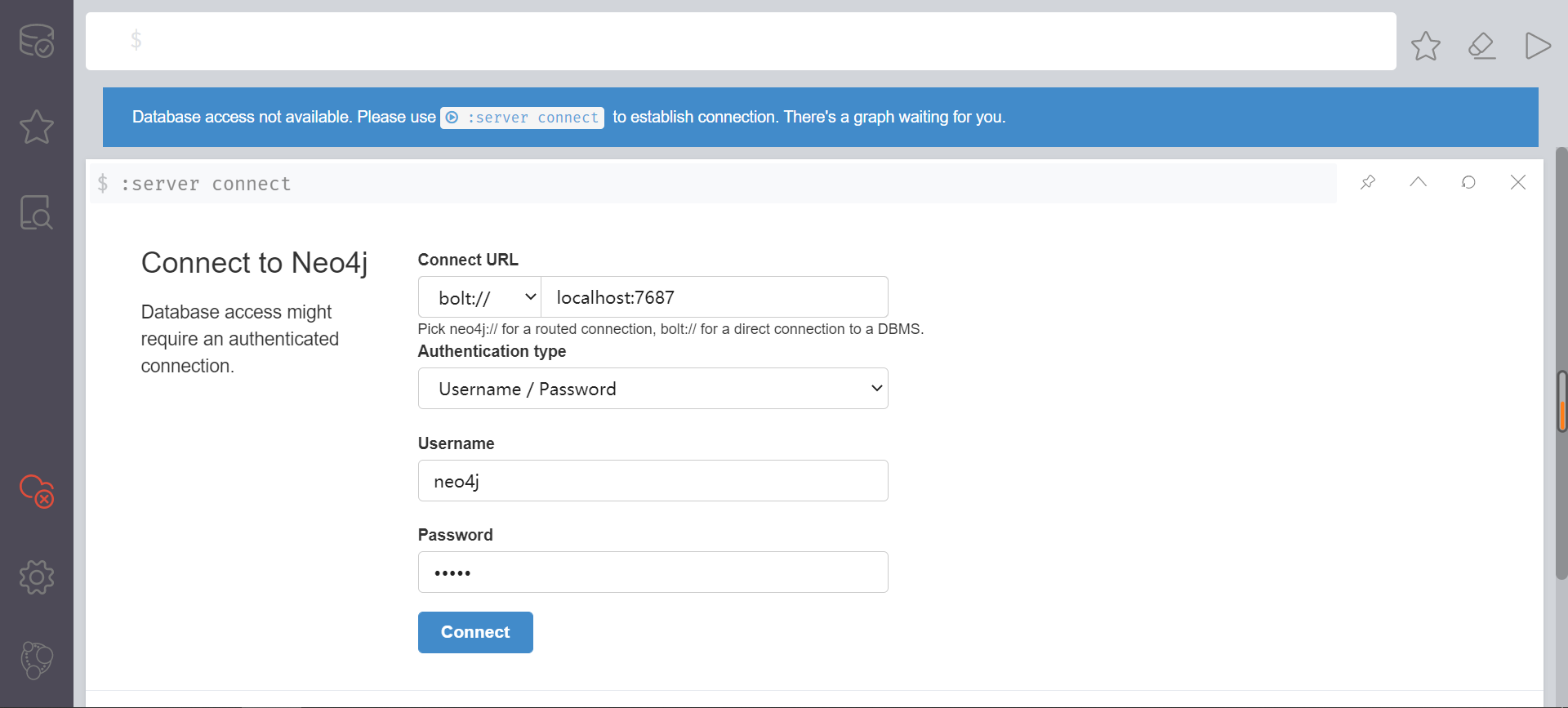
However, if it is your first time to open NEO4J, you may see this page and you need to input the usename and password. Initial usename and password are both neo4j:
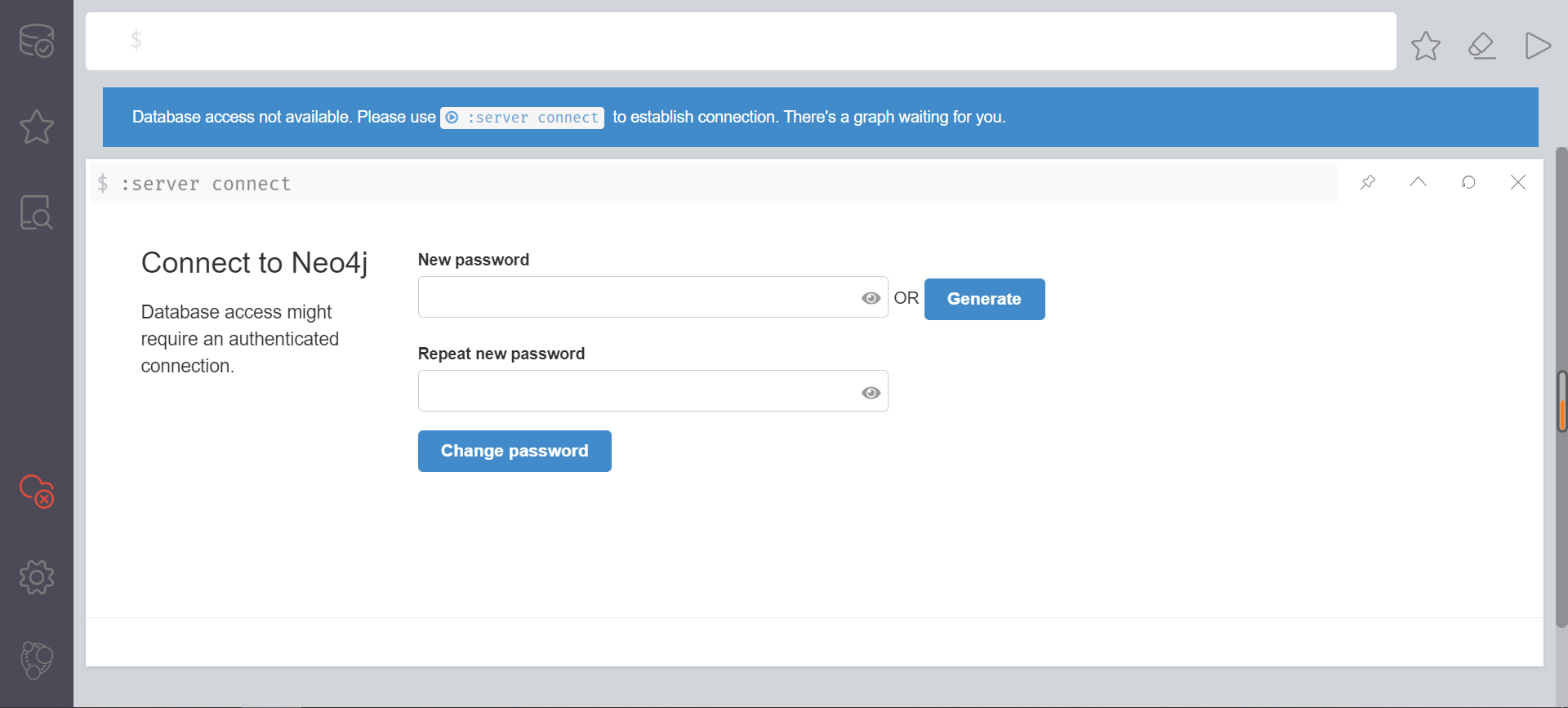
Then you need to set the new usename and password:
Finally you can see the knowledge mentioned earily.