




ClearBox is a multi-functional, deep, and fast cleaning tool that can quickly free up space on your device, organize storage, lock, clear software caches, installation packages, compressed files, junk files, empty folders, suppress cache, classify files, clear data, and prevent software updates/installs all in one go. It also supports automatic optimization/cleaning, file categorization features, and allows you to add custom cleaning rules, file cleaning/organization categorization, whitelists, and other rules. Additionally, it supports adding custom tasks via an automation system using modules.
The execution time is much faster than regular cleaning software on the market, comparable to
Compatible with Magisk, APatch, KernelSU, and their various forks
Release Version、CI Build or Manual Build:
#(Please configure the NDK and set the variable $ANDROID_NDK_HOME to the NDK root directory path)

sudo apt install zip make

git clone https://github.com/FLYCOM-E/ClearBox
cd ClearBox && chmod +x *

export M_API=23 #(Can be adjusted according to the required target API version)
export M_TARGET=aarch64 #(Options: aarch64, armv7a, x86_64, i686)

bash build.sh
Flash ClearBox_aarch64_21.zip
:Install and use the module ClearBox app (asked during module installation
:Enable the terminal UI feature by typing
ClearBoxin any terminal
Perform fast one-click optimization/cleanup, the effect is equivalent to periodic optimization. Including cache cleanup, junk cleanup, fast disk GC, etc. According to module settings, file cleanup/organization can also be run
This function is rule-based cleanup. You can add cleanup rules yourself in the /data/adb/wipe_cache/CleanConfigs/ directory.
Configuration method:
Rules use text format. Optionally fill in @/xxx (starting from the root directory) on the first line of the rule file to specify the initial directory. Different rule files are independent.
One file/directory path per line. If you have specified the initial path, you can fill in only the relative (initial directory) path instead of the full path.
Clean internal/external storage empty folders, multimedia cache, software cache, etc.
Clears third-party application caches, excluding system application caches. If you have enabled external storage cache cleaning, it will also clean external storage.
File cleaning function, comes with some built-in cleaning configurations, supports custom file format configurations, and supports external storage.
Configuration Method:
Configuration Directory: /data/adb/wipe_cache/FileConfigs
Configuration Approach: Create a conf document file in the configuration file directory. The file name will be displayed as the corresponding cleaning item name on the cleaning page. Fill in custom file extensions into this file, separated by spaces or line breaks. Comments are not supported.
Add @MAX=<size/B/K/M/G>、MIN=<size/B/K/M/G> within the file to specify the target file size range. Parsing is overwritable — later declarations will override previous ones, allowing you to leverage this feature to create custom rules
Example:
@MAX=1/G @MIN=10/M
zip 7z
@max=-1
iso img
@MIN=10/KB exe
This declaration specifies to only organize zip、7z files with a maximum size of 1 G and a minimum size of 10 MB, while iso、img files have no maximum size restriction
Note: -1 means unlimited. MIN cannot be greater than MAX, otherwise MIN will be automatically invalidated. MAX, MIN, and size units are case-insensitive (you may have already noticed :-)),Floating point numbers (decimals) are currently not supported
The software/terminal cleaning page will be dynamically built based on the configuration files
Scope: File cleaning, as well as file organization which will be covered later
One of the rule cleanup functions, used to clean the internal private directory of software according to rules
Configuration method:
Configuration directory: /data/adb/wipe_cache/AppCleanRules
Configuration way:Create a conf file in the configuration directory. The file name is arbitrary but must not contain special symbols, spaces, etc.
Fill in @<package_name>/<app_name> at the beginning of the first line to specify the software corresponding to this rule;
After that, one folder path or file path per line. The initial directory is the App data directory.
The module will automatically find the data directory corresponding to the package name. The software name will be displayed in the cleanup interface
The software/terminal cleanup page will be dynamically built according to the configuration file
Please do not hard-code cleanup rules with root directory /xxx in the rules, otherwise cleanup will report an error and skip this rule file.
The module will automatically check some configuration errors
Clear system software cache, system cache, and also clear MTP host data (can solve MTP file transfer file list display abnormality)
Feature automation, driven by the Timed component (ultra-low overhead).
You can use the Timed module to run custom tasks! Follow the configuration below:
Config Directory: /data/adb/wipe_cache/TimedConfig
In this directory, create a .conf file with a custom name, then add and modify the following lines (some are optional):
time=Interval/Unit (Currently supports M/min, H/hour, D/day)
date=0
run=Program and arguments to execute; supports Shell syntax (parsed by Shell)
in=Start Hour/End Hour (Runs between Hour X and Hour X. Optional; do not exceed 23. Note: non-daily tasks will run multiple times within this window)
post=Notification Title/Content (Sends a notification. Optional; not recommended for minute-level tasks)
Example:
time=1/D
date=0
run=sync
in=0/5
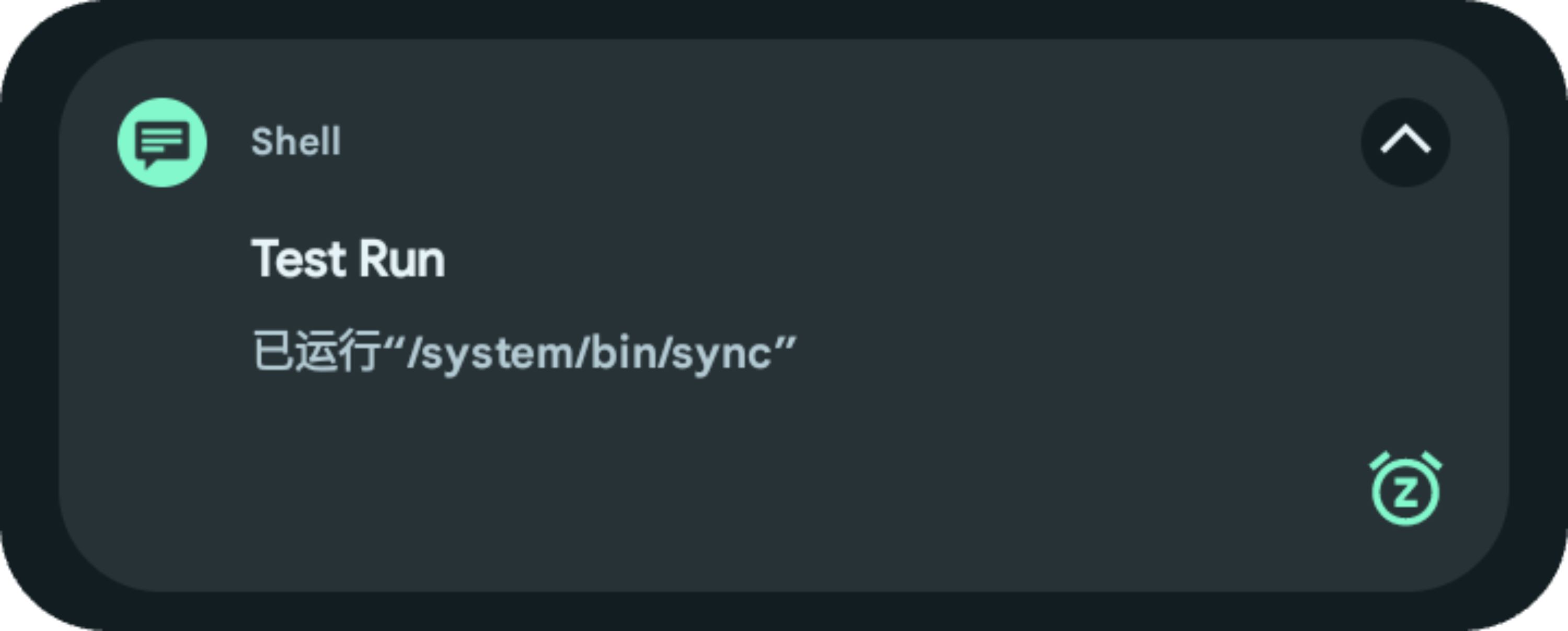
post=Test Run/Executed Sync
The above configuration will run the /system/bin/sync command once between 0:00 and 5:00 AM daily and send a notification.
As the name implies, file system-level forced blocking of software installations, does not handle expanded storage, therefore if the software is installed on external storage, this item is invalid
As the name implies, locks the internal storage root directory layout to prevent various applications from randomly creating files/folders, does not handle expanded storage
This is an important function of the module, used to dynamically block foreground software from generating cache.
After turning on this function and restarting to activate, it will automatically cache the latest 5 foreground software and block cache. You can customize and add a whitelist.
Whitelist location: /data/adb/wipe_cache/whitelist.prop or add it in the module ClearBox app.
Other:The module adopts a dynamic wait update method (10s & 30s), on the one hand to avoid continuous resource occupation, on the other hand, some software will be abnormal when launched under the cache block state. Delayed activation of cache blocking after entering the software is the optimal solution.
Blocking cache will not clear the software cache, so the software cache will not be 0, but will grow slowly. This avoids continuous small file erasure and only limits large cache generation
Extremely low overhead, automatically delays execution when the screen is off
External storage expansion only supports single card. If you have expanded multiple cards, expanded storage will not be processed
If some software is abnormal, please add it to the whitelist yourself!
One-click classify internal/multi-external storage files, rules shared with file cleanup
Configuration Directory:/data/adb/wipe_cache/BindConfigs
Create a custom name .conf file in this directory and fill in custom mount rules:
<Bind Directory> <Target Directory>
Note: Please do not enter absolute paths, but rather relative internal storage paths, otherwise mounting will fail
When writing/creating directories/files into , they will be redirected to
This feature cannot currently run on devices using sdcardfs, but don't worry, Android 12+ devices have basically stopped using sdcardfs
This is an optimization function set, including disk optimization ( f2fs-GC ) and Dexoat (software pre-compilation) functions
F2fs disk GC, this function belongs to emergency GC, so it does not need to be used frequently, just run it regularly. The solution comes from the big guy Coolapk@Amktiao, and has been agreed, thanks to the big guy!
Dexoat software pre-compilation, that is, pre-compile software to accelerate runtime speed, the disadvantage is that it takes up storage space, which belongs to the space-electricity-for-smooth operation () The module provides three modes in advance: system default Dexoat, custom compilation mode, RESET:
System default Dexoat: Android system (especially newer systems) will also automatically compile some hotspot functions when idle to improve overall running speed, so the module provides system Dexoat mode, this mode is equivalent to manually triggering system Dexoat, the mode and compilation items are determined by the system.
Custom compilation mode:This mode supports manually specifying the compilation mode, currently supports Speed, Speed-profile, Everything three modes
RESET:Restore compilation
The module ClearBox App is made using the Kr-Script project. Thanks to the project.