Name: Ron Syhmon Pingol, Ernest Decina, Alex Tsang, Daniel Wu.
Student Number: C21782059, C21394933, C21751999, C21460524.
Class Group: TU858
Include all team members names and student numbers if a team project
(https://www.youtube.com/watch?v=zinRCbnw260&ab_channel=ErnestJohnDecina)


Make sure to be on a connected network that has a DNS that doesnt block the following domain name: ernestjohndecina.com
Run the project using F5 (With Debugging) || CTRL + F5 (Without Debugging)
Enter an APPROPRIATE prompt. Then wait for the Application to process your AI Generated Image. (Any inappropriate prompts will be met with a error and user must reinput a prompt). If it still doesnt work make sure you are connected to the internet for visualizer to create a AI Image
| Class/asset | Source |
|---|---|
| MyClass.cs | Self written |
| MyClass1.cs | Modified from reference |
| MyClass2.cs | From reference |
Each team member or individual needs to write a paragraph or two explaining what they contributed to the project
- What they did
- What they are most proud of
- What they learned
My visual consists of multiple shapes that make up multiple rings then transitioning into a cube filled dimesnion, looking like the tesseract area in the movie Interstellar
Multiple coloured shapes will be moving and they will be rotating on a ring.
My Second visual, will transition from the multicoloured shaped. Then lots and lots (like lots), of cubes will appear and when they rotate their colours will change.
This was a difficult assignment as i have never done processing before and learning these things all in one semester was a very tough task. i am proud of drawing my shapes, it made me learn alot of new methods and has opened my eyes to the more art aspect of coding.
        pApplet.rotateX(angle / 30.0f);
        pApplet.rotateY(angle * 1.3f / 30.0f);
        pApplet.rotateZ(angle * 0.7f / 30.0f);
        pApplet.noStroke();
        fft.forward(audioBuffer);
        for (int i = 0; i < numBands; i++) {
            bandSize[i] = fft.getBand(i) * 5;
        }
        angle += PApplet.map(bandSize[0], 0, 100, 0.01f, 0.1f);
        colorAngle += PApplet.map(bandSize[1], 0, 100, 0.001f, 0.01f);
        for (int i = -200; i < 200; i += 20) {
            for (int j = -200; j < 200; j += 20) {
                for (int k = -200; k < 200; k += 20) {
                    float x = i;
                    float y = j;
                    float z = k;
                    float size = PApplet.map(bandSize[(i + 200) / 20], 0, 255, 0, 50);
                    float yOffset = pApplet.noise(i * noiseScale, j * noiseScale, k * noiseScale) * noiseStrength;
                    // Assign a different color for each cube based on its position
                    int cubeColor = pApplet.color(PApplet.map(i + colorAngle, 0, 512, 0, 255),
                            PApplet.map(j + colorAngle, 0, 512, 0, 255),
                            PApplet.map(k + colorAngle, 0, 512, 0, 255));
                    pApplet.fill(cubeColor);
                    pApplet.pushMatrix();
                    pApplet.translate(x, y + yOffset, z);
                    pApplet.box(size);
                    pApplet.popMatrix();
                }
            }
        }
    }
In my visual it first shows a big Sun that is going through its giant phase, it then splits into 4 different Sun's and then it shows the universe collapsing
    and shaking and showing lots of chaos.
The first part of my visual shows the Sun slowly growing according to the amplitude of the music.
The second part of my visual shows the Sun split into 4 smaller suns rotating around the center of the screen.
The last part of my visual shows the screen shaking and explosions happening according to amplitude.
There was lots of things that i was proud of in this assignment but the thing that i was most proud of was getting the sphere to split into four seperate sphere and adding the screen shake. I am also proud that i got the spheres to rotate around the center.
        float x = windowWidth / 2;
        float y = windowHeight / 2;
        float amplitude = audioBuffer.level() * 1000;
        float diameter = (initialDiameter + amplitude + (timeElapsed * timeScale)) / 2;
        // Map the amplitude value to a hue value
        pApplet.colorMode(PConstants.HSB, 360, 100, 100);
        float hue = PApplet.map(amplitude, 0, 200, 0, 360);
        // Calculate the opacity based on a sine wave
        float opacity = PApplet.map(PApplet.sin(pApplet.frameCount * 0.05f), -1, 1, 50, 255);
        for (int k = 0; k < 4; k++) {
            float offsetX = PApplet.cos(rotationAngle) * diameter * 1.5f;
            float offsetY = PApplet.sin(rotationAngle) * diameter * 1.5f;
            pApplet.pushMatrix();
            pApplet.pushStyle();
            pApplet.translate(x + offsetX, y + offsetY, -diameter / 2);
            pApplet.noStroke();
            float adjustedRotationSpeed = PApplet.map(amplitude, 0, 200, rotationSpeed, rotationSpeed * 10);
            rotationAngle += adjustedRotationSpeed;
            pApplet.fill(hue, 100, 100, opacity); // Use the calculated opacity value
            pApplet.rotate(rotationAngle, 1, 1, 0);
            pApplet.beginShape(PConstants.TRIANGLES);
            int detail = 100;
            for (int j = 0; j < detail; j++) {
                float theta1 = PApplet.map(j, 0, detail, 0, PConstants.TWO_PI);
                float theta2 = PApplet.map(j + 1, 0, detail, 0, PConstants.TWO_PI);
                for (int i = 0; i < detail; i++) {
                    float phi1 = PApplet.map(i, 0, detail, 0, PConstants.PI);
                    float phi2 = PApplet.map(i + 1, 0, detail, 0, PConstants.PI);
                    float x1 = diameter * PApplet.sin(phi1) * PApplet.cos(theta1);
                    float y1 = diameter * PApplet.sin(phi1) * PApplet.sin(theta1);
                    float z1 = diameter * PApplet.cos(phi1);
                    float x2 = diameter * PApplet.sin(phi1) * PApplet.cos(theta2);
                    float y2 = diameter * PApplet.sin(phi1) * PApplet.sin(theta2);
                    float z2 = diameter * PApplet.cos(phi1);
                    float x3 = diameter * PApplet.sin(phi2) * PApplet.cos(theta2);
                    float y3 = diameter * PApplet.sin(phi2) * PApplet.sin(theta2);
                    float z3 = diameter * PApplet.cos(phi2);
                    pApplet.vertex(x1, y1, z1);
                    pApplet.vertex(x2, y2, z2);
                    pApplet.vertex(x3, y3, z3);
                    pApplet.vertex(x1, y1, z1);
                    pApplet.vertex(x3, y3, z3);
                    pApplet.vertex(x2, y2, z2);
                }
            }
            pApplet.endShape();
            if (amplitude > 20) {
                particles.add(new Particle(new PVector(x + offsetX, y + offsetY), hue));
                if (amplitude > 220) {
                    createExplosion(x + offsetX, y + offsetY, hue, 100);
                }
            }
            pApplet.popMatrix();
            pApplet.popStyle();
            rotationAngle += PConstants.PI / 2; // Divide the full circle into 4 equal parts for each circle
        }
        pApplet.noStroke();
        // Increment time elapsed
        timeElapsed += 1;
    }
- Item 1
- Item 2
This is emphasis
This is a bulleted list
- Item
- Item
This is a numbered list
- Item
- Item
This is a hyperlink
This is code:
public void render()
{
	ui.noFill();
	ui.stroke(255);
	ui.rect(x, y, width, height);
	ui.textAlign(PApplet.CENTER, PApplet.CENTER);
	ui.text(text, x + width * 0.5f, y + height * 0.5f);
}
So is this without specifying the language:
public void render()
{
	ui.noFill();
	ui.stroke(255);
	ui.rect(x, y, width, height);
	ui.textAlign(PApplet.CENTER, PApplet.CENTER);
	ui.text(text, x + width * 0.5f, y + height * 0.5f);
}
This is an image using a relative URL:

This is an image using an absolute URL:

This is a youtube video:
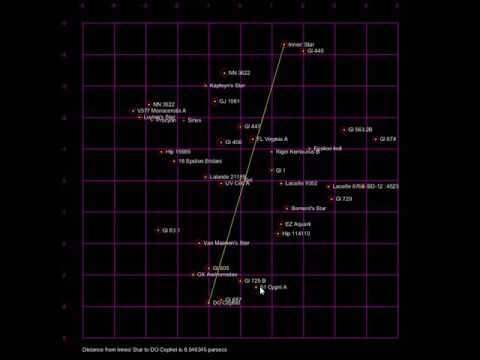
This is a table:
| Heading 1 | Heading 2 |
|---|---|
| Some stuff | Some more stuff in this column |
| Some stuff | Some more stuff in this column |
| Some stuff | Some more stuff in this column |
| Some stuff | Some more stuff in this column |