A production-ready AI chat platform with multi-model support, voice I/O, RAG, multi-agent conversations, and a full support dashboard.
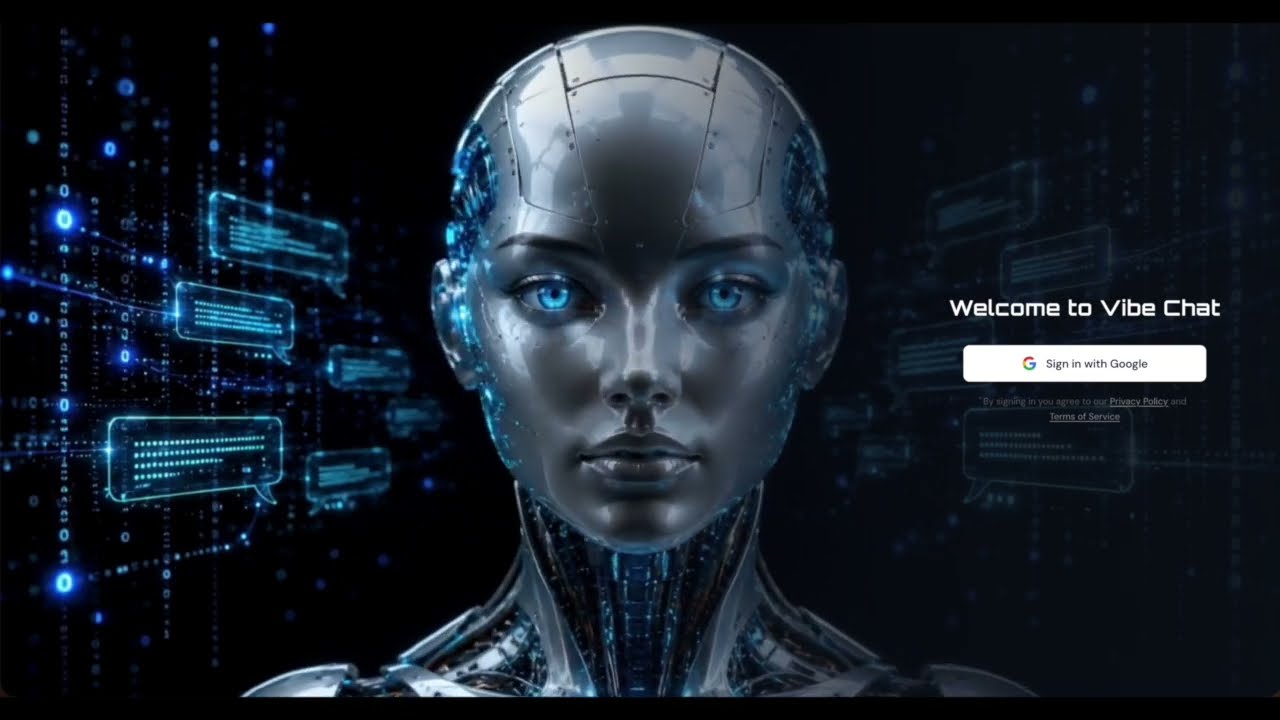
Vibe Chat is a production-ready AI chat platform built for developers and teams who want more than a basic chatbot. It supports five large language models simultaneously and lets you define custom prompt agents with their own system prompts. Beyond chat, it connects to Google Drive and Sheets via Zapier MCP, includes ElevenLabs-powered voice input and output, PDF upload with TF-IDF RAG and map-reduce summarization, multi-agent conversations with self-improving prompts, a Discord bot, and a fully featured customer support dashboard with AI-powered ticket routing, sentiment analysis, SLA tracking, escalation rules, and automated email notifications.
Users sign in with Google — conversations, messages, and uploaded documents are private to each account. The storage layer abstracts behind a clean IStorage interface backed by PostgreSQL (Drizzle ORM); MemStorage is available as a zero-config fallback for development without a database.
- Google OAuth sign-in — one-click sign-in via Google OAuth 2.0 (passport-google-oauth20).
- Session-based authentication — server-side sessions with memorystore; 24-hour TTL, httpOnly cookies.
- Private data per user — conversations, messages, and uploaded documents are isolated by
userId; every/api/*route requires a valid session.
- Multi-model LLM chat — Streaming responses via Server-Sent Events. Conversations and messages are persisted in a sidebar with rename and delete support.
- MCP Tools (Google Drive & Sheets) — The AI can read files and spreadsheets through Zapier MCP. Tool invocations surface as status messages in the chat stream.
Note: MCP tool calling requires an OpenAI API key. Switch to GPT-4o Mini in the model selector before using Google Drive or Sheets features. Other models do not support the function-calling loop required for tool execution.
- ElevenLabs Voice Widget — Voice input via speech-to-text and optional voice output via TTS. A toolbar toggle enables auto-playback of AI responses.
- Multiple AI models — Switch between GPT-OSS 120B (Groq, default), GPT-4o Mini (OpenAI), Claude Sonnet (Anthropic), Gemini Flash (Google), and DeepSeek V4 Flash (DeepSeek) from the header.
- Prompt & Agent Management — Create, edit, and delete custom agents with their own system prompts, icons, and descriptions. Five built-in agents (General, Coder, Writer, Analyst, Tutor) are protected from edit/delete. Two example custom agents are pre-seeded (Debate Coach, Career Advisor); users can create unlimited additional agents.
- Support Workflow Automation — Full support dashboard at
/support: ticket creation, AI-powered categorisation, priority and sentiment analysis, smart agent routing, SLA deadlines, escalation rules, AI-suggested responses, and aggregate stats. - Multi-channel support (Discord + Email) — A Discord bot responds to DMs and @mentions. EmailJS sends customer notifications on ticket creation and agent replies.
- Voice Response to Text — AI responses are read aloud automatically after each message (markdown stripped before synthesis).
- RAG Integration — Upload PDF files; the server parses, chunks, and indexes them with TF-IDF keyword scoring. Each message retrieves the top-k most relevant chunks and injects them into the system prompt as context. Documents are scoped to the uploading user.
- PDF Summarization — After uploading, a "Summarize" chip appears above the chat input. Clicking it calls a dedicated
/api/documents/:id/summarizeendpoint that uses a map-reduce pattern: documents with more than 10 chunks are split into batches of 10, each batch summarized independently, then combined into a structured final summary (Overview, Key Points, Main Topics, Key Takeaways). A 2-second delay between LLM calls prevents hitting Groq's free-tier rate limit. - Multi-Agent Conversation — Pick any two AI agents from the sidebar at
/multi-agent, enter a topic, and watch them debate or collaborate for 6 sequential turns. Five agents are available: General Assistant (balanced), Creative Writer (imaginative), Data Analyst (evidence-driven), Learning Tutor (patient & clear), and Code Expert (technical). Choose Debate mode for opposing arguments or Collaborate mode for constructive idea-building. After 6 turns, use Continue, Redirect (new topic, same agents), or Stop to control the conversation. - Self-Improving Agents — After each multi-agent conversation completes, agents can automatically improve their system prompts based on two feedback sources: per-turn 👍/👎 votes cast by the user and automatic LLM quality scoring (clarity, personality accuracy, relevance on a 1–5 scale). Clicking Improve Agents sends all feedback and scores to
POST /api/multi-agent/improve, which generates improved prompt versions via Groq and persists them as versioned rows in theagent_promptsPostgreSQL table. Improved prompts are loaded automatically on the next conversation.
- Settings page — Full settings UI at
/settingswith five tabs: Account, Preferences, Appearance, Data & Privacy, and Danger Zone. - User profile management — Edit display name; avatar is pulled from Google OAuth.
- Default model and agent preferences — Per-user preferences stored in a
jsonbcolumn; applied automatically when opening the chat page. - Light / dark / system theme switching — Three-way toggle (Light, Dark, System) in the Appearance tab; system mode tracks the OS preference and defaults to dark when preference is unknown.
- Account deletion — Danger Zone tab with a confirmation modal requiring the user to type
DELETE; cascades deletes all user data. - Help page — Full FAQ page at
/helpwith a getting-started guide, grouped accordion FAQ, and a link to the support ticket system.
- Helmet security headers — CSP, HSTS, X-Frame-Options, X-Content-Type-Options, and Referrer-Policy applied globally via
helmetmiddleware. - CORS — Locked to
APP_URL; credentials mode enabled for session cookies. - Rate limiting — Per-route limiters via
express-rate-limit: auth routes (20 req/15 min), LLM messages (20 req/min), voice endpoints (10 req/min), document upload/summarize (5 req/min), multi-agent turns (15 req/min). A global limiter (100 req/15 min) covers everything else. - Zod input validation — All mutation endpoints validate request bodies with Zod schemas; invalid payloads return structured 400 errors before reaching business logic.
- Session hardening — Cookies set with
httpOnly: true,sameSite: "lax", andsecure: truein production. Required env vars (SESSION_SECRET,GOOGLE_CLIENT_ID,GOOGLE_CLIENT_SECRET,DATABASE_URL) are validated at startup in production mode. - Structured logging —
pinoreplaces allconsole.*calls. JSON output in production; human-readable colourised output viapino-prettyin development. Log level controlled byLOG_LEVELenv var. - Sentry error tracking —
@sentry/nodeinitialised as the first import inserver/index.ts;Sentry.setupExpressErrorHandler(app)captures all unhandled Express errors. Disabled automatically whenSENTRY_DSNis not set (no overhead in dev/CI). - Production error sanitisation — Raw LLM SDK error messages (which can expose API keys, model names, or provider internals) are replaced with generic client messages in
NODE_ENV=production; full errors are logged server-side. - Database indexes — Indexes on all foreign key columns in the PostgreSQL schema to prevent full-table scans on join queries.
- PostgreSQL connection pooling —
pg.Poolreuses connections across requests; pool size tuned viaDATABASE_URLconnection string parameters.
The frontend follows an AI-Native UI + Glassmorphism Dark design language, built to feel immersive and intelligent.
| Token | Value |
|---|---|
| Background | Deep Midnight #050A14 |
| Primary | Cyber Cyan #00B4D8 |
| Accent | AI Indigo #0077B6 |
| Muted text | Chrome Silver #8BA8C4 |
| Heading font | Orbitron (logo, login h1, empty-state heading) |
| Body font | DM Sans (chat messages, UI labels) |
| Code font | Fira Code (inline code, code blocks) |
Key UI elements:
- Landing page — full-screen video background (
ai-head.mp4, Runway AI generated) with a directional gradient overlay; sign-in panel positioned right-side. - Sidebar logo — "VIBE" (Orbitron bold, cyan) + "CHAT" (Orbitron normal, white), no icon container.
- Empty chat state — AI robot head (
logo.png) with afloatanimation and cyandrop-shadow; "How can I help you today?" in Orbitron. - Message bubbles — user messages right-aligned with a translucent navy background; AI messages left-aligned with a
3px solid #00B4D8left accent border and subtle cyan glow. Both styles switch automatically between dark and light mode via CSS custom properties. - New Chat button — solid cyan with a dual-layer cyan box-shadow glow on hover.
All color tokens live in client/src/index.css as HSL CSS custom properties (:root for light mode, .dark for dark mode). Never use green, emerald, or purple in the UI.
| Layer | Technology |
|---|---|
| Frontend | React 18, Vite, Tailwind CSS, shadcn/ui, TanStack Query, wouter |
| Backend | Node.js, Express, TypeScript, tsx |
| Auth | Passport.js, passport-google-oauth20, express-session, memorystore |
| Default AI | Groq (GPT-OSS 120B) |
| Additional AI | OpenAI (GPT-4o Mini), Anthropic (Claude Sonnet), Google Gemini Flash |
| Voice | ElevenLabs (TTS + STT) |
| MCP / Tools | Zapier MCP (Google Drive, Google Sheets) |
| Messaging | Discord.js, EmailJS |
| Storage | PostgreSQL + Drizzle ORM (DatabaseStorage); MemStorage in-memory fallback |
| Build | esbuild (server), Vite (client) |
/
├── client/                      # React SPA (Vite)
│   ├── public/
│   │   ├── ai-head.mp4              # Landing page video background (Runway AI generated)
│   │   ├── logo.png                 # AI head logo used in empty chat state
│   │   ├── general_assistant.png    # Multi-agent avatar
│   │   ├── creative_writer.png      # Multi-agent avatar
│   │   ├── data_analyst.png         # Multi-agent avatar
│   │   ├── learning_tutor.png       # Multi-agent avatar
│   │   └── code_expert.png          # Multi-agent avatar
│   └── src/
│       ├── App.tsx              # Root — providers + auth-gated wouter router
│       ├── pages/
│       │   ├── chat.tsx         # "/" — main chat interface
│       │   ├── support.tsx      # "/support" — support dashboard
│       │   ├── settings.tsx     # "/settings" — account, preferences, appearance
│       │   ├── help.tsx         # "/help" — getting started guide + FAQ
│       │   ├── multi-agent.tsx  # "/multi-agent" — two-agent debate/collaborate conversations
│       │   ├── login.tsx        # "/login" — Google sign-in page
│       │   └── not-found.tsx    # 404 fallback
│       ├── components/          # Feature components
│       │   └── ui/              # shadcn/ui primitives (auto-generated)
│       ├── hooks/               # use-toast, use-mobile, use-auth
│       └── lib/
│           ├── queryClient.ts   # TanStack Query client + apiRequest helper
│           └── utils.ts         # cn() class merge utility
│
├── server/                      # Express HTTP server (port 5000)
│   ├── index.ts                 # Entry point: session, passport, middleware, HTTP server
│   ├── routes.ts                # All route registration (/health, /auth/*, /api/*)
│   ├── storage.ts               # IStorage interface + MemStorage; selects DatabaseStorage when DATABASE_URL set
│   ├── storage.db.ts            # PostgreSQL-backed IStorage (Drizzle)
│   ├── db.ts                    # Drizzle client (pg Pool)
│   ├── config/
│   │   ├── env.ts               # Single source of truth for process.env
│   │   └── passport.ts          # Google OAuth strategy; serialize/deserialize user
│   ├── controllers/
│   │   ├── auth.controller.ts        # /auth/google, /auth/google/callback, /auth/logout, /auth/me
│   │   ├── chat.controller.ts        # Conversations, messages, models, voice
│   │   ├── support.controller.ts     # Tickets, agents, escalation rules, stats
│   │   ├── agent.controller.ts       # Prompt agents CRUD
│   │   ├── rag.controller.ts         # Document upload, listing, MCP tools
│   │   ├── multiAgent.controller.ts       # GET /api/multi-agent/agents, POST /api/multi-agent/turn
│   │   ├── promptImprovement.controller.ts # POST feedback/improve, GET prompt-history
│   │   └── user.controller.ts             # Profile update, preferences, account deletion
│   ├── middleware/
│   │   └── requireAuth.ts            # Checks req.isAuthenticated(); returns 401 if not
│   ├── scripts/
│   │   ├── seedAgentPrompts.ts       # Seeds v1 system prompts into agent_prompts table
│   │   └── seedCustomAgents.ts       # Seeds Debate Coach + Career Advisor into agents table
│   └── services/
│       ├── auth.service.ts           # initiateGoogleAuth, handleCallback, logout, getCurrentUser
│       ├── llm.service.ts            # All AI model calls (AsyncGenerator streaming)
│       ├── user.service.ts           # Name/preferences validation and storage delegation
│       ├── support.service.ts        # Ticket analysis, routing, escalation checks
│       ├── rag.service.ts            # PDF parsing, chunking, TF-IDF retrieval (userId-scoped)
│       ├── multi-agent.service.ts    # AGENTS config, runAgentTurn(), AgentTurn/MultiAgentRequest types
│       ├── prompt-improvement.service.ts  # autoScoreTurns, improvePrompt, shouldAutoImprove
│       ├── mcp.service.ts            # Zapier MCP JSON-RPC client
│       ├── discord.service.ts        # Discord.js bot
│       ├── elevenlabs.service.ts     # TTS and STT
│       └── email.service.ts          # EmailJS notifications
│
├── shared/
│   └── schema.ts                # Drizzle table definitions + all domain types
│
├── .env.example                 # Environment variable template
├── drizzle.config.ts            # Drizzle Kit config (reads DATABASE_URL)
├── tsconfig.json
└── vite.config.ts
- Node.js 20 or later
- npm 9 or later
- PostgreSQL 16 — required for persistent storage and user authentication
- Google Cloud project with an OAuth 2.0 web application credential configured (see Google Cloud Console)
- Authorised redirect URI:
http://localhost:5000/auth/google/callback
- Authorised redirect URI:
# 1. Install PostgreSQL 16 (macOS)
brew install postgresql@16 && brew services start postgresql@16

# 2. Create the database
createdb vibechat

# 3. Clone the repo
git clone <your-repo-url>
cd Vibe-Chat

# 4. Install dependencies
npm install

# 5. Create your environment file and fill in the required variables
cp .env.example .env

# 6. Push the schema to the database
npm run db:push

# 7. Start the development server
npm run dev
# → http://localhost:5000| Variable | Required | Description |
|---|---|---|
SESSION_SECRET |
Yes | Secret used to sign session cookies. Use a long random string. |
GOOGLE_CLIENT_ID |
Yes | OAuth 2.0 client ID from Google Cloud Console. |
GOOGLE_CLIENT_SECRET |
Yes | OAuth 2.0 client secret from Google Cloud Console. |
APP_URL |
Yes | Base URL of the app, used to construct the OAuth callback URL (e.g. http://localhost:5000). |
DATABASE_URL |
Yes | PostgreSQL connection string (e.g. postgresql://localhost:5432/vibechat). |
GROQ_API_KEY |
Yes | Default AI provider (GPT-OSS 120B reasoning model). Get one at console.groq.com. |
OPENAI_API_KEY |
Optional | Enables GPT-4o Mini model and support ticket AI analysis. |
ANTHROPIC_API_KEY |
Optional | Enables Claude Sonnet model. |
GOOGLE_GEMINI_API_KEY |
Optional | Enables Gemini Flash model. |
DEEPSEEK_API_KEY |
Optional | Enables DeepSeek V4 Flash model. |
ELEVENLABS_API_KEY |
Optional | Enables voice input (STT) and voice output (TTS). |
ZAPIER_MCP_URL |
Optional | Enables Google Drive and Google Sheets MCP tools (requires OpenAI API key + GPT-4o Mini model). |
ZAPIER_MCP_API_KEY |
Optional | Auth key for the Zapier MCP endpoint (requires OpenAI API key + GPT-4o Mini model). |
DISCORD_BOT_TOKEN |
Optional | Enables the Discord bot integration. |
EMAILJS_SERVICE_ID |
Optional | EmailJS service ID for ticket email notifications. |
EMAILJS_TEMPLATE_ID |
Optional | EmailJS template ID for ticket email notifications. |
EMAILJS_PUBLIC_KEY |
Optional | EmailJS public key. |
EMAILJS_PRIVATE_KEY |
Optional | EmailJS private key. |
npm run dev              # Development server — Express + Vite HMR on http://localhost:5000
npm run build            # Production build (esbuild + Vite)
npm start                # Serve the production build
npm run check            # TypeScript type-check only
npm run db:push          # Push Drizzle schema changes to PostgreSQL
npm test                 # Run all tests once (vitest)
npm run test:watch       # Run tests in watch mode
npm run test:coverage    # Run tests with coverage report
npm run seed:agents      # Seed v1 system prompts for 5 built-in agents into agent_prompts table
npm run seed:custom-agents # Upsert Debate Coach + Career Advisor example custom agents- Docker and Docker Compose installed
# Copy environment file
cp .env.example .env
# Fill in your values in .env, then:
docker compose up --build

# The app will be available at http://localhost:5000# Build the production image
docker build -t vibe-chat .
# Run with environment variables
docker run -p 5000:5000 \
--env-file .env \
vibe-chatGitHub Actions workflows run automatically:
| Workflow | Trigger | What it does |
|---|---|---|
| CI — Type Check & Tests | Every push and PR to main | TypeScript check + vitest test suite |
| Docker — Build Verification | Push to main | Builds production Docker image |
All checks must pass before merging to main.
MIT © 2026 Elena — see LICENSE for full text.