
Authors: Shashank Biju, Daniel Li, Nisarg Patel, Marcus Lee
- For personal technologies/clients, we will be using VSCode as our IDE and Github as our version control.
- VSCODE - a lightweight but powerful source code editor which runs on your desktop and is available for Windows, macOS and Linux. It comes with built-in support for JavaScript, TypeScript and Node.
- Github - is a web-based version-control and collaboration platform for software developers.
- Set - it will ask for an id and data object to store, and then using a hash algorithm store the data in a position within the hash table given by the key.
- Find - Given an id, using a hash algorithm it will find a key and then retrieve the stored data at the location.
- Delete - given an id, Using the hash algorithm, it will find the data stored at the location and delete it.
- Database Manager - This class sets and determines if an account has permission to access and modify a database. A database manager will be able to create and pull a database.
- Databases - There are three data structure types within our database, a linkedList, a Hashtable, and an array. Each of these can be populated by eaithera stringNode or a JSONNode.
- DatabaseNodes - As stated above, there are two databaseNodes, String and JSON. Theses nodes come with a set of add, get, set, and remove functions which allows a database Manager to maniuplate individual pieces of data in a sata structure.
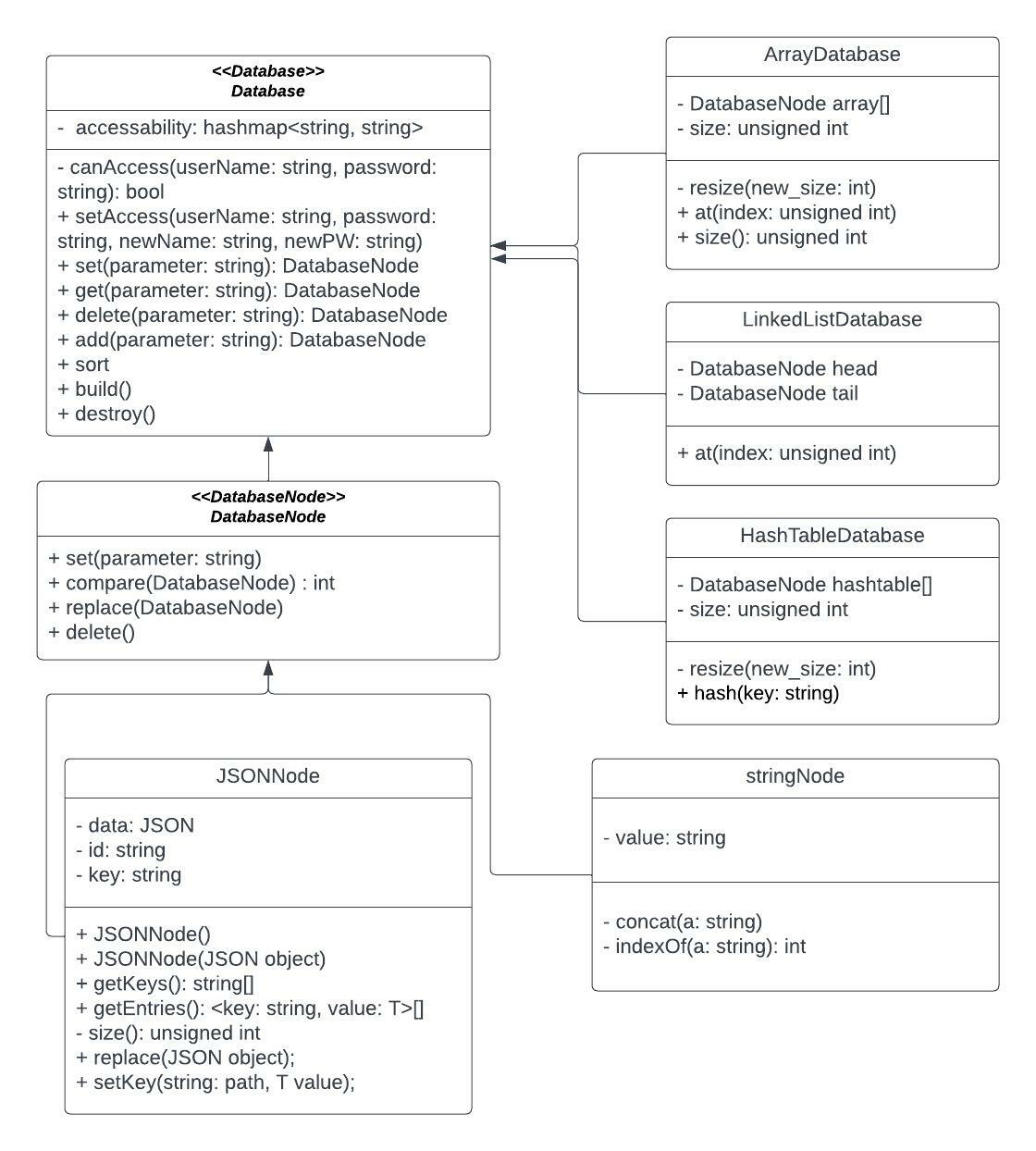
For our class diagram, we have one main database abstract class, which is the base database. That's linked to 3 different types of databases, for arrays, hashtables, and linked lists. Those databases each have their own methods and variables according to what a linked list, array, and hashtable have, such as a head/tail for linked list, and a resize function for array.
The database then has another abstract class, which is the database node. The database node class is extended by a string node, as well as a JSON node class. In each database class such as the hashtable class, it will be made using the database nodes. For example, the hashmap class has an array of database nodes, which are then used in the hashmap.
The JSON node allows for quick access from our api calls, and the string node is just a regular string.
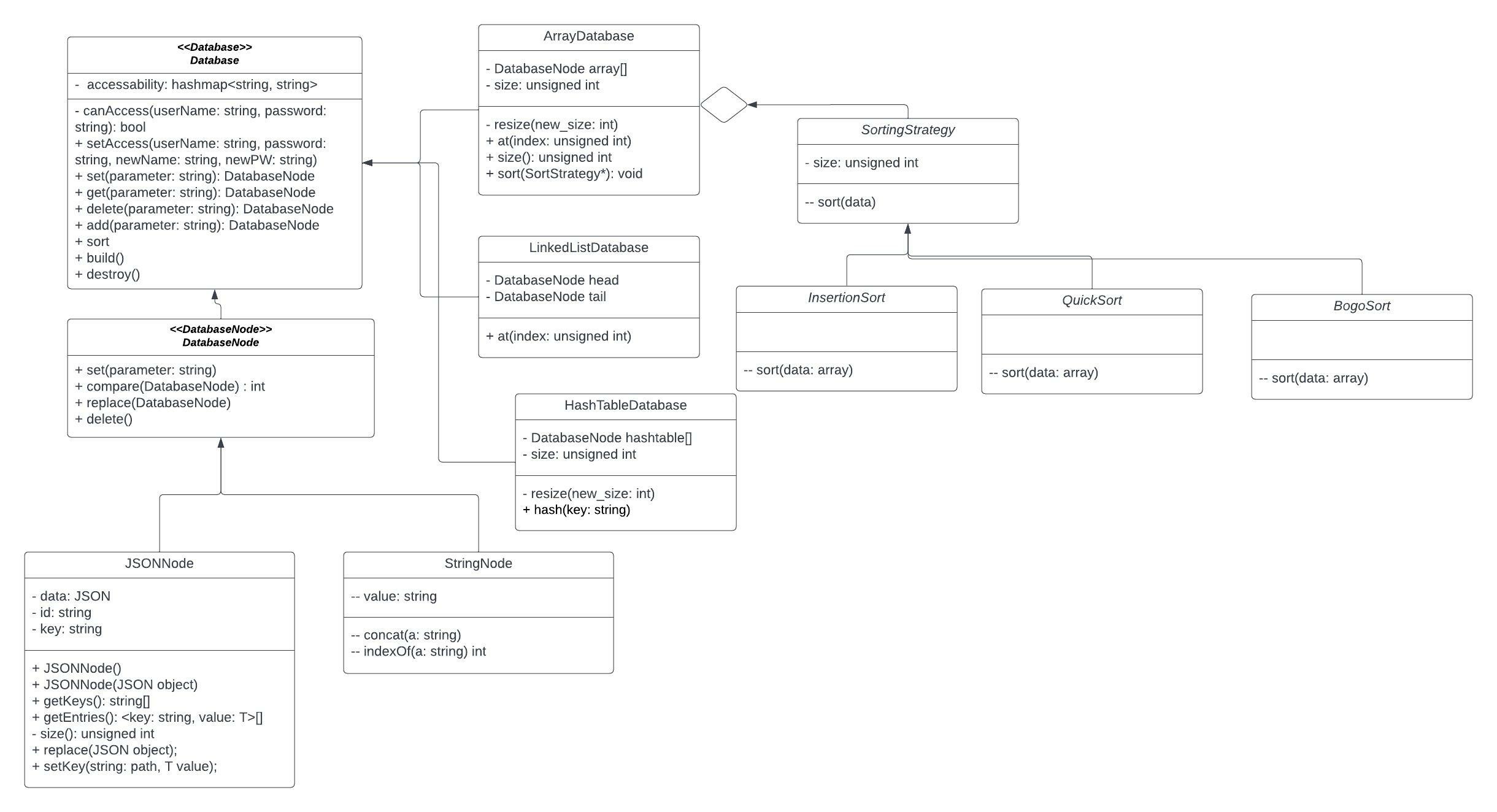
We decided upon using the strategy pattern, because we realized that we could use different types of sorting algorithems to organize our array database, such as insertion sort, quicksort, and bogo sort. In order to achieve this, we chose the strategy patern, and had different sorting strategys linked to our array database class. Then for our sorting function, we would take in a strategy, with the default being quicksort. This design pattern helped us write better code as it enables a clean user experience, where they in general can use one of the most efficient sorting methods, but can also use sorts such as insertion for small arrays, or bogo sort if they are trying to have fun. It leads to less clutter in our array database class, and we did not need to implement many different sorting functions there. We also considered the composite pattern, but realized that we did not need it as there was not really a composite aspect for our project, as we don't plan on suporting arrays of arrays, or anything of the sort.
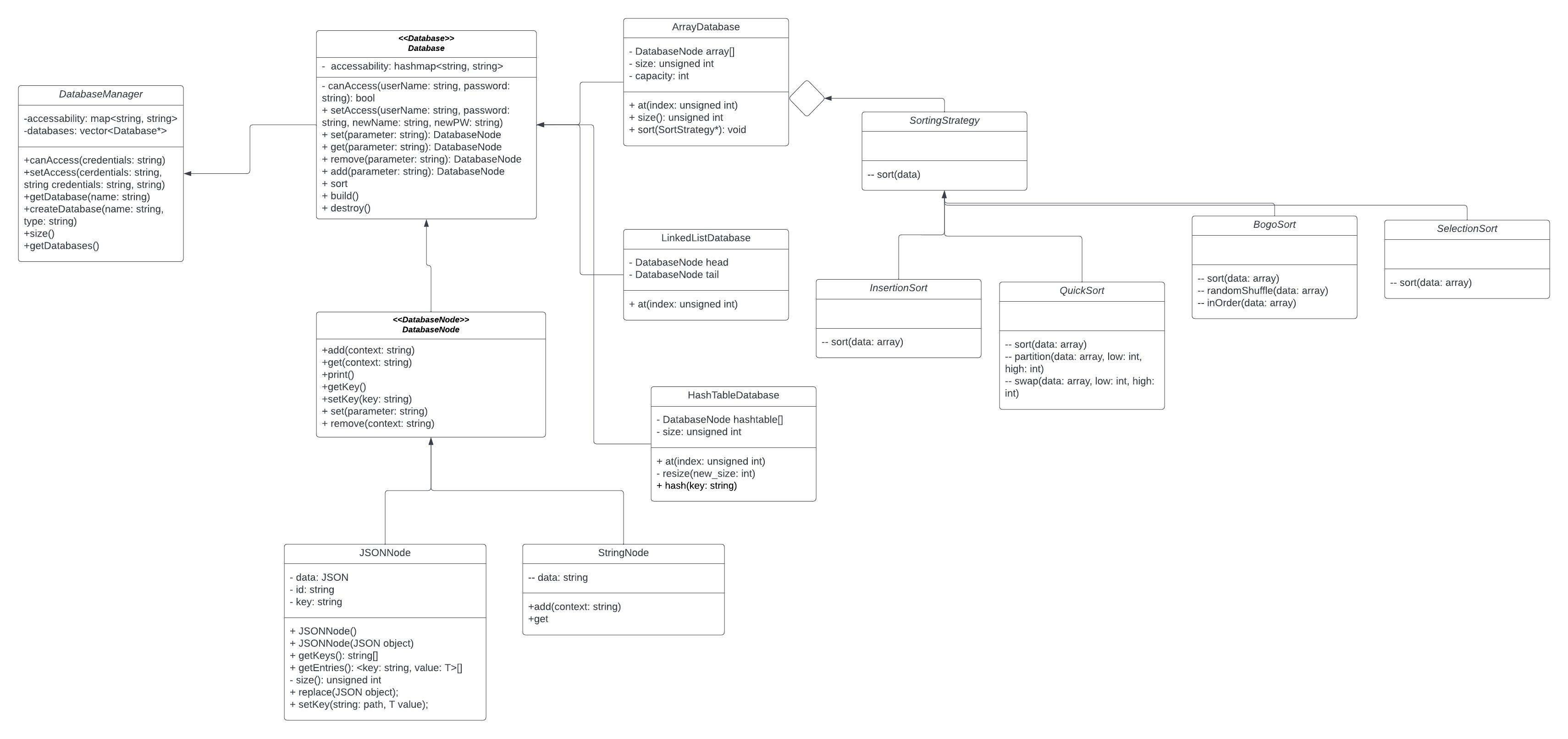
There are some significant chnages that have happened since the third phase of the project. We have intorduced a Database Manager class which is used to determine wether an individual has the verification needed to access a Databaase. Our project continued witht the strategy pattern, and like prior used sorting algortithms to organize our array database, the only difference being the new sorting startegy we added(SelectionSort). The continued updates on the UML diagram helped us follow the chnages on our code cleanly, so we could visualize the steps we would need to take to ensure a complete project.
The overall efficiency of the code has been tested and we have found no errors in our testing process thus far which will be touched on further below. Through the developmental process certain functions we intially planned on creating have been dropped or switched out. We found the need for function we intially hadn't had and found others redundant and we acted accordingly reaching the end of this sprint. The kanban board has the ideas in place for the next sprint.
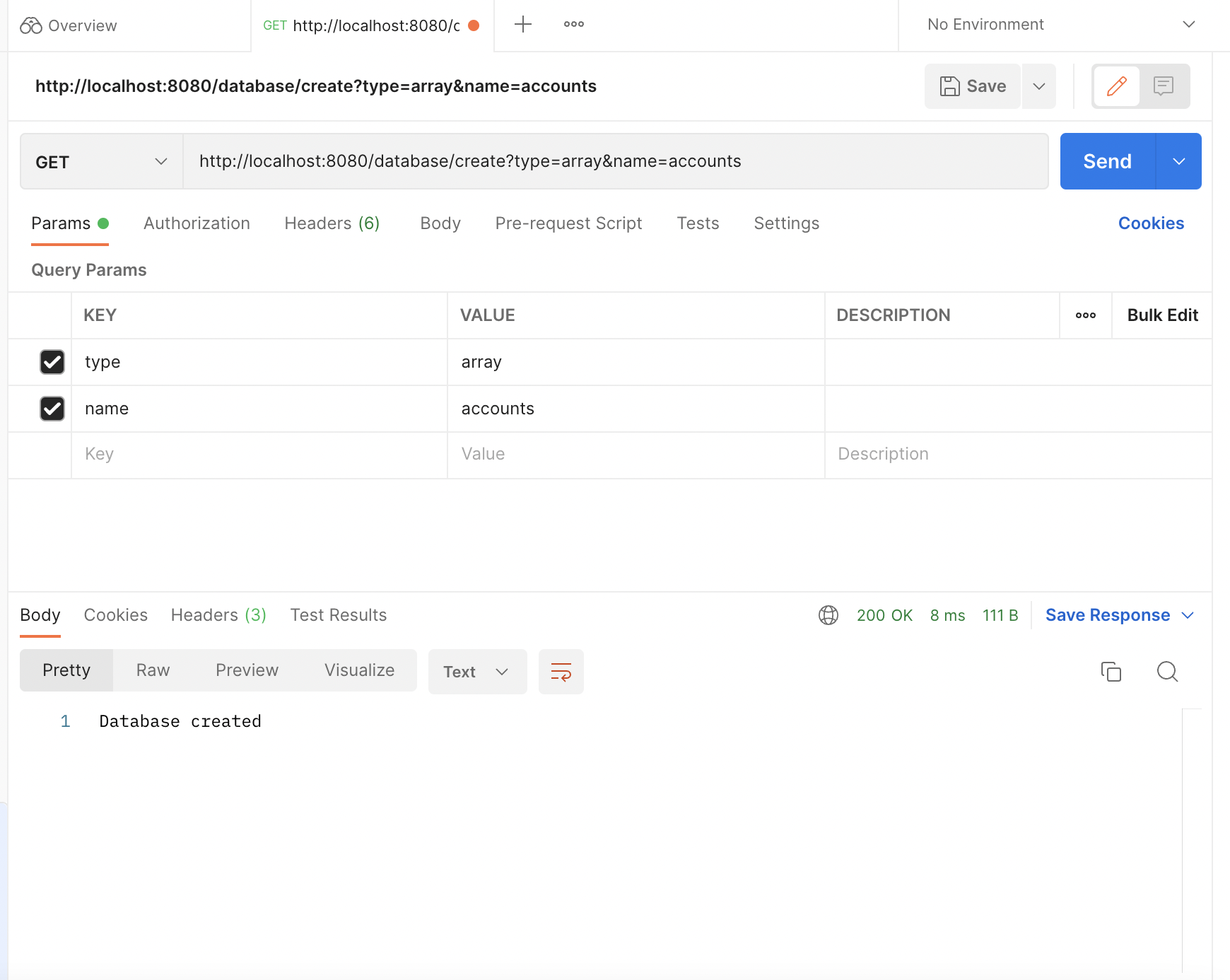
Database Creation
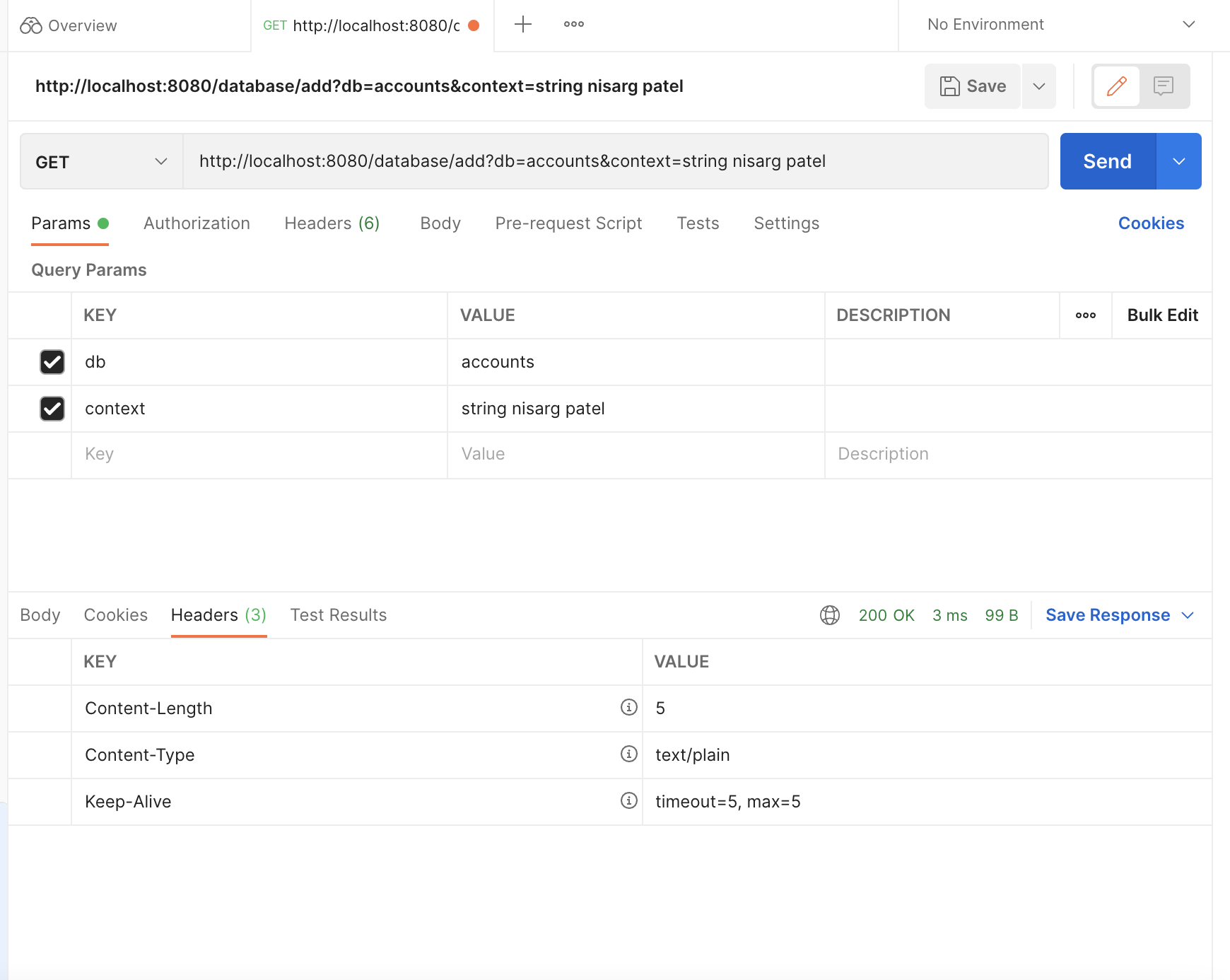
Adding elements(String node here, with key nisarg, value patel)
After adding all elements(our group's first and last names), we want to get the element! So we send a get request
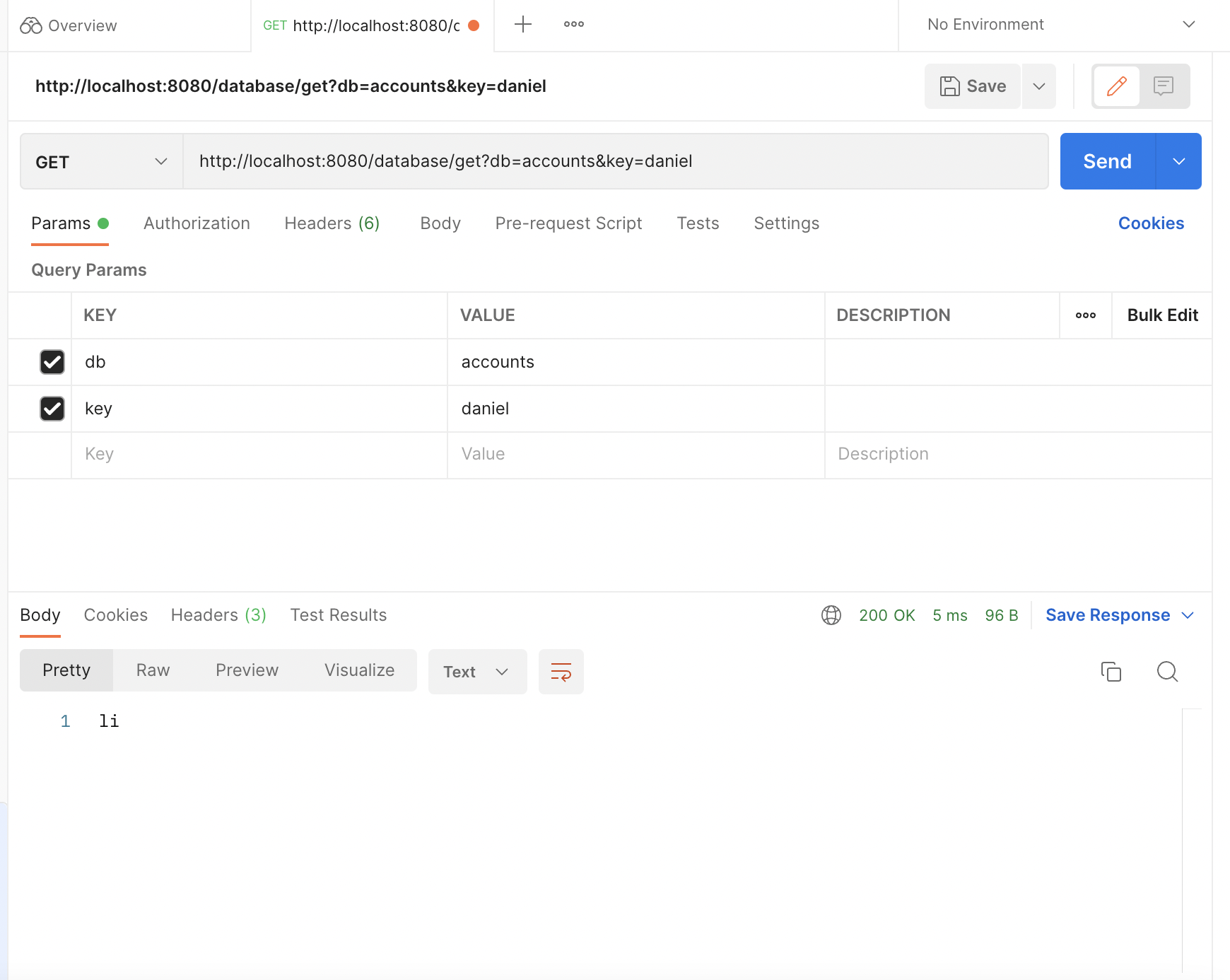
And we get it in the response!
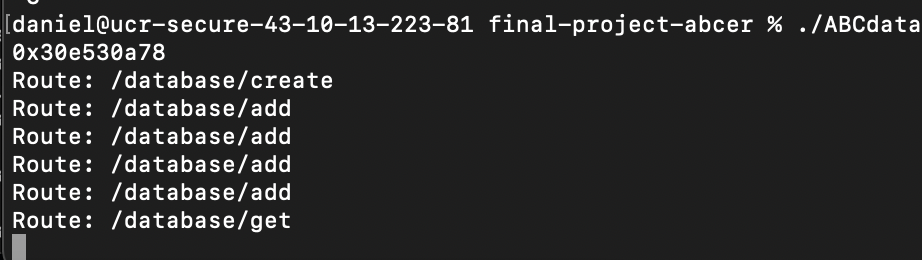
This is how the terminal running the database looks like after creating the database, adding 4 elements, and getting one.
Instructions on installing and running your application
- Step 1: clone the repository to your device
- Step 2: type in (cmake .) or (cmake3 . on hammer)
- Step 3: type make into the terminal
- Step 4: Congrats you've installed the program and now you can begin to use the database
Usage: After installing the program onto your terminal, we can begin using ABCDatabase. Step 1:
On one terminal page, type in ./ABCdatabase. This will activate the system.
Step two:
Then on another terminal you can curl information for example: Curl “http://localhost:8080/database/create?type=array&name=accounts” Which will create an array named accounts. The file below further describes the pathways of adding/setting/getting/removing/printing values into a database. Other than curl, you could also make a network request to the local host, with the correct path. This way, it can be used in other applications as a database, and is quick and easy to access!
In order to add data to the database, you would make another network get request, to the same host, with a different url. For example,
http://localhost:8080/database/add?db=accounts&context=string shashank biju
would add a new string node, with key shashank, and biju as the value.
You can continue to do this until satisfied with the database script.pdf
This script contains all the available paths for the database in a neat json format, so be sure to use it as documentation!
For testing, we validated our work by testing for CI in GitHub. Because the database is built to function for arrays, linked lists, and hash tables, we tested functions for each database. The tests include creating and adding items into a database for both string and JSON types, setting those items, and then removing them without error and more importantly memory leaks. Additionally, we tested the speed of the database by adding 10 elements to assess the efficiency which we found to be 0 ms.
After testing those functions, we tested out sorting functions. This is primarily designed for the array databases and tests the Quicksort, BoGoSort, SelectionSort, and Insertionsort. This test would fill an array database with numbers and then call the sort function to ensure that that array was sorted correctly, testing locations to make sure it would return an expected value.