Windows Monitor Manager
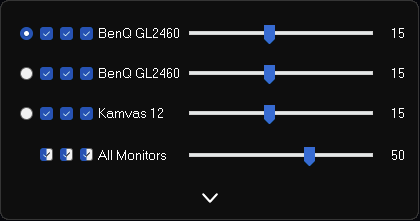
- The first time you start the application you must turn on all monitors.
- The first row defines the primary monitor.
- The second row determines whether the monitor is active.
- The third row determines whether the monitor is on.
- The fourth row activates a black overlay for the monitor
imniko
- https://github.com/imniko/SetDPI (to get Monitor DPI Scaling)
Nir Sofer
- https://www.nirsoft.net/
- https://www.nirsoft.net/utils/multi_monitor_tool.html (to get Monitor Characteristics/Settings)
- https://www.nirsoft.net/utils/control_my_monitor.html (to set Monitor Brightness)