A modern remake of Hypixel's Hole in the Wall minigame
Open for a limited time! Join fillinthewall.ddns.net on the latest Minecraft version
Originally for HooHacks 2024
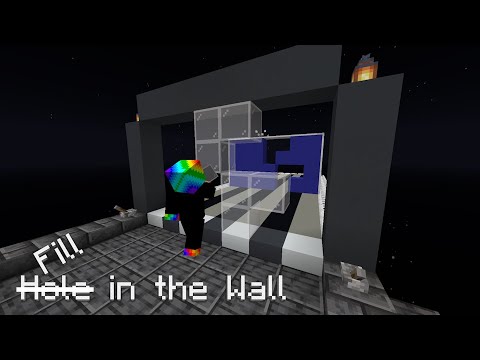
Please keep in mind that this plugin was designed for my personal purposes, so there may be some hiccups if you want to run it on your own server. A version designed for other uses can be found over at FillInTheWallLite
You'll need:
- A Paper server
- A MySQL server (can be run without, but highly recommended)
At the time of writing this, this plugin is for 1.21.7!
Clone this repository onto your machine and build the Gradle project with ./gradlew build. You can also open IntelliJ and do it from there.
Grab the jar file from the /build/libs/ folder and place it in your Spigot/Paper server's plugin folder.
If you try to load the plugin in this state, the plugin will load, but it will say that it failed to connect to a SQL database and that personal bests will not persist and leaderboards will not work.
To fix this, in the config file that's generated at plugins/FillInTheWall/config.yml, configure the database settings. You'll need to manually create a database in the MySQL server you're connecting to, as the plugin will not do this for you. May change in the future!
You will also likely see a bunch of errors regarding "unknown world". This is because you need to configure config.yml below.
- The
singleplayer-portalandmultiplayer-portallocations define where the big clickable display entities are located. You'll figure it out. - The
multiplayer-spawnlocation defines where players will be teleported back to after a multiplayer game ends, or when a player runs/fitw spawn. - The
spectator-finals-spawnlocation defines where eliminated players will spawn to spectate during the finals of a multiplayer game. - The locations in the
leaderboardssection define where leaderboards will spawn. - The
playingfields.ymlfile holds the parameters of each playing field. To add a new playing field, run/registerplayingfieldin-game and follow the instructions. - The
lobby-musicsection defines the music that'll play in the lobby and where. You should configure the location.
Playing fields with names that start with certain things will be included in multiplayer games:
- if name starts with "field_multi" it will be used in multiplayer qualification rounds
- if name starts with "field_finals" it will be used in multiplayer finals rounds
- if name starts with "field_void" it will alter the physical build during Endless mode
This will also change in the future!
Custom walls are grouped into "wall bundles". To add custom walls, create a new folder inside the /plugins/FillInTheWall/ folder called custom, and create a new YAML file inside of that.
There are two components to a wall bundle YAML file:
- The dimensions of each wall
- Length
- Height
- The list of walls
- Wall name
- Wall holes
- Time override (in ticks)
- Wall name
The hole formatting are just numbers separated by commas. In a way, these are just ordered pairs, except without any parentheses around them.
For example, the wall with holes shaped like an Among Us character has the holes: 2,0,4,0,1,1,2,1,3,1,4,1,1,2,2,2,2,3,3,3,4,3
An example of the wall bundle used in the finals on the server is in resources/finals.yml on this repository.
/fitw reload: Reloads the config. Can be unstable, so try not to use it./fitw abort: Aborts any active multiplayer game./fitw timer: Starts the pregame timer for multiplayer games./fitw start: If a pregame timer is running, start the game immediately regardless of player count./fitw garbage: Adds empty garbage walls to a player's playing field./fitw bundle: Adds a wall bundle to a player's priority wall queue./fitw tip: Displays an arbitrary tip on a player's playing field./fitw modifier: Triggers a custom gimmick on a player's playing field./fitw custom: Clears all queued walls and replaces them with the provided custom wall bundle/fitw spawn: Sends you to the location defined inmultiplayer-spawnin the config file