Team members: Annie Qiu, Catherine Cheng, Yifan Lu
ms3_x264.mp4
Before submitting your first milestone, you must get your project idea and scope approved by Rachel, Adam or a TA.
Our project is motivated by a desire to blend Eastern traditional art with the futuristic aesthetics of cyberpunk, inspired by Ghost in the Shell and Blade Runner 2049 which provide impressive visual effects and stunning cyberpunk scenes. The cyberpunk style is captivating, by combining it with Eastern aesthetics which can create a unique vision of ancient and futuristic elements.
We want to incorporate procedural asset creation into environment creation, combine it with textures, and eventually create an astonishing scene.
| Reference | Image |
|---|---|
| Main Reference |  |
| Reference1 |  |
| Reference2 | 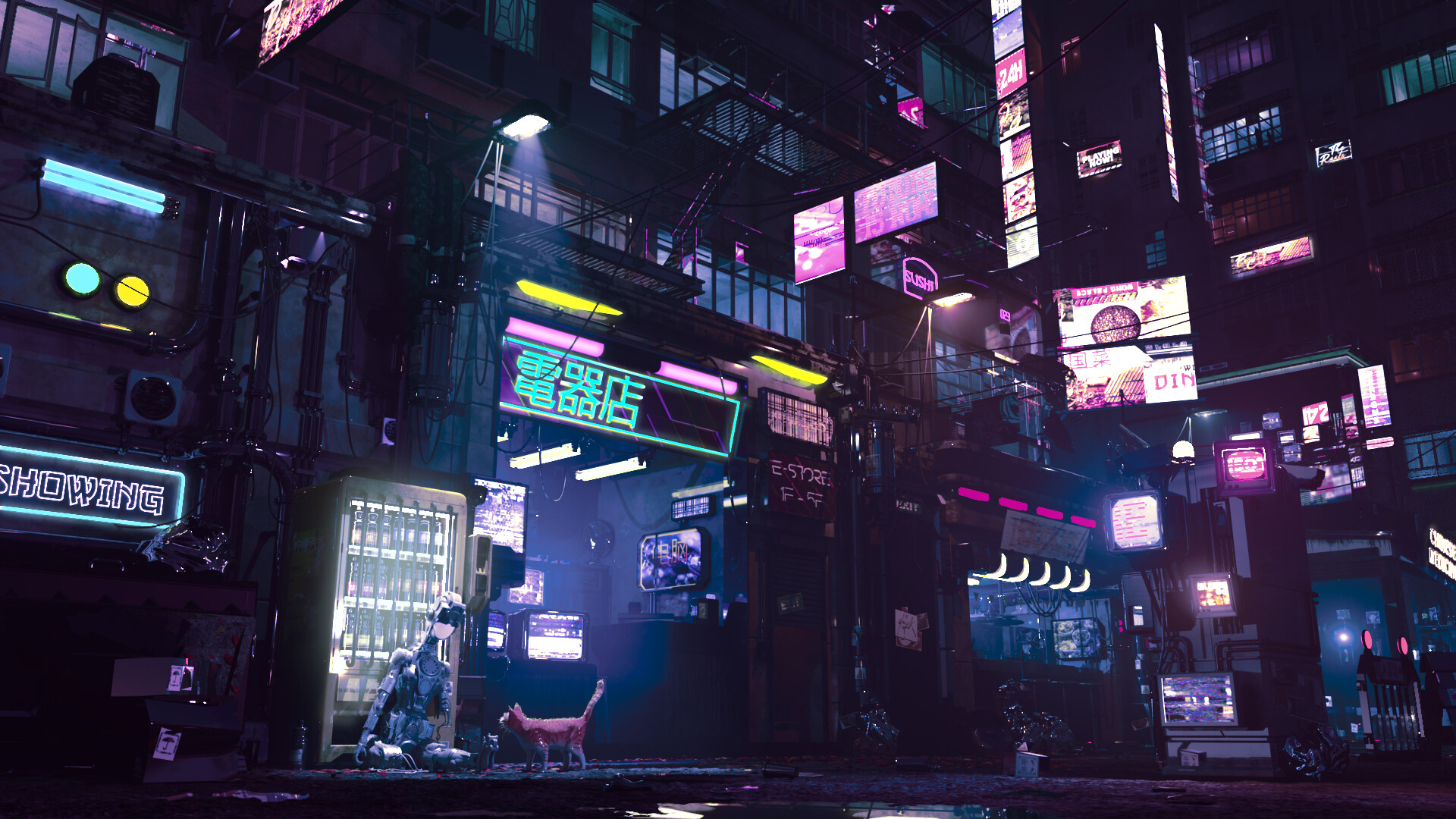 |
| Reference3 | :format(webp)/cdn3.vox-cdn.com/uploads/chorus_asset/file/8261407/Ghost_Shell_1995_Screenshot_0399.jpg) |
| Reference4 |  |
| Reference5 | 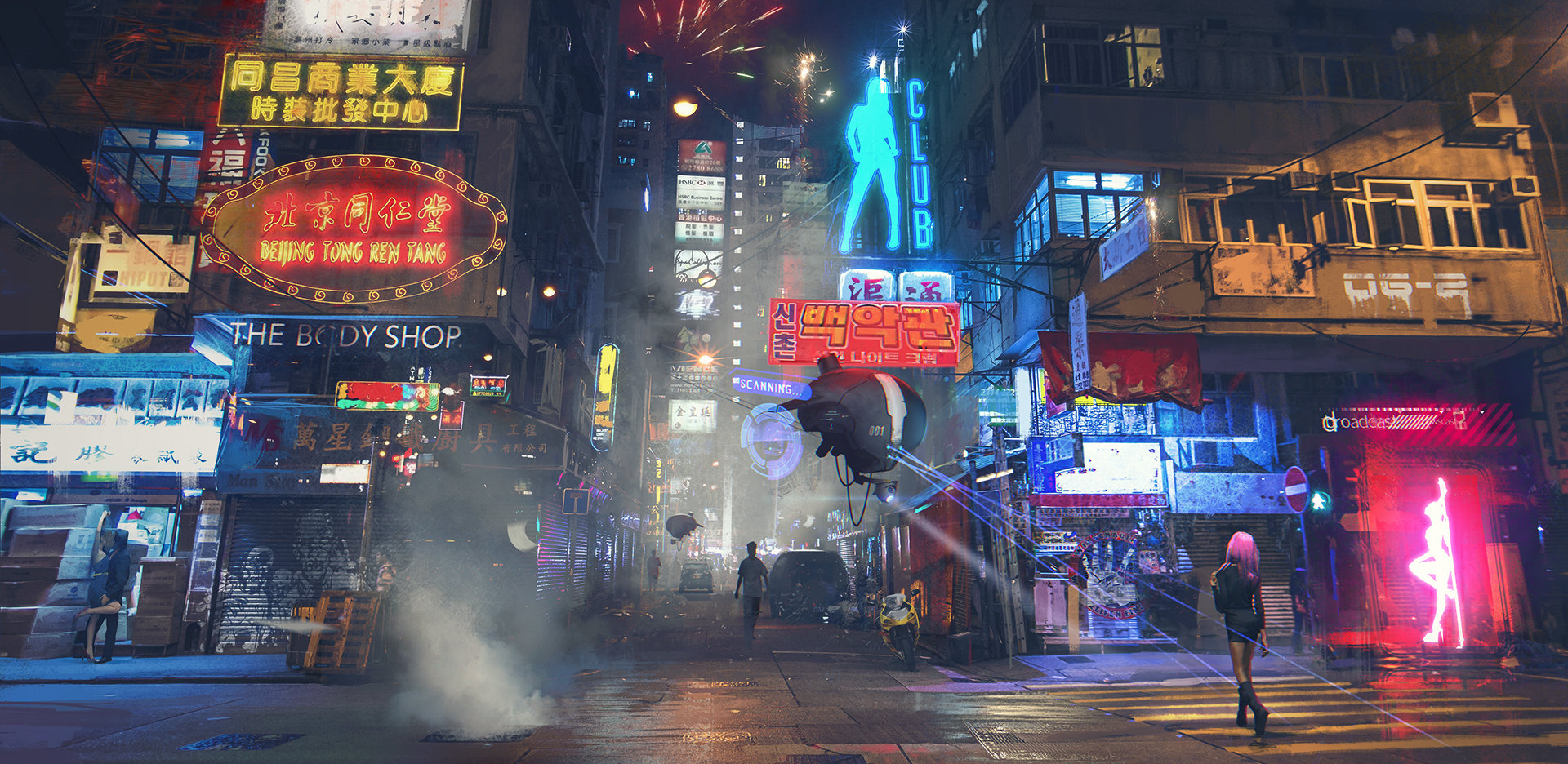 |
- Traditional Building Generator
| Reference |
|---|
 |
- Factory Building Generator
| Reference 1 | Reference 2 |
|---|---|
 |
 |
- Material fir procedural buildings(Tileable textures)
- City Layout
- Lighting(Light Billboard)
- Lights Generation Problem
- Asset Generation and Placement in Houdini (Separate assets from main buildings in order to assign light textures in UE5)
- Emissive Surfaces Assignment in UE5
- Houdini Procedural Building Generator
- Traditional building: Will use technique from HW3 to create multiple-level eastern style buildings. We could make a series of different windows, doors, and billboards and assemble them into buildings. Between different levels, we could add an eastern style roof with adjustable height and size. On the top of the building, we could also add a procedural top roof.
- Factory Building: Will use technique from HW3 to create multiple-level factory-style buildings. We could make a series of wires, windows, doors, and cables, and assemble them into buildings. Between different levels, we could add some stairs among each level and smokestacks on the top of the building.
- City Generation
- PDG: We will use a Procedural Dependency Graph in Houdini to automate and manage complex tasks in our procedural city generation pipeline. PDG allows us to efficiently handle dependencies across asset instancing, and layout generation to make large-scale cityscapes.
- https://youtube.com/playlist?list=PLXNFA1EysfYnWlvVy1ZzpzZd6Reyxmwxj&si=ADTaVLZNjySiRL2V
- Tileable Textures:
- Assign simple materials to classify the material in Houdini
- Using Substance Designer to create tileable textures
- Attach those materials in Unreal Engine 5

| Time | Annie Qiu | Catherine Cheng | Yifan Lu |
|---|---|---|---|
| Week 1: 2024/11/6 - 2024/11/13 | Factory building (FB) generator & basic light billboar setup | Traditional building (TB) generator & basic light billboard setup | Create tileable texture and material with substance designer. (Concrete/Metal Wall FB, Brick/Wood Wall TB, Roof TB, Road and pedestrian walk, Rolling door)PDG: City Layout & Procedural city generation pipeline |
| Week 2: 2024/11/14 - 2024/11/20 | Refine factory generator & Billboard generator& Integration with PDG | Refine building models & integrate with the pipeline & integrate with material | PDG: City Layout & Procedural city generation pipeline |
| Week 3: 2024/11/21 - 2024/11/25 | Accessory modeling: Bridge; stairs; VFX Snow (Niagara System) | Accessory modeling & texturing Tree Street lamp Trash can Utility pole | Accessory modeling & texturing: vender machine, blockers |
| Week 4: 2024/11/26 - 2024/12/2 | Layout and lighting | Layout and lighting | Layout and lighting |
Begin implementing your engine! Don't worry too much about polish or parameter tuning -- this week is about getting together the bulk of your generator implemented. By the end of the week, even if your visuals are crude, the majority of your generator's functionality should be done.
Put all your code in your forked repository.
Submission: Add a new section to your README titled: Milestone #1, which should include
- written description of progress on your project goals. If you haven't hit all your goals, what's giving you trouble?
- Examples of your generators output so far We'll check your repository for updates. No need to create a new pull request.
For Milestone 1, my goal was to implement a Factory Building (FB) generator along with a basic light billboard setup in Houdini. Sharing similar tasks of creating light billboar with other member, I instead chosed to focus more on creating additional asset generators(stairs, roadblock and chimney) to enhance the overall factory atmosphere. This milestone centered on building the foundational structure of the FB generator from scratch.
To achieve factory buildings generation, I created two main generators:
-
Building Generator: This generator uses adjustable parameters for floors, x, y, and z dimensions to define the basic structure of the factory. The generator includes essential elements like fences, chimneys, and an elevated middle section for a more industrial feel.

-
Escape Ladder Generator: With similar adjustable parameters, this generator creates escape ladders that can integrate with the factory building, adding both functionality and visual appeal.


In addition to the main building, I developed smaller asset generators:
-
Roadblock Generator: This asset allows customization of the number of triangular shapes.

-
Chimney Generator: Here, I added an iteration parameter to create distinct, customizable chimney shapes.


My job for Milestone1 is to create some procedural textures for both traditional building and the factory building. The textures are created with Substance Designer to give them procedural parameters. Since the most visually-impact part of the TB is the roof, I created a 2K texture with the following parameters:
| Stain Scale | Tile Hue Color | Hole Size |
|---|---|---|
 |
 |
 |
The node network for Tile texture:

For the concrete texture I add more types of cracks, divos and stains to adapt to the broken vibe of our concept art.
| Large Divots | Cracks | Grunge | Albedo |
|---|---|---|---|
 |
 |
 |
 |
The node network for Concrete texture:

Traditional building generator with billboard and bridges connecting different buildings:


Built up the pipeline to texture procedural meshes using Substance Designer & Painter:

Built up the pipeline for importing .hda meshes in UE5
| UE5 World View with Texture | HDA Panel |
|---|---|
 |
 |
outputMAX_x264.mp4
-
PDG network to layout 3 types of buildings based on a street map
Stages Image Grid Texture  )
)Grid in Houdini 
Layout in Houdini  )
)Layout in Unreal  )
) -
Pipeline for PDG from Houdini to UE5, including building shapes and materials


| Traditional | Factory |
|---|---|
 |
 |
- For materials in UE5, we have written a template for further adjusting tiling, base color tone, hue, saturation, and brightness.
| Material Template | Matierials |
|---|---|
 |
 |
- Pipeline to generate texture from SD to SP and UE5 with a custom template to compress AO, Roughness and Metallic into one texture.
| Custom Texture Template in Substance Designer | Procedural Texture in UE imported from SD |
|---|---|
 |
 |
- Billboard texture
- PDG
- Rearrange the layout to create center of city by placing higher buildings

- building type depend on the grid size
| Stages | Image |
|---|---|
| Small Block |  |
| Middle Block |  |
| Large Block |  |
- Integration

ms3_x264.mp4
Overall, our project went very well, and we are satisfied with the results. The final outcome met our expectations, and the visual quality of the procedural city exceeded our goals. We successfully accomplished our objectives of blending cyberpunk aesthetics with traditional Eastern architecture to create a procedural city.