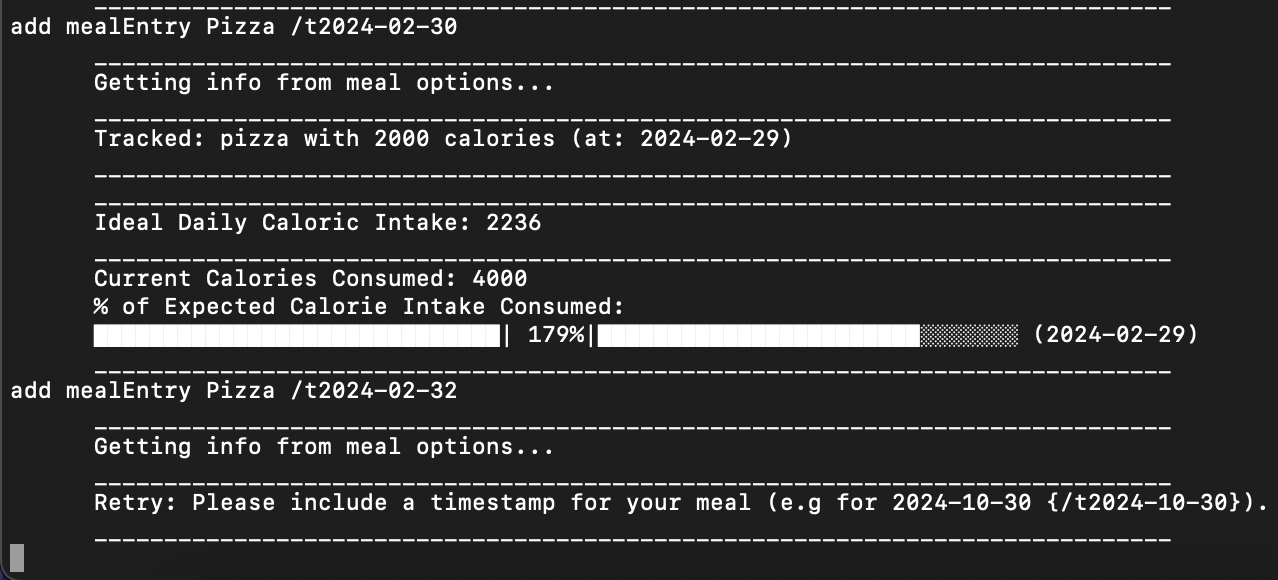
When adding a meal with the add mealEntry command, if you state a date in February that does not exist in that year (e.g., 29th on a non-leap year or the 30th or 31st of February), it will add the meal entry but add it to the last day of February in that year.
Steps to reproduce:
- Add a meal entry with the
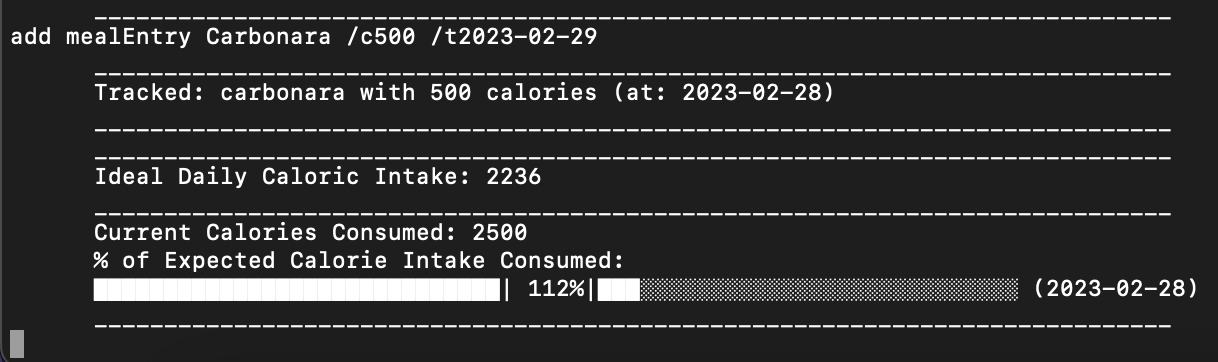
add mealEntry command, using either the 29th, 30th, or 31st of February. E.g., add mealEntry Carbonara /c500 /t2023-02-29
- The program will add the meal entry as Carbonara with a calorie count of 500, eaten on the date 2023-02-28.
The program will only do this for February, and on non-leap years where there are only 28 days, as well as the 30th and 31st days that do not exist in February. It will instead add the meal entry to the final day of the February in that year. If it is a leap year, meal entries logged for the 30th and 31st will be recorded as being eaten on the 29th, and if it is a non-leap year, it will record the meal as eaten on the 28th.

When adding a meal with the
add mealEntrycommand, if you state a date in February that does not exist in that year (e.g., 29th on a non-leap year or the 30th or 31st of February), it will add the meal entry but add it to the last day of February in that year.Steps to reproduce:
add mealEntrycommand, using either the 29th, 30th, or 31st of February. E.g.,add mealEntry Carbonara /c500 /t2023-02-29The program will only do this for February, and on non-leap years where there are only 28 days, as well as the 30th and 31st days that do not exist in February. It will instead add the meal entry to the final day of the February in that year. If it is a leap year, meal entries logged for the 30th and 31st will be recorded as being eaten on the 29th, and if it is a non-leap year, it will record the meal as eaten on the 28th.