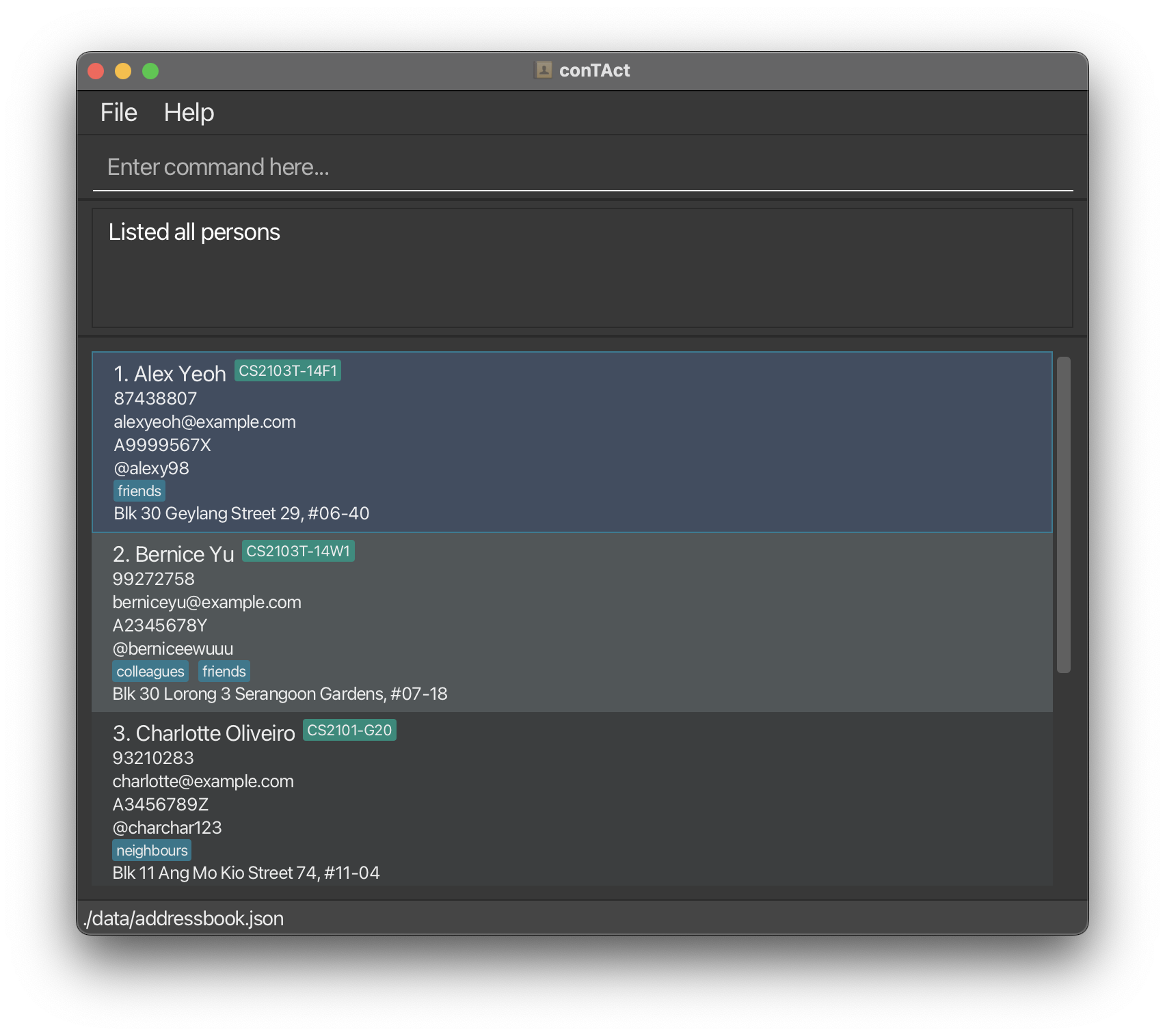
This is the initial view before I execute the list command:
After executing "list n/":
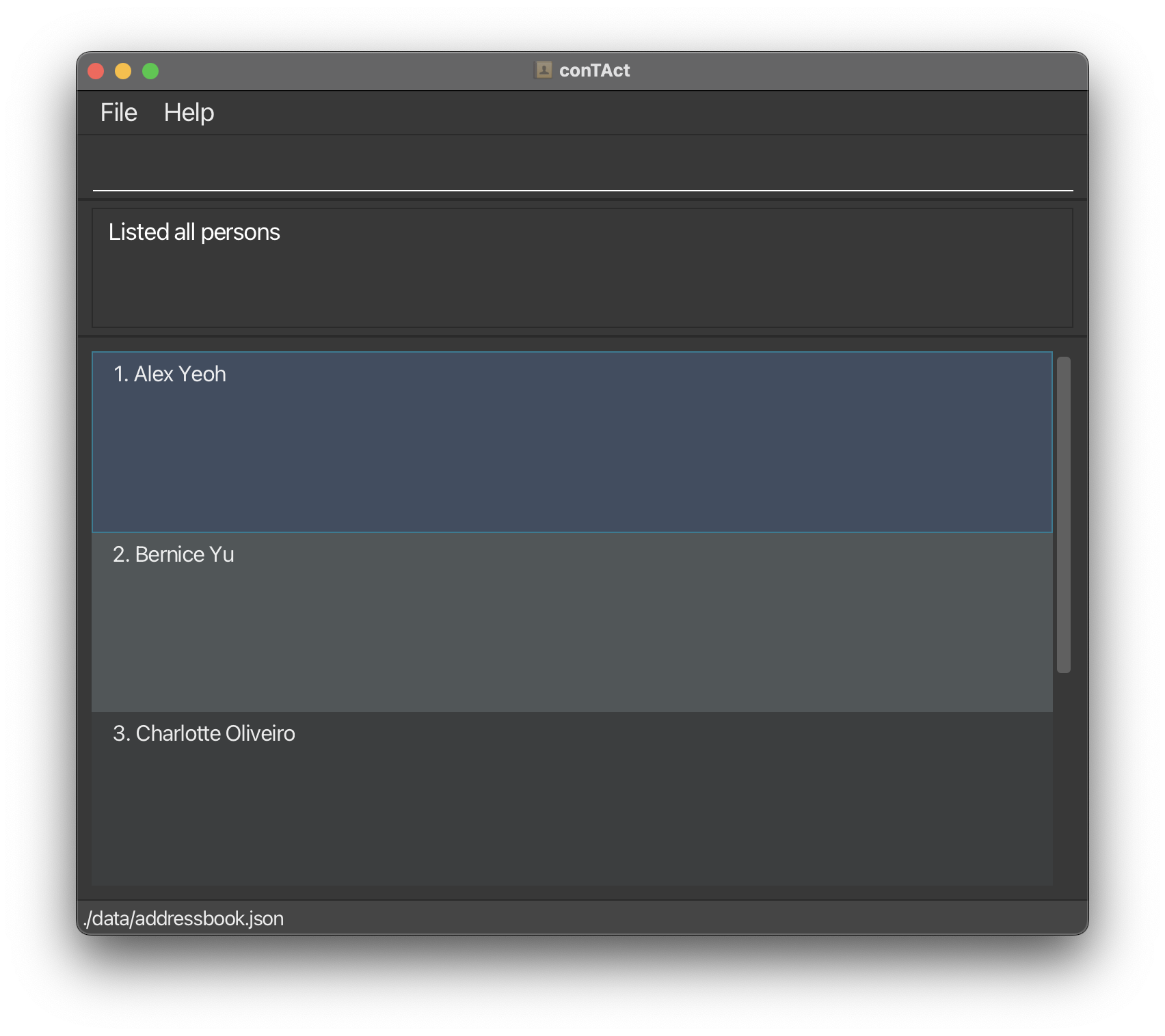
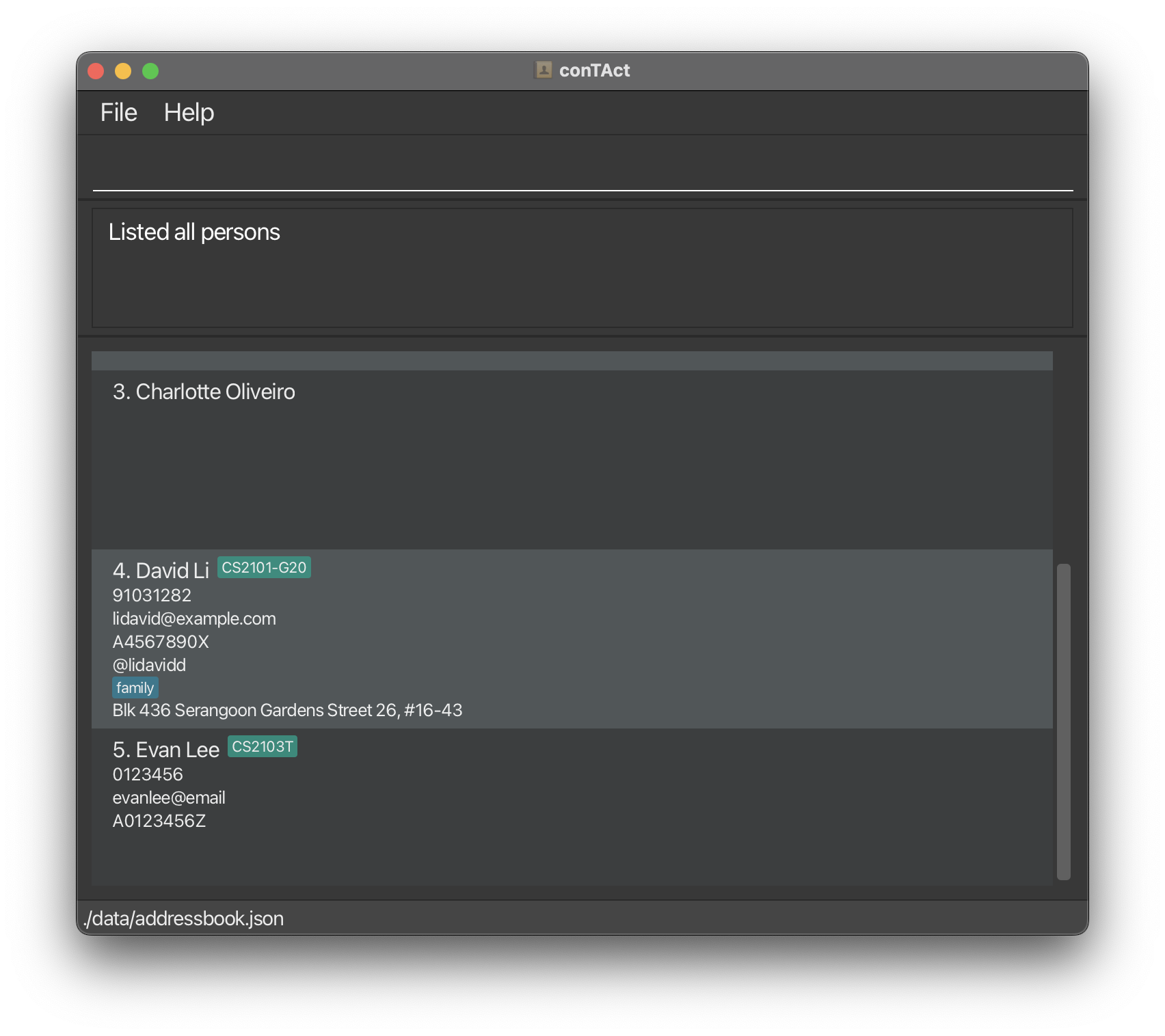
As seen in the image, the contacts that were initially not in view, were not affected by the "list n/" command, only those in the current view changed.
Discovered a fix to this which was to click the individual contacts, this would "apply" the command to that contact
Attempted to do this in full screen, where all contacts are visible, and it works fine
Steps to reproduce:
- have enough contacts such that some contacts are out of view
- scroll to the top of the list
- execute "list n/"
- scroll down

This is the initial view before I execute the list command:

After executing "list n/":
As seen in the image, the contacts that were initially not in view, were not affected by the "list n/" command, only those in the current view changed.
Discovered a fix to this which was to click the individual contacts, this would "apply" the command to that contact
Attempted to do this in full screen, where all contacts are visible, and it works fine
Steps to reproduce: