
Volto add-on to style blocks and other components
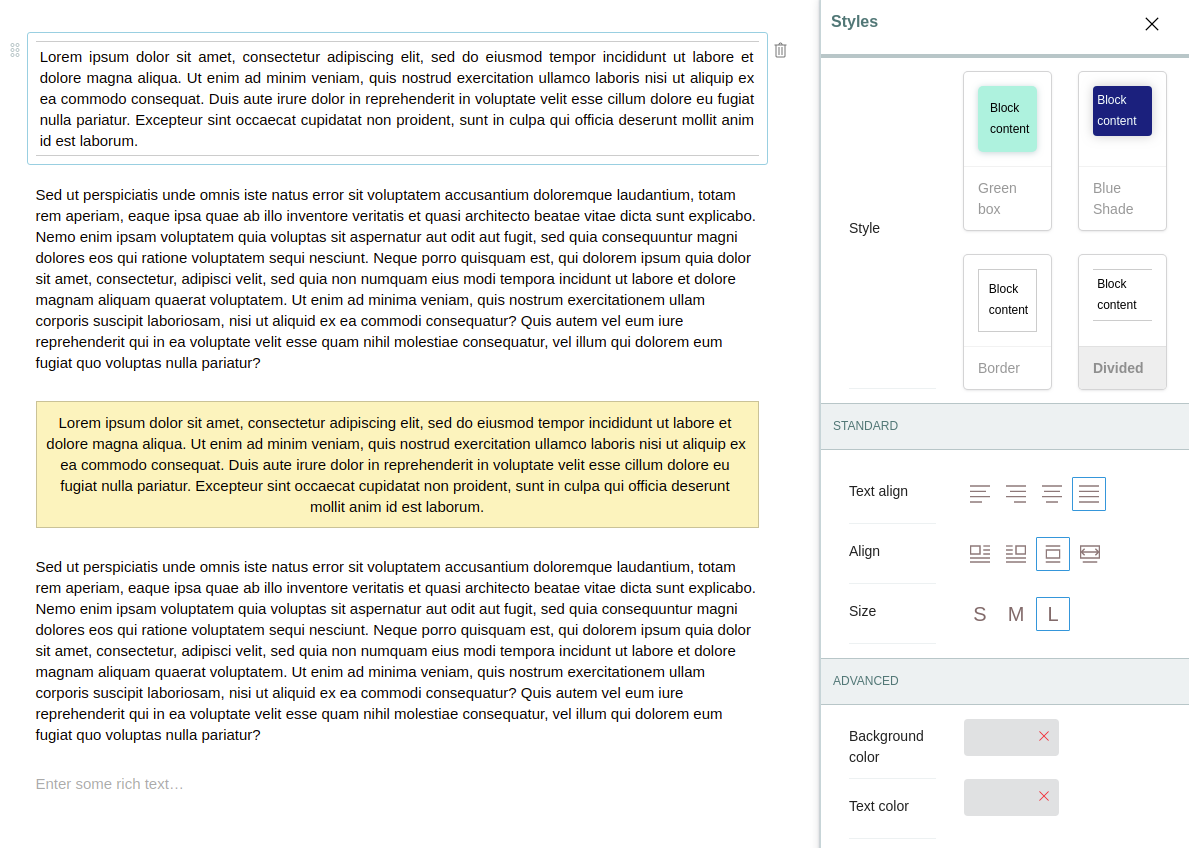
A generic framework to style blocks and other components.
To configure it, set settings.pluggableStylesBlocksWhitelist as a list of
block types that you want to enable. By default it is enabled for all blocks.
IMPORTANT! Because of the way it works, you should always load this addon as the last addon in Volto project configuration.
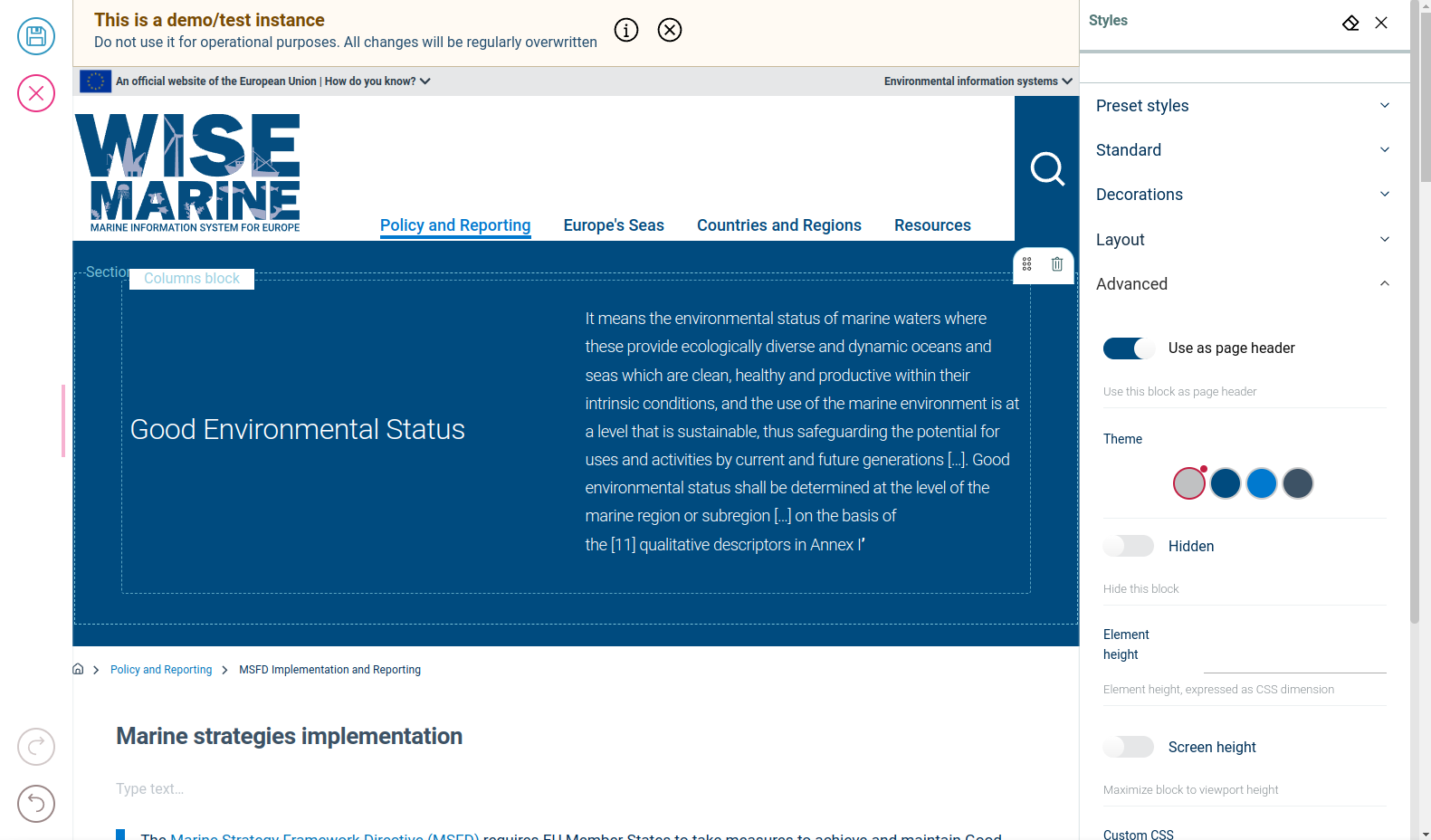
From version 5.2.7 you can use blocks as page header by enabling 'Use as page header' from the 'Advanced' tab.
  git clone https://github.com/eea/volto-block-style.git
  cd volto-block-style
  make
  make start
Go to http://localhost:3000
make start now defaults to Volto 18. To run the same setup against Volto 17, use:
  VOLTO_VERSION=17 make
  VOLTO_VERSION=17 make start
-
Make sure you have a Plone backend up-and-running at http://localhost:8080/Plone
docker compose up backend
-
Start Volto frontend
-
If you already have a volto project, just update
package.json:"dependencies": { "@eeacms/volto-block-style": "*" }
and
volto.config.js:const addons = ['@eeacms/volto-block-style'];
-
If not, create one with Cookieplone, as recommended by the official Plone documentation for Volto 18+:
uvx cookieplone project
cd project-title
-
Install or update dependencies, then start the project:
make installFor a Cookieplone project, start the backend and frontend in separate terminals:
make backend-start
make frontend-start
For a legacy Volto 17 project, install the package with
yarnand restart the frontend as usual. -
Go to http://localhost:3000
-
Happy editing!
See RELEASE.md.
See DEVELOP.md.
The Initial Owner of the Original Code is European Environment Agency (EEA). All Rights Reserved.
See LICENSE.md for details.