Repository navigation
dtflow: a training-data CLI workbench with a Textual browser #6722

Replies: 1 comment

|
Update for dtflow 0.10.6: the Textual browser is the interactive entry point to a training-data CLI workbench. The same file can continue through
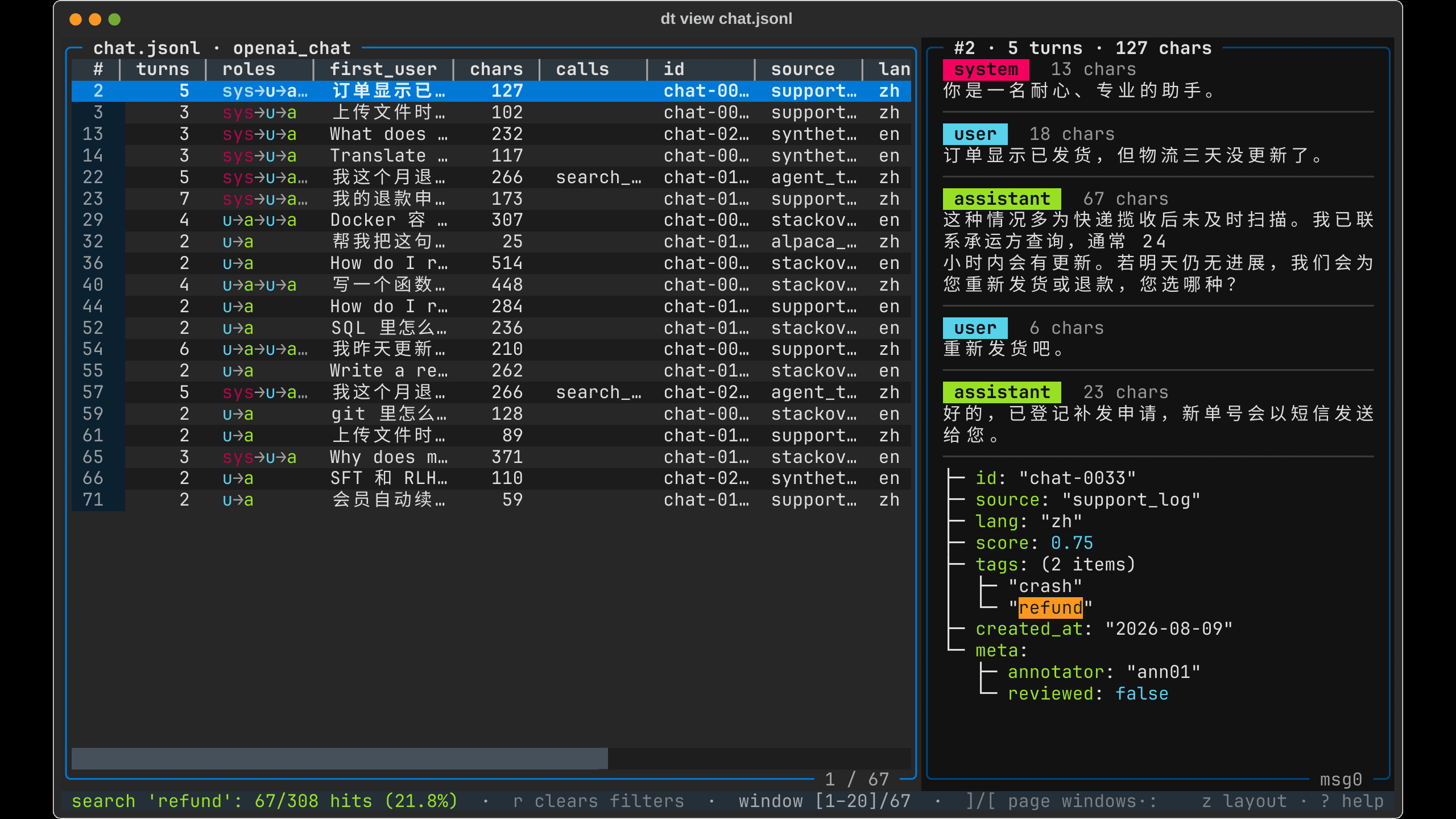
The synthetic demo has 308 records. The table starts with a 20-record window; searching With uv installed, try the browser on your own file: uv tool run --isolated --from dtflow==0.10.6 dt view your.jsonlFor a reproducible dataset and the complete CLI workflow: git clone --depth 1 --branch v0.10.6 https://github.com/KenyonY/dtflow.git
cd dtflow
python scripts/growth_demo.py --from dtflow==0.10.6 --output .growth/tryThis text-SFT example removes tool trajectories and empty final replies, leaving 259 records, then deduplicates by id to get 252. OpenAI → ShareGPT → OpenAI conversion validates 252/252 both before and after, and all commands exit 0. The script keeps full stdout/stderr and exit codes in The LLaMA-Factory export retains One Textual lesson from fixing my app: wait for both text fields and thumbnail strips to have nonzero layout sizes before calculating detail-navigation anchors. A text field can finish layout a frame before its thumbnail, otherwise the anchor misses ten image rows. The fix and regression test cover that partial-layout state. Entry demo (~39s) · Full workflow (~45s) · Reproduction details The videos use real TUI actions and real CLI output held as readable frames; their pauses are not execution-time measurements. All demo data is synthetic. Feedback on the sample browser or a concrete format that fails conversion is welcome. This update was prepared with AI assistance; the commands and results were checked against the released package. |

Uh oh!
There was an error while loading. Please reload this page.
Uh oh!
There was an error while loading. Please reload this page.
dtflow combines a Textual training-sample browser with pipeable commands to inspect, filter, deduplicate, validate, convert and export training files. The 0.10.6 workflow, demos and reproduction instructions are in the update below.
dt view data.jsonlopens an SFT / DPO / agent JSONL file as a table + detail browser. The table summarizes each sample (turns, roles, first user message, chars, tool calls); the detail pane renders the current row as a conversation with roles colored, code blocks highlighted and tool-call arguments formatted (invalid JSON gets flagged). Search, Python-expression filters and sort scan the whole file in a process pool, and the file is loaded in windows.Textual pieces this leans on, and a few things I ended up building on top:
DataTablewith a custom render path that skips per-cell measuring, plus draggable column dividers and a draggable split between the two panes (hover feedback throughMouseMove, double-click to reset).ModalScreens for an Excel-style column value picker (SelectionList+ anInputthat filters candidates) and a column chooser.run_testpilot suite covering drag interactions, filters, follow mode and cancellation.Repo: https://github.com/KenyonY/dtflow —
pip install dtflow, oruvx --from dtflow dt view your.jsonlto try it without installing. Feedback on the Textual side is very welcome, especially anything I reinvented that already exists in the framework.All reactions