





The ultimate visual mind mapping tool for brainstorming, planning, and structured thinking.
- 🧠 About Neuron Mapping
- 📺 Video Tutorial
- 🚀 What's New in Version 1.6.0?
- 🛠️ Key Capabilities
- ⚙️ Technical Specifications
- 🚀 Get Started
- 🤝 Contributing
- 📄 License
Neuron Mapping is a powerful and intuitive visual mind mapping tool designed for professionals, students, and creative thinkers. It allows you to organize ideas, brainstorm complex projects, and structure thoughts with ease. Whether you're planning a new business venture or mapping out a research paper, Neuron Mapping provides the canvas you need to bring clarity to chaos.

Watch the official tutorial to learn how to master Neuron Mapping:
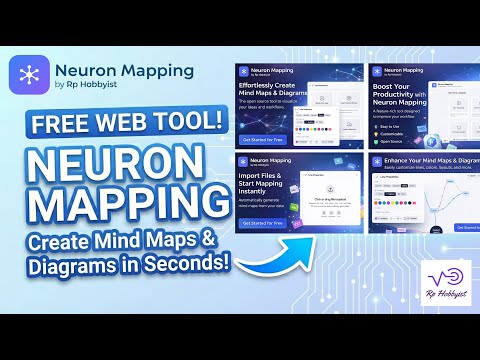
The v1.6.0 update enhances the core mapping engine and introduces new customization options for a more fluid creative experience.
- 🖌️ Drawing Canvas: Freehand drawing support with pencil and eraser tools to annotate maps directly.
- 🪄 Smart Add: Type anything and let the algorithm find the best spot for it in your map automatically.
- 🌐 3D Galaxy View: Visualize mind maps in immersive 3D with 2D Projection, Sphere, Grid, and Force layouts.
- 🎯 Focus Mode: Select a node and hide everything else to concentrate on one branch.
- 🕘 History Snapshots: View and restore previous versions of your mind map with visual snapshots.
- 🚀 Faster Loading: 3x smaller initial bundle with lazy loading — exports and 3D load on-demand.
- ⚡ Line Animations: Snake arrows, flow dashes, and cross patterns with direction control.
▶️ Node Loop & Play Mode: Presentation mode that reveals nodes step-by-step for walkthroughs.- 🎨 Advanced Line Styling: Customize connections with colors, thickness, labels, and tension.
- 📹 YouTube Tutorials: New video tutorials to help you master every feature.


- 🎨 Infinite Canvas: Create sprawling mind maps without limits, with smooth pan and zoom.
- 🔗 Flexible Connections: Choose between curved, straight, or stepped connection lines to suit your style.
- 🖌️ Freehand Drawing: Annotate your maps directly on the canvas with built-in drawing tools.
- 📋 Ready-to-Use Templates: Start your projects faster with 20+ built-in mind map structures (SWOT, Porter's Five Forces, etc.).
- 📁 Organized Nodes: Color-code and style individual nodes to create visual hierarchies.
- 🔍 Quick Search: Find specific nodes or ideas instantly within complex maps.
- ⚡ Auto-Save: Your progress is automatically saved to local storage / IndexedDB.
- 📥 Import/Export: Save your maps as
.nmmfiles for backup or export them as high-quality Images or PDFs. - 🔒 Privacy-First: 100% local-first data storage — no tracking, zero cloud uploads.
- Tech Stack: Built with React, Three.js (for 3D visual effects), and Tailwind CSS.
- Platform Support: Cross-platform desktop performance via Electron and mobile-responsive web app.
- File Format: Native
.nmmformat for seamless project sharing and backups. - License: Open Source under AGPL v3.
Neuron Mapping is provided as a pre-compiled application for a seamless experience.
- Download the Neuron_Mapping_v.1.6.0.zip package from GitHub Releases.
- Unzip the contents to your preferred location.
- Run
Neuron Mapping.exe(Windows) to start mapping instantly.
If you wish to contribute or run from source:
# Clone the repository
git clone https://github.com/RPHobbyist/Neuron-Mapping.git
cd Neuron-Mapping

# Install dependencies
npm install

# Start development server
npm run dev
Optional: copy .env.example to .env to override branding (vendor name, logo, links, etc.) in your own fork — every variable already has a sensible default, so this step can be skipped entirely.
Contributions are welcome! Feel free to open an issue or submit a pull request.
Distributed under the GNU AGPL v3 License. See LICENSE for more information.
Empowering minds with professional-grade creative tools.